Lesson08: BLE Service and Characteristic Communication
1. Objectives
In this lesson, the ESP32-S3 acts as a BLE peripheral and advertises itself so that a phone or computer can connect to it and read from or write to a custom characteristic. The program prints data written by the phone to the serial port and periodically sends notifications after a connection is established.
2. Prerequisites
- The ESP32-S3 environment setup in Lesson01 has been completed.
- This lesson uses the built-in Arduino-ESP32 BLE libraries:
BLEDevice.h,BLEServer.h, andBLEUtils.h. - No additional third-party libraries need to be installed.
- Any BLE debugging tool can be used on the phone. This example uses BLE Scanner.
How to add the library files:
- No additional third-party libraries are required for this lesson. It uses the BLE library included with the ESP32 3.3.3 board package.
3. Arduino IDE Instructions
-
Open
Lesson08_BLE_Communication.inoin the Arduino IDE.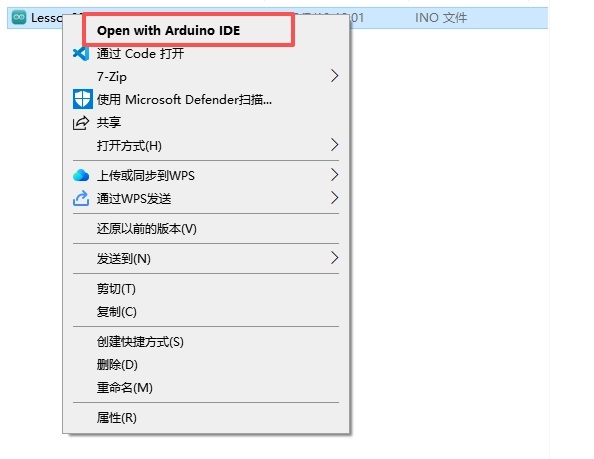
-
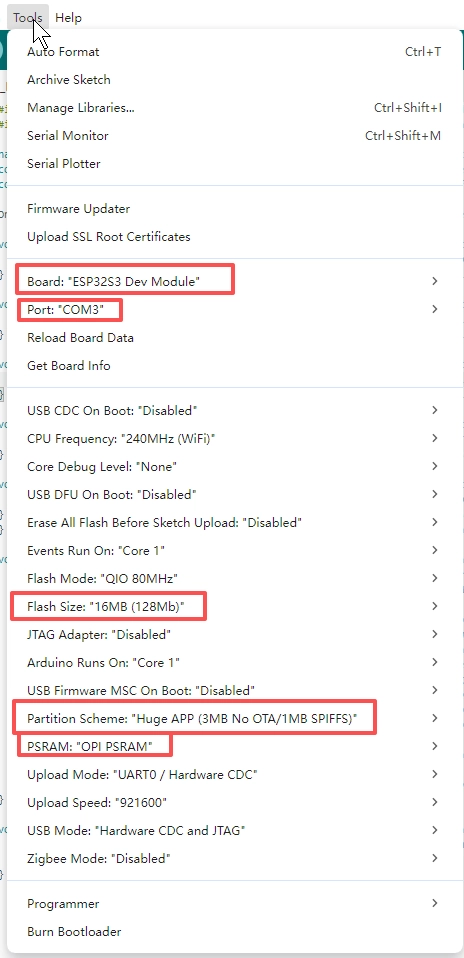
Confirm that the board settings match those used in Lesson01.
-
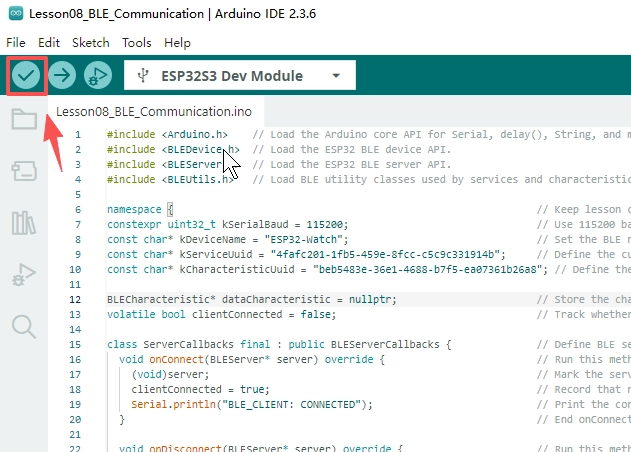
Click Verify to compile the program.
-
Click Upload to flash the program, then open the Serial Monitor and set the baud rate to
115200.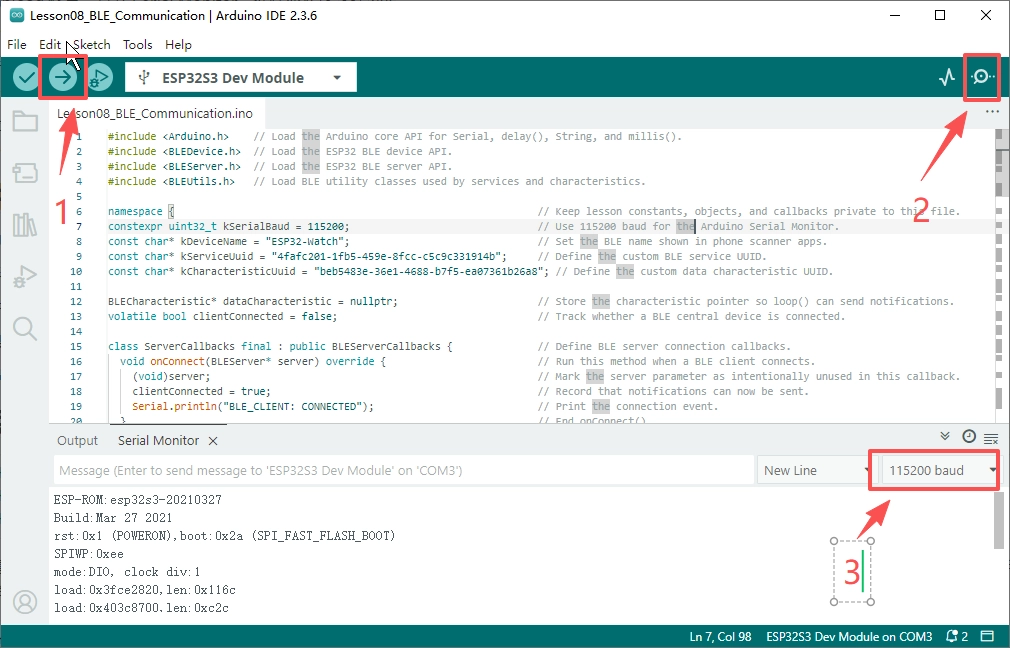
4. Hardware Instructions
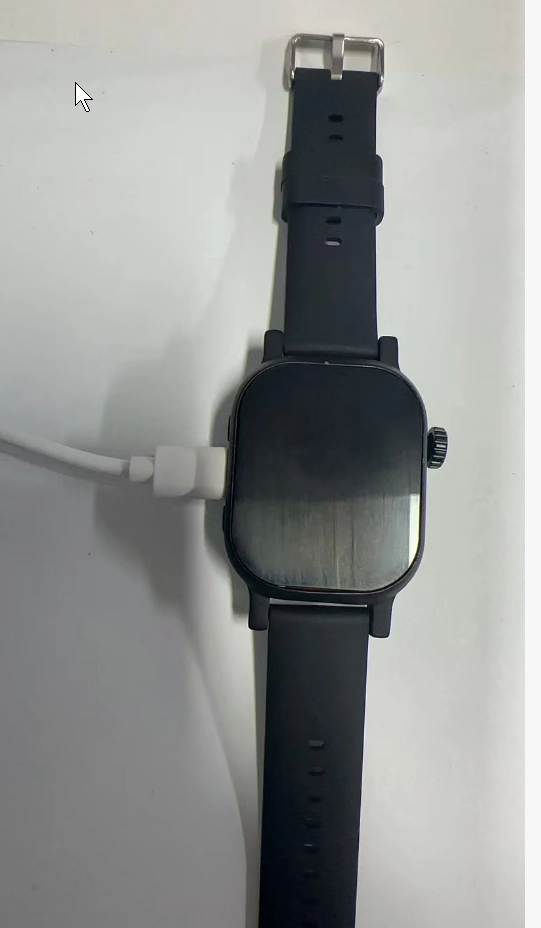
- Connect the development board to the computer using a USB data cable, and keep the Serial Monitor open.
-
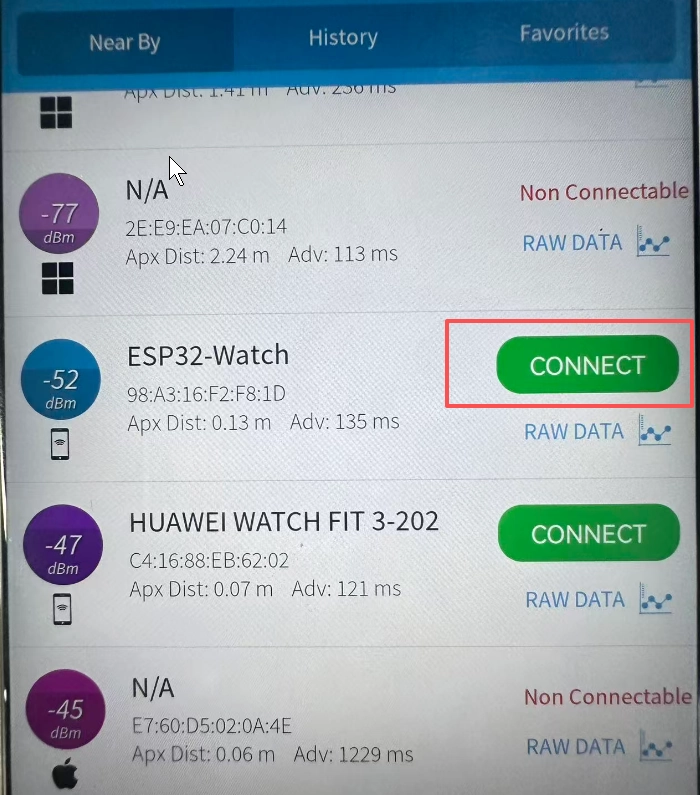
Open a BLE debugging tool on your phone or computer.
-
Search for and connect to the device named
ESP32-Watch.
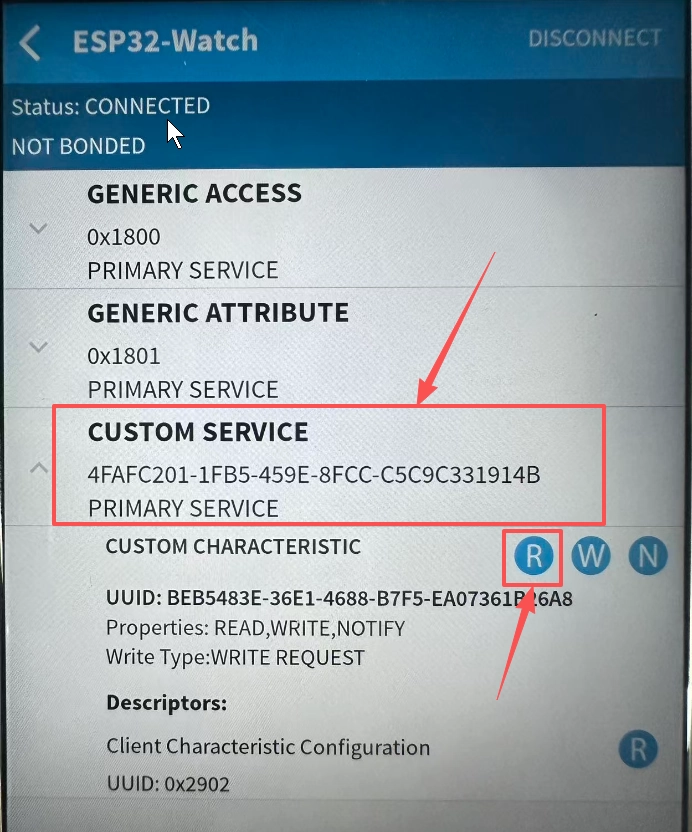
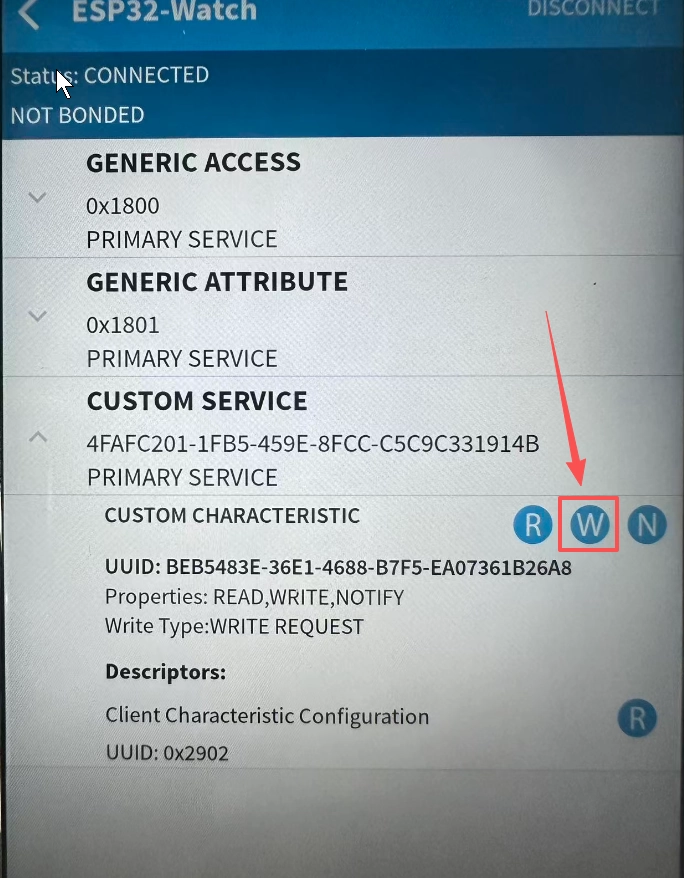
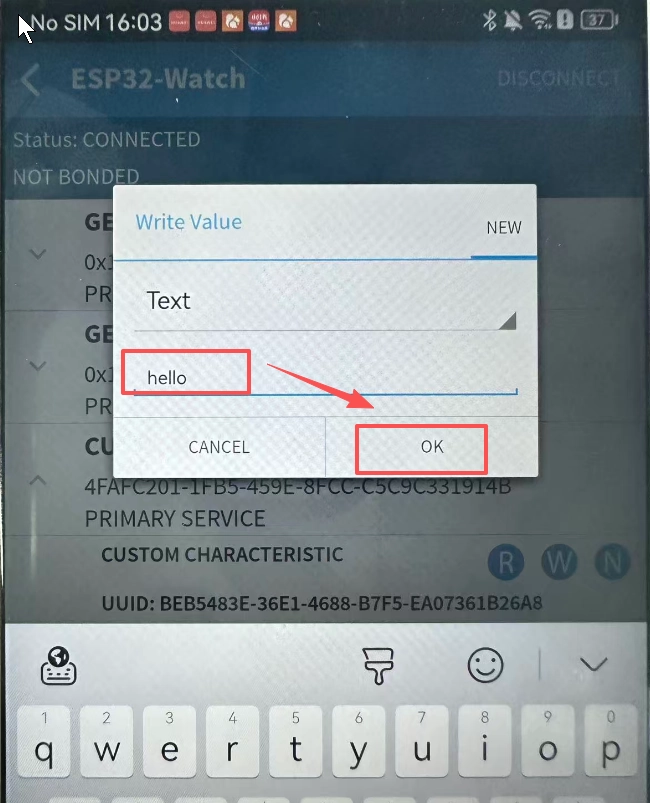
- Locate the characteristic defined in this lesson and write a string of text to it.
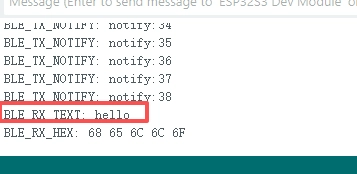
- Check whether the received text and hexadecimal data are printed to the serial port, and whether the device periodically sends notifications.
5. Key Code Explained
const char* kDeviceName = "ESP32-Watch";
const char* kServiceUuid = "4fafc201-1fb5-459e-8fcc-c5c9c331914b";
const char* kCharacteristicUuid = "beb5483e-36e1-4688-b7f5-ea07361b26a8";
A BLE device needs an advertised name. When scanning, the phone will see ESP32-Watch. The Service UUID identifies a custom service, while the Characteristic UUID identifies a data channel within that service. The phone must locate the matching UUID before it can read from or write to this characteristic.
dataCharacteristic = service->createCharacteristic(
    kCharacteristicUuid,
    BLECharacteristic::PROPERTY_READ | BLECharacteristic::PROPERTY_WRITE |
        BLECharacteristic::PROPERTY_NOTIFY);
This code creates a characteristic that supports read, write, and notify operations. PROPERTY_READ allows the phone to read the current value, PROPERTY_WRITE allows the phone to write data, and PROPERTY_NOTIFY allows the ESP32-S3 to proactively push data to the phone.
void onWrite(BLECharacteristic* characteristic) override {
  const String value = characteristic->getValue();
  Serial.printf("BLE_RX_TEXT: %s\n", value.c_str());
}
When the phone writes to the characteristic, the BLE library calls onWrite(). The code retrieves the content written by the phone from the characteristic and prints it as text. The complete program also prints each byte in hexadecimal format, making it easier to inspect non-printable characters.