Currency
Toggle Nav



Wi-Fi Password Display for Cafés & Small Businesses
$39.99
Availability:
In stock
SKU
PDE25022P
Weight
120g
Related Products:
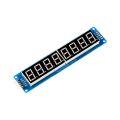
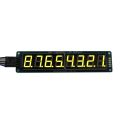
Stop sharing your Wi-Fi with non-customers. A simple, low-cost LCD device that displays your Wi-Fi Password—perfect for small cafés, restaurants, coworking spaces, and public venues.
Frequently Bought Together
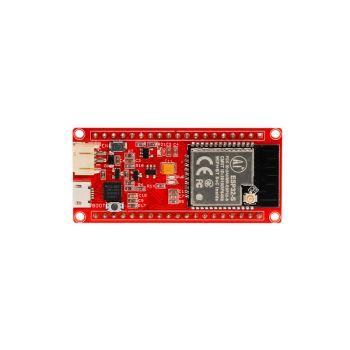



Are you a coffee shop, restaurant, or coworking space owner looking for a simple and affordable way to protect your Wi-Fi network from non-customers and previous visitors?
Still using handwritten chalkboards or paper signs to display your Wi-Fi password? Replace them with this simple digital Wi-Fi password display!
Using it is very simple: press a button to generate a random password, manually update your router with it, and once the router is updated, the generated password becomes your new Wi-Fi password and is clearly displayed for your customers.
The entire process takes less than one minute and only needs to be done every few days.
This device is a simple, low-cost solution designed for cafés, restaurants, coworking spaces, waiting rooms, and other public businesses.
Watch the short video to see it in action!
Installation Notes
To mount the enclosure properly:
- Align the lower edge of the wall-mounting piece with the lower edge of the enclosure.
- Align the left and right sides.
- Slide the enclosure slightly downward to secure it.
The PCB holes will align automatically with the wall-mount features.
Please refer to the final photo and video for guidance.
SSID Label
For the small paper label glued to the enclosure to display the Wi-Fi network name, there is an 50 × 10 mm rounded rectangle on the enclosure designed for this purpose. I have also prepared a Word document that contains two rectangles—one black and one white. Simply write your Wi-Fi network name in the document, print it, cut out the label, and glue it onto the enclosure.
This is the Word document—just click to download it.
Write Your Own Review
Bestselling Products You May Like


New Products You May Want
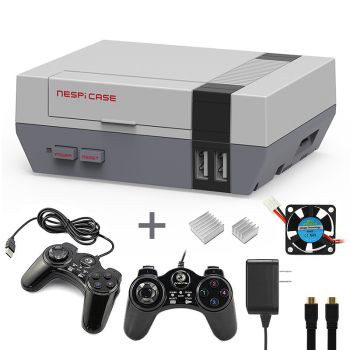
7 in 1 NESPi Case+ Retro Gaming Kit – Classic NES-Style Case + 2 USB Controllers
was
$33.14
Special Price
$23.20

Warranty
Service

VIP Distributor
Discount

Professional
Tech Support

Fast
Delivery
×
 Add to cart successfully!


Add to cart successfully!
Customers Who View This Item Also Bought