Official notice regarding the TF card worm virus found on some ThinkNode M9 units
TF Card Worm Virus Notice
How the virus works, the risk it poses, the precautions to take, and the solutions and compensation available to affected customers.
Affected Media
TF memory cards
Trigger Environment
Windows PC
M9 Device
Not affected, works normally
Primary Risk
Leakage of sensitive data
Urgent Precautions
To reduce any potential risk, please follow these precautions:
1Do not disassemble the ThinkNode M9 yourself to remove the TF card.
2Keep Windows Defender or other reliable security software enabled and up to date.
3Do not open or double-click suspicious files on the TF card, such as autorun.inf or unfamiliar shortcut files.
4Do not use Wi-Fi to connect to the ESP and copy files from the TF card to your computer via FTP or other methods.
Cause of Infection
Following our investigation, the issue originated during the factory flashing of map data onto the TF cards. A gap in production-environment security protection caused some memory cards to be contaminated with a worm virus.
How the Virus Works
1
Hidden Dormancy
The virus remains dormant on the TF card and does not run on the ThinkNode M9 itself Normal use of the M9 does not pose a risk of device malfunction or data damage.
If you have connected the M9 to a computer through the UsB Type-C port, your computer is also safe from this issue.
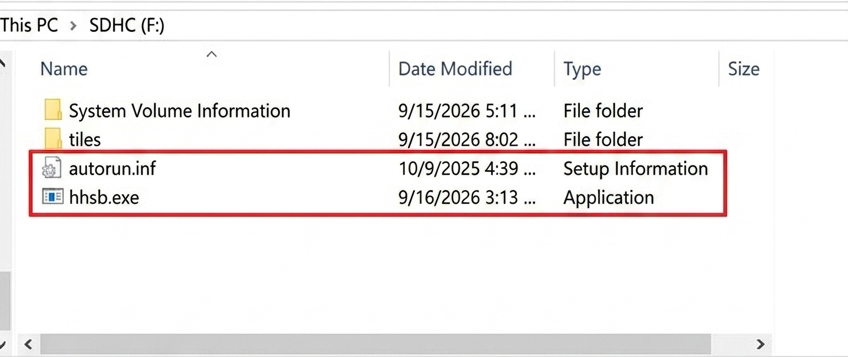
During its dormant state, the TF card may contain a file named autorun.inf.
2
Trigger Conditions
The virus exploits the Windows Autorun (auto-play) feature and file-disguise techniques, hiding the virus file autorun.inf and disguising it as a shortcut.
When the TF card is inserted into a Windows PC, the virus is launched if auto-play is enabled on the system or if the user double-clicks the disguised virus file.
3
Operating Environment
The virus runs only on Windows. Other operating systems are not affected.
4
How It Spreads
The virus spreads mainly through storage devices such as TF cards and USB drives by copying itself onto them. It cannot spread directly over a network.
If a Windows PC is infected, any USB drive or TF card you insert into that PC will also become infected.
1
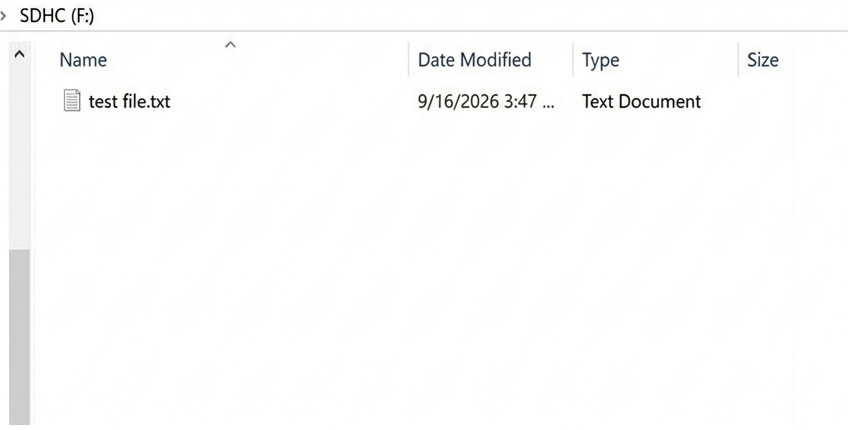
Before insertion, the TF card contains only one new file, test file.txt.
2
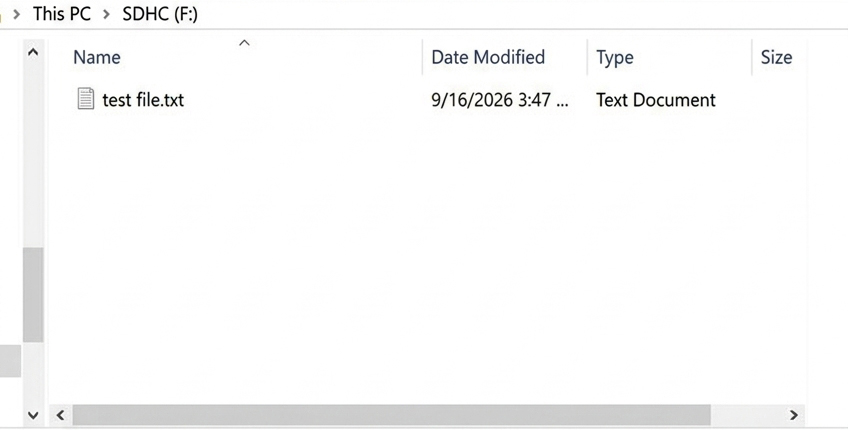
Remove the card right after inserting it, then check the TF card on another, uninfected PC.
3
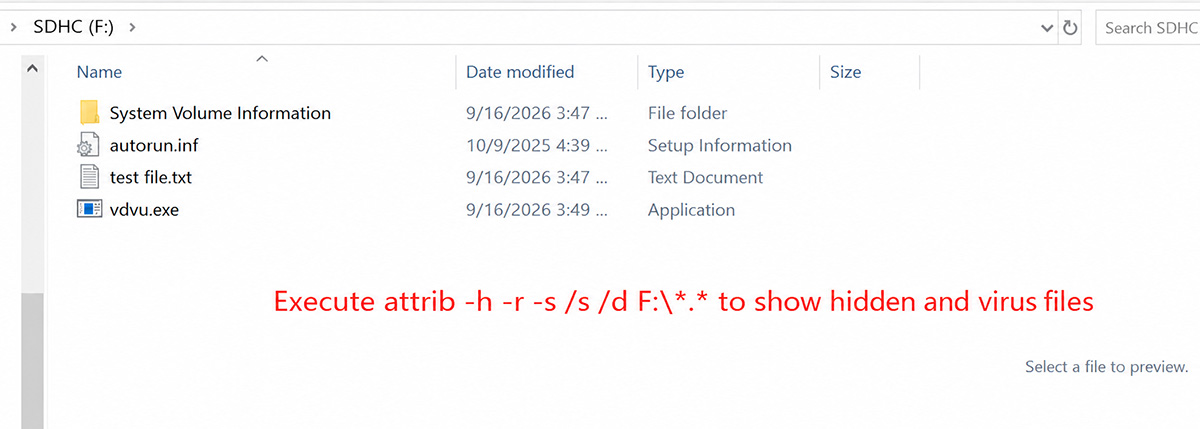
The card may appear normal, but the TF card has already been infected. Run a command to show all files, and the following files become visible.
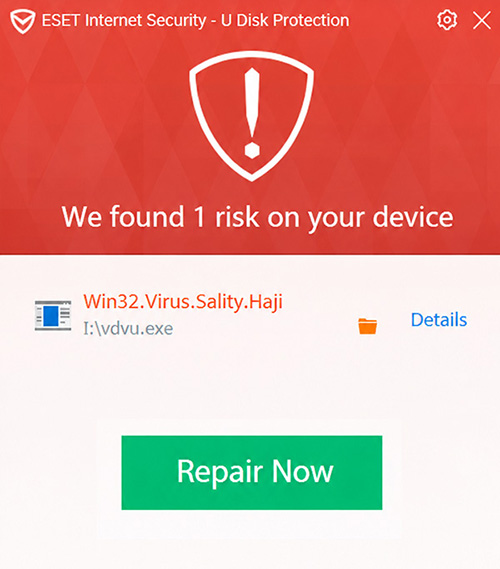
If you insert an infected TF card into a Windows PC, antivirus software will normally warn you and remove the virus. As long as you do not double-click the virus file on the TF card, you will not be infected.
Impact and Risk
Risk Is Manageable
If antivirus (protection) software is installed on the Windows PC, the virus is usually blocked and removed immediately, so the actual impact is manageable.
Potential Harm
If the virus runs on a Windows PC without any protection, it may attempt to modify the system registry to launch at startup, disable or interfere with antivirus processes, steal sensitive information such as account credentials, and spread further by infecting other USB drives and TF cards.
Available Solutions
We are providing the following three options for affected customers.
1
Return and Replacement
You may return your ThinkNode M9, and we will replace it with a new device with a clean TF card.
You may also register your return shipping information through the Return Registration Link so that we can better track your package. Once you provide us with the return tracking number, we will arrange the replacement shipment.
We are currently producing a new batch of devices. All replacement devices will begin shipping from September 23 onward. We appreciate your patience and understanding.
2
Keep the Device and Remove the Virus
If you prefer to keep your ThinkNode M9, you may remove the virus yourself by following our official instructions.
Once again, we sincerely apologize for the inconvenience and concern this issue may have caused.
We are taking this matter seriously and will further strengthen our production environment security, quality control, and inspection procedures to prevent similar incidents from happening again.
If you have any question please feel free to contact us by email to order@elecrow.com