Currency
Toggle Nav



Amped ESP32
Availability:
Out of stock
Only %1 left
SKU
PIA23808
Weight
100g

Related Products:


ESP32-based media center device with a HiFi DAC (PCM5100) and a powerful D-class amp (TPA3128)
Frequently Bought Together



What is it
Amped-ESP32 combine ubiquitous ESP32 with a PCM5100 HiFi DAC, teamed up with a highly efficient TPA3118D2 D-class amplifier. It brings all the best from the HiFi-ESP32 model and adds an onboard amp to form a complete solution that can be paired with speakers directly, or an external amp/headphones
It uses an external power source to feed amps, so the host MCU uses an onboard drop-down converter. It has similar power capabilities to the Louder-ESP32 model, but it is much simpler to use since it only needs a valid I2S signal to operate, so a simple book example code will do it.
Use cases
Amped-ESP32 is a flexible, open-source audio platform designed to fit into both smart homes and custom audio projects.
- Smart Home Audio & TTS
Integrates with Home Assistant and Music Assistant for high-quality audio playback and text-to-speech announcements. Perfect for notifications, voice alerts, and whole-home audio driven by your smart home automations. - Multi-Room Audio with Snapclient
Use Amped-ESP32 as a Snapclient endpoint to create perfectly synchronized multi-room audio systems. Ideal for distributed music playback without proprietary lock-in. - Standalone Player with Squeezelite-ESP32
Run Squeezelite-ESP32 for a self-contained network audio player supporting Spotify Connect, AirPlay, and Logitech Media Server (LMS) — no external computer required. - Educational Projects & Teaching Platforms
A powerful tool for schools, universities, and technical education. Amped-ESP32 can be used to teach embedded systems, digital audio, networking, and open-source software — ranging from simple audio playback labs to advanced DSP, streaming, and real-time systems projects. - Research, Prototyping & Experimentation
Well-suited for rapid prototyping of audio devices, proofs-of-concept, and research projects involving DSP, low-latency streaming, wireless audio, or human-machine interaction. - A Foundation for Custom Products & DIY Builds
With all firmware and tooling fully open source, Amped-ESP32 is an ideal base for custom audio devices — whether you’re building a personal DIY project, a small production run, or a community-driven product.
Features
| Amped-ESP32 | Amped-ESP32-Plus | |
|---|---|---|
| MCU | ESP32-WROVER-N8R8 or ESP32-S3-WROOM-N8R8 | ESP32-WROVER-N8R8 or ESP32-S3-WROOM-N8R8 |
| DAC | PCM5100A 32-bit Stereo DAC with -100 dB typical noise level | PCM5122 32-bit Stereo DAC with -112 dB typical noise level |
| Amp | TPA3118D2/TPA3128D2 D-class amp | TPA3118D2/TPA3128D2 D-class amp |
| Line-out | 2.1V RMS | 2.1V RMS |
| Output (4Ω, 1% THD+N) | 2x 40W | 2x 40W |
| Output (8Ω, 1% THD+N) | 2x 25W | 2x 25W |
| Output (Bridge, 3Ω, 1% THD+N) | 2x 60W | 2x 60W |
| Flash/PSRAM | 8MB/8MB | 8MB/8MB |
| Power | Up to 26V from external PSU | Up to 26V from external PSU |
| Connectivity | WiFi + BT4.2 (except S3) + BLE Ethernet (optional module) | WiFi + BT4.2 (except S3) + BLE Ethernet (optional module) |
| DSP Features | None | Digital volume, Parametric EQ (6xBQ), DRC ** |
| Software support | ||
| Squeezelite-ESP32 | ✅ | ✅ |
| Snapclient | ✅ | ✅ |
| ESPHome (HA) | ✅ | ✅ |
⚠️ Amped boards can't drive headphones and speakers at the same time (unless you modify them)
💡 Don't need to connect speakers? Check out HiFi-ESP32 / HiFi-ESP32-Plus
💡 Don't need to connect headphones or an external amp? Check out Loud-ESP32 / Loud-ESP32-Plus and Louder-ESP32 / Louder-ESP32-Plus
** Enabling EQ controls in software is a work in progress
💡 Looking for a more feature-packed version? Check out Amped Esparagus
Onboard PSRAM
Audio streaming requires proper buffering to work, even with the ESP32's 500K of RAM; it is a challenging task. For that reason, all Louder-ESP32 board versions have an 8 MB PSRAM chip onboard, connected via a high-speed interface.
Which chip: ESP32 or ESP32-S3?
This board is available with either the 'classic' ESP32 or the newer ESP32-S3. They are not interchangeable for every use case, and picking the wrong one is the single most common support question — here's the short version:
- ESP32-S3 is the newer, more capable chip — more RAM headroom, a faster CPU, and native USB — but it has no Bluetooth Classic radio, so Bluetooth A2DP only works on the original ESP32.
- Squeezelite-ESP32 and standalone Snapclient: pick the classic ESP32. Neither firmware is fine-tuned for the S3 yet, and current S3 support is noticeably laggier.
- ESPHome / Home Assistant media player: pick ESP32-S3. The new Sendspin renderer runs much better on the S3's extra headroom.
- Voice assistant (wake word) in Home Assistant: ESP32-S3 is mandatory — the classic ESP32 doesn't have the RAM/CPU headroom to run it.
- AirPlay 1 & 2 (rbouteiller/airplay-esp32): both chips are fully supported; ESP32-S3 is preferred for its extra performance headroom.
| Your use case | Pick |
|---|---|
| Bluetooth A2DP from a phone/laptop | ESP32 |
| Squeezelite-ESP32 or standalone Snapclient | ESP32 |
| ESPHome media player / Sendspin | ESP32-S3 |
| Home Assistant voice assistant | ESP32-S3 |
| AirPlay 1 & 2 | Either — ESP32-S3 for more headroom |
If none of that applies to you and you just want the safe default, pick ESP32-S3 — it's the newer chip. Only choose classic ESP32 if you specifically need Bluetooth A2DP, or plan to run Squeezelite-ESP32/Snapclient today.
Board Pinout
Amped-ESP32
| I2S CLK | I2S DATA | I2S WS | PSRAM RESERVED | AMP EN | |
|---|---|---|---|---|---|
| ESP32 | 26 | 22 | 25 | 16, 17 | 13 (rev H+) |
| ESP32-S3 | 14 | 16 | 15 | 35, 36, 37 | 17 (rev J+) |
Ethernet
| SPI CLK | SPI MOSI | SPI MISO | SPI CS | SPI HOST/SPEED | ETH INT | ETH RST | |
|---|---|---|---|---|---|---|---|
| ESP32 | 18 | 23 | 19 | 05 | 2/20MHz | 35 | 14 |
| ESP32-S3 | 12 | 11 | 13 | 10 | SPI2/20MHz | 6 | 5 |
Optional peripheral
| IR IN | RGB OUT | OLED SPI HOST/SPEED | OLED SPI CLK | OLED SPI MOSI | OLED SPI MISO | OLED SPI CS | OLED SPI DC | OLED RST | |
|---|---|---|---|---|---|---|---|---|---|
| ESP32 | 39 | 12 | 2/20MHz | 18 | 23 | 19 | 15 | 4 | 32 |
| ESP32-S3 | 7 | 9 | SPI2/20MHz | 12 | 11 | 13 | 39 | (37) | 38 |
Software Options
- Home Assistant smart home audio and notifications. Start from the web-installer, as soon as you configure WiFi, the boards will be discovered by the ESPHome add-in automatically. Dedicated configs can be found in the documentation for simple and stable media-player, experimental sendspin protocol, and experimental snapclient component
- Squeezelite-ESP32 Spotify Connect, AirPlay, Bluetooth or Logitech Media Server. Flash directly from your browser using the web-installer. Configure WiFi using Hotspot (default password: squeezelite). Don't forget to exit Recovery mode when done.
- Snapclient multi-room audio streaming with snapserver. Flash directly from your browser using the web-installer, as soon as you configure the WiFi board will discover the snapserver automatically
- Snapclient (edge) - developer version. Developer's version of the snapclient, less stable and more feature-rich for those who cannot wait for new features to be released. Installed via web-installer, similar to standard snapclient
- AirPlay 1 & 2 with Sendspin and Bluetooth. Native, actively developed AirPlay 1 & 2 firmware (rbouteiller/airplay-esp32) with PTP multi-room sync, an experimental Sendspin renderer, and Bluetooth A2DP on the ESP32 revision. Flash straight from your browser with the web-installer — no toolchain needed. See AirPlay 2 support below for details.
- Your own software. Use Arduino IDE or Platformio IDE and the provided software samples
AirPlay 2 support
Amped-ESP32 runs rbouteiller/airplay-esp32, an open-source AirPlay 1 & 2 receiver you can flash straight from your browser via the web-installer — no PlatformIO or toolchain required. It's a separate firmware image from Squeezelite-ESP32 and Snapclient above, so flash whichever matches how you want to use the board.
- AirPlay 1 & 2 — shows up natively in Control Center and any AirPlay app, with PTP-based multi-room sync
- Sendspin (experimental) — an open multi-room protocol renderer sharing the same output path and volume control as AirPlay
- Bluetooth A2DP on the ESP32 revision — phones and laptops can stream directly whenever AirPlay is idle (the ESP32-S3 revision has no Bluetooth Classic radio)
- OLED status display — track metadata and progress for AirPlay, Bluetooth, and Sendspin alike
- USB audio (UAC) — the ESP32-S3 revision can be built as a USB sound card for a connected computer, sharing the same DAC path
- No on-chip DSP: the PCM5100A is a line-level DAC, so tone shaping stays in front of the TPA3110/TPA3128 amp rather than in the DAC itself
Using with Home Assistant
Both Amped-ESP32 versions were created specifically to be used with Home Assistant via ESPHome integration. For both boards, rich configs were pre-created with hardware configuration for common use cases. These include
- media_player component for simple and robust media playback and TTS announcements (with ducking effect)
- Sendspin media player – new experimental protocol for multi-room sync with media controls and more
- An experimental snapclient component that allows near-perfect multi-room sync and seamless integration with Music Assistant
- Another snapclient fork with an implemented 15-band software equalizer and a rich set of EQ presets
- Voice assist config for S3-based boards, allowing local voice-controlled assist and automation
Configurations are being actively maintained and upgraded, new experimental components added for you to test and enjoy
Flashing ESP32-S3
ESP32-S3 boards have two ways of firmware update: (1) similarly to classic ESP32, they can be flashed over built-in UART, or (2) uniquely for S3, over built-in USB host controller. Since it is firmware-controlled, it may be disabled if not used (or, more commonly, not available with factory default empty firmware). When come unflashed ESP32-S3 device comes into a boot loop, with a USB-CDC device appearing and disappearing every second, and requires a special flashing initialisation sequence to get flashed:
- Press the IO0 (FLASH) button and keep it pressed
- Press and release the RESET button. Release the FLASH button.
- ESP32-S3 will enter download mode, and the USB-CDC device will appear and stay available
- Run flashing routine as usual, either through web-serial or
esp_tool - This time, it is not possible to reboot the device over USB, so press RESET once more
- Device will boot normally into firmware, and if USB-CDC is enabled in the firmware, you will be able to flash it normally, download mode and reset sequence will work over USB.
- If you manage to flash firmware without USB-CDC support, you need to go through the above sequence once more
Hardware
Please visit the hardware section for board schematics and PCB designs. Note that PCBs are shared as multi-layer PDFs.
Amped-ESP32 drawings
| ESP32 |
|---|
Amped-ESP32 with TPA3118/TPA3128 amp
Originally, I used the TPA3110 amp with Amped Esparagus and Amped-ESP32 boards for its simplicity and availability. The only issue with TAP3110 is that it lacks the MUTE pin. It does have an STBY pin, but as it turned out, it is not pop-free, meaning each time you switch it on and off, the amp makes a loud pop in the speakers. I tried changing the level slowly, but it didn't help.
Help came with a newer TPA3128 amp with revision H of the Amped-ESP32
- It does have a true MUTE pin, and now it is software-controlled on Amped-ESP32. It means that the board starts dead-quiet, and it stays quiet when the audio is paused
- MUTE pin also disables PCM5100 DAC on rev H, so line-out is also dead quiet (not that it was noise before, but why not?)
- It can work with 4.5V, so it plays even when powered from a simple USB-C, similar to Louder-ESP32. TPA3110 needs at least 8V to spin up
- TPA3128 has a marginally better audio quality, as they say. I cannot hear the difference 😉
⚠️ TPA3128 boards default to 1SPW modulation, which causes audible pops when exiting MUTE and a quiet static noise afterward. See errata: TPA3128 1SPW modulation pop and static noise issue for a permanent hardware fix.
On the latest revisions I'm switching over to the TPA3118 amp, replacing TPA3128 for a few reasons:
- MUTE schematic is updated to slow down voltage ramping speed on turn on – this helps reduce pop noise to “I can no longer hear it” level
- Modulation is hardwired to BD (1SPW is more efficient, but caused pops as well)
- Gain is fixed at a 20dB level – also helps with pops
- I added a band-pass input filter network to make sure it is noise-free.
Optional SPI Ethernet module
Every board has a header that allows soldering in the W5500 SPI Ethernet module, which is very easy to find. The only downside is that with the module installed, the board will not fit the case unless it is cut to accommodate extra height.
Case
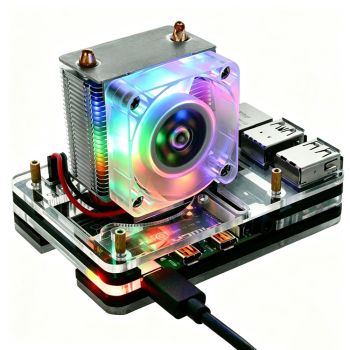
Amped-ESP32(S3) is mechanically compatible with Raspberry Pi 4 cases, tested with transparent ones. Also, community members created a few 3-D printable designs that can be found here and here

Sponsorship & Community Support
If you’re working on an open-source project, an educational initiative, or any pro-bono/volunteer effort, feel free to reach out for sponsorship details. I’ll do my best to provide discounts or even free boards.
Custom Design & Consultation
If you’re interested in a custom design based on or inspired by my boards, I also offer contract design work and consultation when needed.
Write Your Own Review
Bestselling Products You May Like
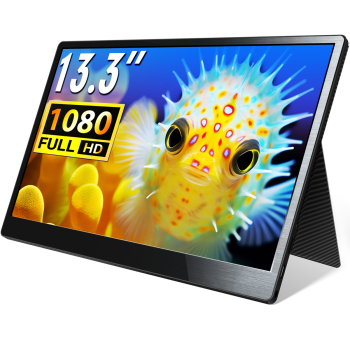
CrowVi VF133 HD 1920x1080 Ultra Thin Display 13.3inch IPS Portable Monitor (non touchscreen)
was
$114.90
Special Price
$99.90


New Products You May Want



Warranty
Service

VIP Distributor
Discount

Professional
Tech Support

Fast
Delivery
×
 Add to cart successfully!


Add to cart successfully!
Customers Who View This Item Also Bought