Currency
Toggle Nav

2026 Elecrow AI Product Selection Guide
July 28, 2026
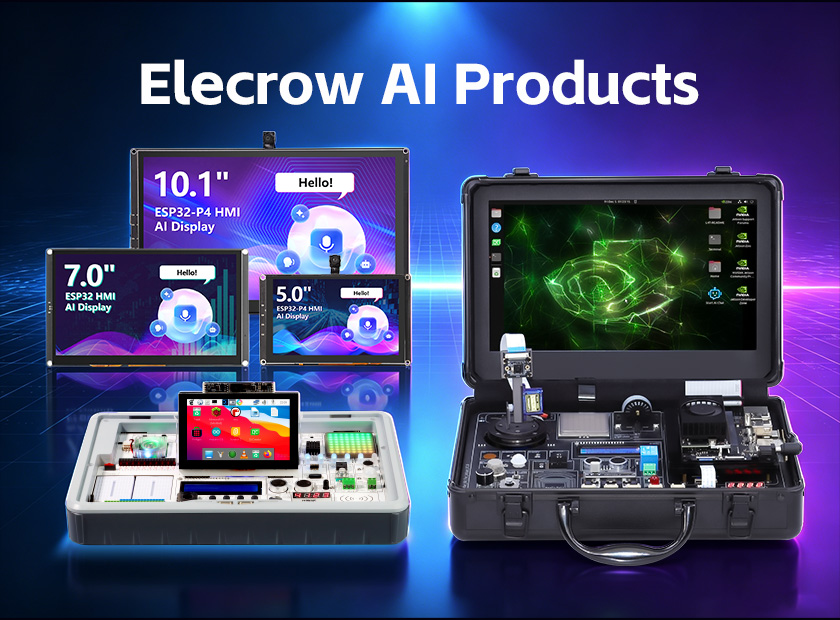
2026 Elecrow AI Product Selection Guide
From learning kits to smart interactive displays
You are looking at Elecrow's AI category and trying to figure out which product fits your project. Maybe you teach a robotics class and need something students can use on day one. Maybe you are building a smart home panel and want a screen that handles voice commands. Or maybe you just want to learn edge AI on the Jetson platform without spending a week wiring sensors together.
The problem is that Elecrow lists over a dozen products under the AI label, and the differences between them are not obvious from the product names alone. Some are full development platforms with their own screens and lessons. Others are bare displays that connect to cloud AI services. Picking the wrong one means either paying for features you will never use, or ending up with something that cannot do what you need.
This guide groups Elecrow's core AI products into three categories and explains what each one does, who it is built for, and what you can actually build with it. One thing worth noting upfront: not every product in the AI category runs AI models on the device itself. Some do local edge AI processing, while others are interaction terminals that call cloud AI APIs. That distinction matters a lot when you are choosing, and we will flag it for each product.
1. AI Learning & Development Platforms
These are full-package kits: a board, sensors, a screen, and structured lessons. You open the box, follow the setup guide, and start learning or teaching. They are the starting point if your goal is to understand AI development rather than just use an AI-powered device.
AI Starter Kit for Jetson Orin Nano
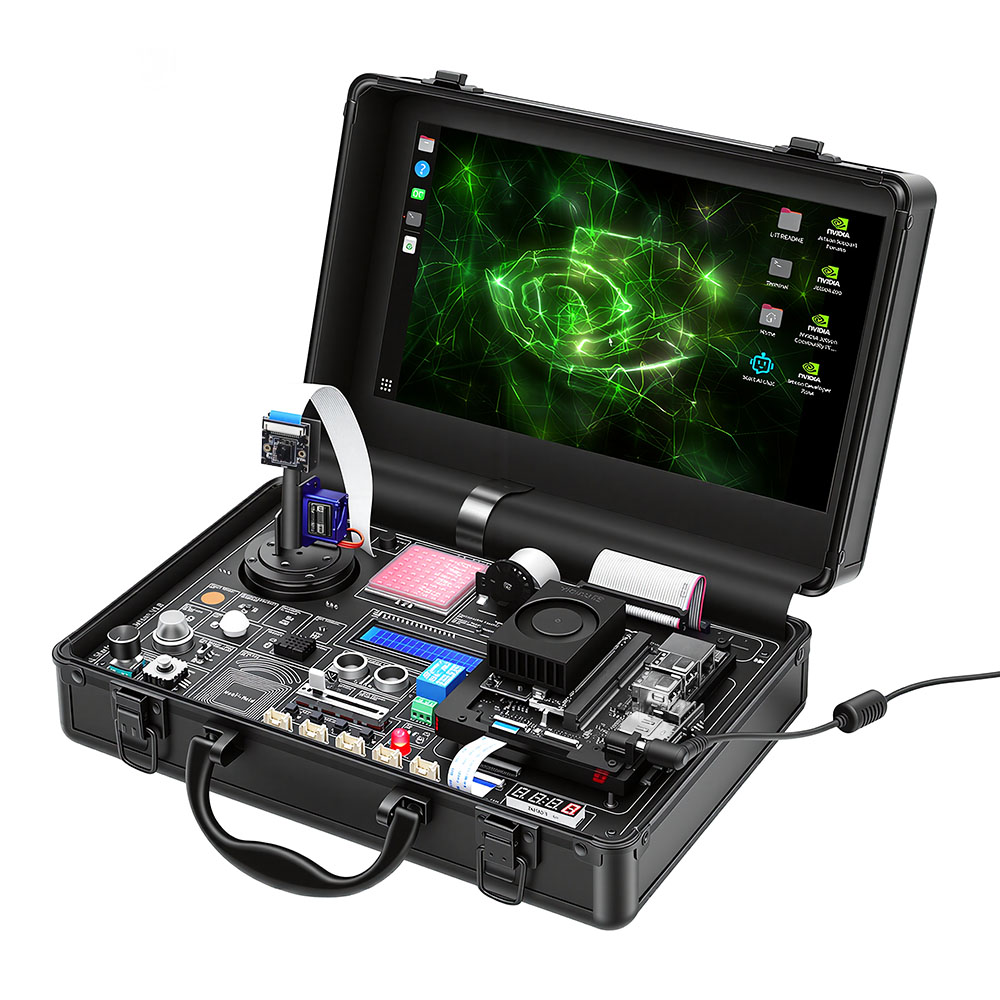
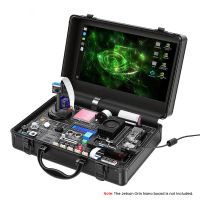
Note: Jetson Orin Nano board is sold separately and not included in the kit.
Difficulty: 5/5 (college level and above)
What it is
This kit is built around the NVIDIA Jetson Orin Nano, which is a serious edge AI compute module. The kit itself includes a common-board design with 30 sensor modules pre-integrated, an 11.6-inch IPS screen, an 8MP PTZ camera with dual-servo gimbal, an AI voice module, and 38 Python lessons. The Jetson board itself is not included, so you need to buy a Jetson Orin Nano Super Developer Kit (8GB) separately.
The common-board design is the key selling point here. Instead of wiring 30 individual sensors with jumper wires and breadboards, everything is on one PCB. You plug in the Jetson board, flash the SD card, and the kit is ready. This makes it practical for classroom use where setup time is limited.
What you can build with it
• Face tracking security camera: The PTZ camera plus Jetson's GPU makes a real-time face tracking system. The dual-servo gimbal follows faces as they move, and the 30 sensors let you add triggers like motion detection (PIR), door contacts (Hall sensor), or gas leaks (MQ2).
• Voice-controlled smart assistant: The built-in AI voice module handles speech recognition and synthesis. Combine it with the relay module to control lights, or with the stepper motor for physical automation.
• Robot vision lab: The 38 lessons walk through Python basics, then sensor control, then computer vision. By lesson 30+, students are running object detection and tracking models on the Jetson GPU. This is a realistic path from zero to functional edge AI.
• Industry 4.0 demo station: Use the ultrasonic sensor, accelerometer, gas sensor, and NFC together to simulate a factory floor monitoring system. The 11.6-inch screen displays real-time data without needing an external monitor.
Who should buy it
• College students and adult learners who want hands-on Jetson experience without the headache of sourcing and wiring 30 separate sensors
• Instructors running AI or robotics courses at university level, or advanced high school programs
• Makers who already have a Jetson Orin Nano board and want a structured platform to learn edge vision and voice AI
Who should skip it
• If you do not already have (or plan to buy) a Jetson Orin Nano board, the total investment is significant since the board is sold separately. For pure learning purposes, the CrowPi 3 offers more bang for the buck as an all-in-one package.
• If your goal is just to try out LLMs or basic Python, this is overkill. The Jetson platform is designed for edge AI compute, not cloud AI calls.
CrowPi 3: Multi-SBC AI Learning Station
Difficulty: 2/5 to 4/5 (scales from beginner to advanced)
What it is
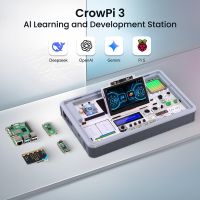
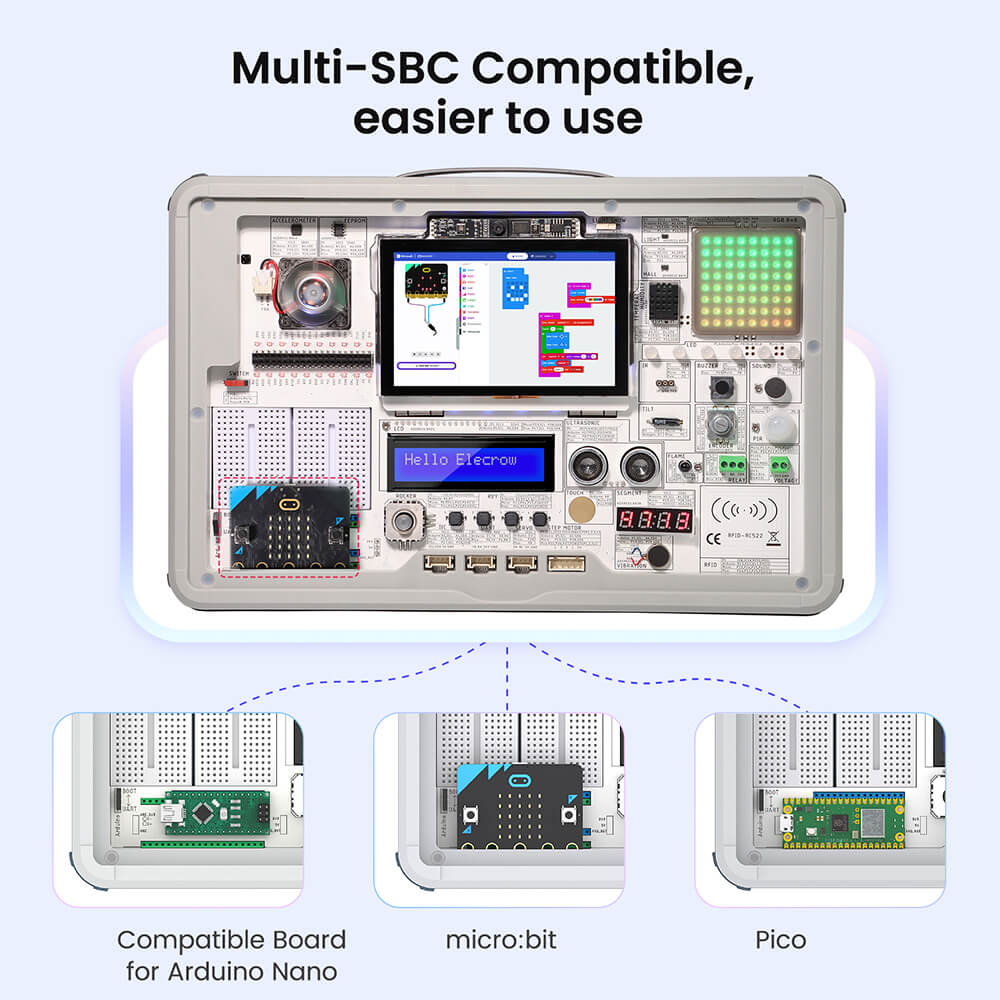
The CrowPi 3 is a compact all-in-one station that supports four different development boards: Raspberry Pi 5, Arduino Nano, micro:bit, and Raspberry Pi Pico. It comes with 41 onboard sensors and modules, a 4.3-inch capacitive touchscreen, a 2MP camera, a microphone, dual speakers, and 200+ structured lessons. You plug in whichever board you want to use, power it on, and start working.
The AI capabilities are what set it apart from older CrowPi versions. Running on a Raspberry Pi 5, it can handle OpenCV-based vision tasks locally (object detection, face recognition, pedestrian and vehicle detection) and also connect to major LLMs like ChatGPT, LLaMA, Gemini, and DeepSeek. It supports AI voice control, AI image generation, and AI video generation.
What makes it different from the Jetson kit
The Jetson kit is a deep dive into edge AI on a purpose-built GPU platform. The CrowPi 3 is broader: it covers four ecosystems, has more lessons, and costs less. It is the better choice if you want to explore multiple platforms rather than specialize in Jetson. The tradeoff is that the Raspberry Pi 5 is not as powerful as the Jetson for heavy AI inference, so complex vision models will run slower.
What you can build with it
• Smart home hub prototype: Use the relay, PIR motion sensor, temperature and humidity sensor, and RFID to build a working smart home demo. Add voice control through the microphone and the AI voice module to turn lights on or read sensor data aloud.
• Local LLM chatbot: Connect to LLaMA or DeepSeek running on the Pi 5, and use the 4.3-inch touchscreen as the chat interface. This is a self-contained AI assistant that does not need a separate computer.
• AI vision sorting station: Run OpenCV object detection on the 2MP camera feed to identify and sort objects. The stepper motor and servo interfaces let you build a physical sorting mechanism.
• Classroom curriculum platform: The 200+ lessons cover Python, Node-RED, micro:bit, Arduino, and Pico. A teacher can run a full semester across multiple ecosystems without buying separate kits for each board.
• Breadboard prototyping desk: Two built-in breadboards plus the GPIO, I2C, and UART interfaces make this a clean prototyping setup. Test circuits on the breadboard, then control them through the touchscreen UI.
Who should buy it
• Schools and coding bootcamps that need one platform to teach multiple ecosystems (Python, Arduino, micro:bit, Pico)
• Families with kids aged 8 and up who want a guided path into programming and electronics
• Makers and developers who want a portable prototyping station with built-in sensors and screen
• Anyone interested in experimenting with LLMs on edge hardware without building a custom setup
Who should skip it
• If you need serious GPU compute for training models or running heavy inference, the Raspberry Pi 5 will not keep up. Look at the Jetson kit instead.
• If you only need a display panel for an existing project, this is too much hardware. The CrowPanel series (below) is more appropriate.
2. AI HMI Displays: Screens That Listen and Talk
These two product lines are a different category from the learning platforms above. They are display panels with built-in microcontrollers, touchscreens, and voice hardware. The screen itself does not run heavy AI models locally. Instead, it captures input through touch, voice, or camera, then sends that input to a cloud AI service (like the OpenAI API) and displays the response. Think of them as AI application terminals rather than AI development platforms.
If you are building a smart home control panel, a voice assistant kiosk, or an industrial HMI that needs natural language interaction, these are the products to look at.
CrowPanel ESP32-S3 Advance Series
Available in six sizes: 2.4", 2.8", 3.5", 4.3", 5.0", and 7.0".
What it is
An affordable ESP32-S3-based touchscreen display with onboard microphone, speaker ports, and a swappable wireless module design. The ESP32-S3-WROOM-1 chip runs dual-core at up to 240MHz with 8MB PSRAM and 16MB Flash. It supports Arduino IDE, ESP-IDF, and PlatformIO, and works with the LVGL graphics library for UI design.
The swappable wireless module is a standout feature. The same display can switch between Zigbee, LoRa, nRF2401, Matter, Thread, Wi-Fi HaLow, and Wi-Fi 6 by swapping a small module. If you are prototyping different connectivity protocols, this saves you from buying separate boards for each one.
What you can build with it
• Smart home control panel: Mount a 5.0" or 7.0" panel on the wall, design a touch UI in SquareLine Studio, and use the microphone for voice commands. Call a cloud AI API for natural language queries like "turn off the living room lights" or "what is the temperature outside."
• Desktop voice assistant: The 2.4" or 2.8" size works well on a desk. Connect a speaker, flash a voice assistant firmware, and use it as a compact AI chat device.
• Industrial status display: Use the 4.3" panel to show equipment status, sensor readings, or production metrics. The ESP32-S3 can read from sensors via the 150+ compatible Crowtail modules and display data in real time.
• Smart agriculture terminal: Swap in a LoRa module for long-range communication, connect soil moisture and weather sensors, and display farm data on the touchscreen. The low power consumption of the ESP32-S3 makes it suitable for solar-powered setups.
Who should buy it
• Embedded engineers and makers building HMI prototypes on a budget
• Students learning IoT and UI design who want a complete touchscreen platform without breaking the bank
• Smart home enthusiasts who want a customizable voice-controlled panel
CrowPanel ESP32-P4 Advanced Series
Available in four sizes: 5.0", 7.0", 9.0", and 10.1".
What it is
A step up from the S3 series. The ESP32-P4 is a RISC-V dual-core processor running at up to 400MHz, with 16MB Flash and 32MB PSRAM. It includes a dedicated ESP32-C6 wireless module with Wi-Fi 6 and Bluetooth 5.3, giving a dual-chip design that separates compute from connectivity. The P4 also supports an optional 2MP MIPI-CSI camera for on-device vision tasks like facial recognition and object tracking.
The performance jump is real. The P4 handles more complex LVGL UIs, higher-resolution displays (up to 10.1"), and can do basic edge AI vision without calling a cloud service. If the S3 series is for cloud-dependent AI interaction, the P4 adds the option of local vision processing.
What you can build with it
• Facial recognition access panel: Add the optional camera module and run on-device face detection. The 7.0" or 10.1" panel displays a welcome screen, verifies the face, and triggers a relay to unlock a door. No cloud API call needed for the recognition step.
• Smart retail kiosk: Use the 10.1" panel as an interactive product display. Customers can browse products on the touchscreen, and the microphone lets them ask questions. A cloud LLM handles the natural language responses.
• Industrial automation controller: The dual Type-C ports, GPIO, and Crowtail interfaces make this a capable control panel for industrial equipment. The 400MHz processor handles real-time UI updates without lag.
• Elevator or lobby advertising screen: The large display sizes (9.0" and 10.1") work well as digital signage. Add the camera for audience detection, and the system can switch content based on who is standing in front of it.
Who should buy it
• Developers building commercial-grade HMI panels that need more processing power than the S3 series offers
• System integrators who need on-device vision capabilities (face recognition, object detection) without relying on cloud APIs
• Teams building smart retail, access control, or industrial automation products
Who should skip it
• If your project only needs basic touch UI and cloud voice interaction, the S3 series covers the same use cases at a lower tier.
• If you need to train custom AI models, neither the S3 nor the P4 is designed for that. They run pre-trained models and call cloud APIs.
3. Quick Comparison
|
Product |
Platform |
AI approach |
Positioning |
Best for |
|
AI Starter Kit (Jetson Orin Nano) |
Jetson Orin Nano |
Local edge AI (GPU) |
Edge AI dev & teaching |
Advanced students, makers, edge AI developers |
|
CrowPi 3 |
Raspberry Pi 5 + 3 others |
Local + cloud LLMs |
Full-spectrum AI learning |
Students, teachers, developers, families |
|
CrowPanel ESP32-S3 Advance |
ESP32-S3 |
Mostly cloud-based |
Affordable AI terminal |
Makers, engineers, education |
|
CrowPanel ESP32-P4 Advanced |
ESP32-P4 + C6 |
Cloud + optional local vision |
Advanced HMI / commercial |
System integrators, commercial projects |
Still deciding? Here is a quick way to narrow it down:
• Want to learn AI programming and experiment with LLMs on edge hardware? CrowPi 3.
• Need serious edge AI compute for vision and robotics projects? AI Starter Kit for Jetson Orin Nano.
• Building a smart home panel or voice assistant on a budget? CrowPanel ESP32-S3 Advance.
• Need a commercial-grade HMI with optional on-device face recognition? CrowPanel ESP32-P4 Advanced.
4. FAQ
Q1: Where can I download the OS image for the AI Jetson Kit?
It is on GitHub. The link is on the product page under the Wiki section (AI-Starter-Kit-for-Jetson-Orin-Nano-with-Common-Board-design).
Q2: How do I compare hardware versions within the HMI series (sizes, S3 vs P4)?
Each product page has a Wiki link at the bottom (elecrow.com/wiki) with detailed spec comparisons across all sizes and chip variants.
Q3: Where can I find 3D design files for a specific product?
Go to the product page, scroll to the bottom, click through to the Wiki page, and find the GitHub repo link there. The 3D files are in the repo.
Q4: How do I upgrade the ESP32-C6 firmware on the ESP32-P4 HMI series?
There is a dedicated firmware upgrade guide linked at the bottom of the product page. Follow the steps in that guide.
Q5: Which Jetson board do I need for the AI Jetson Kit?
You need a Jetson Orin Nano Super Developer Kit (8GB), purchased separately. Jetson Nano, Jetson NX, and Jetson AGX Orin are not compatible. Check the model number carefully before ordering.
Q6: Can the CrowPi 3 run AI models without internet?
Yes, but with limits. OpenCV-based vision tasks (face detection, object tracking) run locally on the Raspberry Pi 5. LLM features like ChatGPT or Gemini require an internet connection to call cloud APIs. LLaMA and DeepSeek can run locally on the Pi 5 if you use a small enough model, but performance will be limited compared to a dedicated GPU.
Q7: Do the CrowPanel displays come with a power supply?
The ESP32-S3 series is powered via USB-C. The ESP32-P4 series uses a Type-C port with PD support (5V/5A input). Check the product page for included accessories, as power supply options vary by region (US, UK, EU, AU plugs).
If you have a specific project in mind and are not sure which product fits, leave a comment on the product page or contact Elecrow support with your requirements. The team can help you match the right hardware to your use case, budget, and skill level.