Currency
Toggle Nav

PiTower Gen 1 vs. Gen 2: Which Raspberry Pi 5 Mini PC Case Should You Choose?
September 10, 2026
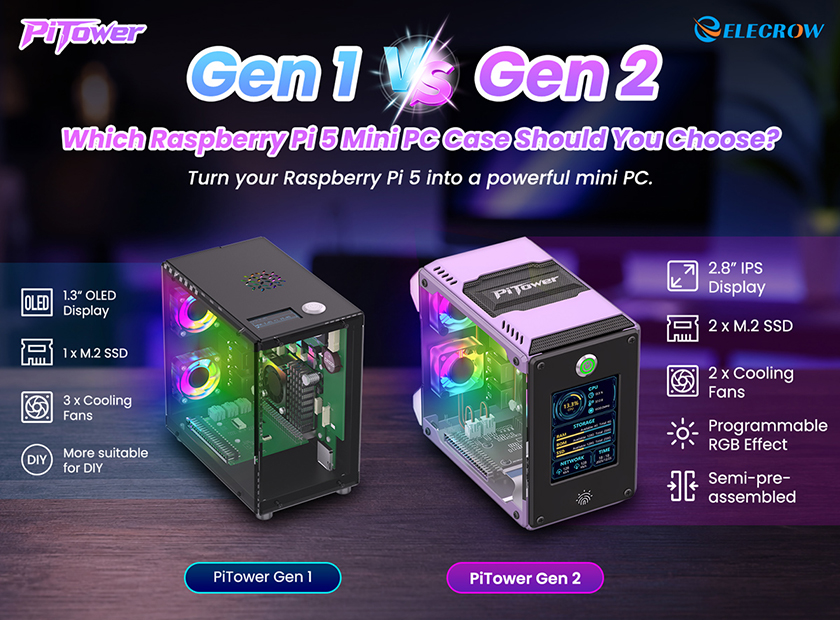
The PiTower series turns your Raspberry Pi 5 into a compact, full-featured mini PC with an aluminum chassis, system monitoring, SSD expansion, and active cooling.
With the launch of PiTower Gen 2, you may be wondering: is the newer version always the better choice?
Not necessarily. Gen 1 and Gen 2 are designed for different needs. Let’s take a quick look at what has changed and which one fits your setup better.
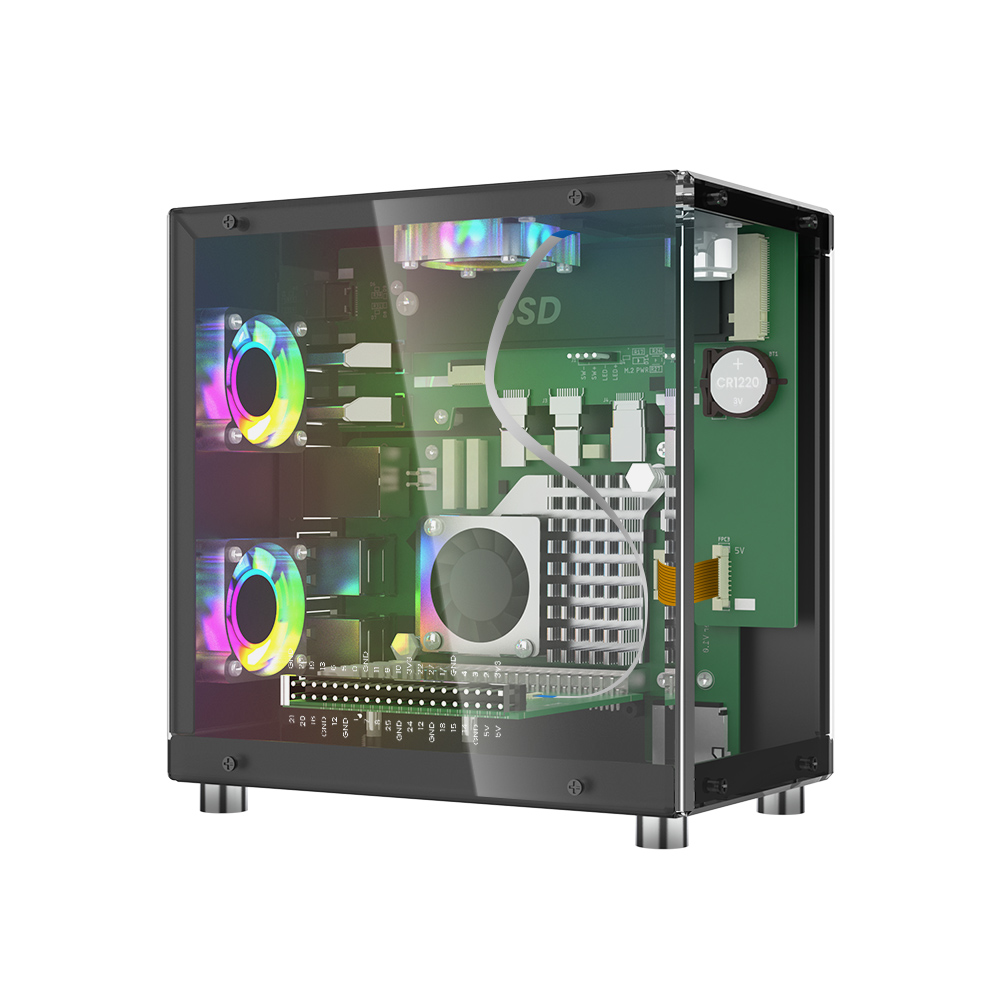
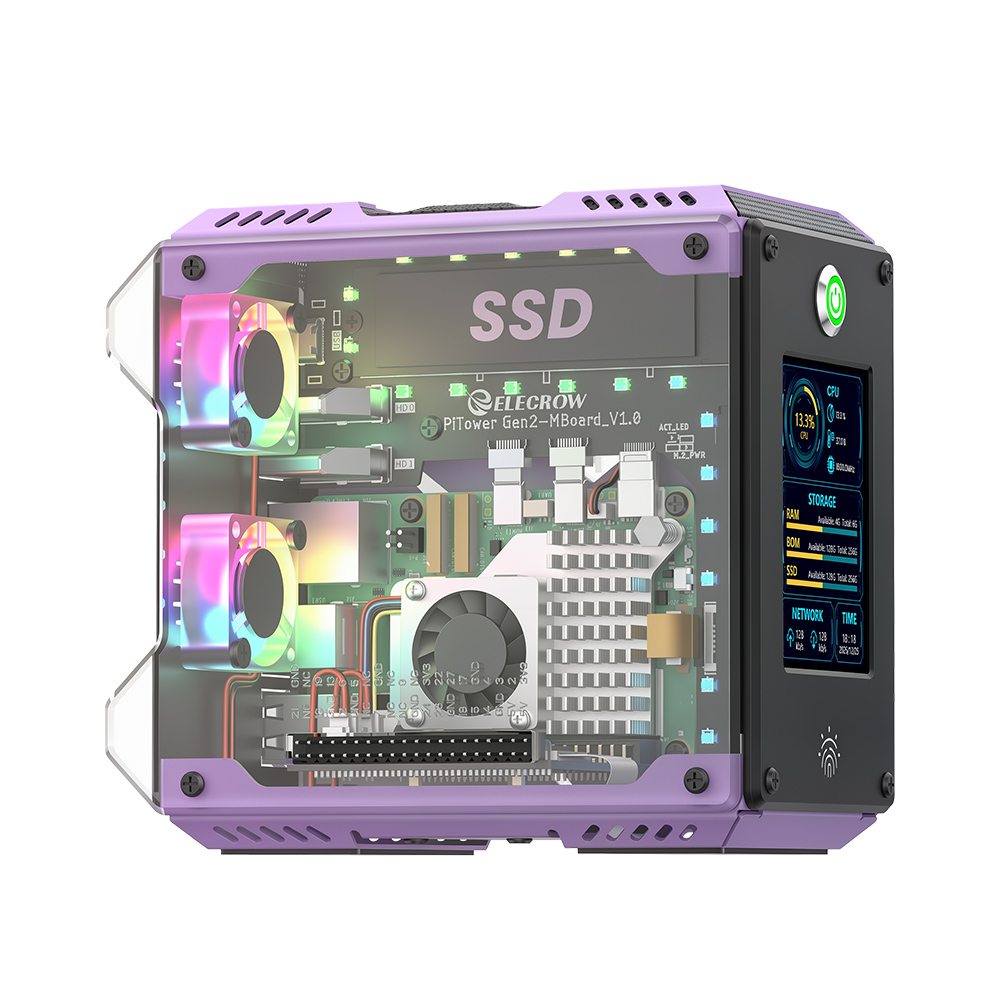
PiTower Gen 1 vs. Gen 2: Quick Comparison
Before looking at the individual differences, here is a quick overview of how PiTower Gen 1 and Gen 2 compare.
|
Feature |
|
|
|
Price |
$44.90 |
$69.90 |
|
Screen |
1.3" OLED, 128×64 |
2.8" IPS, 320×240 |
|
Display control |
None |
Touch button (screen ON/OFF) |
|
Compatibility |
Raspberry Pi 5 |
Raspberry Pi 5 |
|
SSD slots |
1× M.2 (2230/2242/2260/2280) |
2× M.2 (2230/2242/2260/2280) |
|
Cooling |
3 fans |
2 fans with noise-reducing fan pads |
|
Noise level |
Low volume |
Quiet |
|
RGB lighting |
None |
Programmable RGB, 11 preset effects |
|
RTC |
Supported |
Supported |
|
Assembly |
Medium (shipped unassembled) |
Easy (semi-pre-assembled) |
|
Power adapter |
Purchase separately |
Included |
|
Color |
Black |
Purple |
1. Display: From Basic Status to Interactive Monitoring
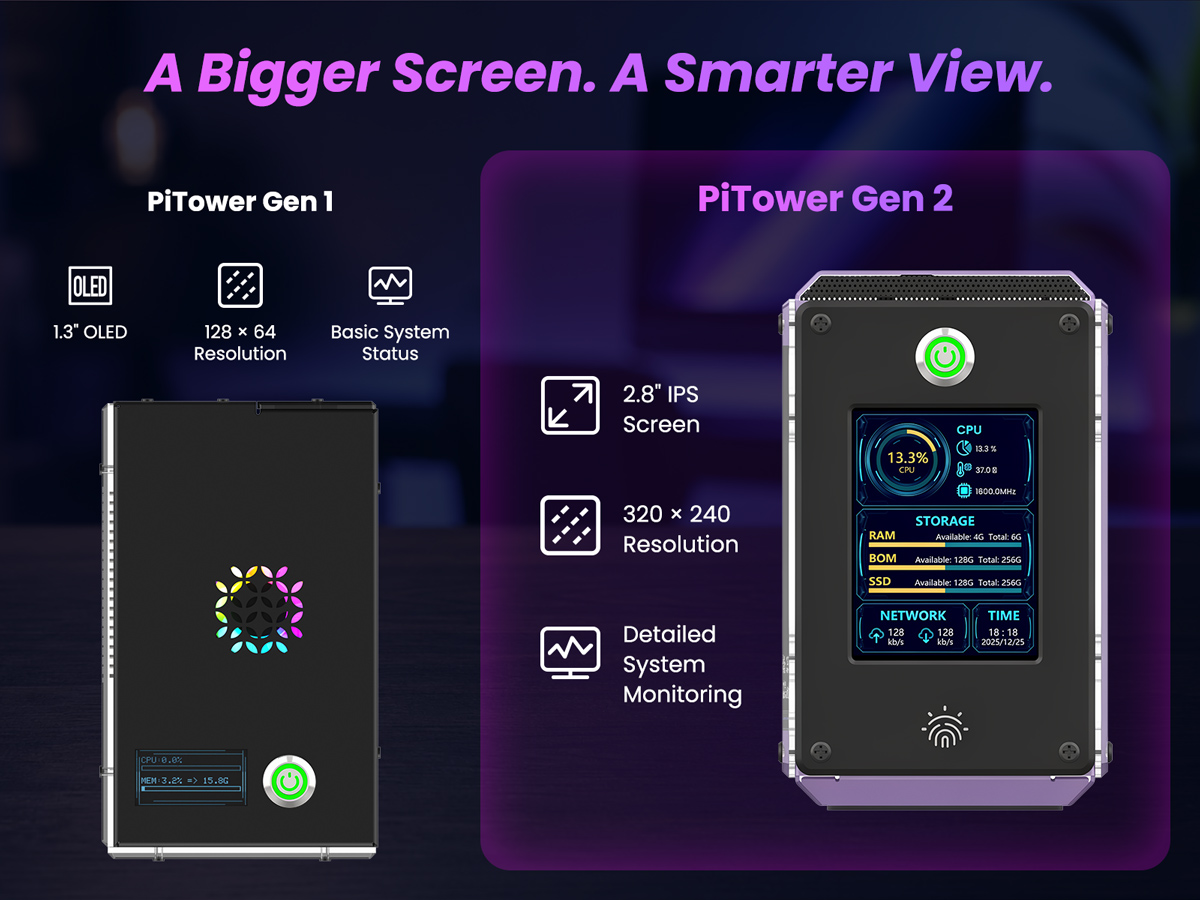
One of the biggest differences between the two generations is the built-in display. Gen 1 uses a compact OLED panel designed for essential system information, while Gen 2 upgrades to a much larger IPS touchscreen.
PiTower Gen 1
1.3" OLED Display
- 128 × 64 resolution
- Compact system status display
- Simple and easy to read
PiTower Gen 2
2.8" IPS Touchscreen
- 320 × 240 resolution
- Larger information area
- Touch interaction
- More detailed system monitoring
If you only need quick system information, the Gen 1 OLED display keeps things simple. If you want a more visual and interactive experience, the Gen 2 touchscreen is a significant upgrade.
Best for: Gen 1 for simple status monitoring; Gen 2 for interactive monitoring and a richer user interface.
2. Storage: Single vs. Dual M.2 SSD
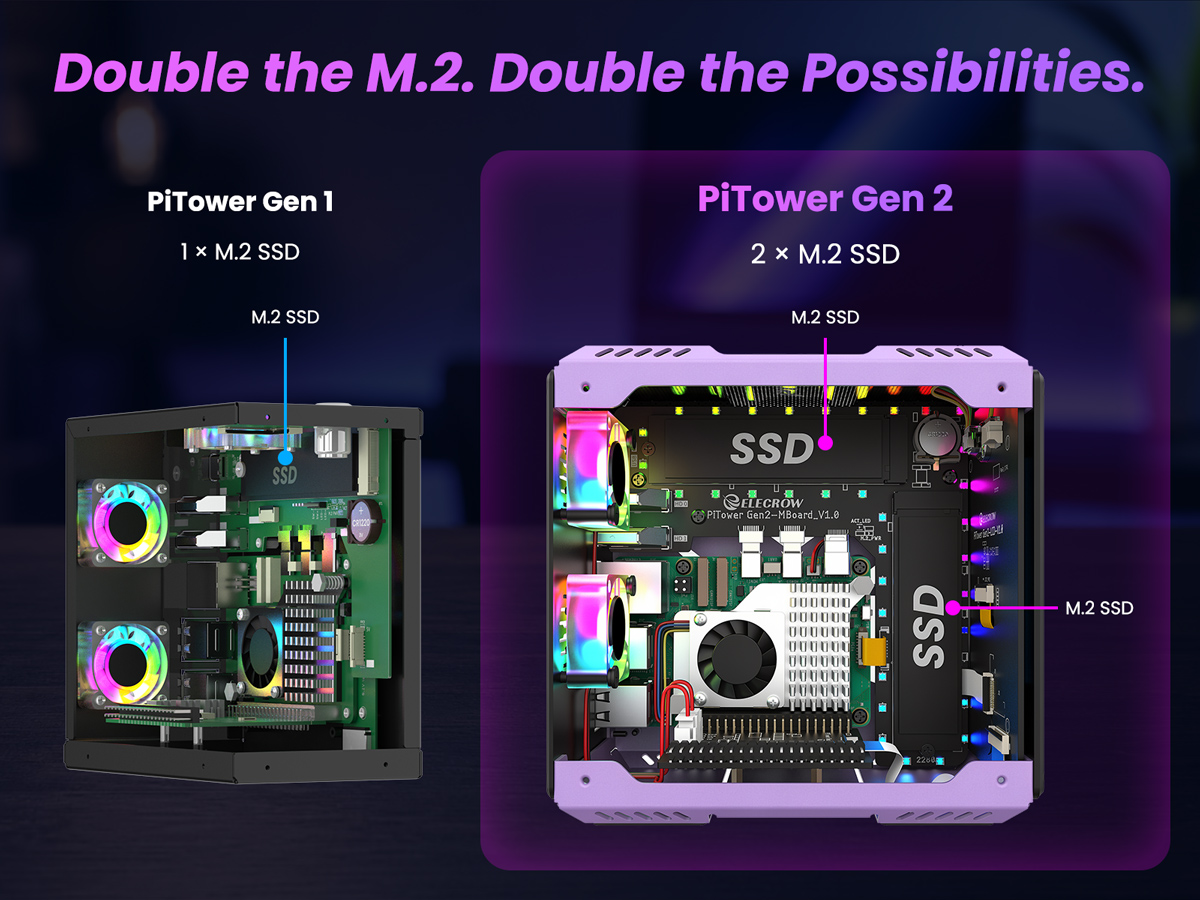
Storage is another major upgrade in PiTower Gen 2. Gen 1 provides one M.2 SSD slot, while Gen 2 adds a second M.2 slot for users who need more storage flexibility.
PiTower Gen 1
1 × M.2 SSD
A straightforward storage solution for Raspberry Pi projects, home servers, development environments, and everyday applications.
PiTower Gen 2
2 × M.2 SSD
Dual M.2 support gives you more flexibility for separating the operating system, applications, files, projects, or other data.
For users who want to build a more capable Raspberry Pi 5 mini PC, the dual-SSD architecture of Gen 2 provides considerably more storage flexibility.
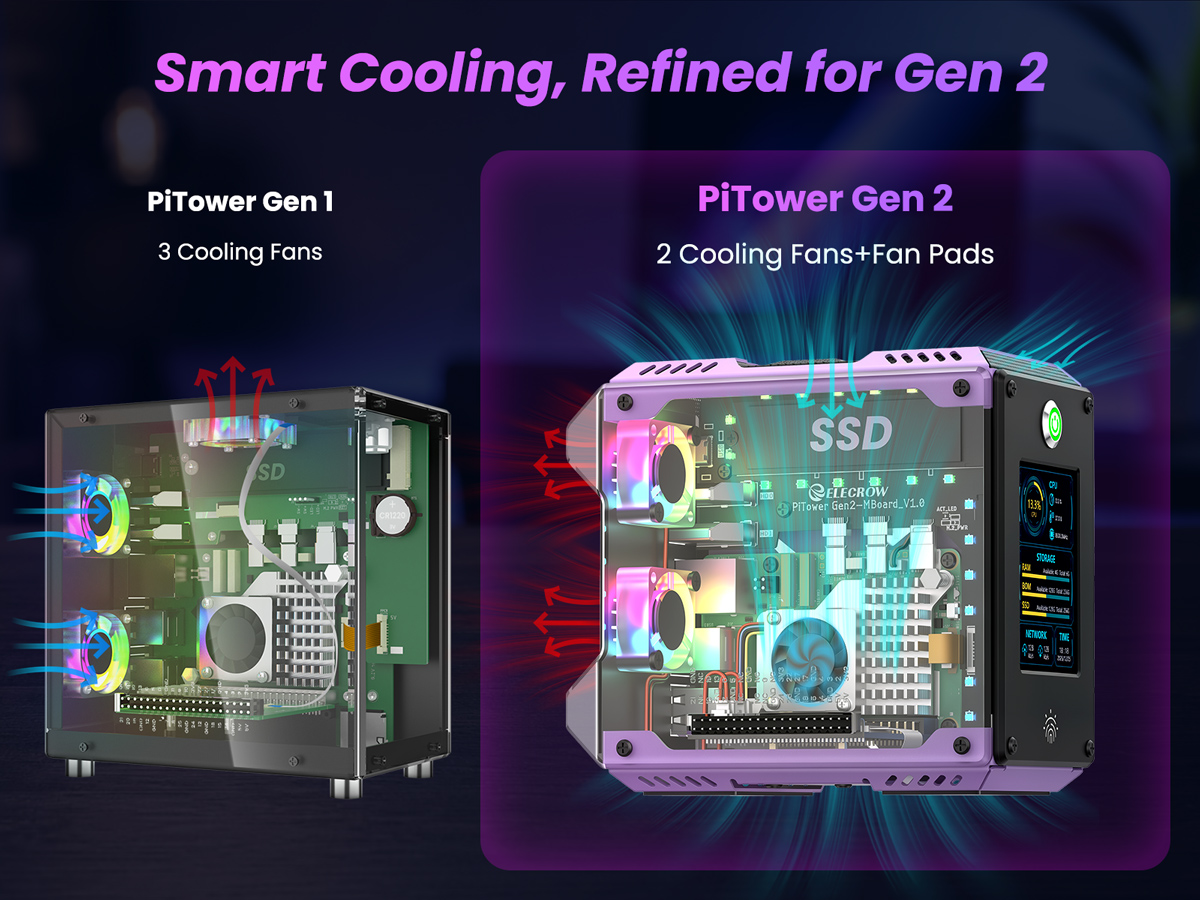
3. Cooling: Active Cooling vs. Refined Operation
Both PiTower generations use active cooling, but their cooling designs take slightly different approaches.
PiTower Gen 1
3 Cooling Fans
Gen 1 uses three cooling fans to provide active airflow for the system.
PiTower Gen 2
2 Fans + Noise-Reducing Pads
Gen 2 uses two cooling fans combined with noise-reducing fan pads for a more refined cooling design.
The difference is not simply about the number of fans. Gen 1 emphasizes a straightforward active-cooling configuration, while Gen 2 focuses on balancing cooling performance with a more refined mechanical design.
4. Assembly: DIY vs. Easier Setup
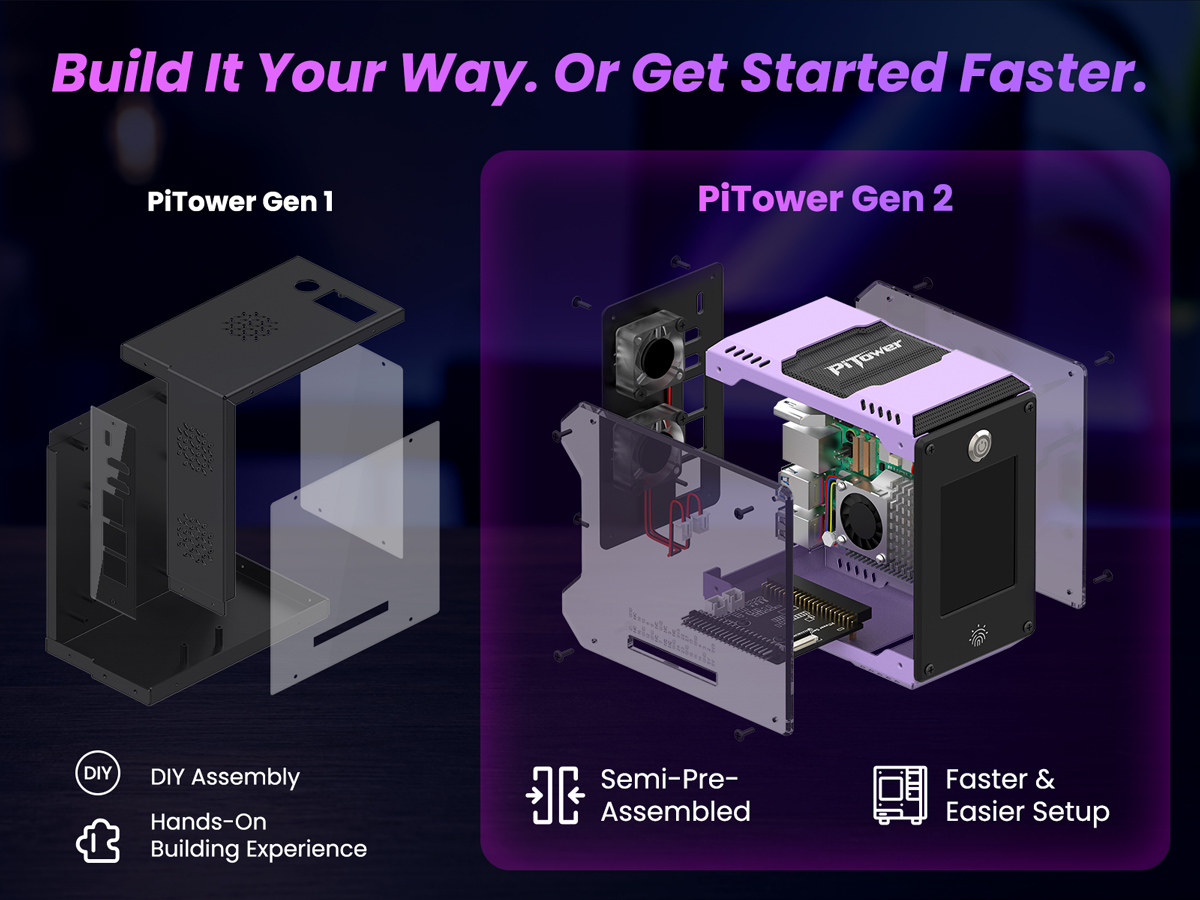
The two generations also target different user preferences when it comes to assembly.
PiTower Gen 1
DIY Assembly
Gen 1 gives makers a hands-on building experience and more opportunities to understand how the case and components fit together.
PiTower Gen 2
Semi-Pre-Assembled
Gen 2 comes partially assembled, reducing setup work and helping users get their Raspberry Pi 5 system running faster.
If building is part of the fun, Gen 1 is a good fit. If you would rather spend less time on mechanical assembly and more time using your system, Gen 2 is the more convenient choice.
5. Design & RGB Lighting: Minimalist vs. Customizable
PiTower Gen 1 and Gen 2 share the same tower-style design philosophy, but Gen 2 adds more visual customization.
PiTower Gen 1
Minimalist Design
- Clean black appearance
- Simple and understated
- Focus on functionality
PiTower Gen 2
RGB + Aluminum Design
- Distinctive purple aluminum chassis
- Programmable RGB lighting
- 11 lighting effects
- More customization options
Gen 1 is better suited to users who prefer a clean and understated setup. Gen 2 is designed for makers who want their Raspberry Pi build to stand out.
6. Price & Value: What Does the Extra $25 Get You?
PiTower Gen 1 is priced at $44.90, while Gen 2 is $69.90. That means the Gen 2 costs $25 more.
But the more useful question is not simply which one is cheaper. It is what additional features you get for that extra $25.
PiTower Gen 1
- 1.3" OLED display
- 1 × M.2 SSD
- DIY assembly
- Lower entry price
PiTower Gen 2
- 2.8" IPS touchscreen
- 2 × M.2 SSD
- Programmable RGB lighting
- Semi-pre-assembled design
- Power adapter included
+$25 = Bigger Display + Dual SSD + Lighting Effects + Easier Setup + Included Power Adapter
Which PiTower Should You Choose?
There is no single winner for every user. The better choice depends on your budget, project requirements, and preferred building experience.
Choose PiTower Gen 1 If You...
- Want a more budget-friendly Raspberry Pi case
- Enjoy DIY assembly
- Only need basic system status information
- Need a single M.2 SSD
Simple. Compact. Hands-On.
Choose PiTower Gen 2 If You...
- Want a larger touchscreen
- Need dual M.2 SSD storage
- Want programmable RGB lighting
- Prefer a semi-pre-assembled setup
- Want the power adapter included
Bigger. Smarter. More Versatile.
Final Verdict
PiTower Gen 1 and Gen 2 are designed for different types of Raspberry Pi users. Gen 1 remains an attractive option for makers who prioritize affordability, DIY assembly, and a straightforward setup.
PiTower Gen 2 is the more feature-rich option. Its 2.8" touchscreen, dual M.2 SSD support, programmable RGB lighting, semi-pre-assembled design, and included power adapter make it a stronger choice for users building a more capable Raspberry Pi 5 mini PC.
In short:
PiTower Gen 1 = Simple, compact, and budget-friendly.
PiTower Gen 2 = Bigger, smarter, quieter, and more versatile.
Choose the one that matches the way you want to build and use your Raspberry Pi mini PC.
Ready to Build Your Raspberry Pi Mini PC?
Explore PiTower Gen 2 and build a more capable Raspberry Pi 5 desktop, home server, development machine, or mini PC setup.
Explore PiTower Gen 2
Related Products