
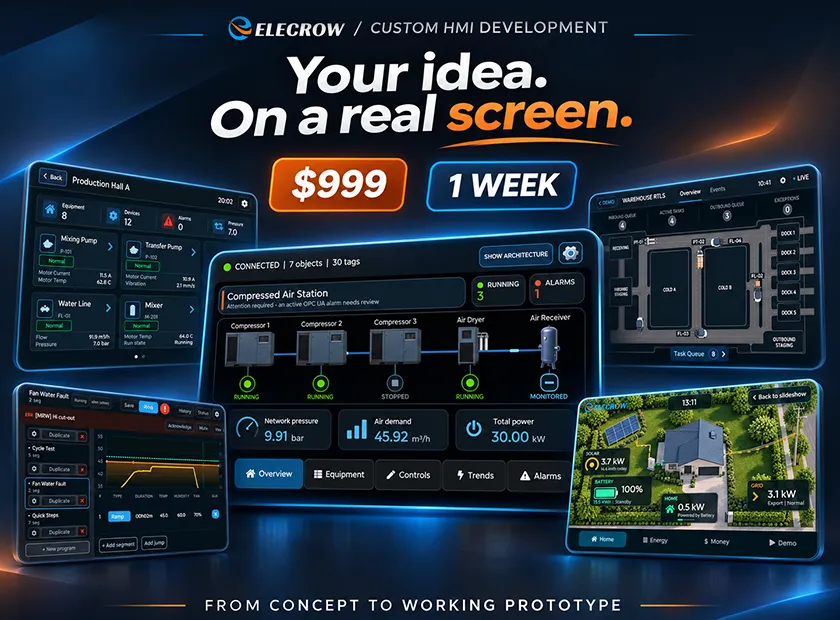
Your Custom HMI in Just 1 Week? Meet Elecrow's New $999 Development Service!
Have a great idea for a touchscreen product but don't know where to start with the interface? Now you can turn your concept into a working CrowPanel HMI without building everything yourself.
Maybe you're developing an industrial controller, building a smart home device, or preparing an IoT prototype for a customer. You've chosen the hardware and know what your product should do, but there's still one big challenge: turning your idea into a working, user-friendly HMI.
Designing screens, creating navigation, programming buttons and controls, and testing everything on real hardware can take a lot of time.
What if you could skip that part and have your custom HMI developed for you?
We're excited to introduce Elecrow Custom HMI Development, a new service that helps you turn your interface idea into a working touchscreen application for a fixed development price of $999, with a one-week development timeline after the project scope is agreed.
You bring the idea. We help bring the interface to life!
Why Start with a Working HMI Proof of Concept?
A practical proof of concept you can put in front of decision-makers — without committing to a full-scale development project.
A touchscreen interface is more than a technical component. For many teams, it's the first opportunity to show what a product could become, collect meaningful feedback, and decide whether the next investment makes sense.
A Real Proof of Concept
See your idea working on a real CrowPanel, not just in slides or static mockups. Explore how the interface looks, responds, and feels on actual touchscreen hardware.
Something You Can Demonstrate
Show management, a budget committee, your team, investors, or customers what the product could look and feel like. A working prototype makes your concept easier to understand and discuss.
Faster Feedback and Buy-In
Align stakeholders, validate the user experience, and make a better-informed go/no-go decision before the next investment. Gather feedback from people interacting with a real interface.
A Small, Predictable First Investment
Explore your concept with a fixed $999 development budget and a one-week build window instead of funding the entire product upfront.
Start with a PoC, then decide what's next. Use your working interface to present the concept, gather feedback, and decide whether to move forward with a larger development or integration project.
Explore Example Custom HMI Projects
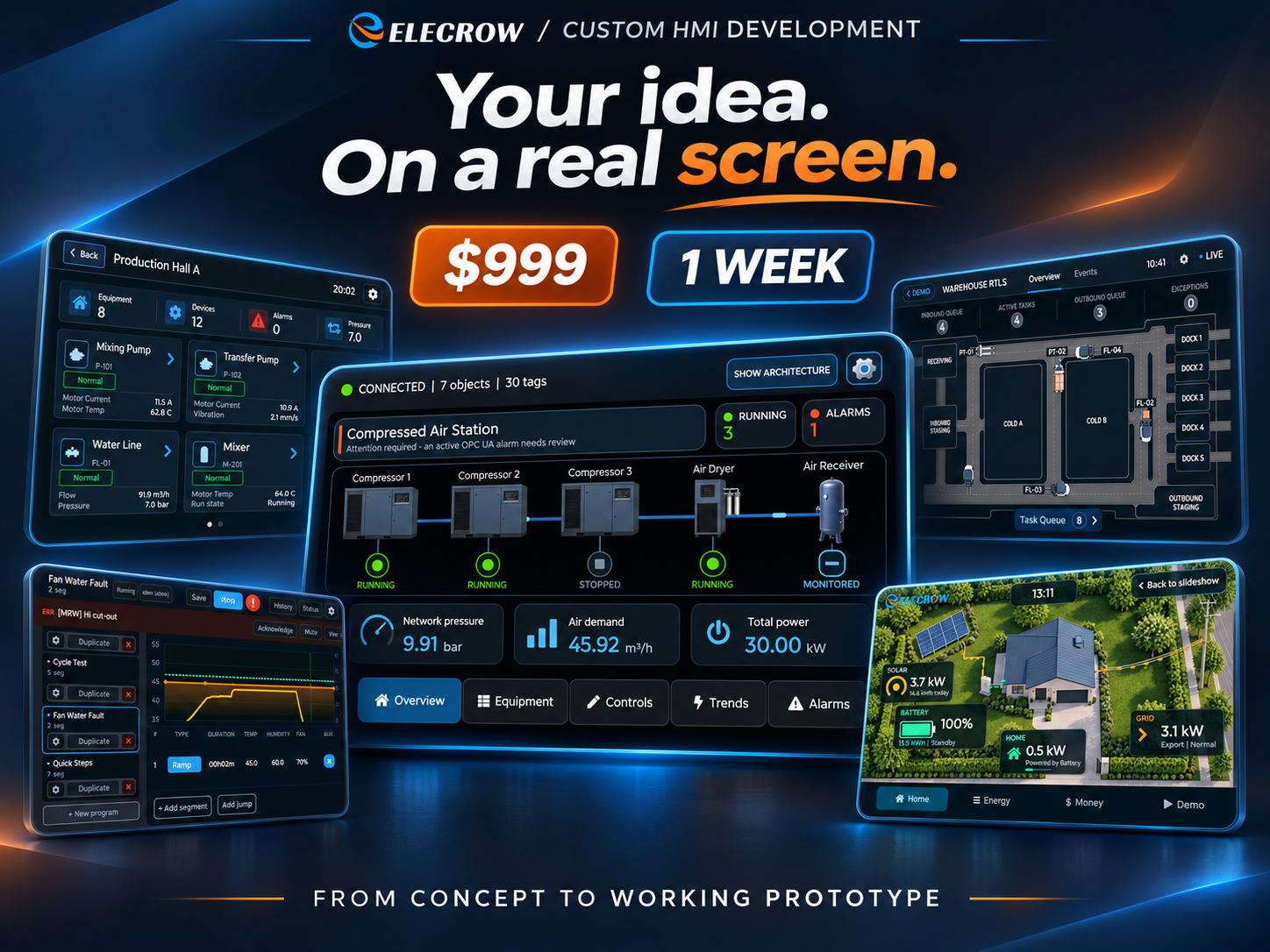
Want to see the kind of interfaces this service can support? Here are several example HMI projects built around different real-world use cases — from industrial monitoring and programmable process control to warehouse tracking and home energy management.
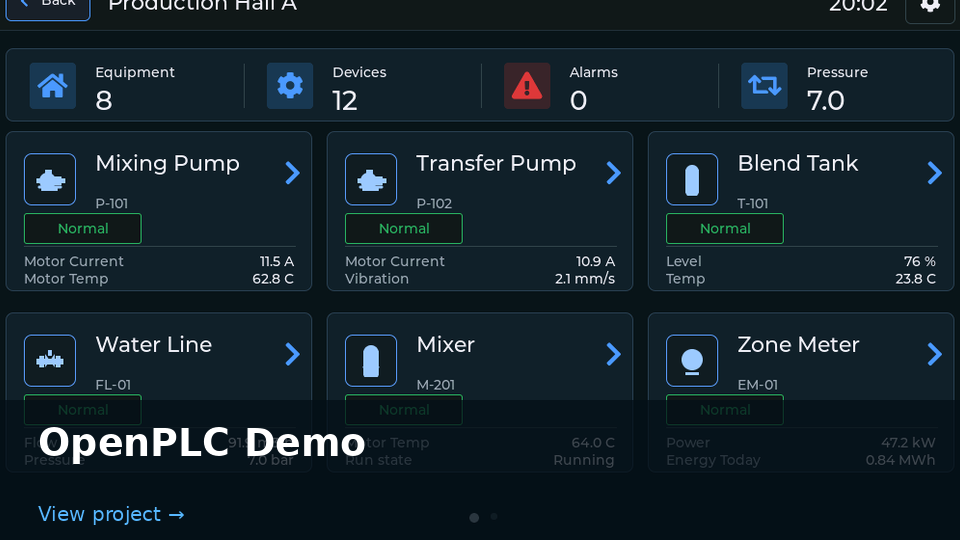
OpenPLC DemoAn interactive HMI for monitoring and controlling a compressed-air station. |
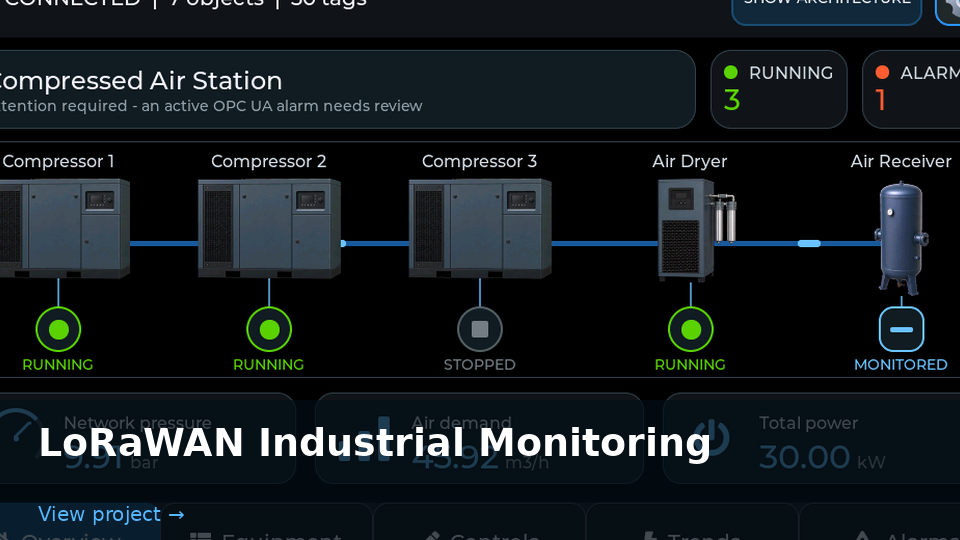
LoRaWAN Industrial MonitoringA dashboard for viewing industrial sensor readings collected via LoRaWAN. |
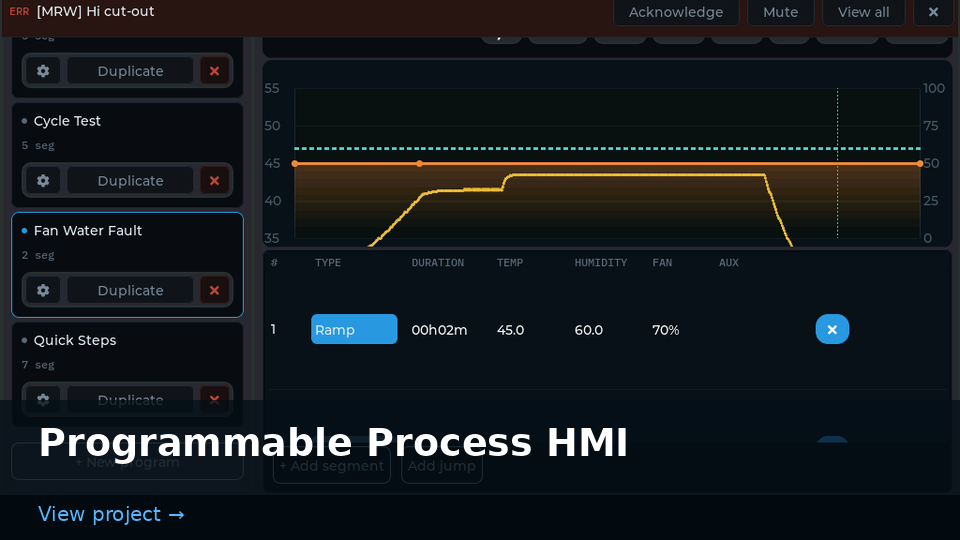
Programmable Process HMIA process-control interface for configuring steps and tracking live trends and alarms. |
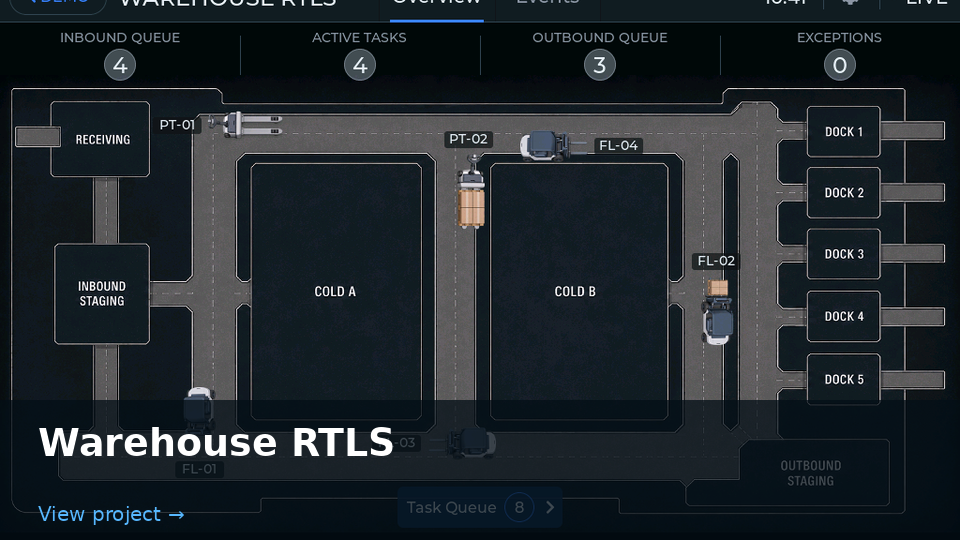
Warehouse RTLSA warehouse map showing vehicle locations, active tasks, and loading areas. |
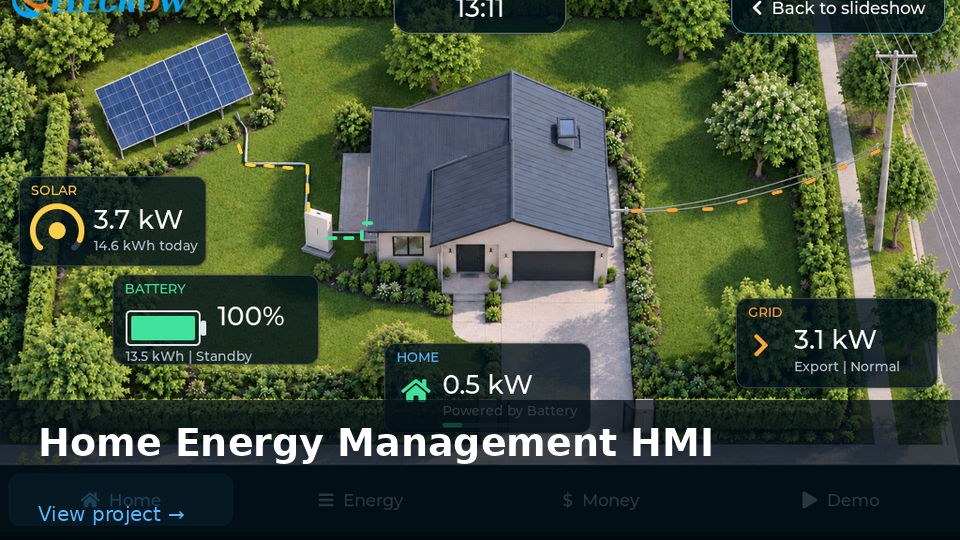
Home Energy Management HMIAn energy dashboard showing solar generation, battery status, and grid power flow. |
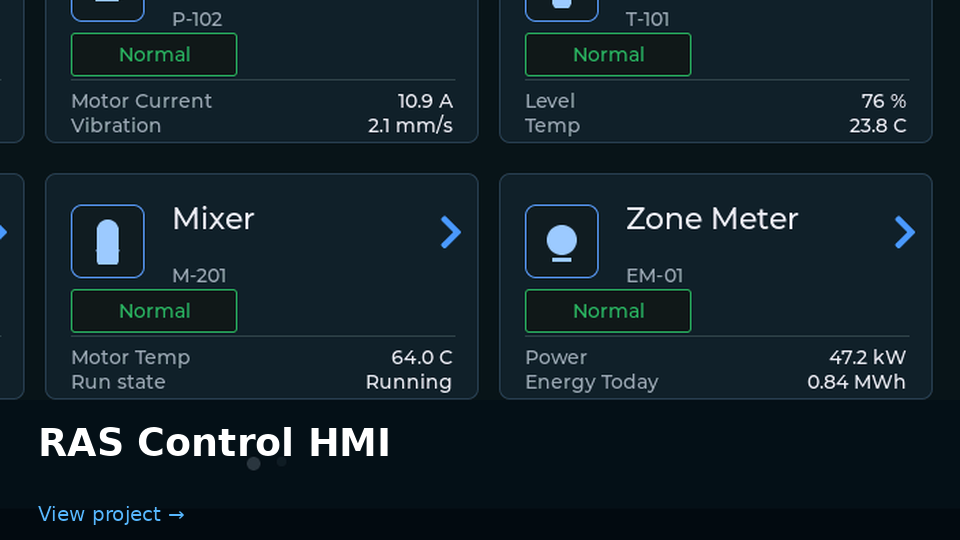
RAS Control HMIA touchscreen dashboard for monitoring water systems in a recirculating aquaculture setup. |
Need something similar? These examples show how different the final result can be depending on the task. Your own interface can be tailored to your workflow, users, and hardware scenario.
What Is Elecrow Custom HMI Development?
Elecrow Custom HMI Development is a service for customers who want a personalized touchscreen interface built for selected CrowPanel Advanced displays powered by ESP32-P4.
Instead of starting from a blank screen and building everything yourself, simply share your requirements with our team.
We'll work on the interface design, screen layouts, navigation, interactive controls, and agreed application logic, then test the result on the selected CrowPanel hardware.
The goal is simple: give you a working, demonstration-ready HMI that you can actually run on your device.
And the best part? You don't need to have a finished UI design before getting started.
What Do You Get for $999?
This isn't just a collection of attractive screen mockups. The standard package includes a functional HMI application and the files you need to continue developing it.
Need to demonstrate your interface before your sensors or external systems are ready? No problem!
The HMI can use simulated external data to demonstrate how the interface looks and behaves. This is especially useful for early prototypes, product presentations, and customer demonstrations.
Good to know: The $999 price covers HMI development for the agreed project scope. The physical CrowPanel display is purchased separately.
From Idea to Working HMI in 1 Week
First, we agree on a practical proof-of-concept scope. Then the development week focuses on designing, building, and testing your HMI on the selected CrowPanel.
Discuss & Define
We discuss your product, selected CrowPanel, user scenarios, and essential functions. Together, we agree on a clear, practical scope for the proof of concept before development begins.
Design
We create the visual interface, screen structure, navigation, and user experience based on the agreed requirements.
Build & Test
We implement the HMI, use simulated external data where needed, and verify the application on your chosen Elecrow panel.
At the end of the development week, you'll have a working HMI and the project files needed to continue.
Who Is This Service For?
The beauty of Custom HMI Development is that you don't need to be an HMI expert to benefit from it.
Hardware Manufacturers
Building an industrial machine, smart appliance, or specialized instrument? Explore and demonstrate a custom touchscreen interface before investing in full system integration.
Startups & Product Teams
Need something tangible to show investors, partners, or early customers? A working touchscreen prototype can communicate your idea far better than static mockups.
System Integrators
Validate an HMI concept with stakeholders before committing resources to real equipment and backend connections.
Engineering Teams
No dedicated embedded UI developer? Get a functional touchscreen prototype for internal reviews and project approvals without building an HMI team first.
Possible applications include industrial control panels, smart home controllers, energy dashboards, laboratory instruments, IoT devices, and demonstration interfaces for new products.
Why Choose Custom HMI Development?
- Save development time. Creating a touchscreen interface involves much more than drawing screens. Get a clear path from requirements to a working application.
- Keep your budget predictable. The fixed $999 development price makes it easier to plan the first stage of your project.
- See your idea on real hardware. Your interface isn't limited to a design file. It's developed and tested for the selected CrowPanel Advanced display.
- Keep control of your project. Receive the source code and UI assets so your team can continue development after delivery.
- Start without a finished design. Have a concept, a rough sketch, or a list of required functions? That's enough to begin discussing your project.
For many teams, the biggest advantage is simple: get a tangible, functional proof of concept while keeping the first development step focused and manageable.
One Important Detail: What's Not Included?
We want the scope to be clear from the beginning.
The $999 package covers the HMI interface and its agreed interactive behavior. It does not include connecting the application to actual machines, sensors, PLCs, databases, APIs, or other external systems.
For example, your interface might display simulated temperature readings, equipment status, or energy consumption during a demonstration. Connecting those screens to real data sources would be a separate integration project.
The physical CrowPanel hardware is also not included in the development price.
Why this approach works: You can validate the interface, demonstrate a product concept, and prepare the front end before the rest of your system is ready. Real hardware and backend integration can be discussed separately when needed.
Frequently Asked Questions
Do I need to prepare a complete UI design?
No. You can start with a description of your product, the screens you need, and the main user interactions. If you already have a logo, brand guidelines, or UI assets, you can share them with the team.
Is the CrowPanel display included in $999?
No. The $999 price covers the agreed HMI development work. The compatible CrowPanel hardware is purchased separately.
Will the interface run on a real display?
Yes. The delivered HMI is developed and tested on the selected compatible CrowPanel. External information can be simulated when real data sources are not connected.
Will I receive the source code?
Yes. The package includes the HMI firmware, complete source code, UI assets, and setup instructions.
Can I request changes during development?
Yes. We'll review progress together and make reasonable adjustments within the agreed project scope. Significant new features or scope changes should be discussed separately.
Can real sensors, equipment, or APIs be connected later?
Yes. Integration with external equipment, sensors, databases, APIs, and other systems is outside the standard $999 package and can be discussed as a separate project.
Ready to Bring Your HMI Idea to Life?
Whether you're creating a new product, upgrading an existing device, or preparing your next prototype, a working touchscreen proof of concept can help you show what's possible.
With Elecrow Custom HMI Development, you can get a custom-designed, working HMI for CrowPanel Advanced with a $999 fixed development price and a one-week development timeline after scope agreement.
Tell us what you're building, which CrowPanel you'd like to use, and what your interface needs to do.
Discuss Your Custom HMI ProjectYour idea deserves more than a static mockup. Let's put it on a real screen!