Currency
Toggle Nav



TEMP&HUM ±3%RH for RASPBERRY PI PICO
$8.00
Availability:
In stock
SKU
PDA26062P
Weight
50g
TEMP&HUM ±3%RH for RASPBERRY PI PICO and PICO2
Frequently Bought Together




TEMP&HUM ±3%RH for RASPBERRY PI PICO and PICO2
TEMP&HUM ±3%RH for Raspberry Pi Pico and Pico2 is a compact and easy-to-use environmental sensing module designed for accurate temperature and relative humidity measurement with Raspberry Pi Pico and Pico2 platforms. The module is based on the DHT20 digital temperature and humidity sensor, providing a simple I²C interface for reliable communication with the microcontroller.
The DHT20 provides digital temperature and relative humidity measurements, with a typical humidity accuracy of ±3%RH, making the module suitable for environmental monitoring, data logging, weather-related projects, smart-home applications, and general embedded sensing.
The sensor communicates with the Raspberry Pi Pico or Pico2 through the I²C interface, using dedicated SDA and SCL connections. The module includes 4.7 kΩ pull-up resistors for stable I²C communication and operates from the Raspberry Pi's 3.3 V supply, making it directly compatible with the Pico/Pico2 GPIO interface.
The module is designed as a simple and flexible sensor interface that can be connected directly to Raspberry Pi Pico or Pico2 development boards. Its compact design and minimal external component requirements make it suitable for both rapid prototyping and integration into custom embedded systems.
MicroPython example programs can be used with Raspberry Pi Pico/Pico2 to read temperature and humidity values from the DHT20 via I²C. The measured data can then be displayed, logged, transmitted, or used to control other devices according to the application requirements.
The TEMP&HUM ±3%RH module is suitable for temperature and humidity monitoring, environmental data logging, IoT projects, smart-home systems, greenhouse monitoring, weather stations, laboratory projects, and Raspberry Pi Pico/Pico2 sensor applications.
Features
- Based on DHT20 digital temperature and humidity sensor
- Compatible with Raspberry Pi Pico and Raspberry Pi Pico2 platforms
- Temperature and relative humidity measurement in a compact module
- Temperature Accuracy: ±0.5 °C
- Humidity accuracy of up to ±3%RH
- Digital I²C communication interface for simple sensor integration
- Dedicated SDA and SCL connections for reliable data communication
- Integrated 4.7 kΩ I²C pull-up resistors
- 3.3 V operating supply, directly compatible with Raspberry Pi Pico/Pico2 GPIO levels
- Power indicator LED for convenient module status indication
- Simple connection to Raspberry Pi Pico/Pico2 using two I²C signal lines
- MicroPython compatible for easy temperature and humidity data acquisition
- Suitable for real-time monitoring and environmental data logging
- Compact design suitable for prototyping and embedded applications
- Suitable for weather stations, IoT, smart-home, greenhouse, and laboratory applications
- Verified schematic design for reliable DHT20 sensor operation
Applications
- Temperature and humidity monitoring in embedded systems
- Environmental monitoring using Raspberry Pi Pico and Pico2
- Real-time temperature and humidity data logging
- Weather station and local climate monitoring projects
- Greenhouse and plant-growing environment monitoring
- Smart-home and IoT environmental sensing applications
- Temperature and humidity monitoring for laboratories and test environments
- Monitoring environmental conditions in electronic equipment and enclosures
- Data acquisition and sensor measurement projects using Raspberry Pi Pico/Pico2
- Educational and prototyping applications for temperature and humidity sensing
- MicroPython-based environmental monitoring and automation projects
- Industrial and technical environment monitoring applications
- Remote environmental sensing and IoT data collection
- Custom electronic and embedded designs requiring digital temperature and humidity measurement
Technical Specifications
- Sensor: DHT20 digital temperature & humidity sensor
- Temperature Accuracy: ±0.5 °C
- Humidity Accuracy: ±3%RH
- Temperature Measurement: Digital temperature sensing
- Communication Interface: I²C
- I²C Address: 0x38
- Supply Voltage: 3.3 V DC
- Logic Level: 3.3 V GPIO compatible
- I²C Pull-Ups: 4.7 kΩ on SDA and SCL
- Controller Platform: Raspberry Pi Pico and Pico2
- Software Support: MicroPython compatible
- GPIO Connections: SDA and SCL via Raspberry Pi Pico/Pico2
- Sensor Output: Digital temperature and relative humidity data
- Interface Type: 2-wire I²C data communication
- Module Supply: 3.3 V
- Application: Environmental monitoring, data logging, IoT and embedded sensing
- Design: Compact sensor module with integrated pull-ups and power indication
Additional Notes and Information
To run the provided MicroPython example for the TEMP&HUM ±3%RH for Raspberry Pi Pico and Pico2 module, install and use the Thonny IDE with your Raspberry Pi Pico or Pico2.
1. Install Thonny IDE on your computer.
2. Connect the Raspberry Pi Pico to the PC using a USB cable.
3. In Thonny, select MicroPython (Raspberry Pi Pico) as the interpreter.
4. Open the provided `main.py` example file.
5. Save the file to the Raspberry Pi Pico (File → Save As → Raspberry Pi Pico).
6. Press Run (F5) or restart the board.
After uploading, the main.py file will automatically execute on every board reset. The program initializes the DHT20 sensor and I²C interface, reads the temperature and relative humidity measurements, and displays the measured values through the MicroPython console.
The example code allows immediate verification of temperature and humidity measurements after startup and provides a simple starting point for developing environmental monitoring, data logging, IoT, automation, and other sensor-based applications.
Downloads
- main.py
- schematics.JPG
- measurement in Shell.JPG
Write Your Own Review
Bestselling Products You May Like


New Products You May Want
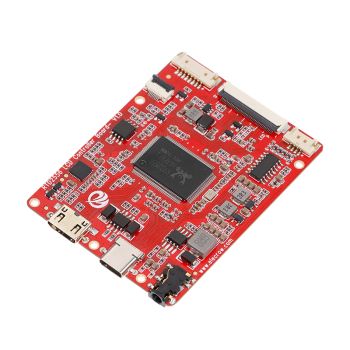
RTD2556 Driver Board/Controller Board for HD Monitor With EDP 30Pin 1920x1080p Touch Function
was
$20.90
Special Price
$14.63


Warranty
Service

VIP Distributor
Discount

Professional
Tech Support

Fast
Delivery
×
 Add to cart successfully!


Add to cart successfully!
Customers Who View This Item Also Bought