ThinkNode M9 Product Selection and Overview
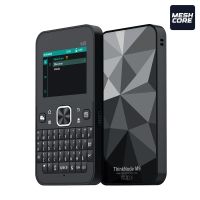
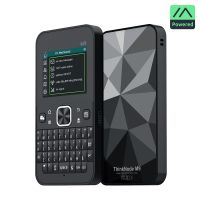
ThinkNode M9 is a standalone communication terminal that combines long-range LoRa communication, a full physical keyboard, a color display, and positioning features in a compact handheld device.
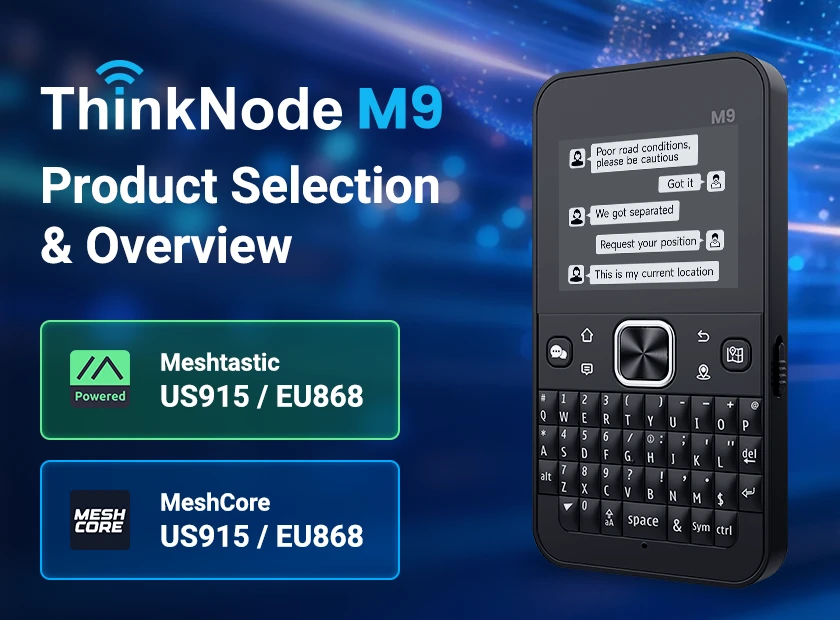
Although M9 is sold in four configurations, the selection can be understood through two simple dimensions: software version and radio band.
The short answer: First choose Meshtastic or MeshCore. Then choose 915 MHz or 868 MHz.
Shared M9 Hardware
The Four Configurations
| Software Version | 915 MHz | 868 MHz | Best Suited For |
|---|---|---|---|
| Meshtastic | Meshtastic 915 MHz | Meshtastic 868 MHz | Users already working or like to work with Meshtastic networks, devices, or mobile apps |
| MeshCore | MeshCore 915 MHz | MeshCore 868 MHz | Users already working or like to work with MeshCore networks and the MeshCore ecosystem |
Meshtastic Version
The Meshtastic version comes with Meshtastic firmware and can be operated directly from the device. Typical functions include messaging, node and map viewing, GNSS location sharing, Bluetooth pairing with the Meshtastic mobile app, and diagnostic tools such as MeshDetector, Signal Scanner, Trace Route, Statistics, and Packet Log.
If your existing nodes or network already uses Meshtastic, this is usually the most straightforward M9 choice. Select 915 MHz or 868 MHz according to your region and target network.
MeshCore Version
The MeshCore version comes with MeshCore firmware and is designed for MeshCore networks. It supports messaging, public or private channels, node and contact views, map operations, GPS information, waypoints, radio settings, and network configuration.
If your existing nodes or network already uses MeshCore, this is usually the most straightforward M9 choice. Select 915 MHz or 868 MHz according to your region and target network.
915 MHz or 868 MHz?
Frequency selection should be based on your region. 915 MHz is commonly associated with US915 deployments, while 868 MHz is commonly associated with EU868 deployments. Always follow local radio regulations, regional settings, and power limits.
Quick SKU Comparison
| Configuration | Radio Hardware | Firmware | Selection Recommendation |
|---|---|---|---|
| M9 Meshtastic 915 MHz | 915 MHz | Meshtastic | For a Meshtastic network using US915 or a compatible 915 MHz plan |
| M9 Meshtastic 868 MHz | 868 MHz | Meshtastic | For a Meshtastic network using EU868 or a compatible 868 MHz plan |
| M9 MeshCore 915 MHz | 915 MHz | MeshCore | For a MeshCore network using US915 or a compatible 915 MHz plan |
| M9 MeshCore 868 MHz | 868 MHz | MeshCore | For a MeshCore network using EU868 or a compatible 868 MHz plan |
Typical Use Cases
- Hiking, camping, and vehicle coordination.
- Messaging in areas without cellular coverage.
- Emergency communication and backup communication.
- Remote sites, field engineering, and temporary events.
- Mesh network testing, node deployment, and developer validation.
Official Resources
- Meshtastic M9 Product Page
https://www.elecrow.com/thinknode-m9-meshtastic-communication-terminal-with-full-keyboard-2-4inch-lcd.html - Meshtastic M9 Wiki:
https://www.elecrow.com/wiki/ThinkNode_M9_Meshtastic_Communication_Terminal_with_Full_Keyboard.html - Meshtastic M9 User Manual:
https://www.elecrow.com/download/product/LMM15409D/ThinkNode_M9_for_Meshtastic_User_Manual.pdf - MeshCore M9 Product Page:
https://www.elecrow.com/thinknode-m9-meshcore-communication-terminal-with-full-keyboard-2-4inch-lcd-esp32-s3-lr1110-gps-2300mah.html - MeshCore M9 Wiki:
https://www.elecrow.com/wiki/ThinkNode_M9_MeshCore_Communication_Terminal_with_Full_Keyboard.html - MeshCore M9 User Manual:
https://www.elecrow.com/download/product/LMM16509D/ThinkNode_M9_for_Meshcore_User_Manual.pdf
Conclusion
ThinkNode M9 selection is straightforward: confirm the network ecosystem first, then confirm the radio band. Choose Meshtastic if your network uses Meshtastic, or MeshCore if your network uses MeshCore. After that, select 915 MHz or 868 MHz according to your region and network plan.