Currency
Toggle Nav

7 Best ESP32 Display Projects: CrowPanel Ideas for Smart Home & Dashboards
October 20, 2026
Best ESP32 Display Projects: CrowPanel Ideas for Smart Home & Dashboards
IN THIS ROUNDUP
- Home Energy Management System (HEMS) — 9″ ESP32P4
- Home Assistant wall panel with voice — 10.1″ ESP32P4
- Food kiosk with local video — 10.1″ ESP32P4
- UPI vending machine with dynamic QR — 7″ ESP32S3
- DIY Stream Deck alternative — 7″ ESP32S3
- RS485 temperature & humidity HMI — 5″ ESP32S3
- Rotary display comparison: 1.28″ vs 1.46″
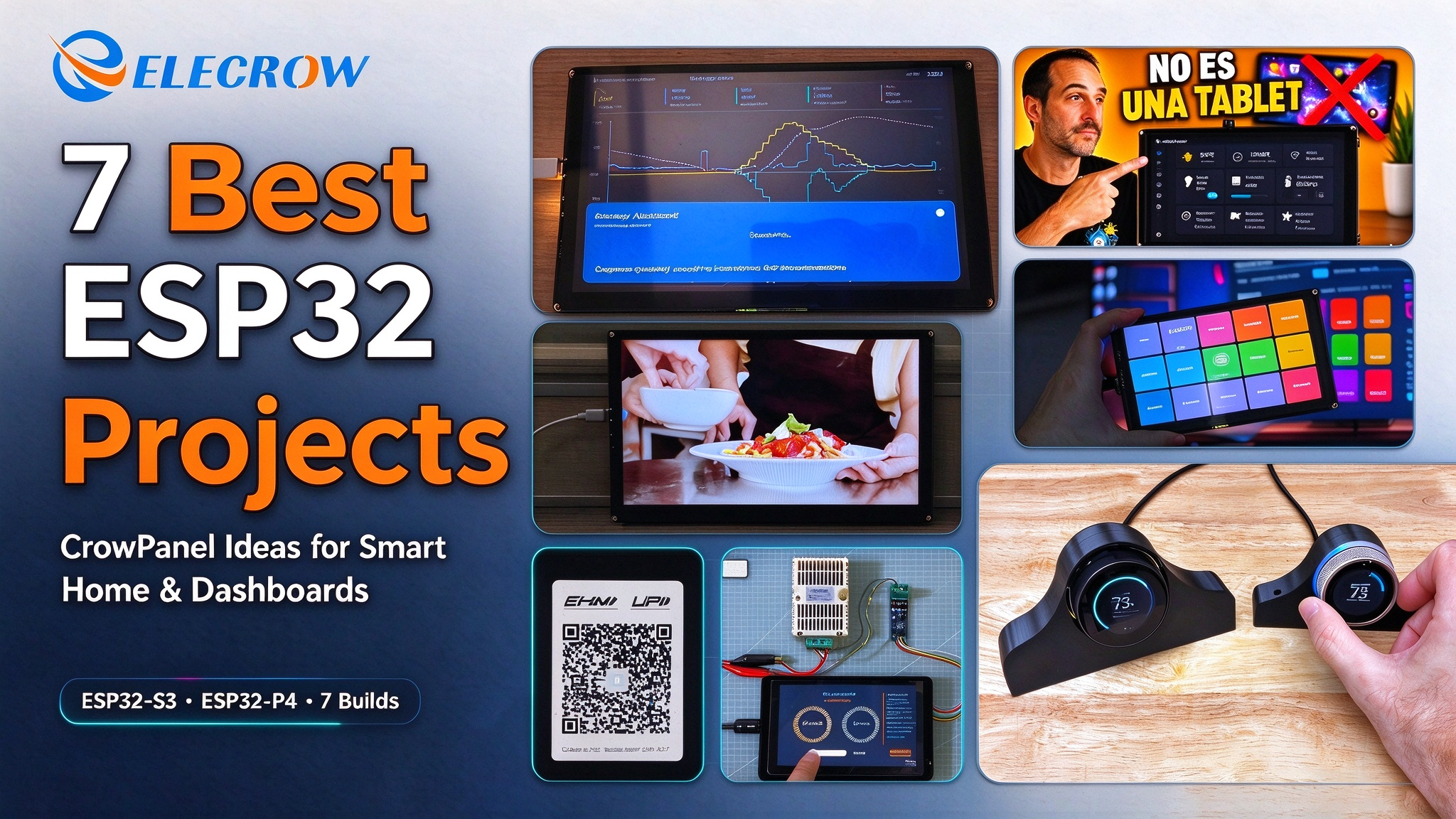
Most ESP32 display projects stop at “the screen turns on and the UI looks nice.” The seven ESP32 display projects in this roundup go further—each one puts a CrowPanel touchscreen into a working system and lets the screen do a job that would otherwise require a phone, a tablet, a PC, or a cloud subscription.
The range is deliberate. The first two builds are smart-home dashboards running Home Assistant — an energy HEMS and a wall-mounted control panel. The next four push the same hardware into other dashboard roles: a food kiosk, a payment terminal, an industrial sensor HMI, and a desktop macro pad. The final build compares the two rotary display sizes, for projects where physical knob input matters more than screen area. Different sizes, different ESP32 platforms, different problems — same product family.
A note on platforms: CrowPanel “Advance” models use the ESP32S3 (800×480, up to 7inch), while “Advanced” models use the ESP32P4 (1024×600, 9–10.1inch, WiFi 6). Each project below lists the exact panel used.
Smart Home & Home Assistant Dashboards
01 Home Energy Management System (HEMS) on ESP32P4 (9inch)
The first build sets the tone for the roundup. A Polish maker Lewa Ręka built a local Home Energy Management System (HEMS) around Home Assistant, EMHASS, and YamBMS, using the CrowPanel Advanced 9inch ESP32P4 as the onwall interface. The system manages a 14 kW solar PV installation with 32 kWh of battery storage, sells surplus under Poland’s netbilling / RCE dynamic tariff, and the screen’s job is to make the whole thing visible without opening a laptop.
That last part is the point. EMHASS runs the optimization on a server — it generates a 24–48 hour plan for battery charging, grid usage, and home load, updating cyclically. YamBMS handles battery monitoring through ESPHome, merging multiple battery packs into a single view. Neither of those tools needs a screen to work. The CrowPanel is what turns them from background processes into something you can glance at on the wall: solar energy flow, battery SOC, price curves, and the current plan, all in one place.
Why the 9inch ESP32P4 specifically? Because the dashboard has to show flow diagrams, SOC, tariff curves, and a multihour schedule at the same time. A 1024×600 canvas is roughly the minimum where that information density stays readable from a standing distance, and the P4’s 400 MHz dualcore RISCV with 32 MB PSRAM keeps multilayer LVGL interfaces from stuttering. It’s not a screen demo — it’s the display layer of a solar energy management system that already had to exist for financial reasons.
02 Home Assistant Wall Panel with Voice Assistant (10.1inch ESP32P4)
The second build answers the question every Home Assistant user asks when they see an ESP32 panel: why not just mount an Android tablet? HectorziN’s answer is straightforward — because a panel should boot straight into a dashboard, not a launcher. The CrowPanel Advanced 10.1inch ESP32P4 runs ESPHome, starts directly into a custom interface, and doesn’t need an app, a charging routine, or a lock screen.
The build goes further than a static dashboard. After wiring the display, speaker, and power, the video walks through flashing custom firmware via ESPHome, then layers in real Home Assistant sensors (temperature, humidity, air quality), scrolling text notifications that automatically return to the dashboard, a full HA web dashboard mode via WallPanel, and voice assistant control for devices like a sofa light. It also includes 3Dprinted wall mounts — which matters more than it sounds, because wall mounting is where most DIY panels fail in practice.
One detail worth planning for: voice control works, but microphone sensitivity may need tuning depending on room acoustics and mounting height. That’s not unique to this panel — it’s true of most ESP32based voice endpoints — but it’s the kind of thing that separates a demo from a finished installation.
Same panel, different job: the food kiosk below uses the same CrowPanel Advanced 10.1" ESP32P4, but as a standalone commercial terminal with no Home Assistant involvement at all.
More ESP32 Dashboard & Control Projects
The next five builds leave the smarthome ecosystem, but they stay in the dashboard family. A dashboard doesn’t have to mean a wallmounted home panel — it can be a commercial terminal, an industrial readout, a desktop control surface, or a singlepurpose music gadget. What ties them together is the same pattern: a CrowPanel screen sitting between a person and a system, showing state and taking input.
03 ESP32P4 Food Kiosk with Local Video Playback (10.1inch)
nishad2m8’s build is the first project here with nothing to do with Home Assistant. It’s a standalone ESP32 food ordering kiosk running on the same 10.1inch ESP32P4 panel, built with ESPIDF and LVGL, with all logic and media stored locally on an SD card. No server, no broker, no cloud — just the screen, the board, and the code.
The interesting part is the media pipeline. The kiosk plays audio and video, with video converted to motion JPEG in AVI format via a Python script so the microcontroller can decode it smoothly. That’s a practical answer to a common P4 question: what does the extra headroom actually buy you? In this case, it buys fullscreen video on a 1024×600 display without a companion SoC.
The project is fully open source, with ESPIDF source code and reusable LVGL templates on GitHub. The UI is intentionally minimal — labels, images, Google Fonts — which makes it a clean starting point for anyone building a kiosk, a vending machine interface, or any standalone touch terminal. The board’s interchangeable wireless module also means connectivity can be swapped without redesigning the rest of the build.
04 UPI Vending Machine with Dynamic QR Code (7inch ESP32S3)
Where the food kiosk is a display terminal, techiesms’ build is a transaction terminal. It takes the 7inch CrowPanel Advance ESP32S3 and turns it into a UPI vending machine interface: the user selects a product, the display generates a dynamic QR code for that exact amount, and after payment the system prints a receipt through a thermal printer. Because the QR updates with the selection, the payment amount cannot be edited on the phone side.
The build is documented endtoend, which is what makes it useful as a reference: flashing example code to verify display and touch, building the vending UI in SquareLine Studio, exporting it to the panel, then adding the dynamic QR generation and receipt logic in Arduino. For anyone building a kiosk, a vending machine, or any terminal that needs a payment step, that’s a more practical template than another static dashboard demo.
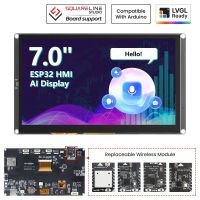
It’s also a good example of why the 7inch S3 model remains a sensible choice for commercial terminals. 800×480 is enough for a product grid and a QR code, and the ESP32S3 has the WiFi and processing headroom for the payment flow without needing a companion board. The example code is available through Elecrow’s GitHub, and the project uses the same CrowPanel library set documented in the official wiki.
Same 7inch panel, different job: The Stream Deck build below uses the same CrowPanel Advance 7" ESP32S3, but as a desktop macro pad rather than a payment terminal.
05 DIY Stream Deck Alternative with ESP32 Touchscreen (7inch)
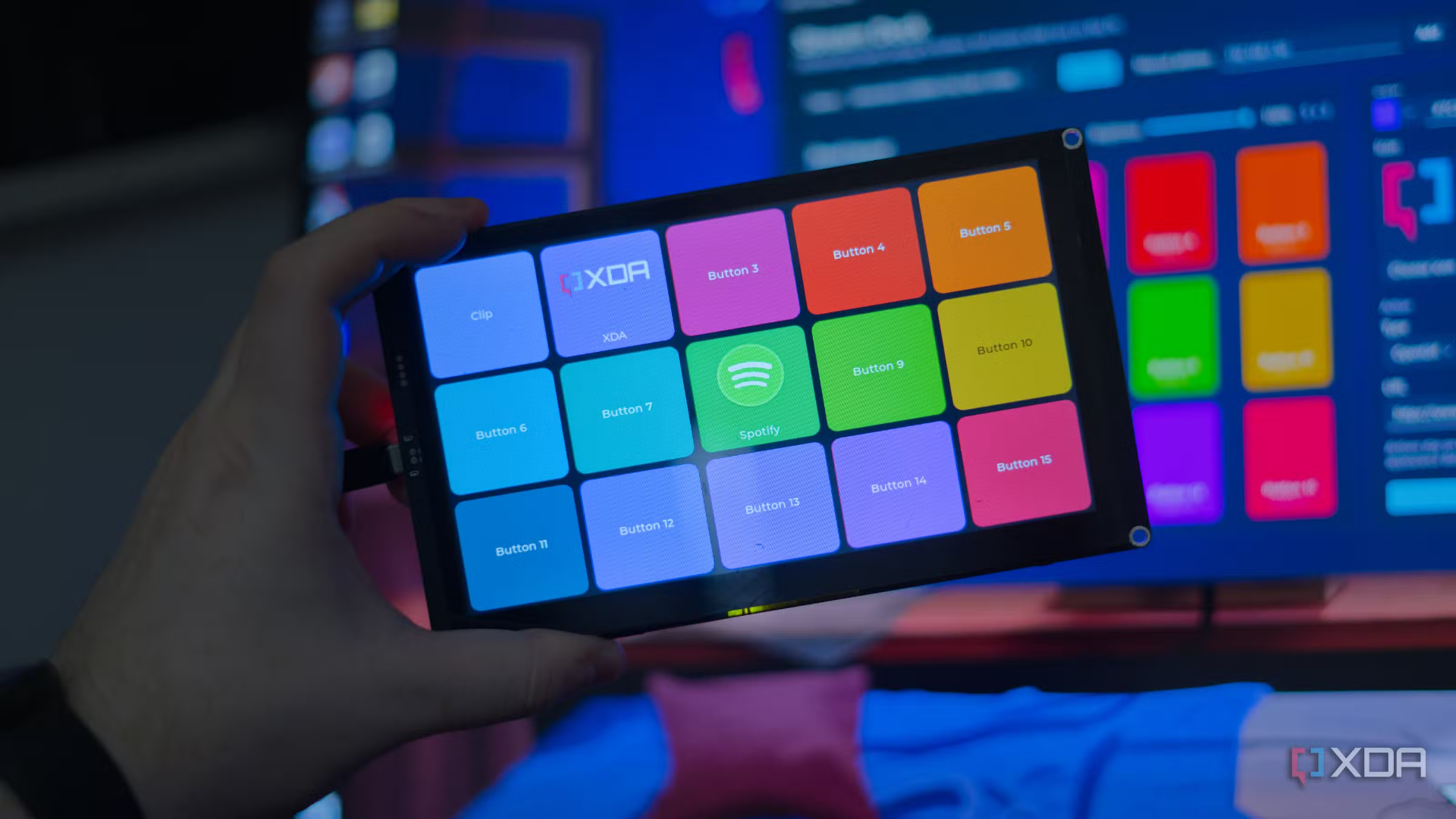
XDA’s DIY Stream Deck alternative starts with a simple comparison: a 15key Elgato Stream Deck runs around $150, while the 7inch CrowPanel Advance ESP32S3 sits in the $4050 range. The author’s point isn’t that Elgato’s product is bad — it’s that a 7inch touchscreen can fit more, and be laid out differently, than fifteen small physical keys.
The interesting design choice is where the logic lives. The panel stores only appearance data — button IDs, titles, colors, icons, brightness — and when a button is tapped, it simply announces over the network that a particular button was pressed. Everything that actually does something runs in a companion .NET/Avalonia app on the PC: opening URLs, launching executables, or sending Windows shortcuts via SendInput. The firmware uses LVGL 9.5 on top of LovyanGFX, with a 5×3 grid and icons cached in PSRAM.
That split comes with clear tradeoffs: the panel is intentionally “dumb,” the desktop app is Windowsonly, and keyboard injection respects Windows integrity levels. In exchange, the firmware stays simple, the layout can be changed without reflashing, and the panel connects over WiFi with no cable. Both the firmware and the Windows app are open source on GitHub, and the author has outlined a hybrid next step — using the ESP32S3’s native USB HID support so simple shortcuts keep working even when the desktop app isn’t running.
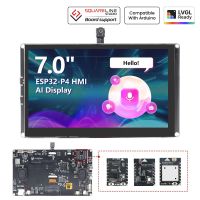
If you want this form factor with a higherresolution panel and WiFi 6, the 7inch ESP32P4 variant is available separately; for a 15button grid at 800×480, the S3 model is the exact hardware used in the XDA build.
Article: XDA — Turning an ESP32 touchscreen into a Stream Deck
Hardware used: 7inch ESP32S3 touchscreen for Stream Deck builds
Higherres variant: CrowPanel Advanced 7" ESP32P4 HMI AI Display | 1024x600 IPS Touch | WiFi 6
Higherres variant: CrowPanel Advanced 7" ESP32P4 HMI AI Display | 1024x600 IPS Touch | WiFi 6
06 RS485 Temperature & Humidity HMI on ESP32S3 (5inch)
The previous two builds use the screen as a customerfacing interface. This one flips that around: the CrowPanel becomes a local industrial HMI, reading a real sensor over RS485 and rendering live values without any cloud or companion app.
pangcrd’s build turns the 5inch CrowPanel Advance ESP32S3 into a realtime temperature and humidity display for an XYMD02 sensor over RS485. The sensor connects through a UARTtoRS485 converter into the panel’s UART1 port, and the UI — gauge, log monitor, slider — is built in SquareLine Studio and exported to LVGL.
What makes this build useful as a reference is the hardware detail. The video shows the board’s TF card slot, speaker output, battery port, RTC backup connector, UART0/UART1, I²C, buzzer, and wireless expansion module slot — and then actually uses UART1 with the correct functionselect switch settings (S1=0, S0=1). It also configures the RTC to sync time over WiFi once, so the clock keeps running after power or network loss. For anyone building a sensor node or a panel that needs to talk to industrial equipment, those are the parts that matter.
The development path is also reusable: PlatformIO in VS Code with a custom board JSON, a UI designed at 800×480 / 16bit with TFT_eSPI as the driver, and commented source code on GitHub. It’s a clean template for any RS485 or Modbusstyle sensor display — not just temperature and humidity.
07 CrowPanel Rotary Display Comparison: 1.28" vs 1.46" (ESP32S3)
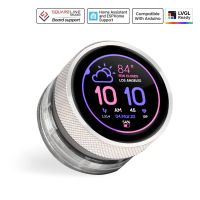
The last build looks at a different form factor entirely. Instead of a flat rectangular panel, the CrowPanel rotary display puts a round touchscreen inside a knob with an addressable RGB LED ring around it. trailcurrentopensource tested both sizes sidebyside — 1.28inch (240×240, 5 RGB LEDs) and 1.46inch (360×360, 8 RGB LEDs) — on stock firmware, then ported two of their own firmware projects to both.
Both units share the same ESP32S3R8 platform: 512 KB SRAM, 8 MB PSRAM, 16 MB Flash, 2.4 GHz WiFi, Bluetooth 5 / BLE, USB for power, flashing and HID, UART and I²C connectors, extra GPIO on an FPC connector (ribbon cable not included), and physical boot and reset buttons. The differences are in the screen and the ring: the 1.28" has a 240×240 touchscreen with 5 addressable RGB LEDs, while the 1.46" has a 360×360 touchscreen with 8 addressable RGB LEDs.
Three findings matter for anyone building with these. First, the RGB ring position changes enclosure design more than the spec sheet suggests. On the 1.28", the LEDs sit close to the rotary encoder, so a single transparent bezel layer behind the encoder produces a clean glowing ring with one filament change. On the 1.46", the LEDs are farther back — using the same trick means either a transparent base or a lot of filament changes. The 1.28" also has a constant diameter from the encoder to the back of the device, which makes a clean enclosure much easier to model, while the 1.46" has stepped diameters that need more iterations to fit well.
Second, the ring is not the button — the screen is. The rotary encoder itself doesn’t press; selection is done by pressing the touchscreen. The reviewer expected this to be a dealbreaker, but after using both units he found it manageable — though he’d still prefer the encoder ring itself to act as the select button. If you’re designing firmware around these, plan the touch/press interaction early.
Third, the RGB ring works best as live feedback, not decoration. In the ported firmware, the LEDs indicate warmer or cooler direction in thermostat mode, green or red for connection or fault status, battery and solar input state on the energy screen, and animation while turning the dial on the macro pad. These use cases turn the ring from a visual feature into part of the interaction.
Which one to pick: the 1.28" suits most projects, with a compact size, an easier enclosure design, and a 240×240 screen that’s usable if you keep touch targets large enough. The 1.46" is for projects that need higher resolution and more granular RGB feedback, but budget more time for enclosure iteration.
Which CrowPanel should you pick?
The seven projects above map cleanly onto two platforms. Short version if you’re starting from scratch:
ESP32S3 · ADVANCE
Up to 7 inches, plus rotary knobs800×480 IPS. Covers most display projects up to 7 inches, and both rotary displays.
- 7″ → vending terminals, Stream Deckstyle pads
- 5″ → industrial RS485 / Modbus HMIs
- 1.28″ / 1.46″ → rotary knob controls
ESP32P4 · ADVANCED
1024×600, video, complex UIs9, 10.1inch, 32 MB PSRAM, WiFi 6. Reach for it when you need resolution, playback, or RAM.
- 10.1″ → Home Assistant wall panels, food kiosks
- 9″ → energy dashboards with flow & tariff curves
- Fullscreen MJPEG video without a companion SoC
The projects above are proof that neither platform is a demoonly device — each one is running something someone actually uses.
FAQ
For a wallmounted Home Assistant dashboard, the 10.1inch ESP32P4 CrowPanel Advanced is the most practical choice: it runs ESPHome, supports WallPanel for a full HA web dashboard, and has enough RAM for multilayer LVGL interfaces. For smaller spaces, the 7inch ESP32S3 is a lowercost alternative.
Yes. The XDA build in this roundup uses a 7inch CrowPanel Advance ESP32S3 as a 15button macro pad, with all actions handled by a companion Windows app over WiFi. The firmware and desktop app are open source on GitHub.
The ESP32P4 is suited to projects that need 1024×600 resolution, video playback, or more RAM for complex interfaces — Home Assistant panels, energy dashboards, food kiosks, and multilayer LVGL UIs. The extra headroom over the ESP32S3 shows up most clearly in video decoding and large dashboard layouts.
Both use the ESP32S3 with the same memory, WiFi, and Bluetooth specs. The 1.28" has a 240×240 screen and 5 RGB LEDs, with a constantdiameter body that’s easier to design an enclosure around. The 1.46" has a 360×360 screen and 8 RGB LEDs, giving more display area and finer status feedback, but its stepped body and fartherback LEDs make enclosure design more involved.
No. The extra GPIO pins are available on an FPC connector, but the ribbon cable is not included — you’ll need to source one if your project uses those pins.
Related Products
-
 CrowPanel Advance 5inch HMI|ESP32-S3 AI-Powered IPS Touch Screen (800x480) Support LVGLAs low as $32.90 was $50.90