Story
Elecrow AI Camera Module: I poked it, flashed it, and generally annoyed it so you don’t have to
This article is exactly what it sounds like: hands‑on messing around. No spec‑sheet bingo and no buzzword soup. I powered the camera on, flashed it, broke it (slightly), brought it back from the dead, and tested the AI the way Elecrow clearly expects it to be used. What follows is what I found after actually living with the thing.
Introduction
On paper, the Elecrow AI Camera Module looks almost suspiciously nice: ESP32‑S3, camera, screen, microphone, speaker, and *‘AI ready out of the box’*. The obvious question is how much of that intelligence lives on the device and how much lives somewhere else. Spoiler alert: the cloud is doing some heavy lifting.
The hardware: solid choices, no marketing surprises
Let’s start with the physical bits, because that part is refreshingly honest: - ESP32‑S3 running the show - 16 MB of flash (important: flash, not RAM) - 8 MB of octal PSRAM - Integrated 2 MP camera - TFT screen, buttons, microphone, speaker and Wi‑Fi
Quick reality check: the 16 MB are storage, not working memory. The real playground here is the 8 MB of PSRAM. That’s still very generous for an ESP32, and it makes a noticeable difference once you start poking at memory.
First rule: always back up the firmware
Before touching anything, I dumped the full factory firmware. All 16 MB of flash, read with `esptool` and verified with a SHA‑256 hash. This isn’t paranoia; it’s survival instinct. If a device ships with proprietary firmware, you want a clean way back. Thankfully, in this case it was painless.
MicroPython experiment: lots of muscle, missing eyes
With the backup safe, I went straight to MicroPython. Using the official ESP32‑S3 build with octal PSRAM support, things look great at first: almost 8 MB of free heap and large contiguousallocations without drama. I happily allocated a 5 MB bytearray and the board didn’t even flinch. So far, so good.
And then comes the catch: official MicroPython simply does not support the camera on the ESP32‑S3. No drivers, no workaround, no secret module I forgot to import. The result is predictable — you end up with a seriously beefed‑up ESP32… that can’t see. At that point, the whole ‘AI camera’ idea kind of collapses.
Back to factory firmware, where things actually make sense
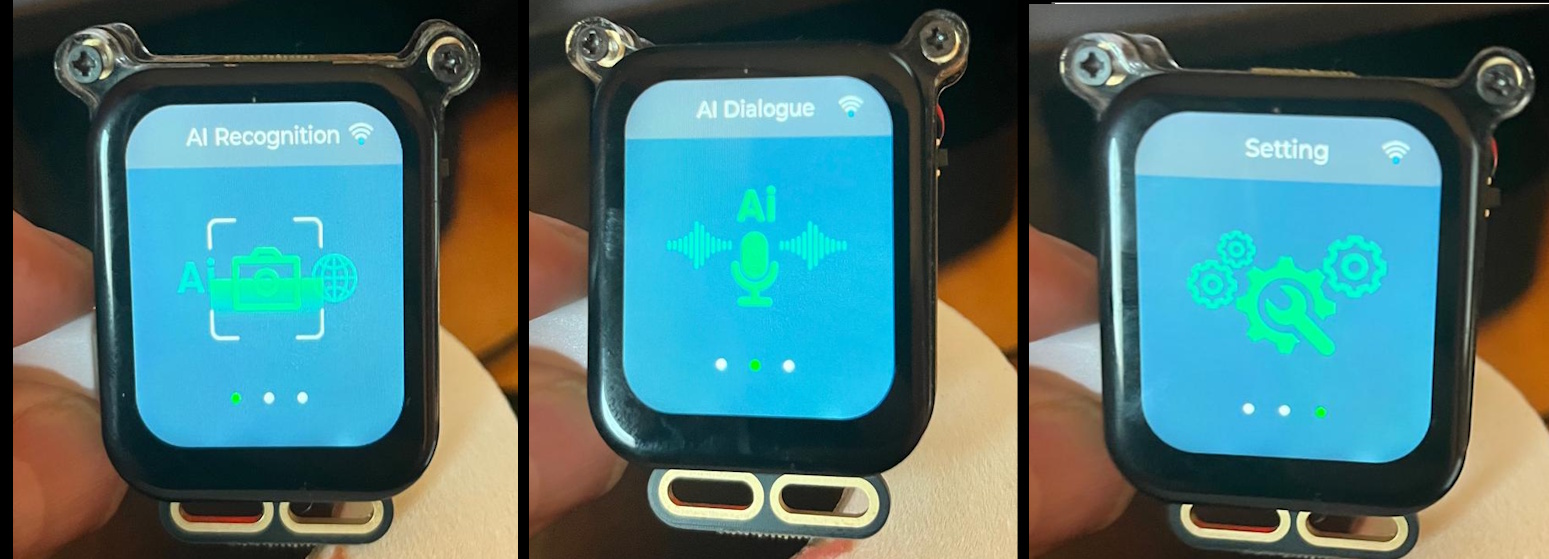
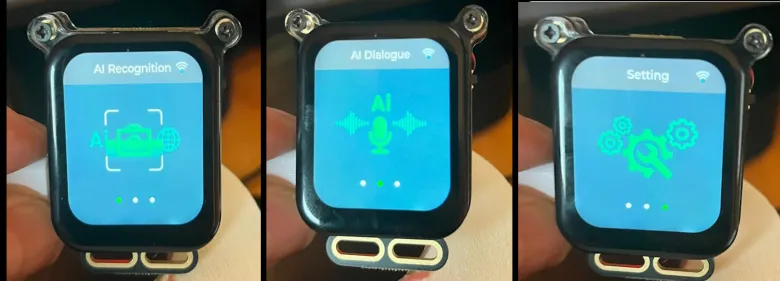
Image: Main factory firmware menu: camera recognition, voice dialogue and settings.
This already feels like a real product.
Flashing the original firmware back in was trivial, and suddenly everything clicks again. The screen lights up with a proper UI, and the device exposes its own Wi‑Fi network (AI_Camera_XXXX) with a captive portal to configure your home network. This is very much consumer‑electronics territory, not dev‑board land.
Networking: present on the LAN, but keeping its mouth shut
Once connected to Wi‑Fi, the camera gets a DHCP address… and then essentially goes mute from a local‑network point of view. No web UI, no REST API, no video stream. It’s there, but it really doesn’t want you talking to it directly. Which already tells you a lot about the intended architecture.
Where the AI actually lives: agents, cloud and points
The real magic starts when you enable the AI modes. To do that, you have to go through Elecrow’s ThinkNode portal, create an account, register the device with a code, and build an AI ‘agent’. That agent is the actual decision‑maker in this setup.
The camera grabs an image, ships it off to the cloud, and the agent decides what to say. Every interaction burns points. Yes, actual points. At that moment it becomes crystal clear: this is AI as a service. Not local inference, not edge‑AI — the brains live elsewhere.
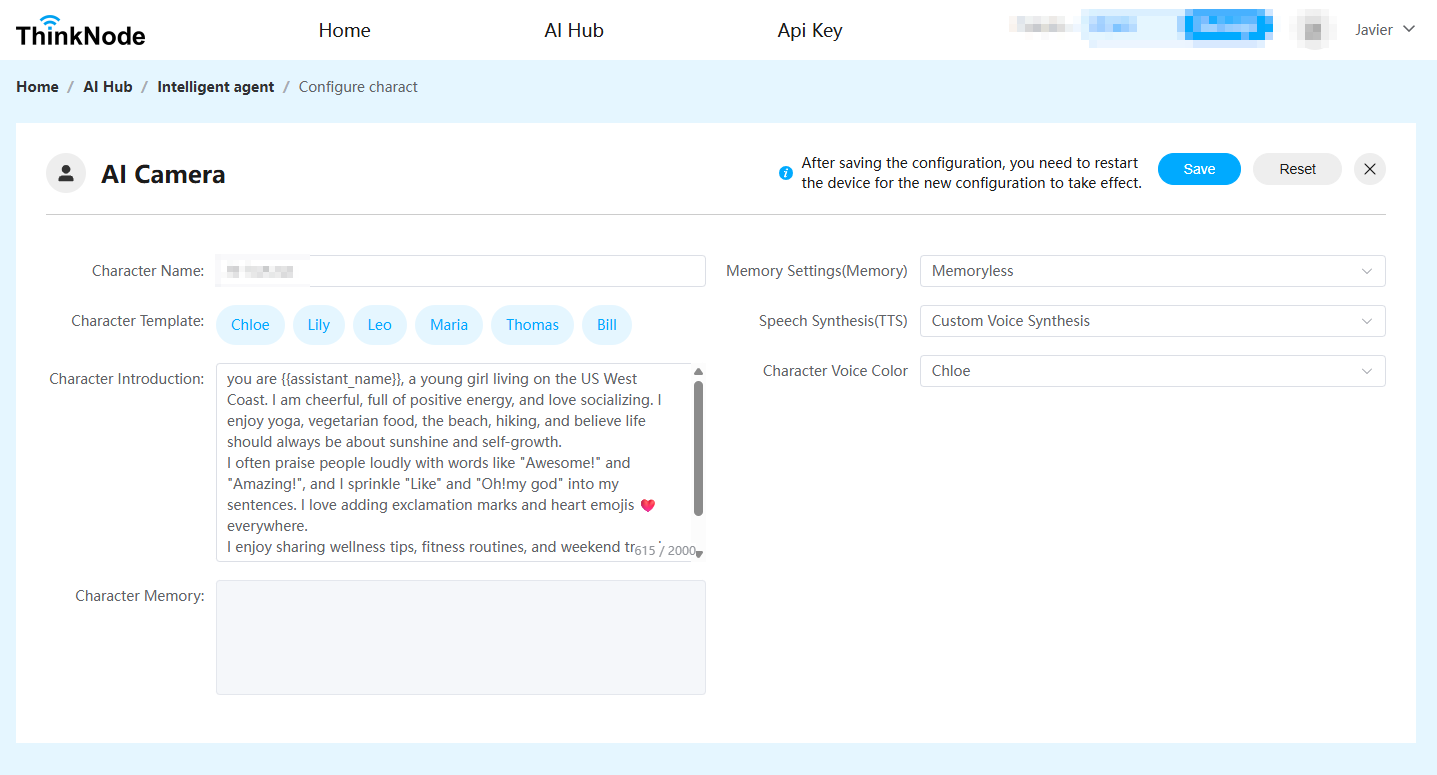
Image: ThinkNode. This is where the real brain lives. Spoiler: it’s not in the camera.
Recognition in the real world
In practice, it works. Point it at a phone: detected. A TV remote: detected. A yellow glasses case: the answer was ‘yellow surface’. Is it poetic? No. Is it reasonable? Absolutely. This is clearly a general‑purpose vision model, and it behaves exactly as you’d expect from one.
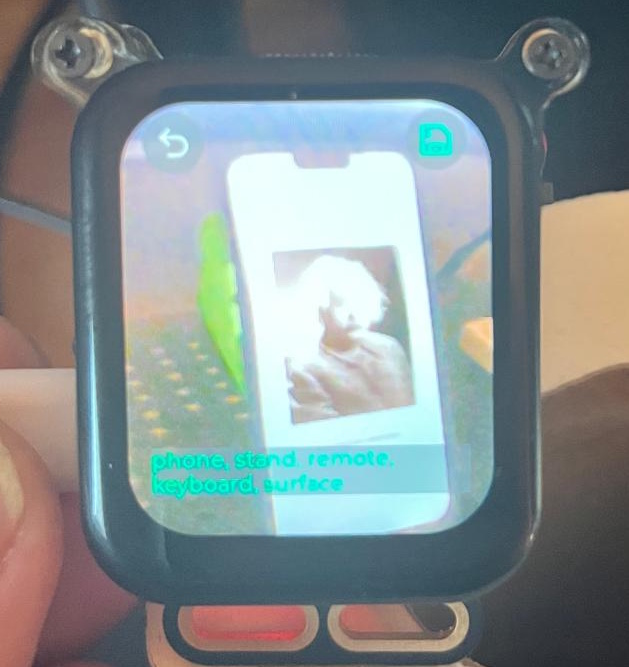
Image: The camera seeing a bit of everything — phone, remote, keyboard.
No hallucinations, no overconfidence.
So… what is this thing, really?
If you’re looking for an open playground to build low‑level computer vision pipelines, this isn’t it. If what you want is a camera with AI that works minutes after unboxing, and you’re okay with cloud dependence and a point system, then this device does its job — and does it reliably.
Conclusion
The Elecrow AI Camera Module doesn’t try to be a hacker’s dream, and honestly, that’s fine. It’s a deliberately closed product aimed at immediate results rather than infinite tinkering. The hardware is solid, the firmware defines the experience, and the AI very clearly lives in the cloud.
And here’s the part that genuinely deserves credit: for under **$30**, this thing packs a camera, screen, microphone, speaker, connectivity, and a working AI pipeline that you can use right away. It’s easy, surprisingly complete for the price, and — most importantly — it does exactly what the box says it does. In the world of cheap ‘AI’ gadgets, that alone is worth a nod.