Currency
Toggle Nav

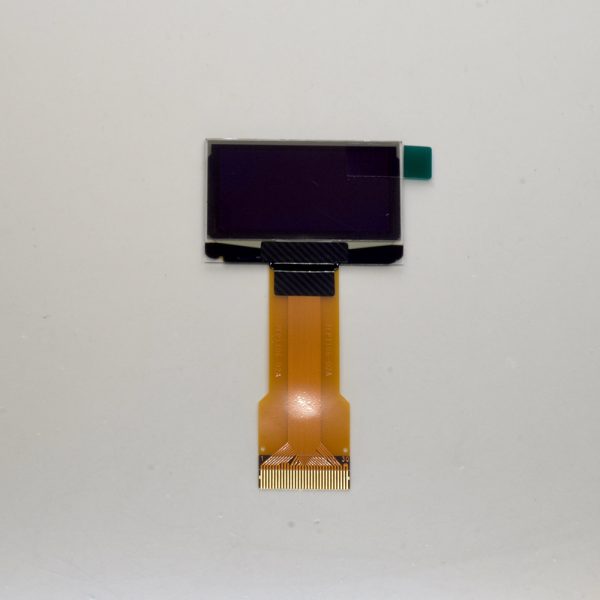


SSH1106 30-pin OLED module
$5.00
Availability:
In stock
SKU
PIAOLED
Weight
30g
SH1106 128x64 OLED module for ESP32 Audio boards
Frequently Bought Together

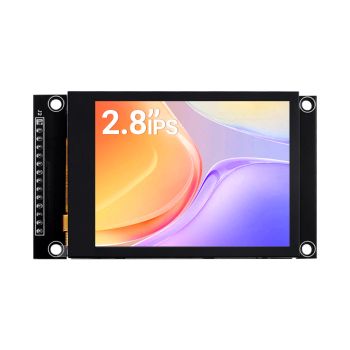

Meteor Screen 10.1" IPS Capacitive Touch Screen with RGB Animated light
was
$89.90
Special Price
$70.12
What is it
This is a SH1106 SPI/I2C OLED module that can be used with Sonocotta ESP32 Audio boards. For the ESP32-specific pinout, refer to the board documentation and the silkscreen hints on the board.
Features
- Viewing Angle: 180 deg
- Color: White
- Resolution: 128x64
- Interface Options: SPI/I2C (configured for SPI use on ESP32 Audio boards)
- Driver Control Chip: SH1106
- Pin Connector Options: 30Pin
- Power voltage: 3.3V
Compatibility list
ESP32 Boards
- HiFi ESP32 and HiFi ESP32 Plus
- Loud ESP32 and Loud ESP32 Plus
- Louder ESP32 and Louder ESP32 Plus
- Amped ESP32 and Amped ESP32 Plus
Practical Observations
Most of the 64x128 pixel OLED screen models that are very common among hobbyists will use a compatible 30-pin ribbon connector with 0.5mm pin spacing, and they are really easy to find.
Software side
Although you're free to use it your way, using the pinout above, I'd expect the most common case to be squeezelite, thus, here are the steps you'd need to do
| # | Description | Image |
|---|---|---|
| 1 | Update NVS settings in the Web UI (switch to recovery mode first)display_config = SPI,width=128,height=64,cs=15,reset=32,driver=SH1106spi_config = mosi=23,clk=18,host=2,miso=19,dc=4You may need to replace SH1106 with SSD1306 depending on your model. |
|
| 1 (S3) | In case of ESP32-S3, it is display_config = SPI,width=128,height=64,cs=47,reset=48,driver=SH1106spi_config = mosi=11,clk=12,host=1,miso=13,dc=38 |
|
| 2 | In the LMS settings install the SqueezeESP32 plugin |
|
| 3 | Update each speaker's settings in the LMS, and navigate to Display settings |
Write Your Own Review
Bestselling Products You May Like

New Products You May Want



Warranty
Service

VIP Distributor
Discount

Professional
Tech Support

Fast
Delivery
×
 Add to cart successfully!


Add to cart successfully!
Customers Who View This Item Also Bought