Currency
Toggle Nav



Octopus 16, Brain-Computer interface with 16 EEG channel
$250.00
Availability:
In stock
SKU
PIA24027P
Weight
60g
Related Products:


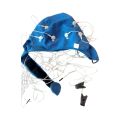


Octopus 16, Brain-Computer interface with 16 EEG channels, all in one
Frequently Bought Together
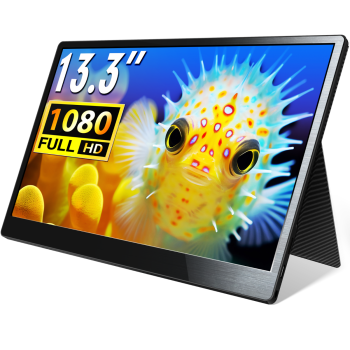
CrowVi VF133 HD 1920x1080 Ultra Thin Display 13.3inch IPS Portable Monitor (non touchscreen)
was
$114.90
Special Price
$99.90
CrowPanel ESP Terminal - ESP32 3.5inch 480x320 Parallel RGB Touch Display
was
$33.90
Special Price
$28.90
Octopus 16: 16 Channels of EEG in a Coin-Sized Wireless Sensor
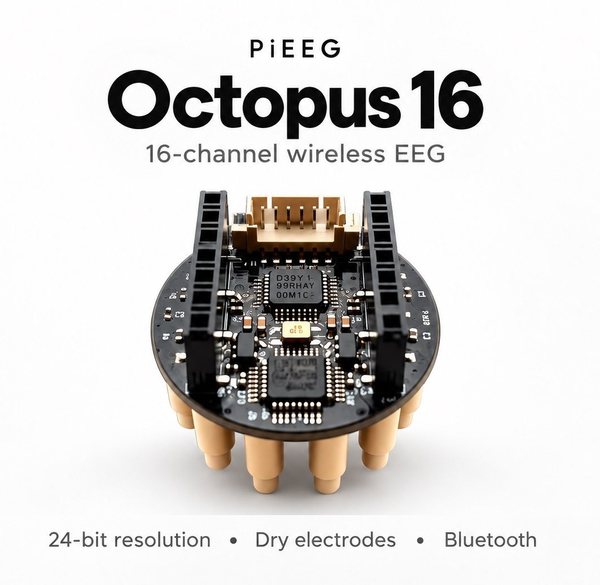
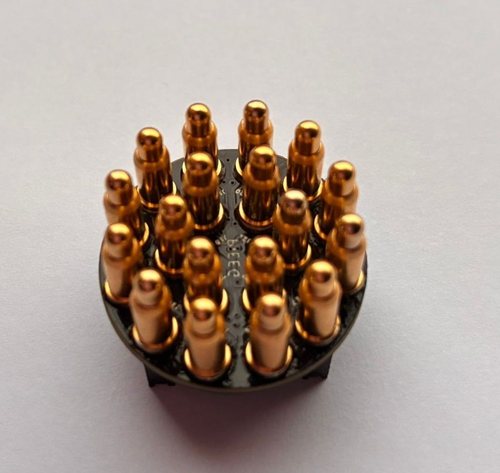
Sixteen dry EEG electrodes, a common reference and a ground, all on one 26 mm board, with Bluetooth LE 5 streaming. Octopus 16 is a coin-sized cluster of spring-loaded pogo pins. Because the reference and ground sit in the same footprint as the 16 active channels, you need no ear clips, no cap and no distant electrodes: press it onto the scalp and stream 16-channel EEG to your browser in minutes.
XIAO ESP32-S3 included. The power bank and strap are not included. See "What you also need" below.
Why Octopus 16?
- Fully local montage. Reference and ground live inside the same 26 mm cluster as the 16 signal pins. No cap, no ear clips, no wires on the head.
- Dry, gel-free electrodes. 18 spring-loaded pogo pins reach through the hair to the scalp. Put it on and record in seconds.
- High-resolution data. Two Texas Instruments ADS131M08 24-bit converters, sampling all 16 channels simultaneously, with per-channel gain up to x128.
- Wireless and tiny. Bluetooth LE 5 via the included Seeed Studio XIAO ESP32-S3. Powered by a small power bank, worn with a strap.
- No install needed. Flash the firmware and view live signals in Chrome or Edge at cloud.pieeg.com.
- Open source. Firmware, Python SDK, datasets and 3D enclosure files on GitHub.
What you can do with it
- See your alpha rhythm rise when you close your eyes
- Build neurofeedback, focus and meditation apps
- Use blinks and brain signals to control games, including as a Bluetooth or USB gamepad
- Explore high-density local EEG: 16 channels over one small area of the scalp
- Teach neuroscience in the classroom with octoBridge and the OctoBio Kit
Features
- 16 EEG channels, plus common reference and ground, in one 26 mm cluster
- 18 spring-loaded dry pogo-pin electrodes
- 2 x TI ADS131M08, 24-bit, simultaneous-sampling delta-sigma ADCs
- Programmable gain per channel, x1 to x128
- Integrated DC-block filter
- Bluetooth LE 5 streaming via the XIAO ESP32-S3
- Reference and ground selectable with on-board jumpers, for single-board use or stacking
- Browser firmware flashing, no tools needed
- 3D CAD enclosure files included
Specifications
| Hardware | |
| ADC | 2 x Texas Instruments ADS131M08 |
| ADC type | 24-bit, 8-channel, simultaneous-sampling, delta-sigma |
| Channels | 16 (8 per ADC) |
| Resolution | 24-bit per channel |
| Sample rate | 250 SPS |
| Programmable gain | Per channel, x1 to x128 (set in firmware) |
| DC block | Integrated ADC DC-block filter (about 1 Hz) |
| Controller | Seeed Studio XIAO ESP32-S3 (included) |
| Wireless | Bluetooth Low Energy 5 |
| PCB | |
| Form factor | Round, 26.0 mm diameter |
| Layers | 4 |
| Placement | Pz by default; works as a fully local montage anywhere on the scalp |
| Enclosure | 3D CAD included (IGS and STP) |
| Electrodes | |
| Contact type | Spring-loaded pogo pins, ⌀ 4 x 11 mm |
| Total pins | 18: 16 signal, 1 common reference, 1 ground |
| Pin pitch | About 5.38 mm, uniform hexagonal packing |
| Array span | About 20.3 x 20.3 mm |
| Reference / ground | Selectable with on-board jumpers, for single-board use or stacking |
| Power and software | |
| Power | Small 5 V power bank via the XIAO's USB-C |
| Software | PiEEG Cloud (browser), octoBridge, JavaScript SDK, Python SDK |
Package includes
- 1 x Octopus 16 board
- 1 x Seeed Studio XIAO ESP32-S3 with Bluetooth antenna
What you also need
- Small 5 V power bank (2 A or less) with a USB-C cable
- Head strap to hold the sensor in place
- USB-C data cable to flash the firmware once
- A computer with Bluetooth and Chrome or Edge
Get started in 4 steps
- Mount the XIAO ESP32-S3 on Octopus 16 so the 5V / GND / 3V3 labels line up, and clip on the antenna.
- Flash the firmware once in your browser at octobridge.pieeg.com/flash.
- Power it from a power bank and connect at cloud.pieeg.com → PiEEG Devices → Octopus 16.
- Place it over Pz (top-back of the head), press it straight down, hold it with a strap, close your eyes and watch alpha rise.
Step-by-step guide: docs.pieeg.com/hardware/devices/Octopus_16
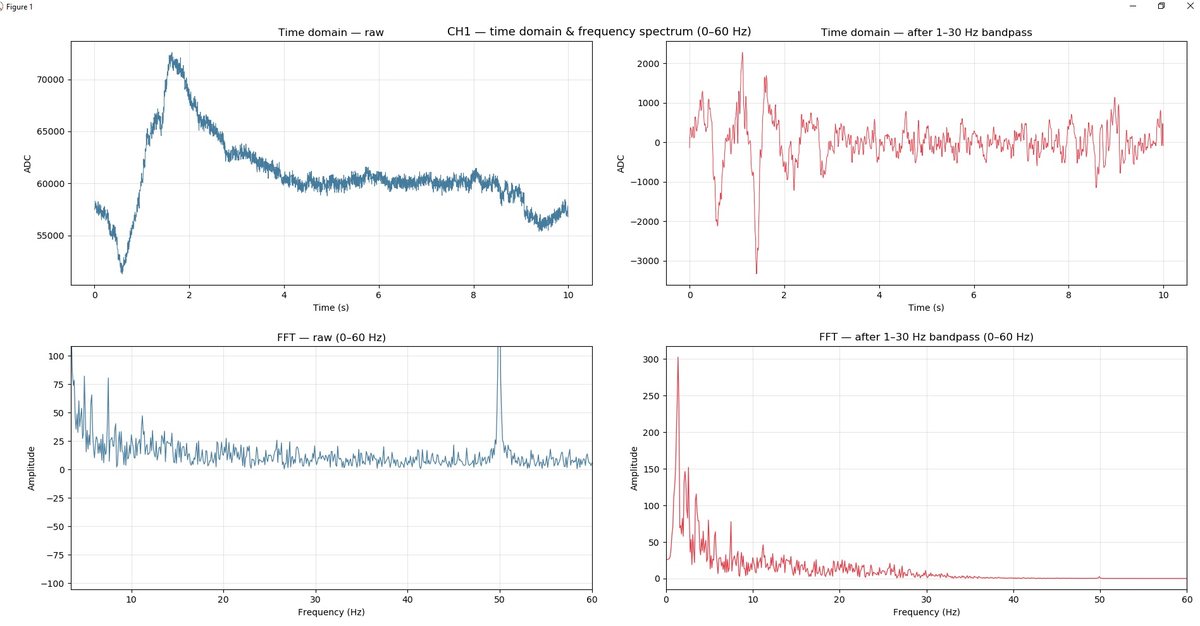
Real signals: alpha test
Eyes closed, sensor over Pz, dry pogo pins, no gel.
Documentation & Links
- Octopus 16 Documentation: setup, firmware, placement, software, specifications, troubleshooting
- Octopus 16 on GitHub: firmware, Python SDK, datasets
- Video: Octopus 16 hardware review
- 3D models on Thingiverse
- pieeg.com · Discord community (1,000+ members) · pieeg@pieeg.com
Important safety notice
Octopus 16 is not a medical device and is intended for research, education and experimentation only. While it is worn, power it from a power bank only. Never wear it while it is plugged into a computer or a wall charger; connect it to a computer only to flash the firmware, with the board off the head. Press the pins straight down and never tilt them sideways under pressure. Please read the liability notice and the safety guide before use.
Write Your Own Review
Bestselling Products You May Like


New Products You May Want



Warranty
Service

VIP Distributor
Discount

Professional
Tech Support

Fast
Delivery
×
 Add to cart successfully!


Add to cart successfully!
Customers Who View This Item Also Bought