
Story
Internet radio (also known as web radio or net radio) is a digital audio service transmitted via the internet rather than through traditional terrestrial signals (AM/FM) or satellite. Unlike traditional radio, which is limited by geographic range, internet radio can be accessed from anywhere in the world with an internet connection.
Detailed video description at: https://youtu.be/xfqiStRmBgo
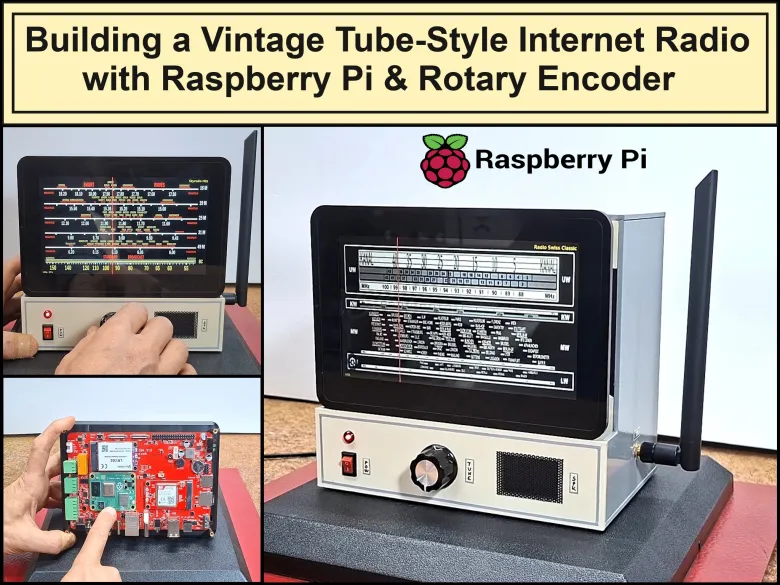
This time I will present you a very simple way to make an Internet radio with a vintage tube radio look, but with advanced functions and features. For this purpose I use the Crowpanel 7 inch Pi Terminal All-In-One Module Raspberry Pi Computer from Elecrow.
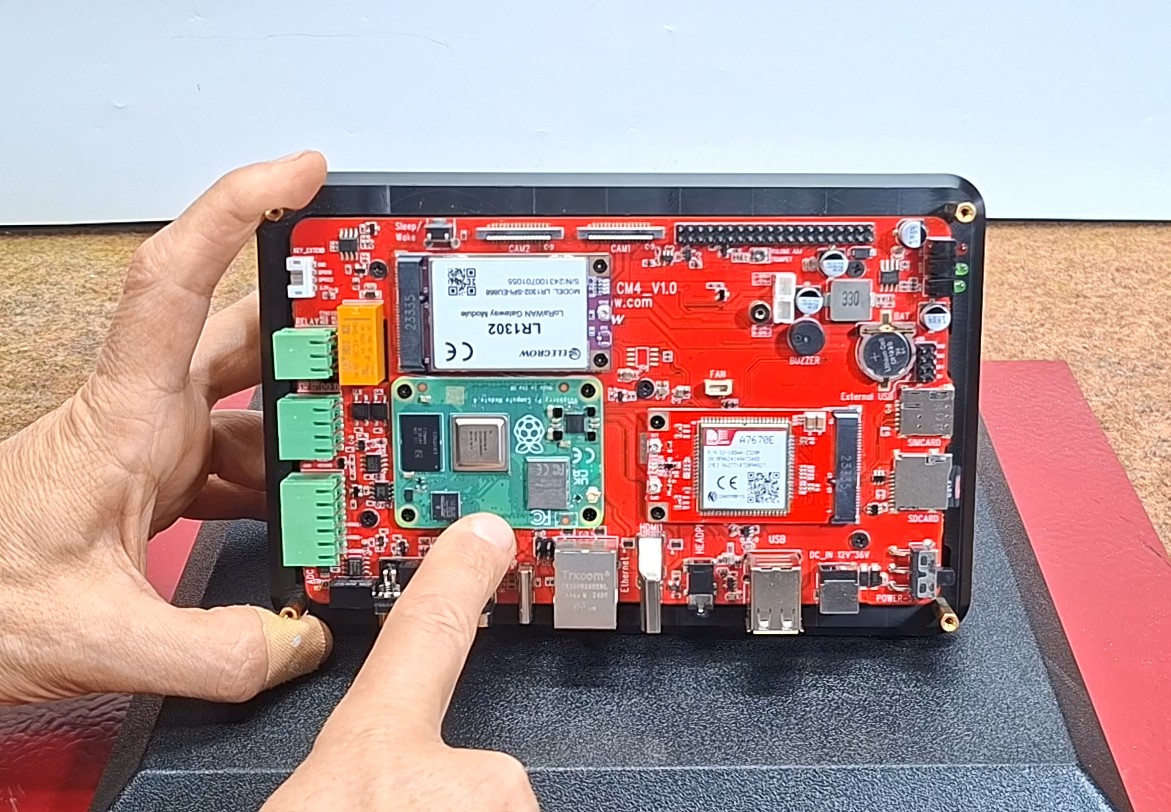
This is a robust device with industry standards that guarantees durability as well as stable and long-lasting work. I accidentally got the idea from the radiobasteleien blog, a retro-looking Internet radio that is based on the Bob Rathbone Internet Radio Project. However, I decided to make my own simple version of an internet radio based on the aforementioned display module. The hardware part as well as the housing from one of my previous projects where you can see the making process in more detail.
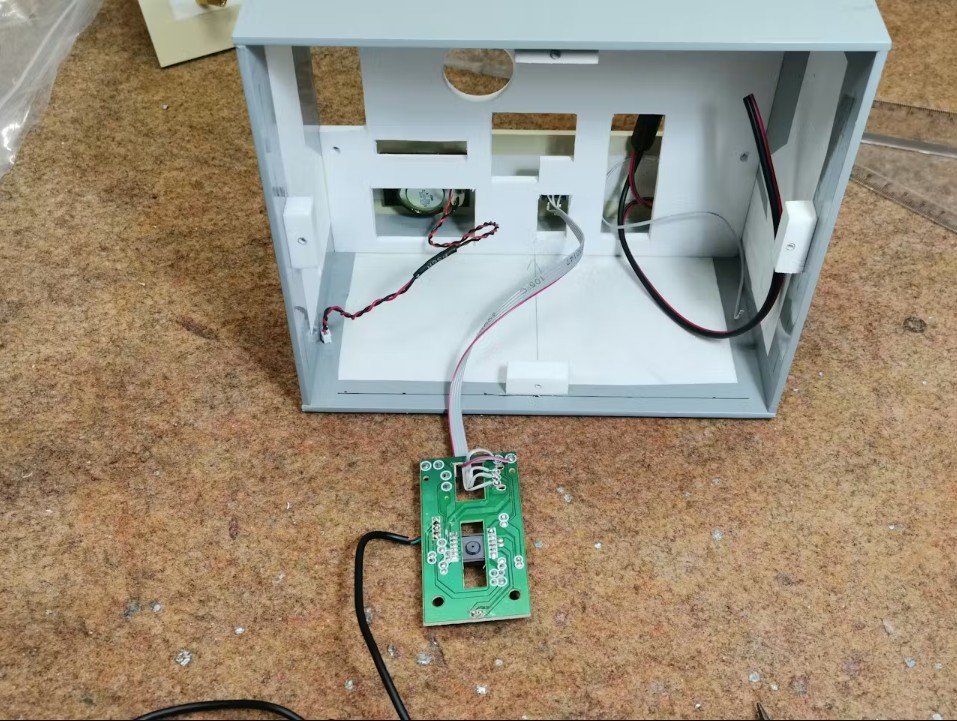
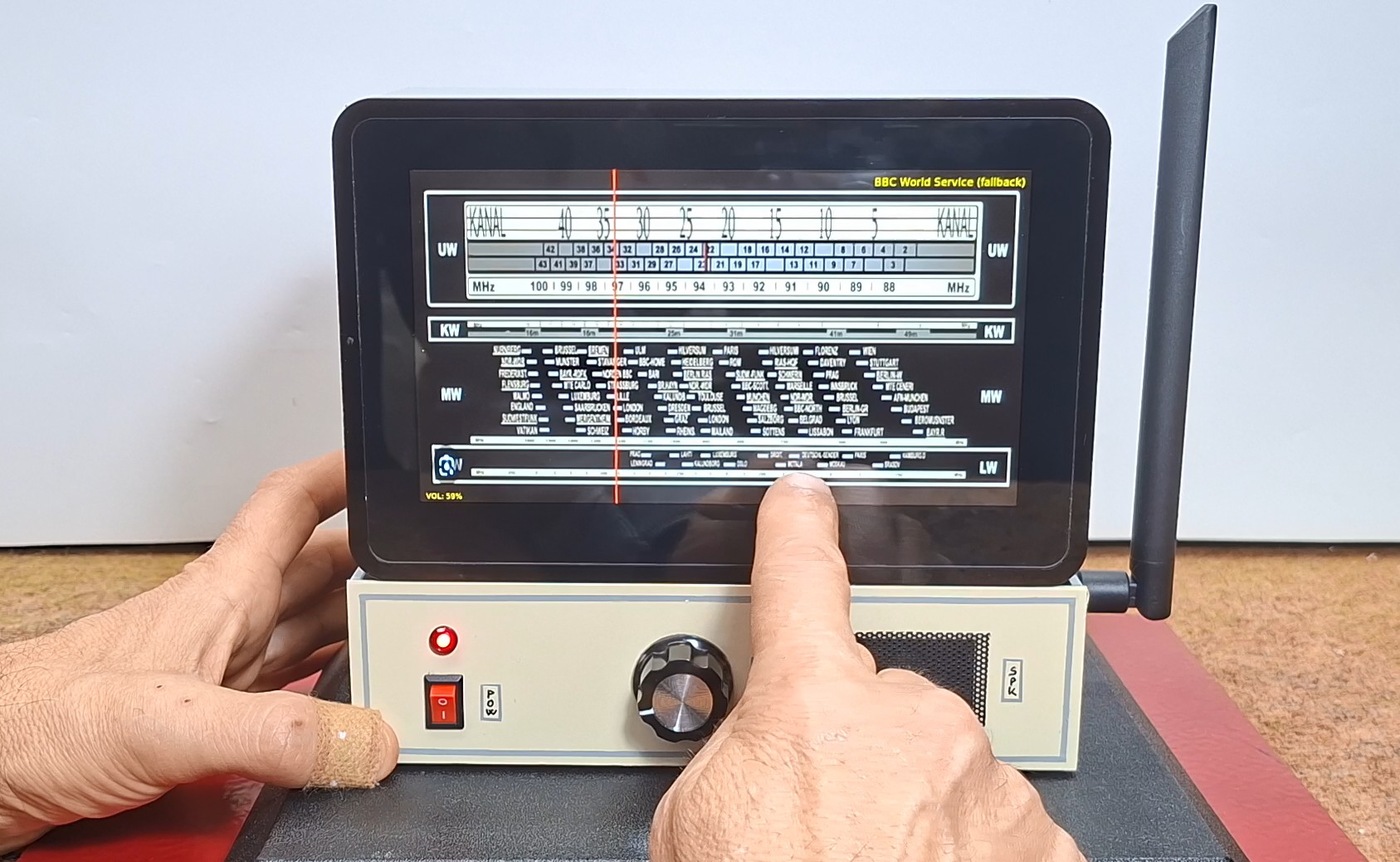
To keep the authentic retro style I use a rotary encoder that simulates the station selection button on old radios. In fact, this rotary encoder is part of an old USB mouse connected to the Raspberry Pi terminal. This simplifies both the hardware design and the software control of the rotary encoder.
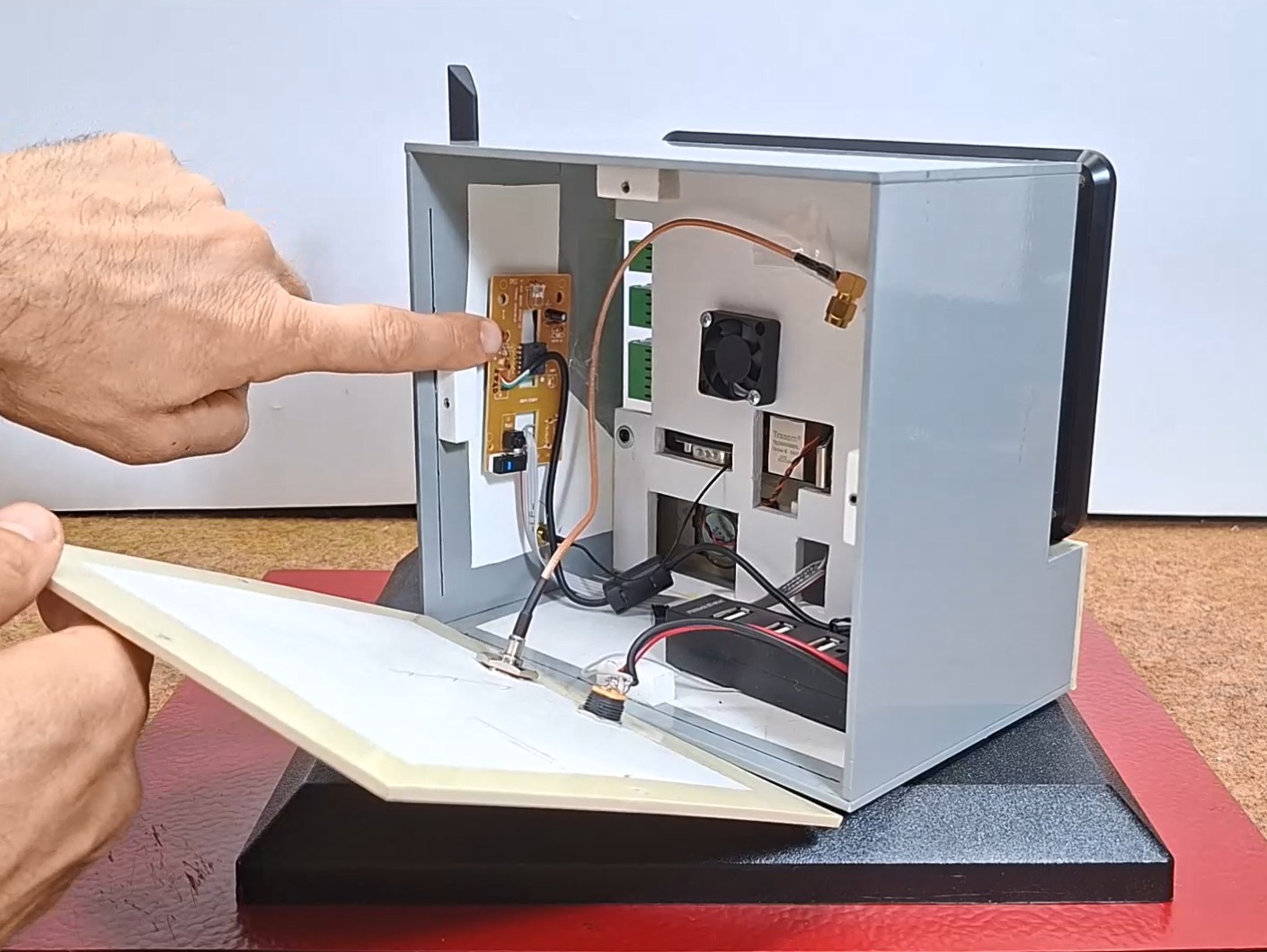
As for the sound, this device contains a headphone output, but also a complete audio amplifier, so it is only necessary to connect a speaker to the appropriate connector.
First, let me briefly explain the general method of software development, and at the end is the GitHub link where you can download the entire project. Since this is a special industrial device, not a Standard Raspberry Pi, it is desirable to use the original Operating System because it supports headphone audio output, which, by the way, does not work on the latest port of Debian Trixie OS. Then I tested the functioning of internet radio streaming. Next was testing the mouse encoder and a script for changing stations with it. Then I created a simple GUI with a few buttons (start, stop, next, pause, exit) whose commands I later transferred to the Touch screen as well. Finally, I inserted a vintage scale background with a functional pointer that reacts to the movement of the rotary encoder.
Note: The background image of a retro radio dial is a low-resolution desktop screenshot and is used for educational purposes only. The original hi-res image can be downloaded at this adress.
And now the most interesting part, let's see how the device works in real conditions. We start the operating system, on whose desktop there is an Internet radio icon, which is a shortcut to the python script "retro_ui". The icon is started, and the entire desktop turns into a vintage tube radio scale.
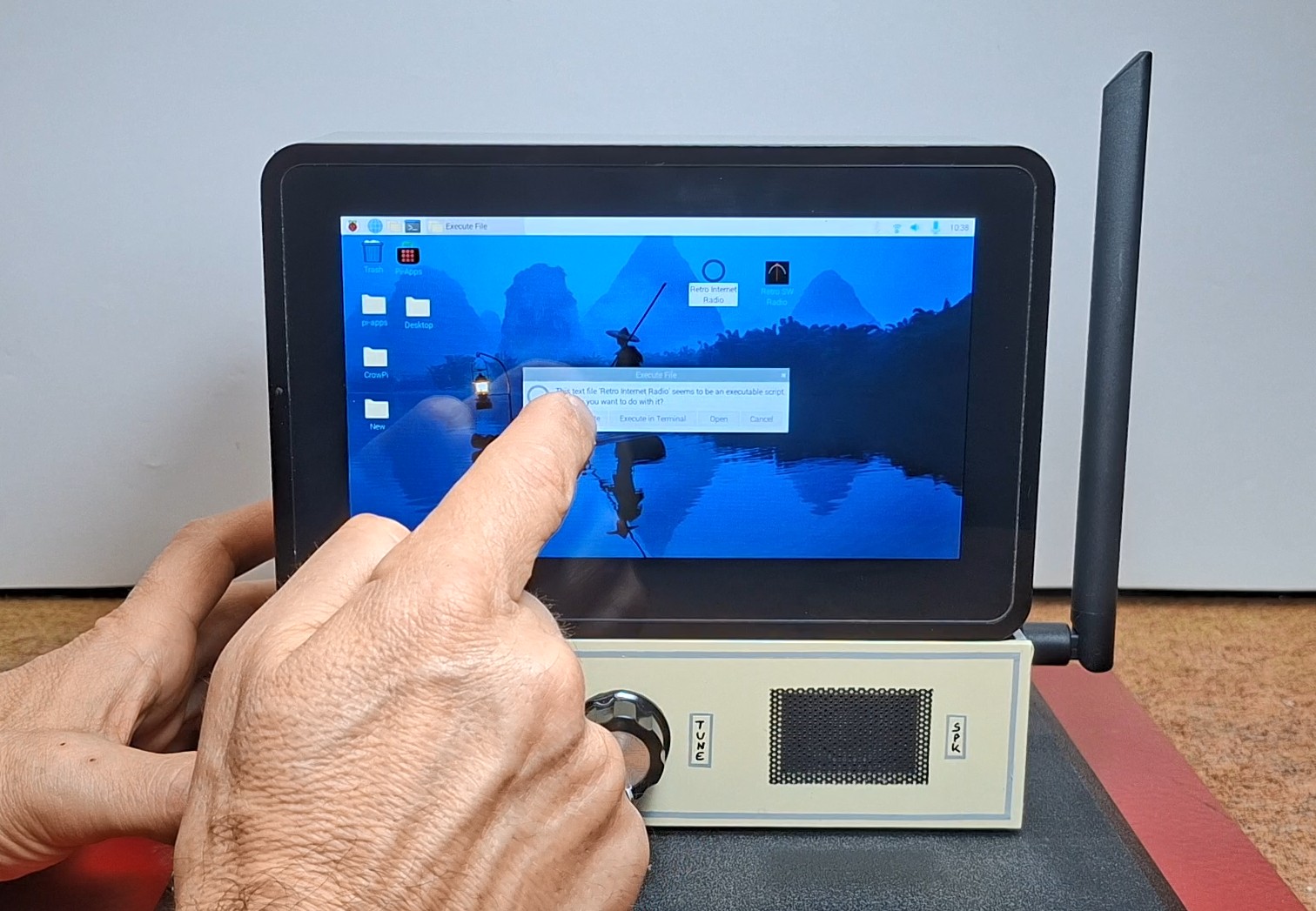
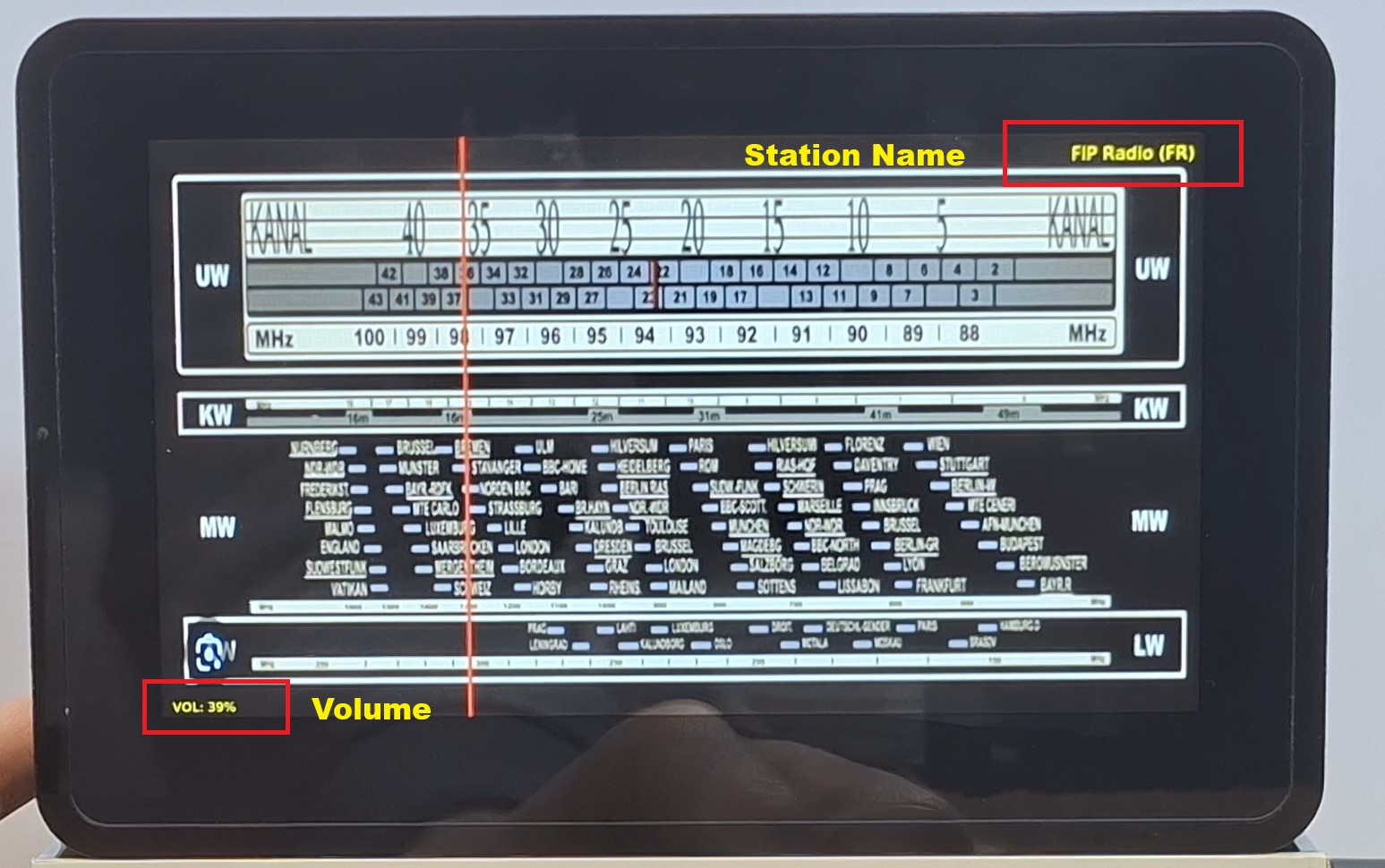
By turning the rotary encoder, the red pointer also moves. It can be noticed that the pointer stops, i.e. jumps at precisely certain places and does not move continuously. These points are the entered Internet radio stations. We enter the addresses of the desired Internet radio stations in the "stations.txt" file, which is located in "/home/pi/radio/stations.txt". The entire display (scale) is divided into as many equal parts as we have entered stations (for example, I currently have 22 stations entered). In a future version, more "pages" can be created with a certain number of Internet radios, for example, each page should contain a different genre of music. At the top right of the display in small letters is the name of the station, and at the bottom left the "Volume" value from 0 to 100.
I also created touch screen sensitive points, in case only the Display module is used without a housing and encoder. Here is what those fields look like:
with a slide on the bottom of the display the volume of the sound changes from 0 to 100%. The right part (strip) of the display is divided into two parts - the upper one is "staion UP", and the lower one is "station Down". By pressing in the center of the display the background scale changes, and in the very top left corner you completely exit the program. For practical reasons I start the internet radio manually via an icon, otherwise it can be very simple to make it start automatically with the start of the operating system.
Of course, a basic requirement for the device to function well is a stable internet connection via Wi-Fi or LAN cable. Stations load extremely quickly, usually in less than a second.
For copyright reasons, the duration of each station in this demonstration is very short.
Ad finally a short conclusion. This project successfully merges the nostalgic charm of a vintage tube radio with the power of modern internet streaming using the Crowpanel 7-inch Pi Terminal. It is a durable, easy-to-build internet radio that brings global stations to your desk with a simple turn of a classic rotary encoder.