







Story
🏌️♂️ CrowCaddie: Smart 7" Golf Caddie HUD, Long-Range LoRa Radar & Geofence Governor
📖 1. Project Overview & The Problem
Commercial golf cart management systems (like Visage or GPS Leaders) cost golf clubs tens of thousands of dollars in subscriptions and proprietary hardware. Meanwhile, clubs face two constant headaches:
1. Turf & Green Damage: Careless golfers driving heavy carts onto putting greens, tee boxes, or protected native reserves.
2. Lost Carts & Pace of Play: Clubhouse managers having zero visibility into cart locations across a 150-acre facility without costly cellular data plans.
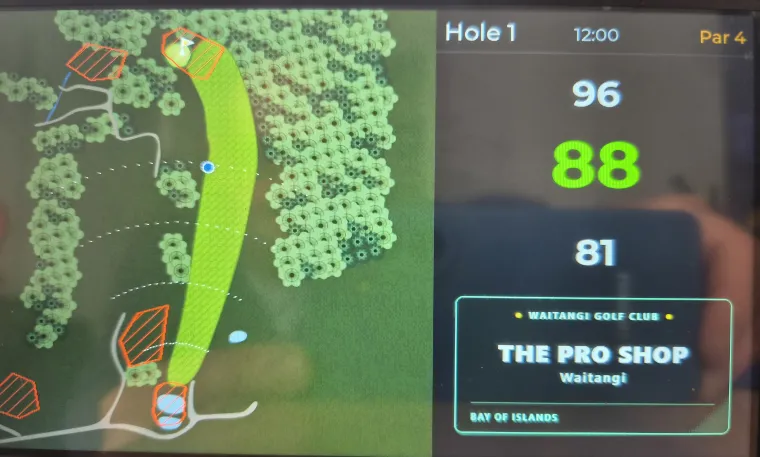
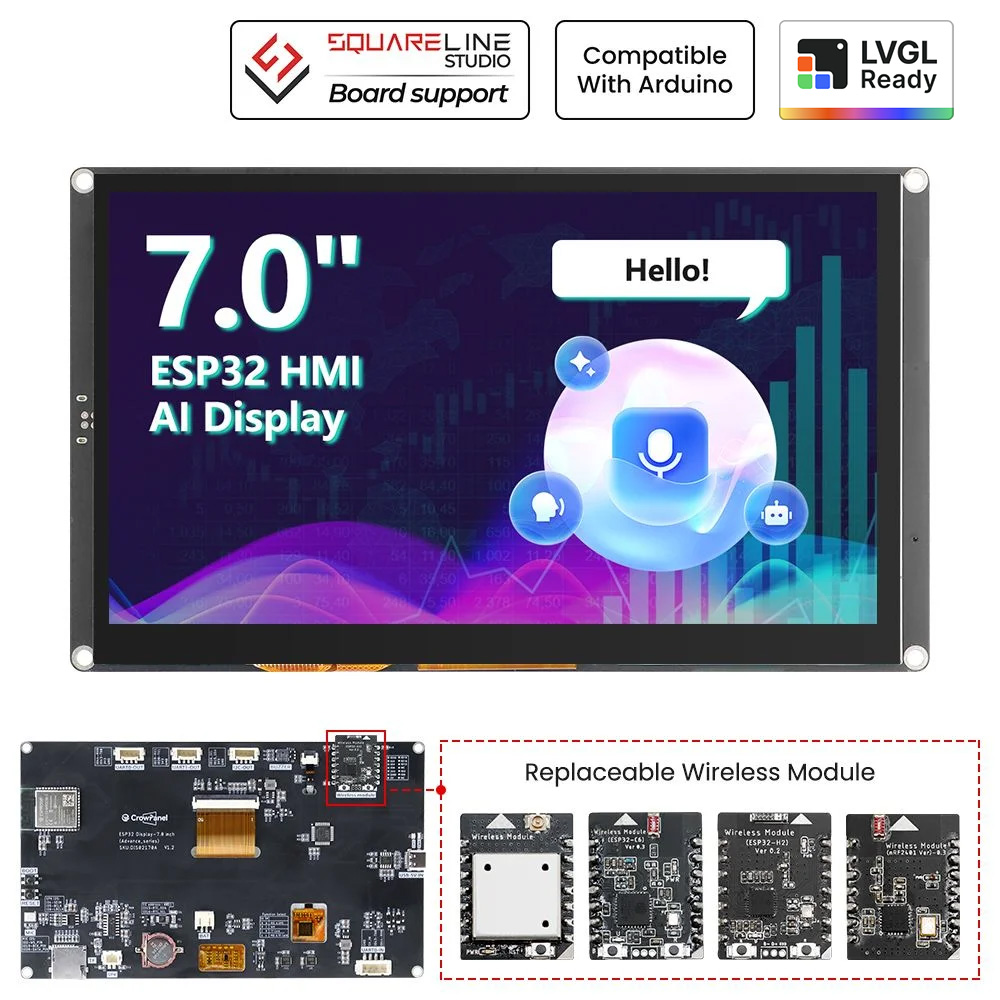
CrowCaddie solves this completely using the Elecrow CrowPanel 7.0" ESP32-S3 HMI. It transforms the display into an autonomous, offline-first digital caddie terminal that:
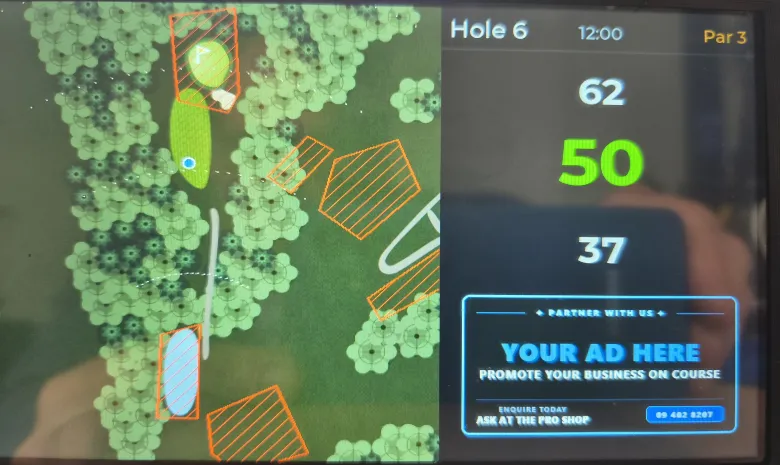
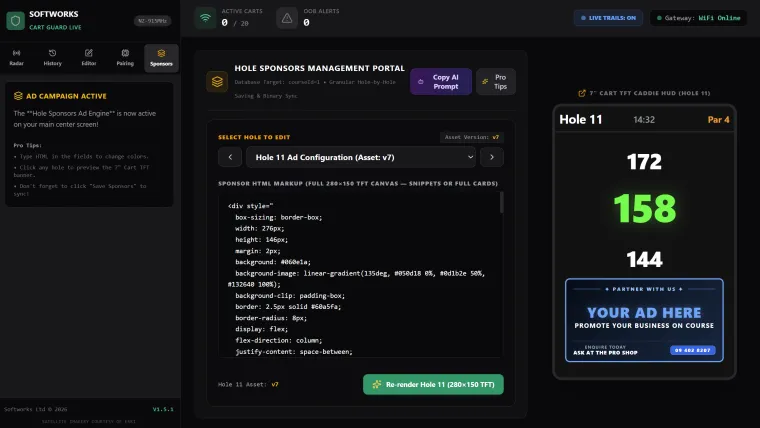
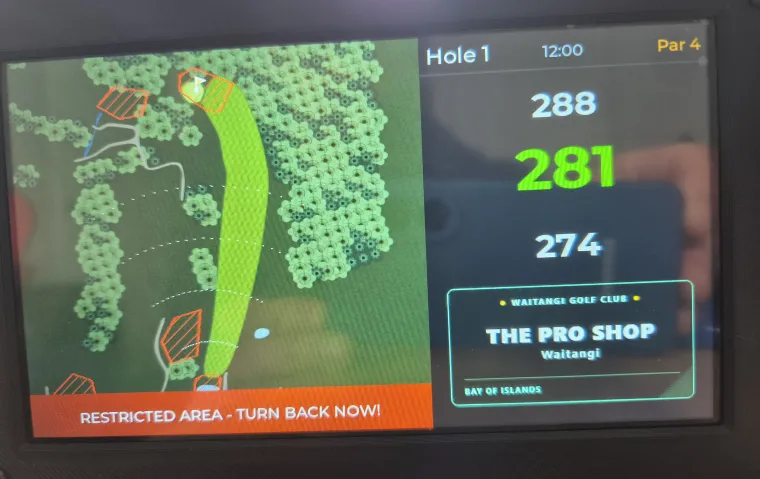
* Gives golfers high-resolution 800×480 hole maps, shot yardages to the green, and local sponsor ads.
* Governs the cart's forward acceleration with an onboard relay when it breaches restricted zones (cutting forward drive while always leaving reverse active so golfers can back away).
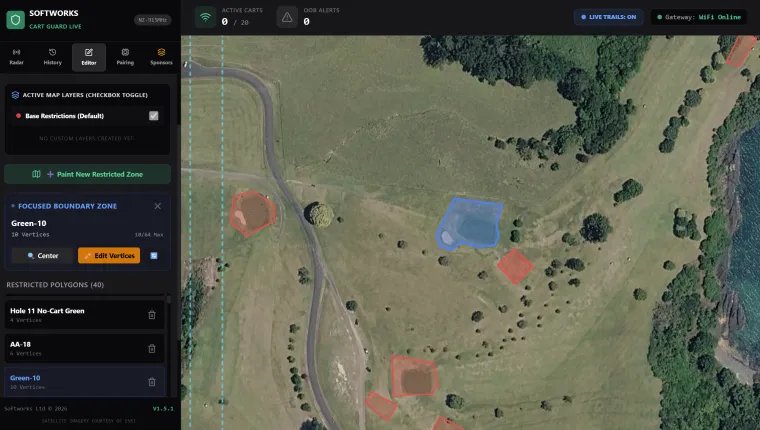
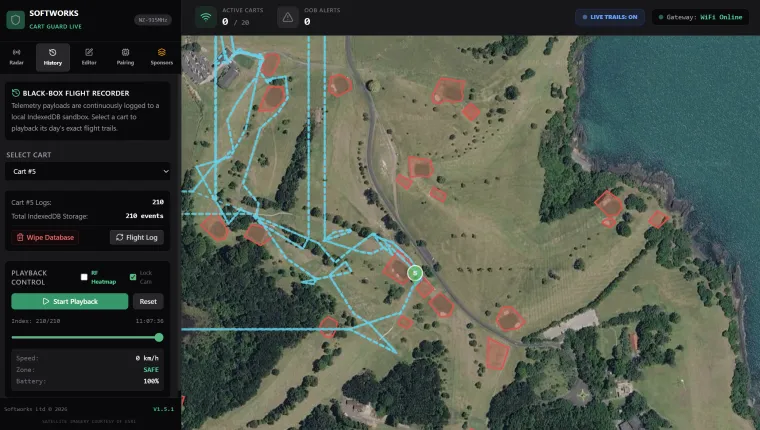
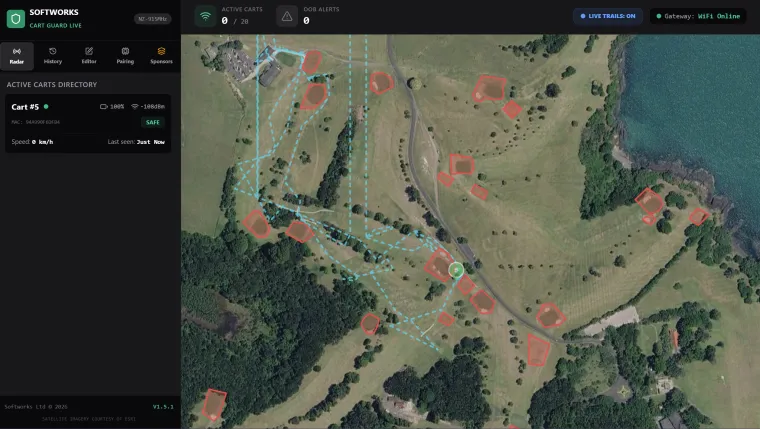
* Transmits real-time GPS telemetry kilometers across the course to the clubhouse using 915 MHz LoRa—with zero cellular fees.
🏗️ 2. How the System Works: High-Level Architecture
CrowCaddie is built on an Offline-First Hybrid Architecture:
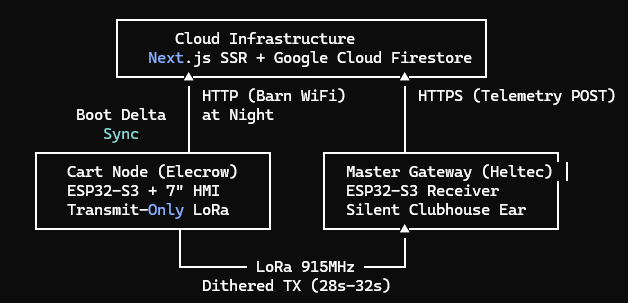
1. Autonomous Cart Node (Elecrow CrowPanel 7.0"):
* Single-Core Deterministic Loop (Core 1): Renders vector maps, computes geofence math, and handles GPS streams without multi-threading race conditions.
* Real-Time PNPOLY Engine: Runs Ray-Casting Point-in-Polygon calculations every 250ms against dynamic restricted zones.
* Transmit-Only LoRa (SX1262): Dumps a compact JSON telemetry heartbeat into radio FIFO in <0.02ms and immediately returns to rendering. Random interval dithering (28s - 32s) prevents packet collision
loops between carts.
* WiFi Barn-Sync: Wakes up on clubhouse WiFi at night to download course changes, new 280×150 sponsor banners, and calibration offsets in <2 seconds, then shuts WiFi off completely to save bus bandwidth.
2. Master Gateway (Clubhouse):
* A silent, receive-only ESP32-S3 listening on 915.0 MHz that relays fleet positions to a live serverless radar map.
⚡ 4. Step-by-Step Build Tutorial
Step 1: Hardware Setup & DIP Switches
1. Plug the SX1262 LoRa module into the dedicated expansion socket on the back of the CrowPanel.
2. Configure the DIP Switches: Set S1 = OFF (0) and S0 = ON (1).
* Why? GPIO 19 is shared between Touch Power and LoRa RST. Keeping S1 OFF prevents the radio from cutting power to the touchscreen.
3. Wire your GPS module (Beitian BE-220) to the JST UART port:
* Pin 1: 5V Power
* Pin 2 (GPIO 44): GPS RX (UART1)
* Pin 4: Ground
Step 2: Build the Anti-Leakage Relay Driver Circuit
Because GPIO 43 on the CrowPanel is multiplexed with UART0 TX, parasitic pull-up voltage from the USB-UART chip can hold a standard transistor base at 0.7V, keeping the relay permanently engaged.
We solve this with a dual-diode voltage clamp:
ESP32 (GPIO 43) ──[ 1kΩ ]──[>| 1N4148 ]──[>| 1N4148 ]──┬── Base (NPN 2N2222)
│
[ 4.7kΩ ]
│
GND
Collector ──> Relay Module Input (Active Low/High)
Emitter ──> Common Ground
* The series diodes create a ~1.4V threshold drop, guaranteeing the transistor sees absolute 0.0V Ground unless the ESP32 explicitly drives the line HIGH.
* Splicing into the cart: Splice the relay into the Forward microswitch wire (Blue wire on Club Car). Leave Reverse untouched so golfers can always reverse out of restricted turf!
Step 3: Compile & Flash the Firmware
* Built with PlatformIO on the espressif32 framework.
* Uses LVGL 9 with double-buffered direct rendering in PSRAM (bounce_buffer_size_px = LCD_H_RES * 20).
* Upload firmware and filesystem assets (h1.bin–h18.bin map binaries, course.json, and geofences.json) to LittleFS.
Step 4: Map Alignment & Green Ground-Truth Surveying
On the 7" screen, long-press the Sponsor Banner for 2 seconds to unlock the Administrative Diagnostics Panel:
1. Green GPS Survey: Drive to the Front edge of the putting green and tap [ BIND FRONT ], then drive to the Back edge and tap [ BIND BACK & SAVE ]. The terminal calculates the exact center and anchors the
hole.
2. Visual Map Alignment: Drive to the fairway midpoint. The screen displays the physical error in meters (Offset Error: X.XXm). Tap [ SYNC MAP TO CART ] to snap the raster artwork to the live GPS fix!
💡 5. Critical Lessons Learned & Community Pitfalls Avoided
If you are building complex projects with the CrowPanel 7.0", keep these hard-won discoveries in mind:
1. NEVER call Serial.print() on Production Hardware:
On the 7" CrowPanel, GPIO 43 is physical U0TXD. If you use GPIO 43 for a relay and call Serial.print(), high-frequency serial pulses dump straight into your relay transistor. The relay chatters, voltage
rails sag, and the high-speed 16-bit parallel RGB bus desynchronizes (causing horizontal image shifts and tearing).
2. True Display Recovery after LittleFS Reads:
Reading large files (like 460KB map slices) from SPI flash briefly disables the CPU cache, which starves the RGB DMA controller. To fix this:
* Do not rely on empty reset stubs; trigger a hardware resync with esp_lcd_rgb_panel_restart(rgb_panel).
* Immediately pump a fresh frame (lv_obj_invalidate + lv_refr_now) to lock the ST7262 timing controller back onto pixel (0, 0).
3. Keep Telemetry Transmit-Only:
Avoid two-way polling loops over LoRa. By having carts transmit unidirectionally with randomized millisecond dithering, dozens of carts can share a single 915 MHz frequency without packet collisions.