





Story
Overview
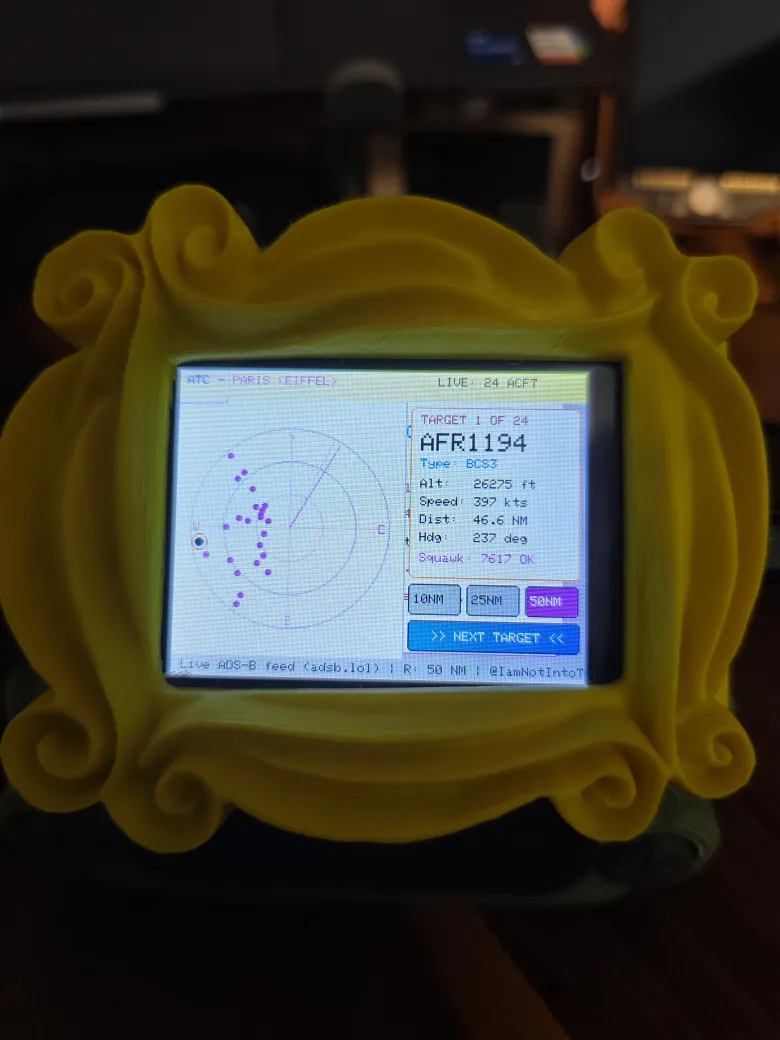
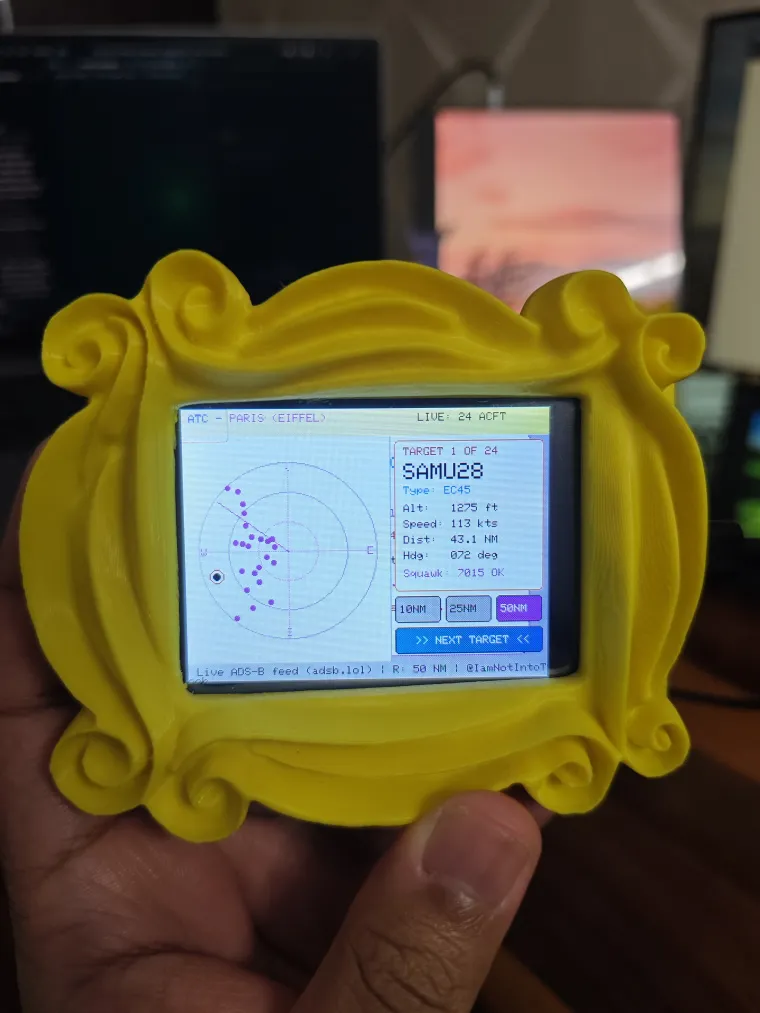
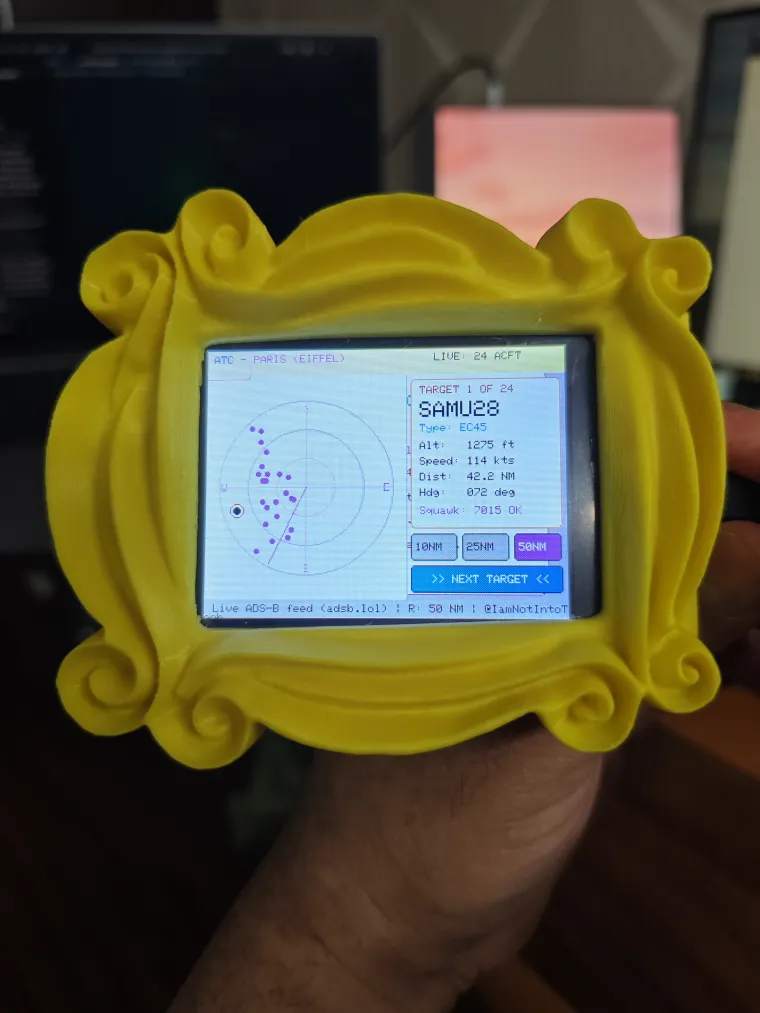
An immersive, dual-core Air Traffic Control (ATC) flight radar built for the Elecrow Elecrow 2.8inch 240x320 ESP32 LCD Touch Display | With WiFi and BT/BLE (ESP32-2432S028R). Designed by IamNotIntoTech, this project streams live ADS-B telemetry to render a classic green phosphor CRT radar sweep, plotting nearby aircraft in real-time and displaying critical flight data right on your desk.
Features
-
Renders a continuous 360-degree phosphor green CRT sweep line across a calibrated radar scope using a dual-core architecture, plotting aircraft blips with polar coordinates.
-
Displays a real-time Tracked Target Data Card showing aircraft callsign, type (e.g., B738, A321), altitude, speed, distance, and heading angle.
-
Highlights the nearest targets and visually identifies emergency Squawk 7700 beacons.
-
Features interactive touchscreen controls: dynamically scale the radar range (10NM, 25NM, 50NM), tap "Next Target" to cycle through aircraft, or tap a specific blip directly on the scope to lock onto it.
-
Provides active hardware feedback with an audible proximity chirp (GPIO 26) for aircraft breaching a 5 NM radius, and onboard RGB LEDs that pulse on each sweep rotation and flash red for emergencies.
-
Pulls real live aircraft data directly from public ADS-B endpoints (
adsb.lol).
Hardware
-
Elecrow 2.8inch 240x320 ESP32 LCD Touch Display | With WiFi and BT/BLE (ESP32-2432S028R) or Any other 2.8 CY
-
USB data cable and 2.4 GHz Wi-Fi network
Build and upload First, install VS Code and the PlatformIO IDE extension. Clone the project repository and open the elecrow_projects/09-atc-flight-radar directory.
To protect your private credentials, you need to set up your configuration file. Copy the secrets.h.example file and rename it to secrets.h. Open secrets.h to enter your 2.4GHz Wi-Fi credentials and your target radar coordinates (it defaults to the Eiffel Tower in Paris).
Connect your Elecrow display via USB, allow PlatformIO to install the necessary dependencies, and click Build and Upload (or run pio run -t upload in the terminal).
Source code and license GitHub repository (Star repo for more upcoming project)
Consider supporting us for advanced level projects
YouTube Tutorial & Channel:
https://youtube.com/@IamNotIntoTech
The project is shared under following:
- 💻 Source Code: GNU Affero General Public License v3.0 (AGPL-3.0)
- 🎨 3D Models, Enclosures, Artwork, Graphics & Media: Creative Commons Attribution-NonCommercial-NoDerivatives 4.0 (CC BY-NC-ND 4.0)
- 💼 Commercial Licensing: All 3D models, animations, and branding are the intellectual property of Tushar Aggarwal. Commercial use, physical sales, or redistribution requires purchasing a commercial license or donating via GitHub Sponsors / Gumroad. See LICENSE for details.