


Story
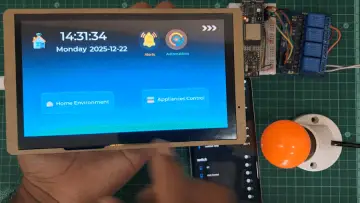
CrowPanel Mesh Messenger is a self-contained, offline chat device built on an ESP32-S3 + CrowPanel DIS02050A V1.1 touchscreen that communicates over MeshCore LoRa mesh radio. It lets you discover nearby repeaters and peers, join encrypted group channels (including hashtag channels), and exchange messages without internet, phones, or cellular networks!
A built-in RTC keeps real timestamps even after power loss, and the UI is optimized for field use: fast chat view, device renaming, radio presets selection , screen timeout, and optional wake-on-notification behavior.
What makes it stand out: it’s a modern messaging UX (touch UI, chat bubbles, logs, persistence) running on a low-power, long-range mesh network—perfect for off-grid events, emergency comms, hiking teams, or maker festivals.
What it does
-
Direct messages to contacts (peers) discovered via MeshCore adverts
-
Group chat channels (Public + your own saved channels)
-
Hashtag channels: type
#somethingto deterministically generate a shared secret and join an encrypted group channel -
Persistent history: messages stored to SPIFFS (ESP32) and reloaded per contact/channel
-
RTC timestamps: messages show real time, not “1970”
-
Notifications toggle: when OFF, the screen won’t wake on new events (but you can count missed events)
-
Device settings: brightness, timeout, rename, radio presets
-
Maintenance: delete contact/repeater/channel with “press twice to confirm”, and purge all contacts/repeaters
How it works (high-level)
-
Boot & hardware init
-
Initializes I2C (touch + backlight controller + RTC)
-
Initializes display (LovyanGFX) + LVGL UI
-
Loads saved preferences (timeout, device name, channels)
-
-
MeshCore starts
-
Loads identity (or creates one)
-
Starts radio + MeshCore tables
-
Adds Public channel + loads additional channels from flash
-
Loads known contacts from flash
-
-
Discovery (adverts)
-
The device periodically sends adverts
-
Nearby nodes receive them; repeaters and contacts appear in dropdowns
-
Paths update over time via mesh routing
-
-
Messaging
-
Select a contact or channel
-
Type message → send via MeshCore
-
Receive messages → show in chat + write to flash + log in serial monitor
-
-
Power/UI behavior
-
Screen sleeps after timeout
-
Wake by touch; optionally wake on incoming events if notifications are enabled
-
Step-by-step tutorial to build the project
Step 1 — Hardware you need
-
ESP32-S3 CrowPanel (RGB display + touch)
-
LoRa radio supported by MeshCore on your target board
-
RTC module (DS3231 or PCF8563 depending on your board) + battery
-
(Optional) Nearby MeshCore nodes/repeaters to test real mesh paths
Step 2 — Software setup
-
Flash the provided software!