
Story
"Your grandma shouldn't need a smartphone to turn on the AC/Fan/TV."

Inspiration
So I asked myself: What if the control panel was the actual device? Not a phone app. Not a web dashboard. A dedicated, always-ready, touch-it-and-it-works tablet that lives on your wall or bedside table. How cool that will be!!
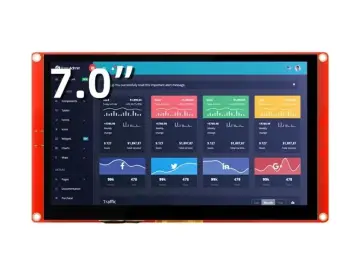
SmartHome Control Tab - my answer to that question, built entirely on the CrowPanel Advance 7" ESP32-S3 display.
The Problem with "Smart" Homes Today
Most modern setups rely heavily on Home Assistant servers or mobile apps. This creates friction—sometimes phones get lost under couch cushions, and cloud-dependent dashboards lags when the internet goes offline.
Let's be honest about how most smart homes work:
Scenario 1: The Phone Dependency
- Wake up at 2 AM, it's too hot
- Grab phone from nightstand
- Unlock it (try not to blind yourself)
- Find the Home Assistant app
- Wait for it to load
- Navigate three screens to find the AC control
- Finally turn it on
- Now you're wide awake
Scenario 2: The Phone Dependency
- Internet goes down
- All your "smart" devices become dumb
- Can't turn on lights in your own house
- Sitting in the dark while your router reboots
Scenario 3: The Accessibility Gap
- Elderly parents visit
- Hand them your phone and tell : "Just open this app, go to rooms, select bedroom, scroll down..."
- They give up and just deal with being uncomfortable
- This isn't smart. This is frustrating.
The Vision : Decoupling the Smart Home - A Tablet That Just Works
The SmartHome Control Tab was born from a simple question: Can a low-power ESP32-S3 touch display replace a phone as a dedicated interface?
The answer is a resounding yes. This project demonstrates a local-first, decoupled architecture where the tablet provides live visualization, touch control, and alerting—independent of the cloud.
I wanted something fundamentally different:
- ✅ Touch it, it responds - No apps to open, no loading screens
- ✅ Works offline - Internet down? Don't care, still controlling lights
- ✅ Always visible - Glance at it, see current temperature and humidity
- ✅ No phone required - Anyone can walk up and use it
- ✅ Real buttons feel - Tactile feedback, instant response
- ✅ Remembers time - Even after power loss, clock stays accurate
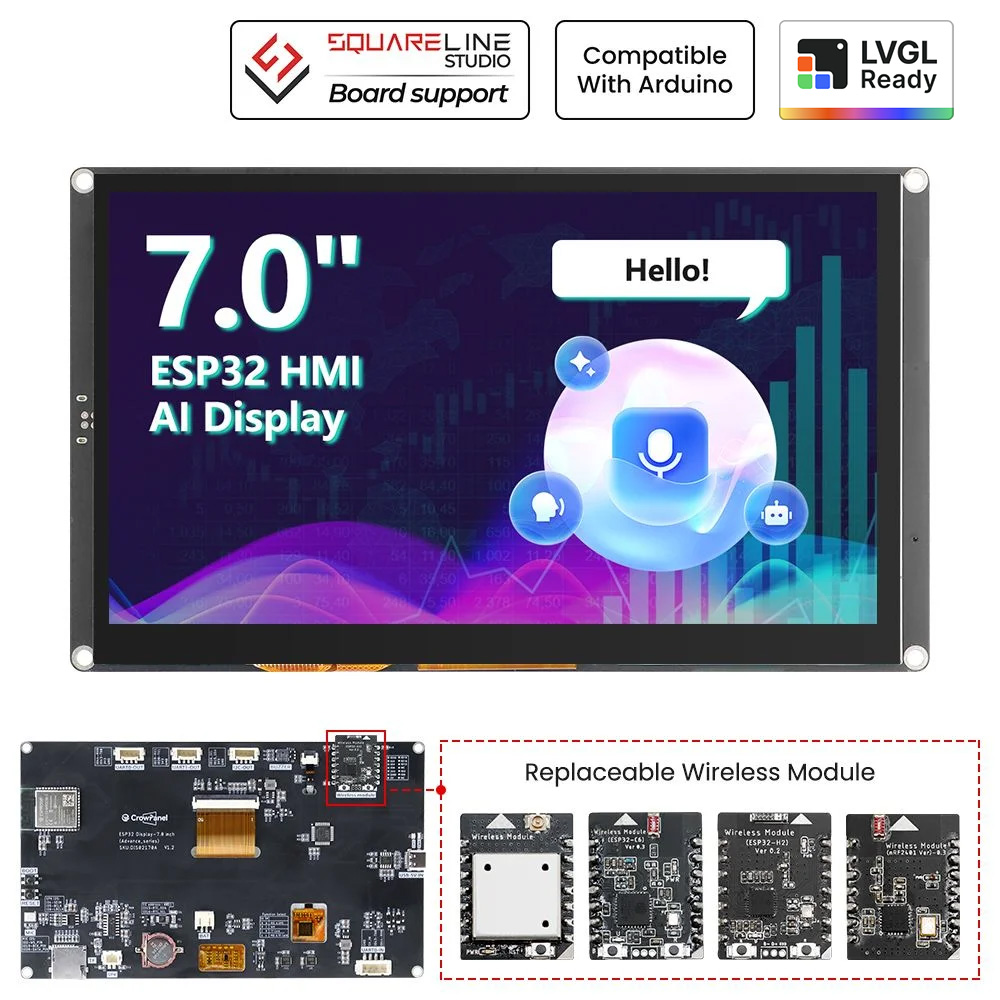
I'm very grateful to Elecrow for their generosity of supporting and sponsoring my Project Idea with their amazing hardware"CrowPanel Advance 7.0 HMI Display" ❤️
Why I chose the CrowPanel Advance 7"
- It's Actually Portable : The ESP32-S3 sips/takes power compared to a Pi. With the built-in battery port and charging circuit, this thing can run on a LiPo battery for hours. Try that with a Raspberry Pi without a bulky power bank.
- Instant Boot : Raspberry Pi: 30-60 seconds to boot into Linux, load Home Assistant, render the UI. CrowPanel: Press power, UI appears in 2 seconds. That's the difference between embedded and Linux.
- No SD Card Corruption : Anyone who's run a Pi 24/7 knows the SD card corruption nightmare. The ESP32-S3 stores code in flash - no moving parts, no filesystem corruption from power loss.
- LVGL is Perfect for This : The LVGL graphics library turns the CrowPanel into a professional-looking interface. Smooth animations, modern widgets, and it runs buttery smooth on the ESP32-S3's dual cores.
- The 7-inch Screen is the Sweet Spot : Big enough to see from across the room. Small enough to mount anywhere. Not trying to be a tablet, not stuck as a tiny display. Its just right!
- I have created whole blog (on Hackster) about the features and peripheral capabilities of CrowPanel Advance HMI display. You should check that out.
How It Actually Works - The System Architecture
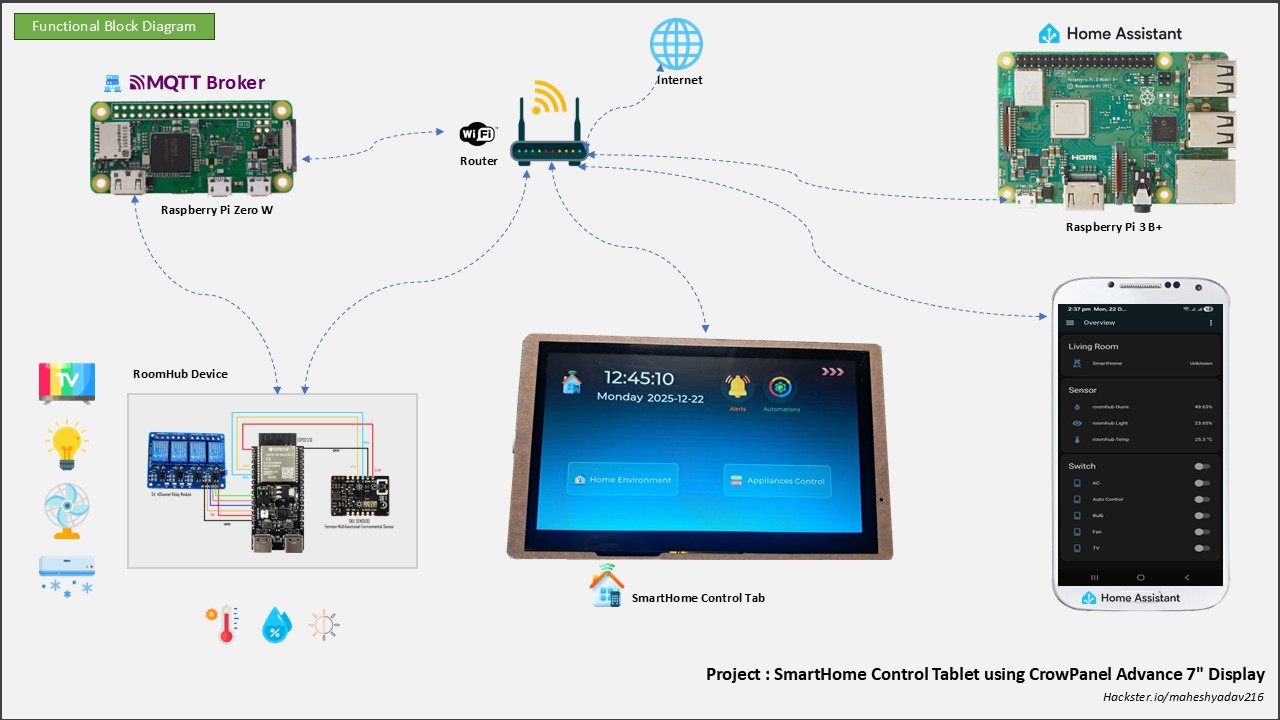
The Main Players:
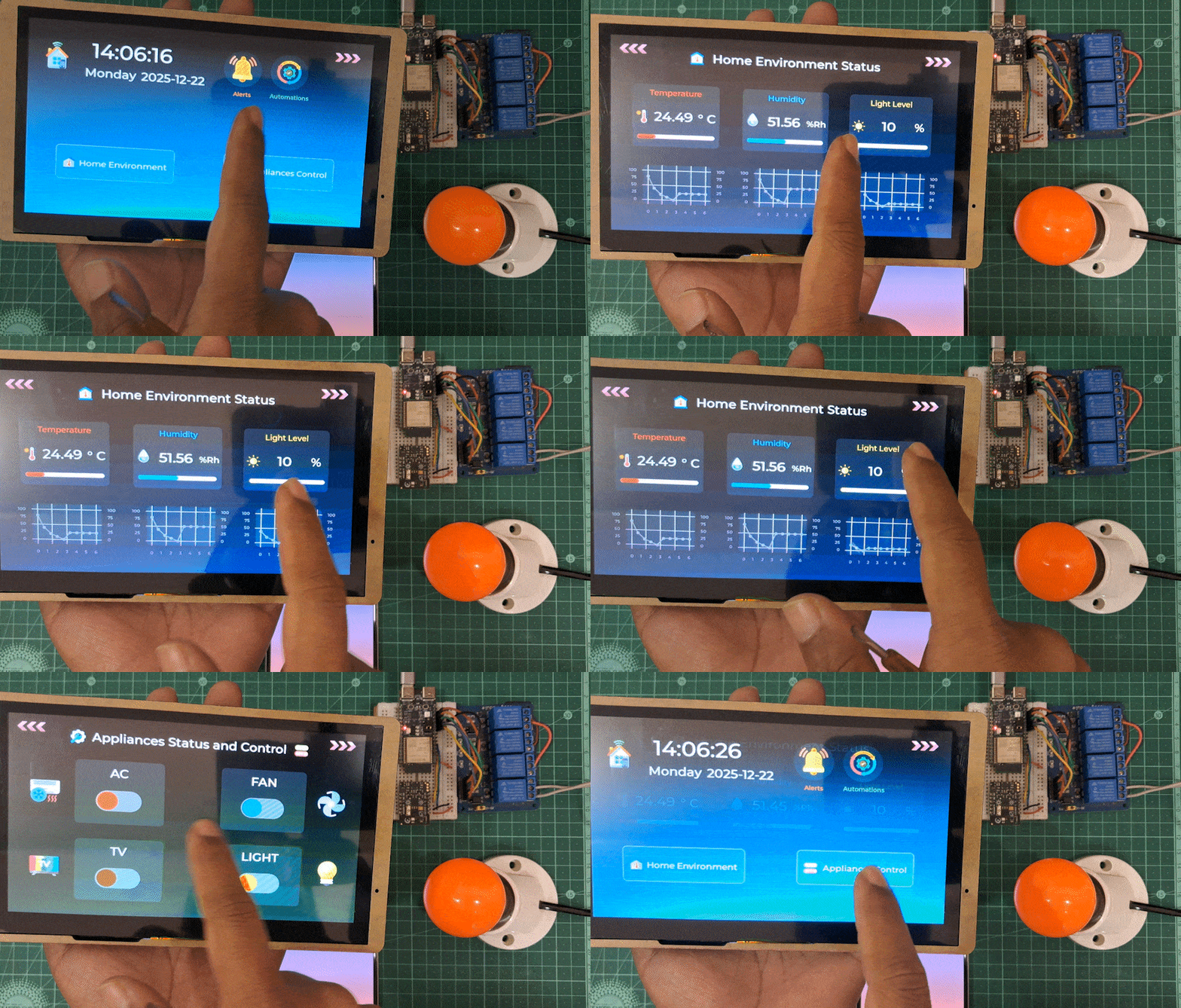
- Renders the entire UI using LVGL
- Handles all touch interactions
- Subscribes to MQTT for sensor updates
- Publishes MQTT commands to control devices
- Manages the RTC for accurate timekeeping
- Drives the buzzer for alerts
- This is what users see and interact with

- Reads sensors (temperature, humidity, light via SEN0500)
- Controls relay switches for AC, fan, TV, lights (For demo only 4 appliances)
- Publishes sensor data to MQTT
- Receives control commands from MQTT
- Basically the "muscle" that executes commands
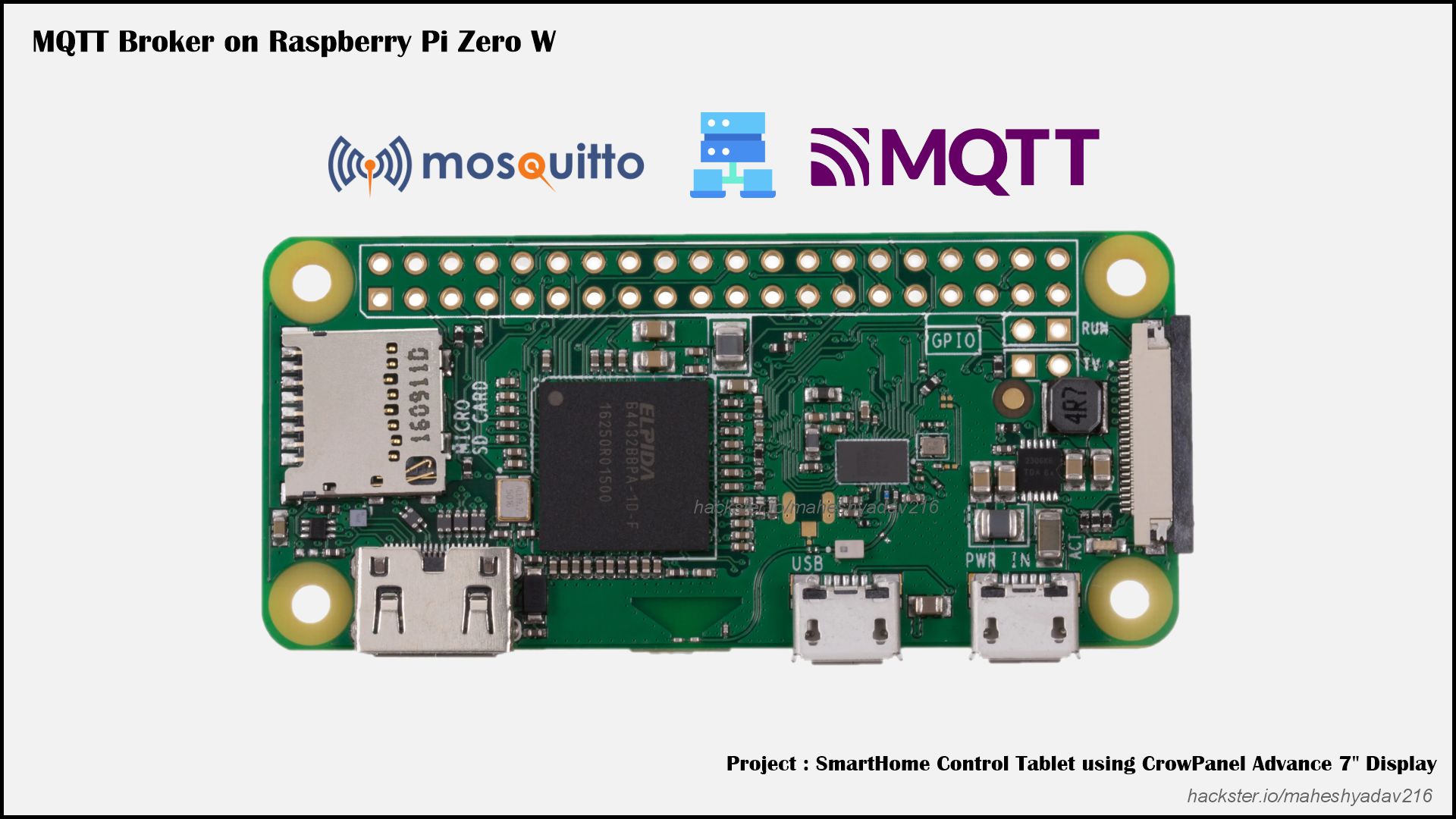
- Acts as the message bus
- Tablets talks to broker, broker talks to devices
- Completely local - no cloud involved
- Think of it as a local post office for messages

- I use it for automation and logging
- But here's the key: the tablet works even if Home Assistant is offline
- It's a nice-to-have, not a dependency
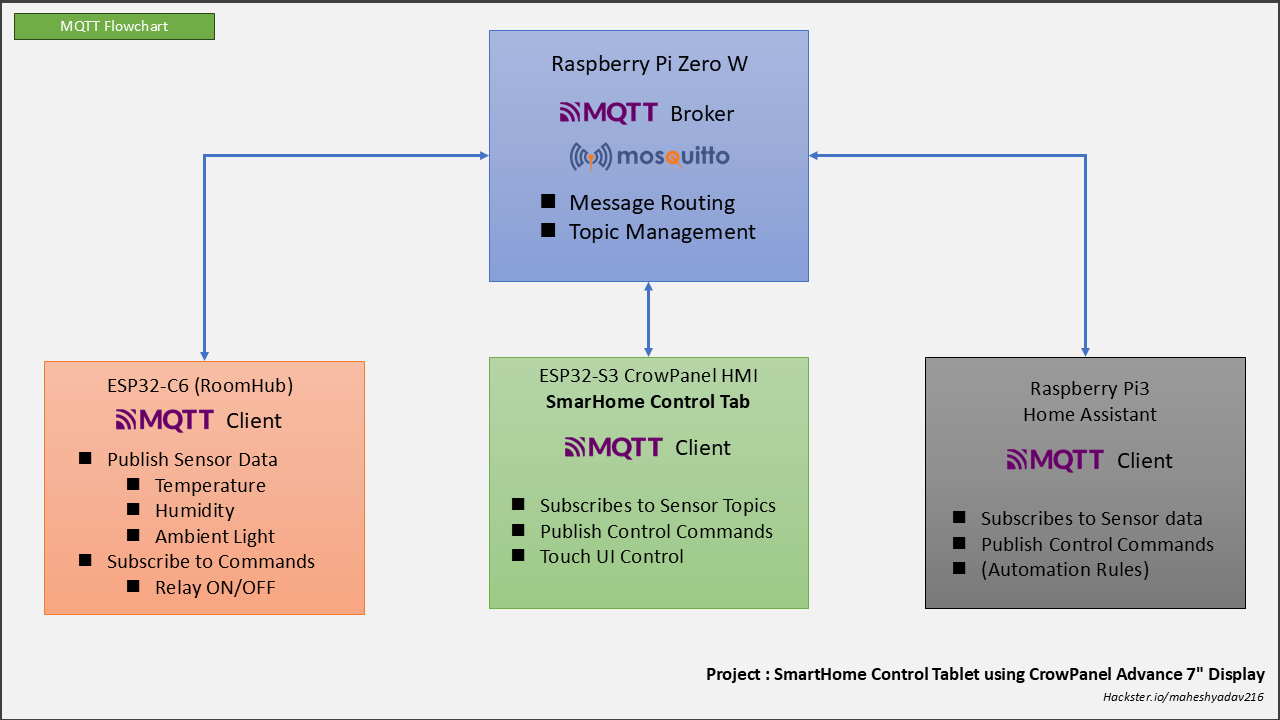
- Raspberry Pi Zero W → MQTT Broker (Mosquitto)
- ESP32-C6 (RoomHub) → MQTT Client (publishes sensor data, subscribes to commands)
- ESP32-S3 CrowPanel (SmartHome Control Tab) → MQTT Client (subscribes to sensor data, publishes control commands)
- Home Assistant (optional / secondary) → MQTT Client
Why This Design Rocks
Decoupling is Beautiful - The tablet doesn't care if Home Assistant crashes. It doesn't care if I swap the RoomHub with a different ESP32. It just talks MQTT - and anything that speaks MQTT can join the party.
Local-First Philosophy - Internet goes down? Tablet still works. Cloud service gets hacked? Doesn't affect us. Router needs a reboot? Temperature reading still updates. This is how smart homes should work.
Scalability - Want to add a second room? Deploy another RoomHub. Want a tablet in the kitchen? Flash another CrowPanel. Each piece is independent but coordinated.
The UI Design - Keeping It Simple
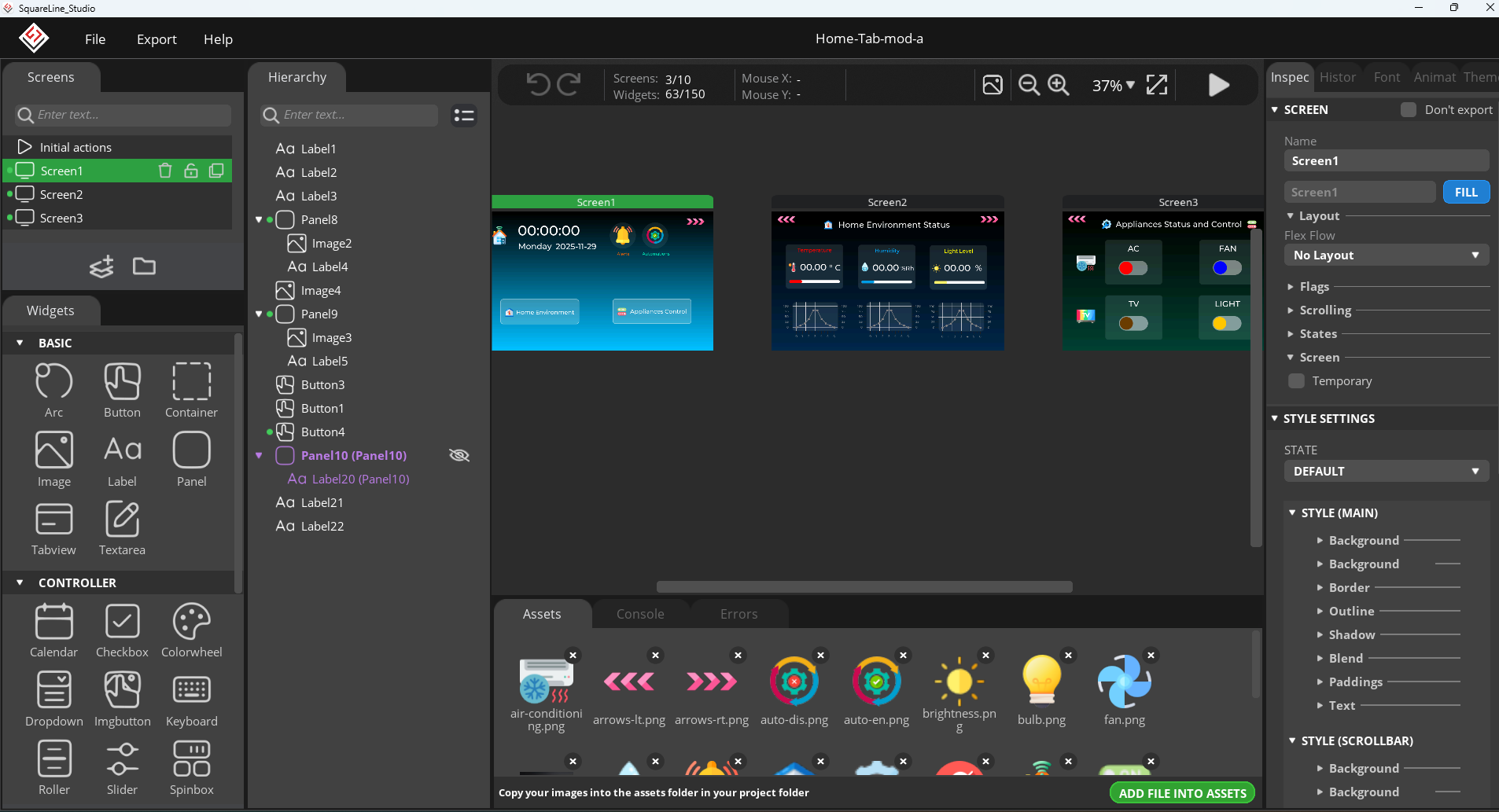
I used SquareLine Studio for designing the UI.
- SquareLine Studio is a visual drag-and-drop design tool used to create professional graphical user interfaces (GUIs) for embedded and desktop applications
- In my previous Hackster blog I explained in detail how to get started with the "CrowPanel Advance 7" HMI ESP32-S3 IPS Touch Screen Display"
- You can follow that tutorial to setup the display and development environment.
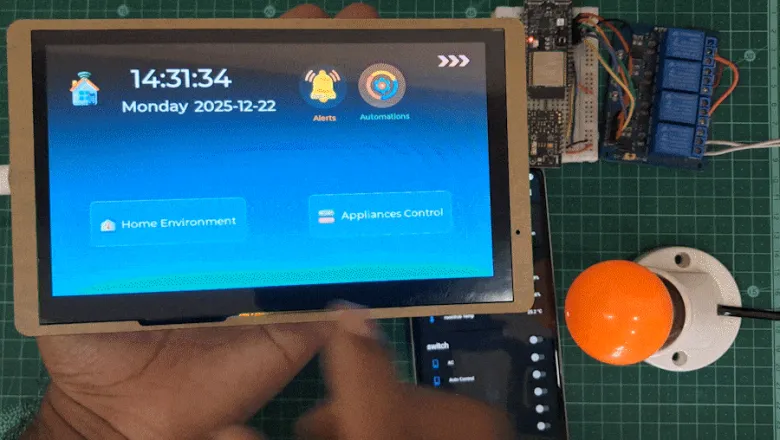
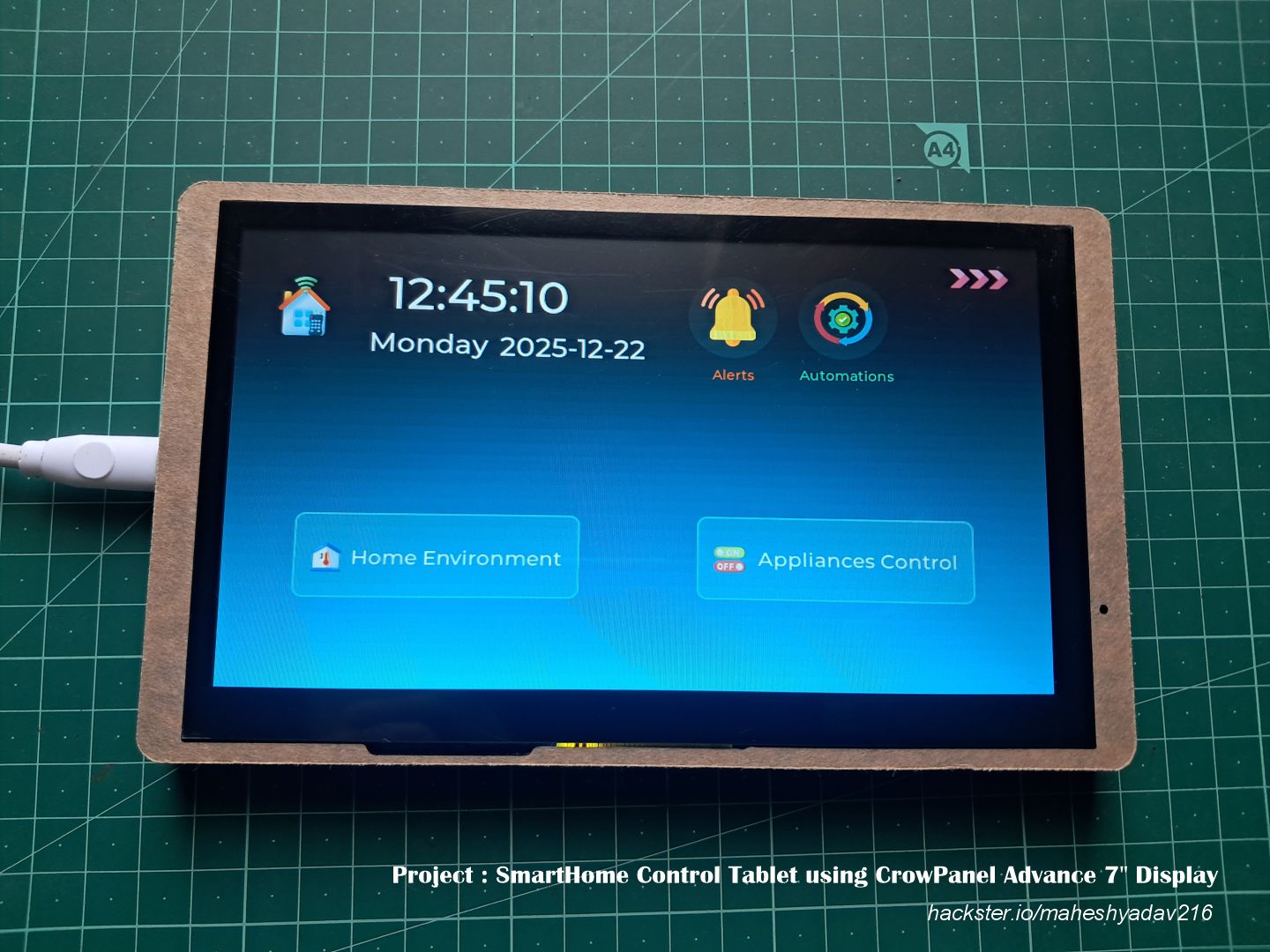
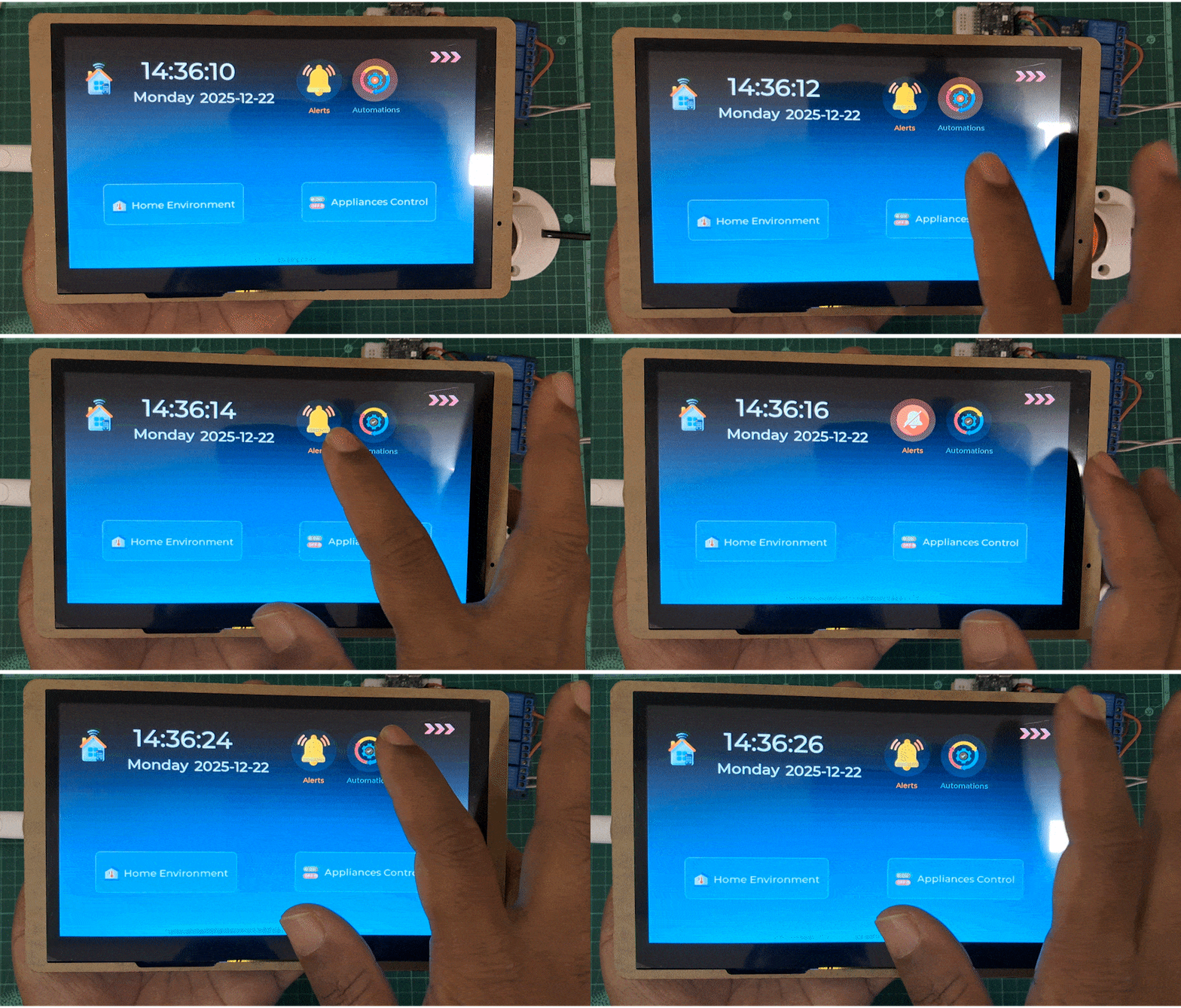
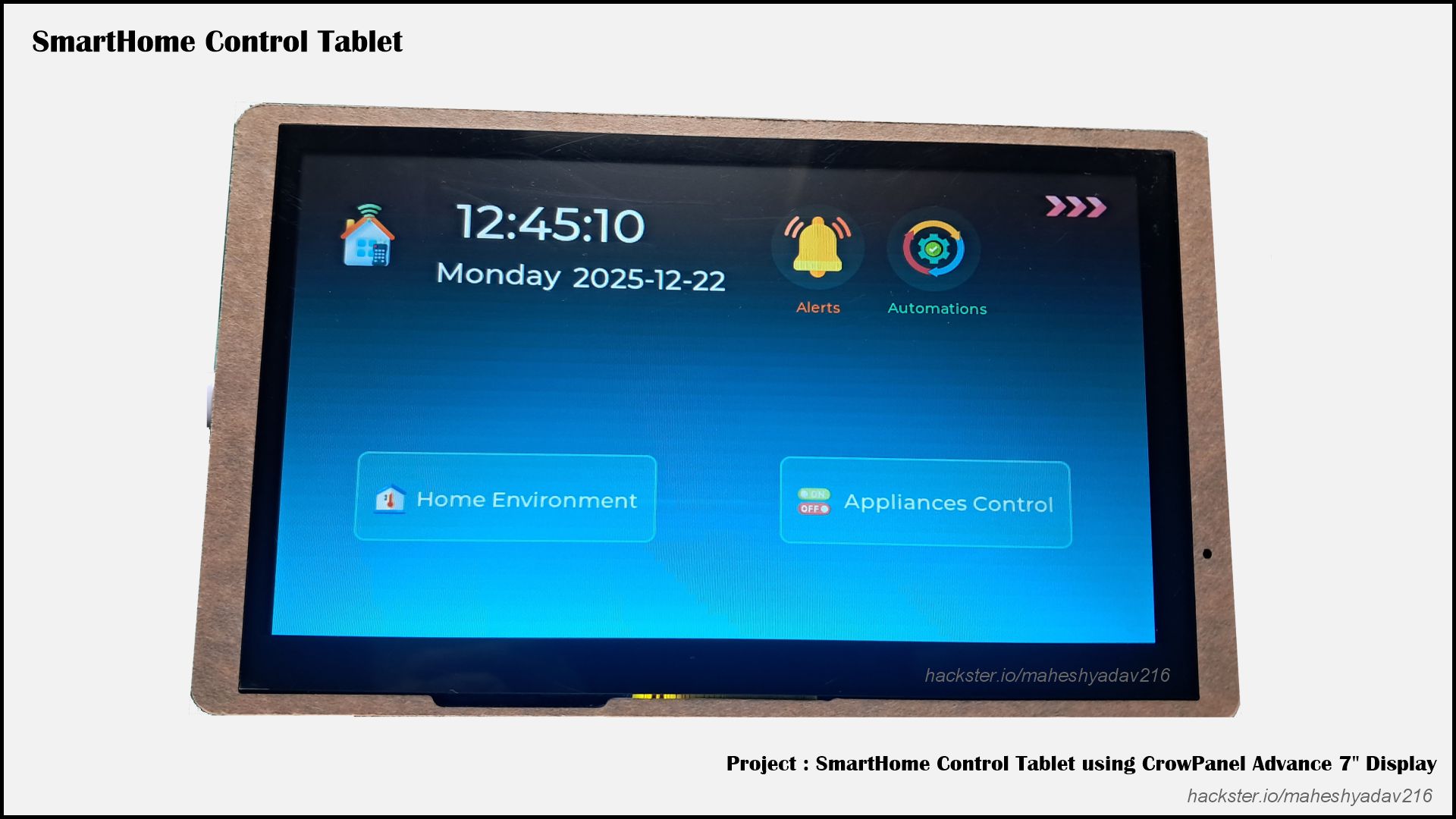
Dashboard
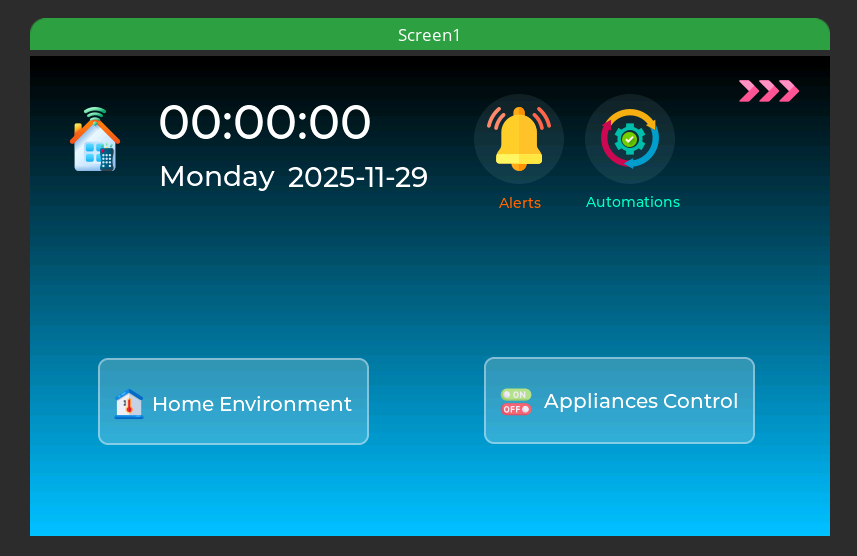
- Large clock display
- Current date
- Day of week
- Synced via SNTP, backed by hardware RTC
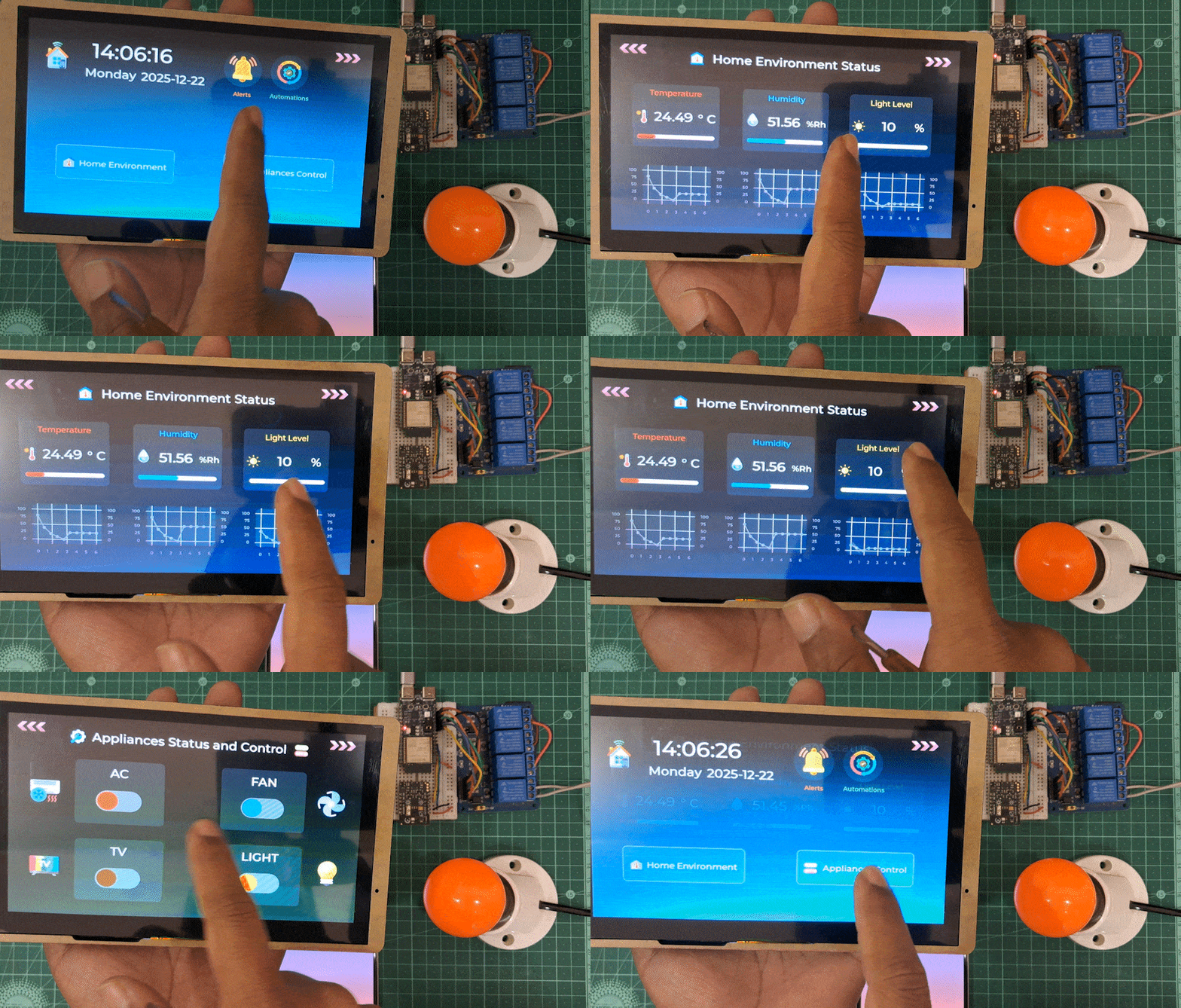
- Big buttons to navigate towards other two screens
- Two buttons with 'meaningful icons'. One is to Silence the buzzer Notifications/Alerts and second one is to Control the Automations
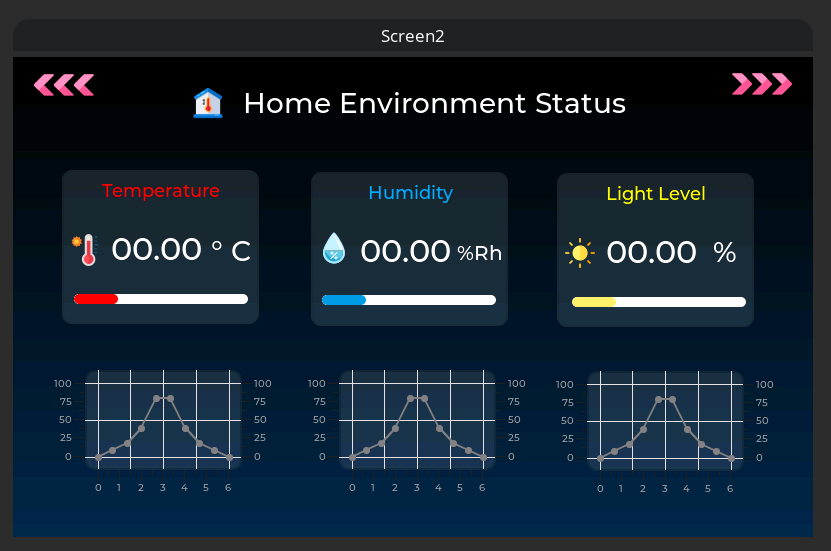
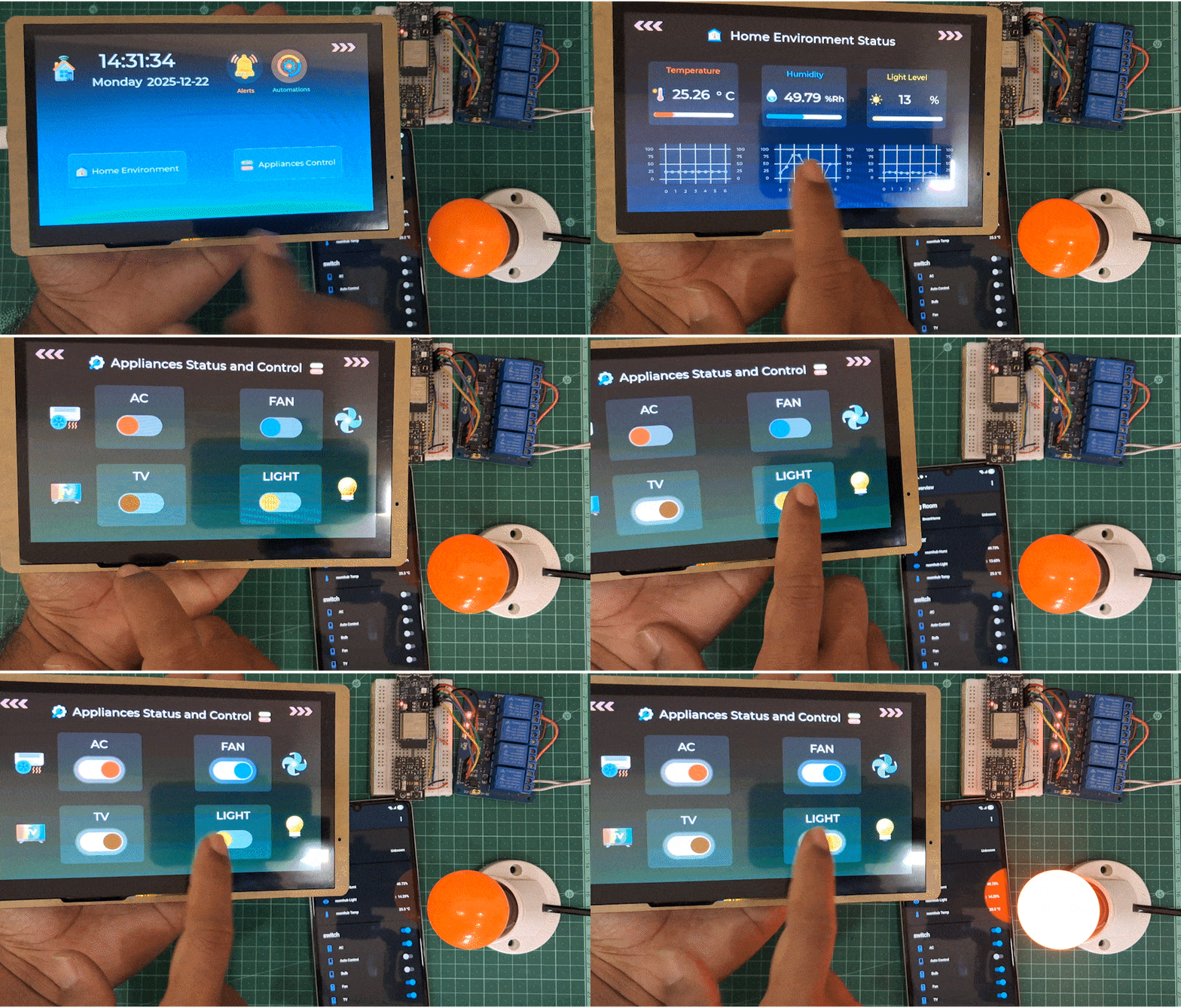
- Big, clear temperature reading (because squinting sucks)
- Humidity percentage
- Light level indicator
- Real-time updates every 2 seconds


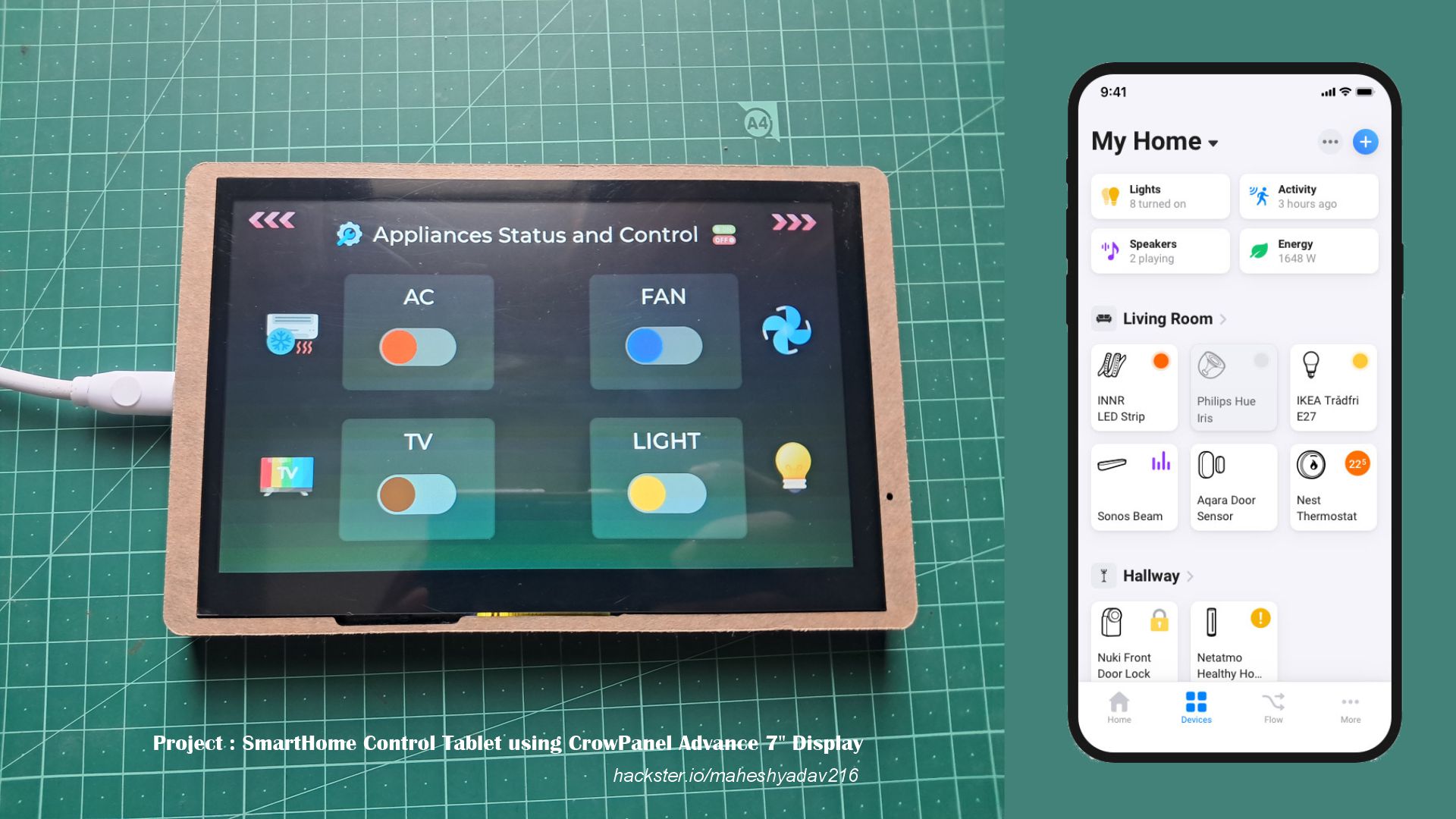
- AC - Toggle air conditioning
- Fan - Toggle ceiling fan
- TV - Power control
- Lights - Room lighting
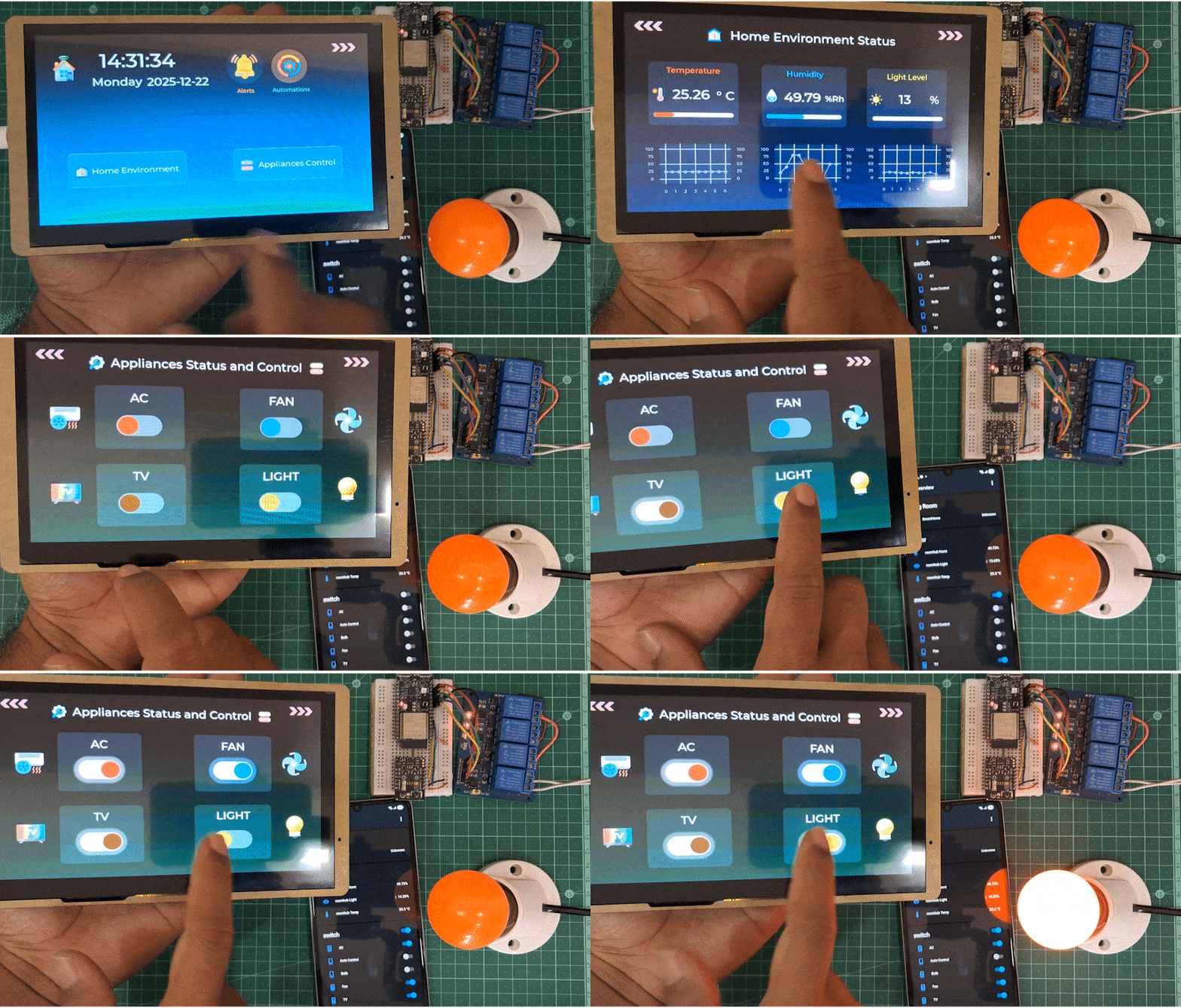
- Each button shows current state (ON/OFF) with color coding:
- ON state is simulated with shadow effect
- Tap to toggle, real time view
Why These Design Choices?
The Technical Stuff That Makes It Work
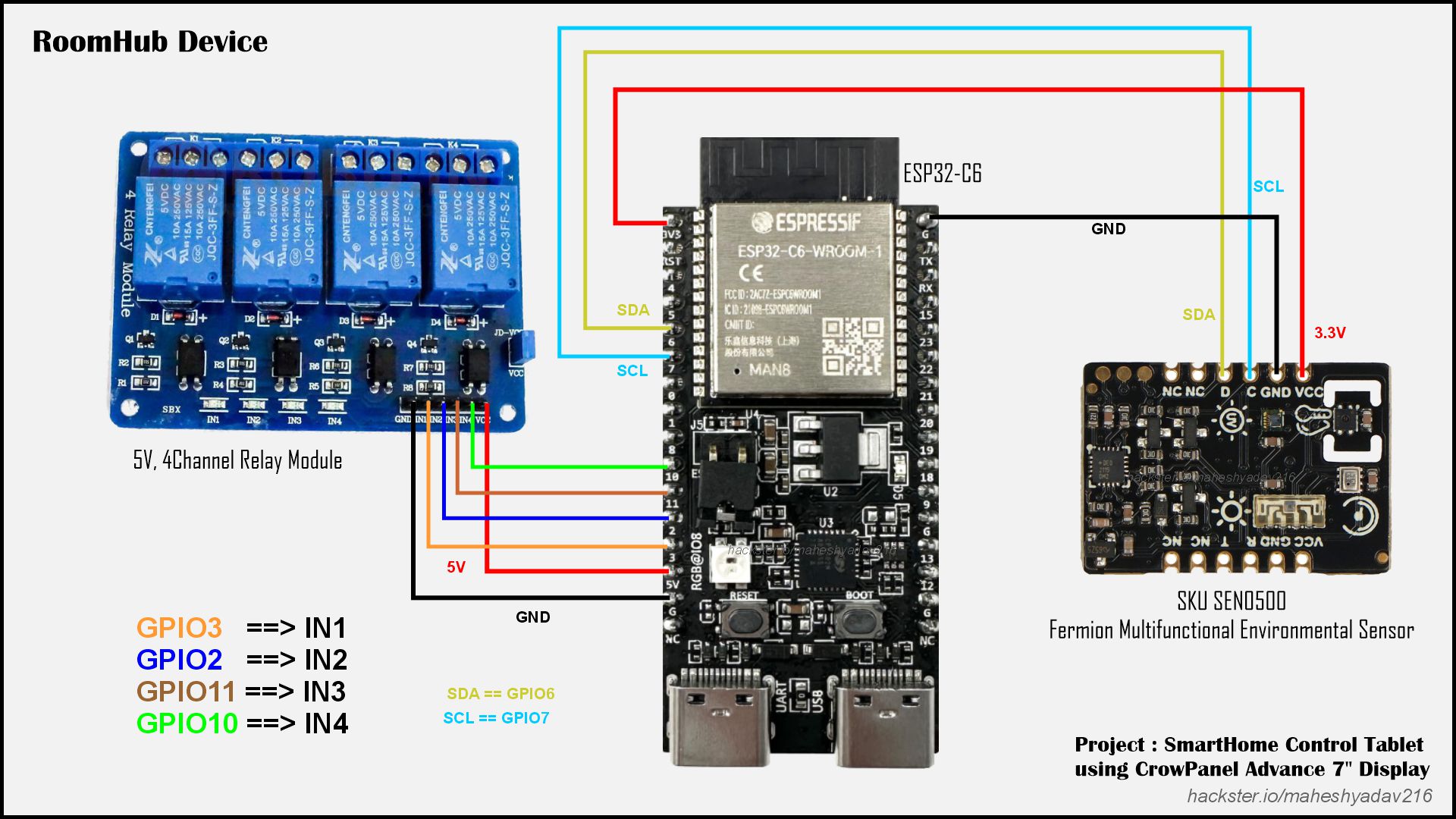
- For programming RoomHub device, I used Arduino IDE.
- I used 'SEN0500 Fermion Multifunctional Environmental Sensor'.
- This multifunctional environmental sensor comprises SHTC3 temperature & humidity sensor, BMP280 atmospheric pressure sensor, VEML7700 light sensor, and LTR390 ultraviolet sensor into one and offers 5 kinds of environmental parameters.
- The sensor has an MCU processing chip onboard that converts the raw data of sensor into values with standard unit so you can directly use them. For example, ℃ and °F for temperature, % for humidity, Kpa for atmospheric pressure, lx for light illuminance, and mw/cm² for ultraviolet.
- The environmental sensor supports two communication methods, UART and I2C.
- Here you can find its Wiki Page and Here You will get its Arduino Library
- 5V, 4 Channel Relay board is used to connect the appliances.
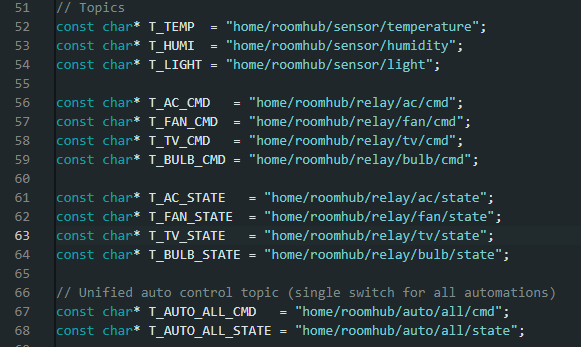
- Code organizes all communication under the home/roomhub/ topic hierarchy - sensor data publishes to topics like home/roomhub/sensor/temperature, while device control happens through command/state pairs (e.g., home/roomhub/relay/ac/cmd for commands and home/roomhub/relay/ac/state for feedback).
- The beauty of this structure is that ANY client can subscribe to sensor data or send commands - whether it's the CrowPanel tablet, Home Assistant, a phone app, or even another ESP32. The system uses retained messages (the true flag in mqtt.publish()) so new devices joining the network immediately see the last known state without waiting for updates.
- ESP32-C6 microcontroller that acts as the automated climate control system for a smart room. It continuously monitors environmental conditions using a SEN0500 sensor (temperature, humidity, and light levels) and intelligently controls four devices through relays: an AC unit, ceiling fan, TV, and light bulb.
- The magic happens in the automatic climate control logic - when temperature hits 27°C, the AC kicks on automatically; when humidity exceeds 54%, the fan starts running; and when the room gets dark (below 1% light), the bulb illuminates. Each control uses hysteresis (different on/off thresholds) to prevent annoying rapid toggling.
- Code will be shared below in Resources section as well as on GitHub
- For programming SmartHome Tablet : CrowPanel Display, I used VSCode with ESP-IDF extension. Since this display is based on ESP32-S3 SoC.
- In my previous Hackster blogI explained in detail how to get started with the "CrowPanel Advance 7" HMI ESP32-S3 IPS Touch Screen Display"
- You can follow that tutorial to setup the display and development environment.

- The tablet uses the PubSubClient library to handle MQTT
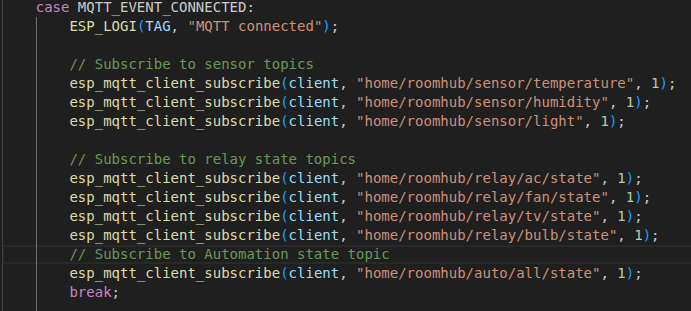
- Tablet subscribes to sensor topics, states of Relays and Automation settings
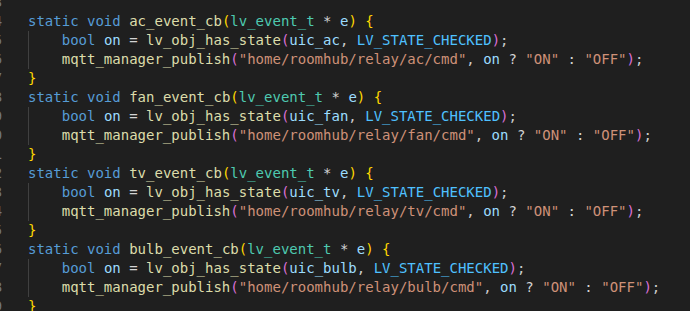
- Every time you tap a button, the tablet publishes "ON" or "OFF" to the appropriate command topic. The RoomHub is listening, receives the command, and flips the relay. Simple, reliable, fast.
- FreeRTOS Task Management - The ESP32-S3 runs FreeRTOS, which means real multitasking. I split the work across three tasks - UI Rendering, MQTT Handler, Alert System.
- This separation means: the UI never freezes waiting for network or sensors. Even if MQTT is struggling to reconnect, you can still tap buttons and see the interface respond instantly.
- The Buzzer Alert System -
- ProjectCode for this HMI Display will be shared below in Resources section as well as on GitHub
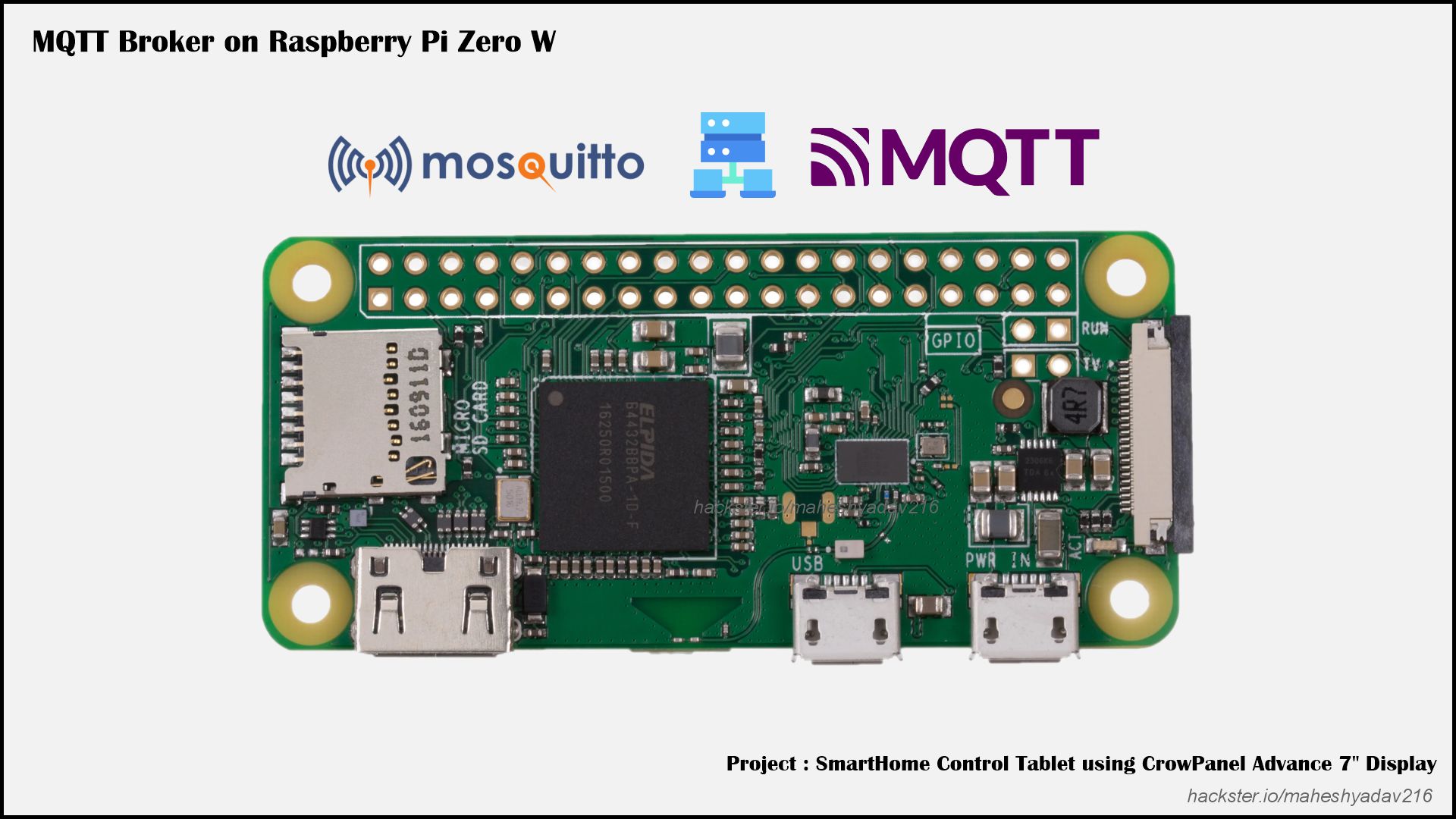
- I used separate device to run the MQTT broker.
- Using the Raspberry Pi Zero W as an MQTT Broker makes it the central, always-on message hub of the SmartHome Control Tab system.
- It allows the ESP32-C6 (RoomHub), ESP32-S3 CrowPanel (HMI tablet), and Home Assistant to communicate directly and reliably, even if Home Assistant is offline.
- This design improves local autonomy, low latency, and system resilience, turning Home Assistant into an optional client rather than a single point of failure.
- I have made detailed guide on GitHub - about how to setup RPi Zero W as MQTT broker for this project. You can follow it for instructions and commands
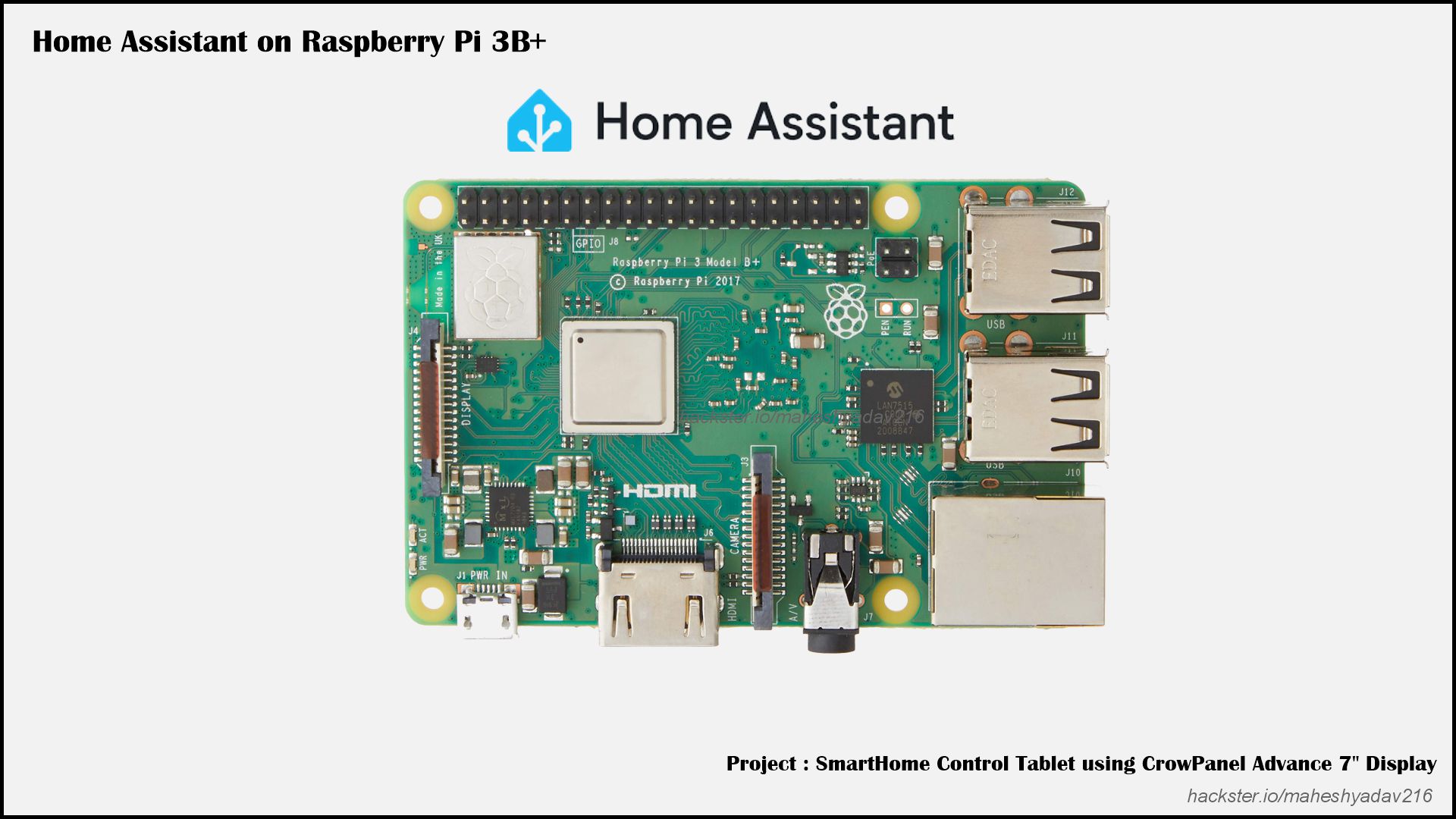
- I have also used my Home Assistant setup running on Raspberry pi3 board.
- It adds a powerful automation and visualization layer on top of the SmartHome Control Tab system.
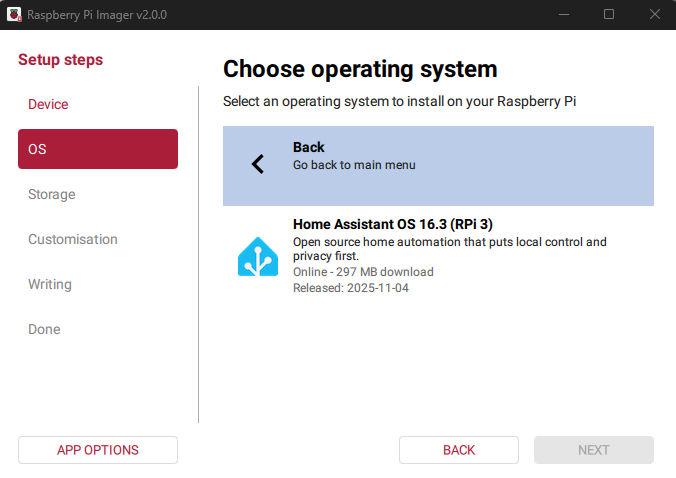
- You can use Raspberry Pi Imagersoftware to flash the Home Assistant Operating system onto the SD card.
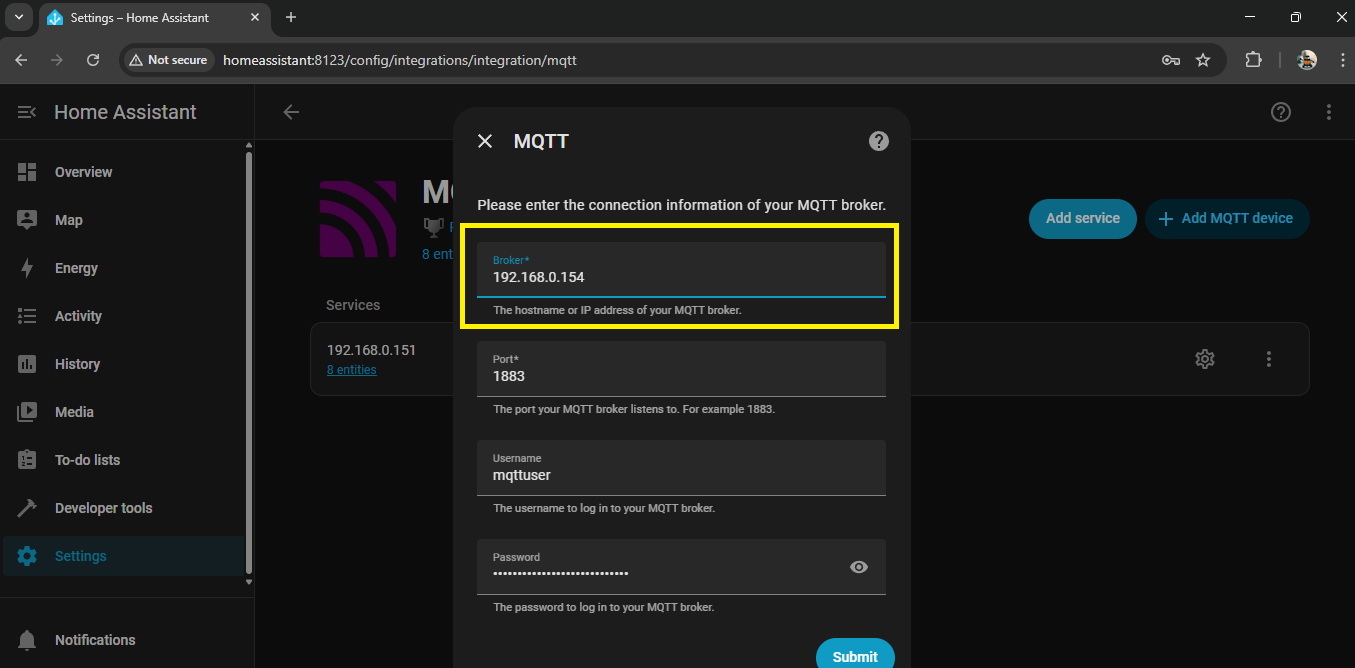
- In Home Assistant, you have to add 'MQTT integration service' for/to listen to your (RPi Zero W) MQTT Broker
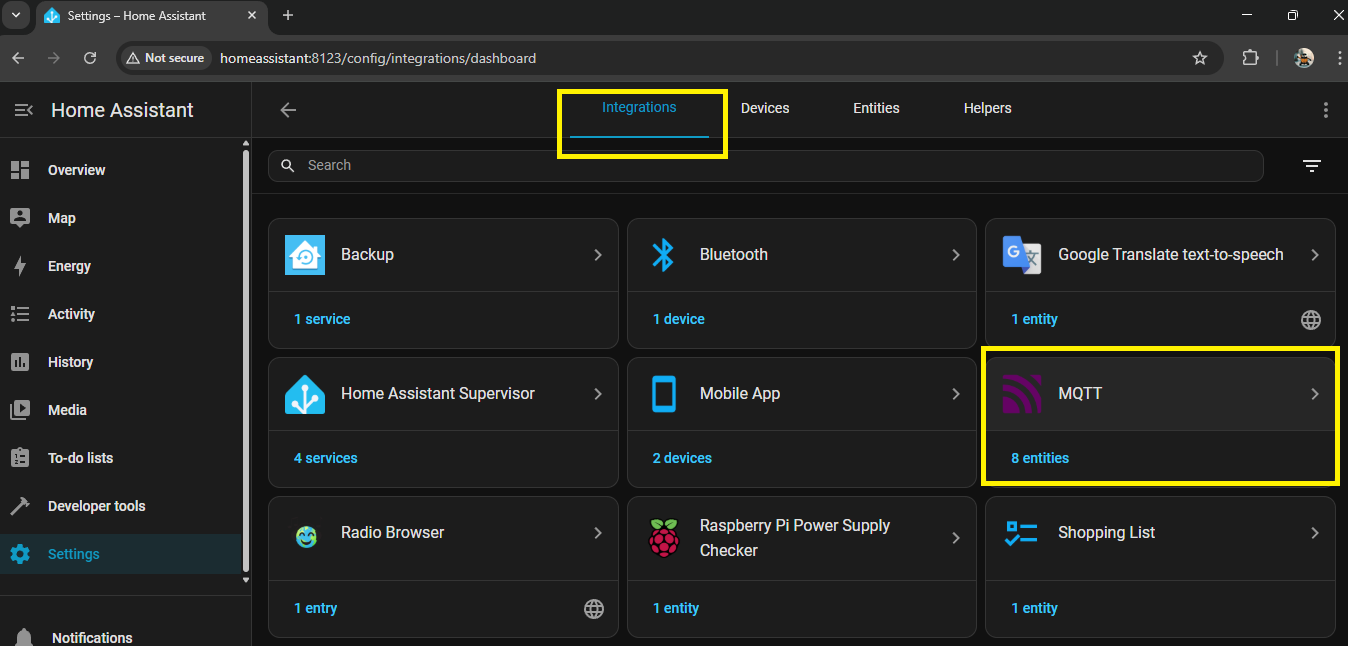
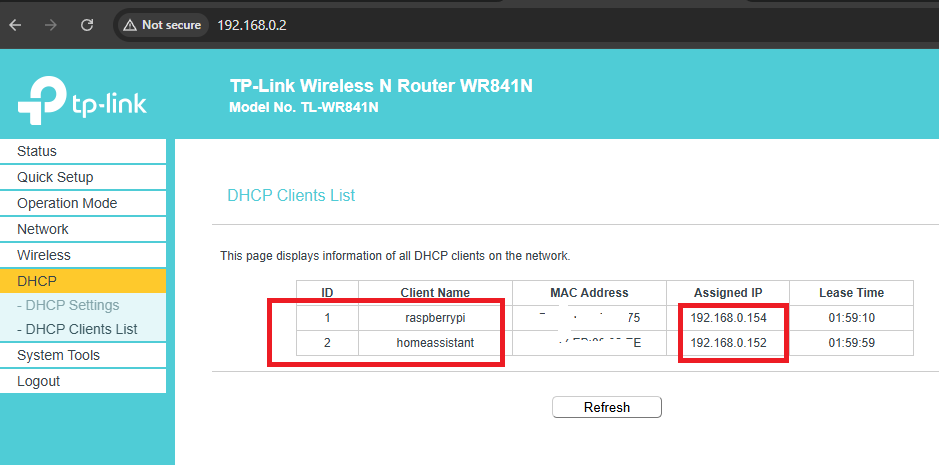
- You must know the IP of your Broker, for that you can check the WiFi router DHCP client list
- Enter that Broker IP in MQTT configs like following with port, username and password
- Home Assistant enables centralized dashboards, historical data logging, and rule-based automations without interfering with the core MQTT-based operation.
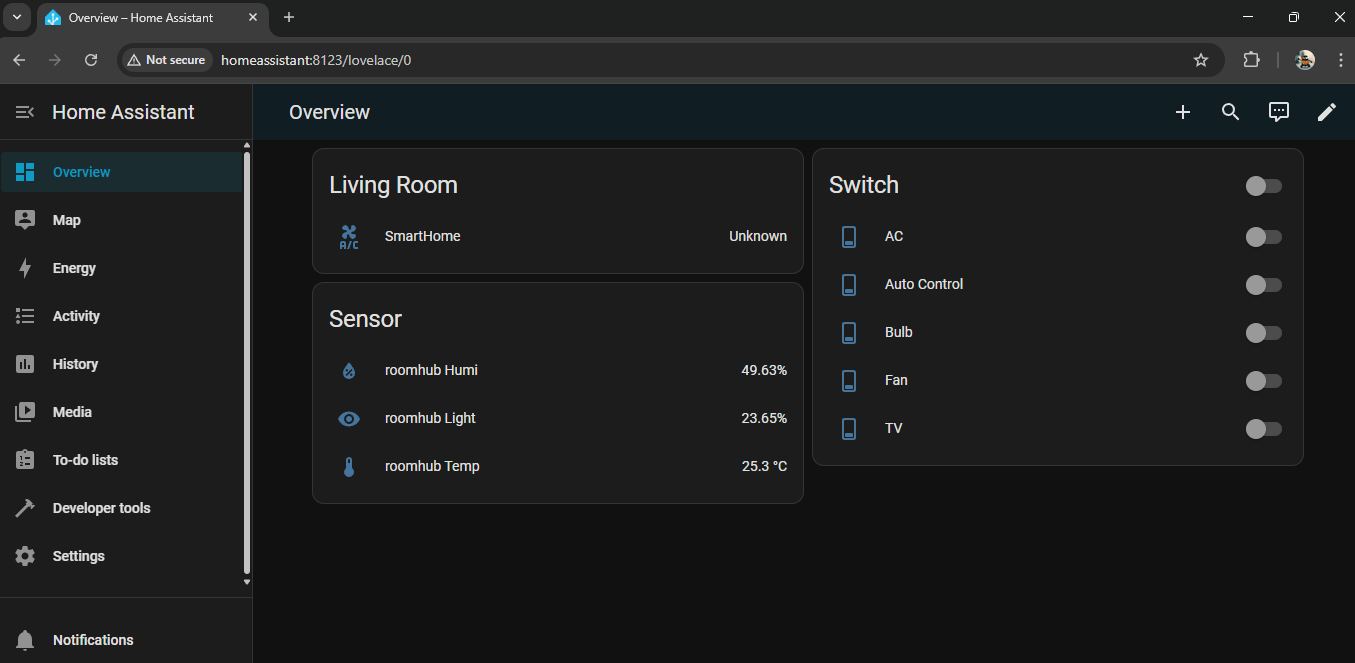
- Above screenshots shows Home Assistant running on PC and Smartphone with dashboard of "SmarHome Tab Project".
Because Home Assistant acts as an MQTT client (not the broker), the system continues to function even if Home Assistant goes offline. This makes Home Assistant an enhancer, not a dependency—ideal for experimentation, monitoring, and future smart automations.
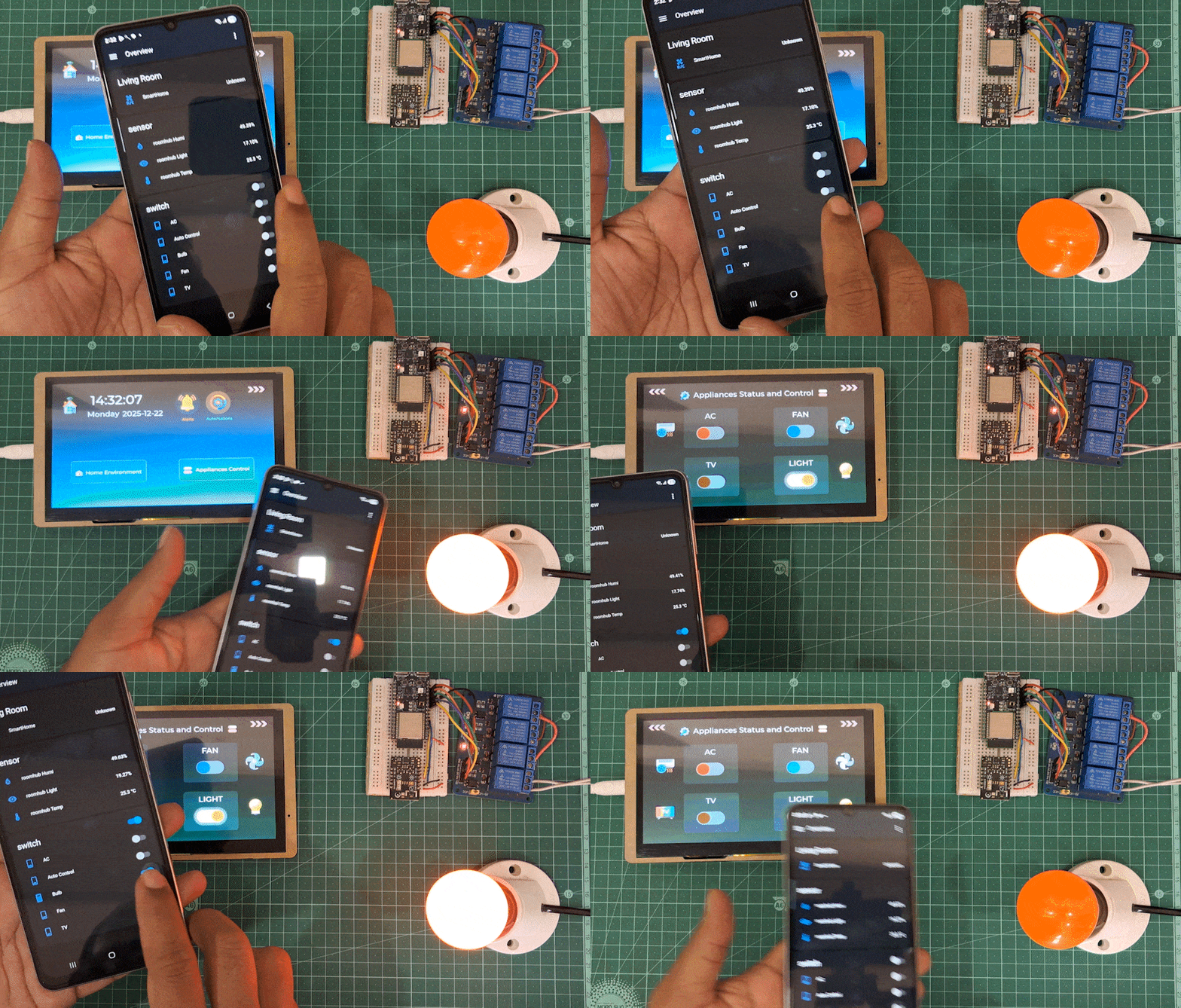
Real-World Usage - Does It Actually Work?
- The "glance factor" - Walking past it and instantly knowing room conditions is addictive. No unlocking, no opening apps.
- Guest-friendly - While I was testing it, My uncle visited. He walked up, tapped "Lights", Bulb came on. No tutorial needed. That's the UX win.
- Offline resilience - ⛔ Internet went down during a 'fiber cut issue'. Tablet kept working. Controlled all local devices. Clock still accurate (RTC-with battery).
- Instant response - Tap button, relay clicks within 200ms. No lag, no "thinking" spinner, just action.
- The time is MORE important than I thought - People naturally look at it like a clock. Having accurate time visible makes it the room's central reference point.
- Placement matters - Wall-mounted at eye level = amazing. On a desk = people forget it exists. Height and visibility are crucial. I like it portable❤️
- Buzzer alerts are polarizing - I love them. My family members finds them annoying. I added a software toggle.
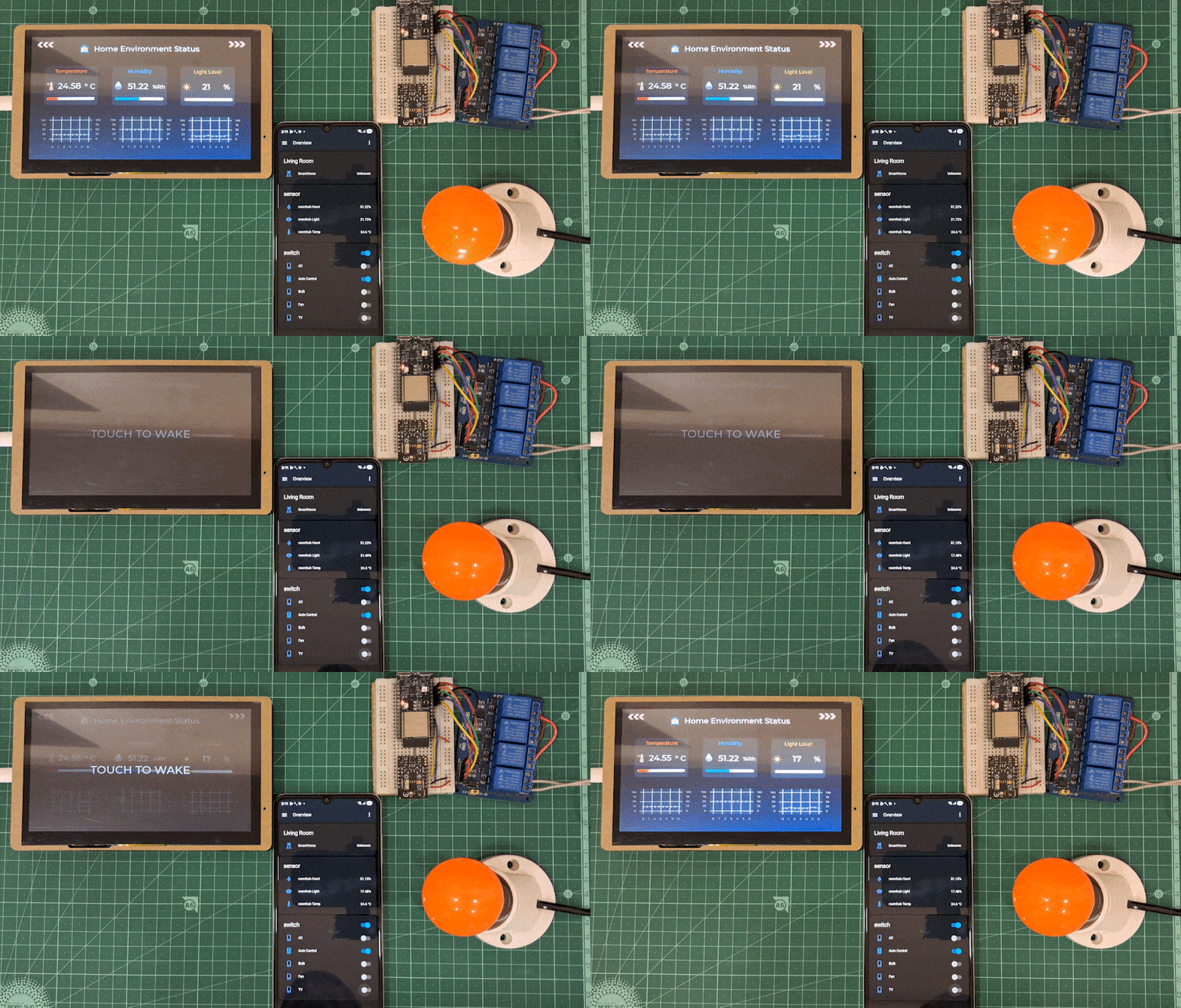
I added power saving feature to dim the display screen after 1min of touch inactivity and to turn-off the display screen after 5 min. ***But this feature does not well align with our Always-On-Display and Glancing factor considerations.
⚠️ Sometimes display get freezes/flickers, if it is turned on with full brightness for long duration. So I implemented the screensaver logic
What This Project Proves
Embedded systems can be the primary interface, not just the backend.
- Usually, we treat ESP32s as headless devices that talk to "real" interfaces (phones, browsers). But with modern displays like the CrowPanel Advance 7" and graphics libraries like LVGL, we can build complete, user-facing products entirely on embedded platforms.
- Form the technical standpoint, this project demonstrates advanced embedded UI engineering with 30fps LVGL rendering, FreeRTOS concurrent task management, robust timekeeping via SNTP+RTC, seamless I2C hardware integration, and a decoupled architecture that gracefully handles failures. Beyond the technical implementation, it proves that embedded systems can serve as polished, user-facing products with focus on experience design - where "it works" isn't enough; "it's pleasant to use" is the goal.
- Most importantly: It's seems like a product, not a prototype. Well, we could hand this to someone and they'd use it without needing instructions. (I'm gonna try that soon)
Testing and Demos
Future Scope
- Planned enhancements for this project include multi-room control with swipe navigation, voice commands via the built-in microphone, And voice response with adding Cavity speaker. and AI-powered predictive climate control that learns user preferences.
- A Smart DoorPhone system will transform the tablet into an intercom - when someone presses the doorbell, live video and audio streaming from an ESP32-CAM module with speaker/mic assembly will display on the tablet, enabling two-way communication with visitors.
- Expanding wireless module (ESP32-H2) support to include Matter and Thread protocols will ensure compatibility with emerging smart home standards, creating a comprehensive and intelligent home control ecosystem.
Get Involved - GitHub & Community
What I'd Love to See : Suggestions about this Tutorial/Project design, Circuits, code modifications, Optimization, Errors/Bugs findings and queries are most welcomed. Feel free to raise you queries, suggest your opinions and point out any errors or bugs.