




Story
Overview
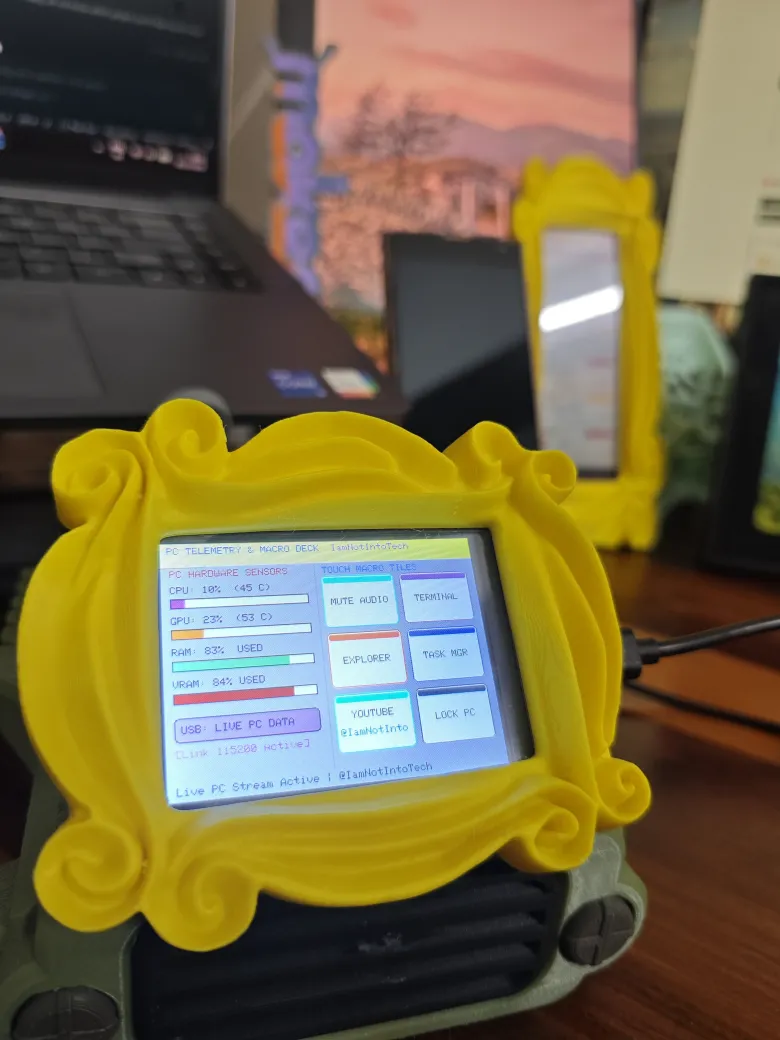
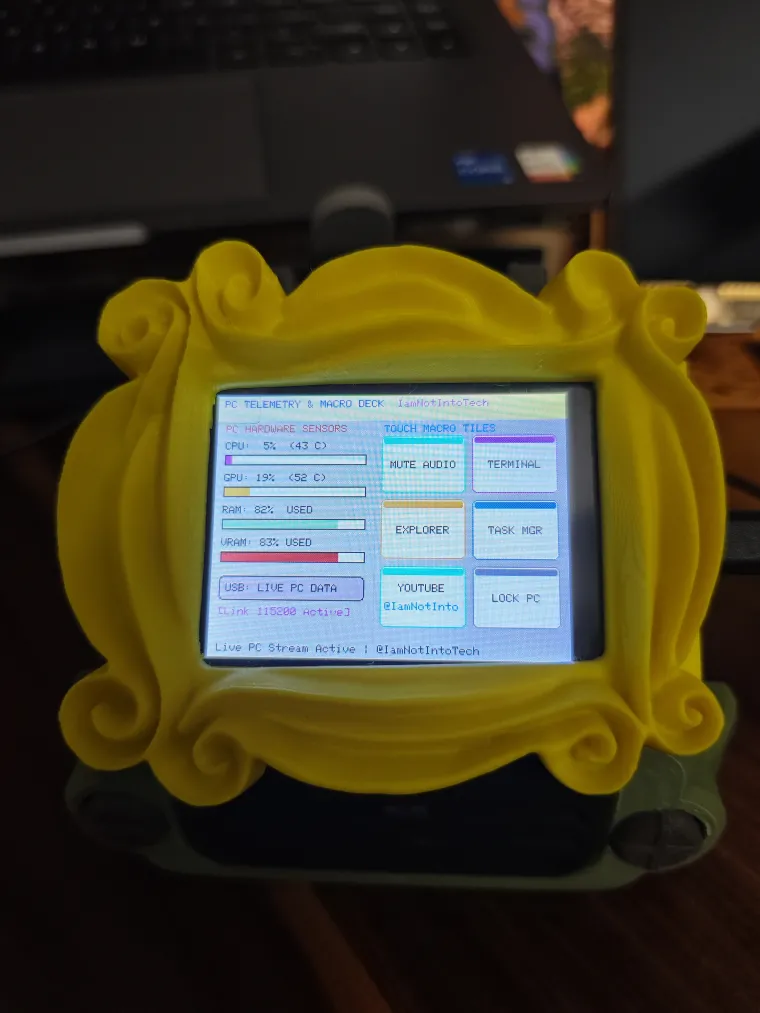
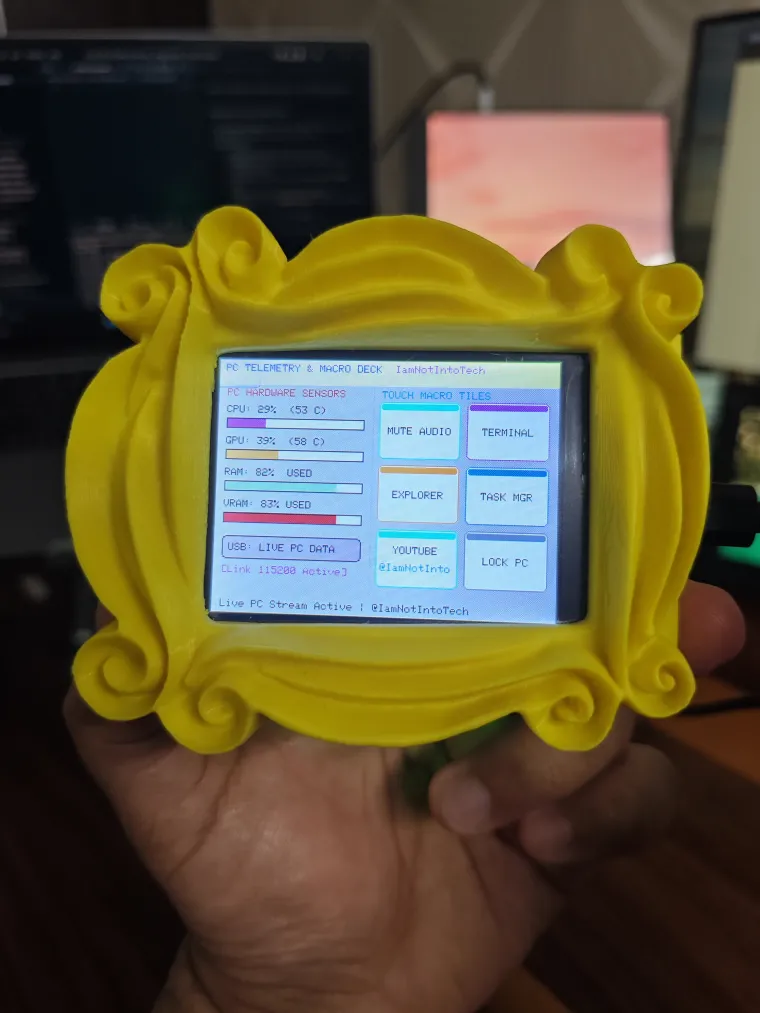
A powerful, dual-purpose PC dashboard and macro pad built for the Elecrow 2.8inch 240x320 ESP32 LCD Touch Display | With WiFi and BT/BLE (ESP32-2432S028R) or any other 2.8 CYD. Designed by IamNotIntoTech, this project connects via USB to a host PC, providing real-time hardware telemetry and a 6-tile interactive touchscreen macro deck to streamline your development and daily workflow.
Features
-
Displays real-time hardware telemetry including CPU %, GPU %, RAM %, VRAM %, and core temperatures via bar gauges and numerical readouts.
-
Includes a 6-tile interactive touch macro pad mapped to essential commands: Mute Mic, Terminal, Git Pull, Run Build, AI Prompt, and Lock PC.
-
Utilizes a cross-platform Python 3 host bridge daemon (
bridge.py) usingpsutilandpyserialto stream host stats and listen for touch triggers. -
Provides active hardware feedback through acoustic click tones (GPIO 26) and active-low RGB status LEDs (Green for nominal, Blue for macro dispatched).
-
Features automatic fallback to animated simulated metrics when disconnected from the host PC.
Hardware
-
Elecrow 2.8inch 240x320 ESP32 LCD Touch Display | With WiFi and BT/BLE (ESP32-2432S028R) or Any other 2.8 CYD
-
USB data cable
-
Host PC (Windows/macOS/Linux)esp32
Build and upload First, install Python 3, VS Code, and the PlatformIO IDE extension on your host PC. Clone the project repository and open the elecrow_projects/04-usb-pc-telemetry-deck directory. Connect your Elecrow display via USB and use PlatformIO to build and upload the firmware (or run pio run -t upload in your terminal).
Once the firmware is flashed, open a terminal on your host PC in the project folder and install the required dependencies by running pip install pyserial psutil. Finally, start the daemon by running python bridge.py. The bridge will automatically begin streaming telemetry data to the display and listening for your macro pad inputs.
Source code and license GitHub repository (Star repo for more upcoming project)
Consider supporting us for advanced level projects
YouTube Tutorial & Channel:
https://youtube.com/@IamNotIntoTech
The project is shared under following:
- 💻 Source Code: GNU Affero General Public License v3.0 (AGPL-3.0)
- 🎨 3D Models, Enclosures, Artwork, Graphics & Media: Creative Commons Attribution-NonCommercial-NoDerivatives 4.0 (CC BY-NC-ND 4.0)
- 💼 Commercial Licensing: All 3D models, animations, and branding are the intellectual property of Tushar Aggarwal. Commercial use, physical sales, or redistribution requires purchasing a commercial license or donating via GitHub Sponsors / Gumroad. See LICENSE for details.