








Story
Rotary Buddy: A Media Dial with a Personality
I like building little gadgets with ESP32, especially when they solve a real problem or make my desk a bit more interesting.
This time, I started with a simple idea: what if a volume knob could also have a personality?
I wanted something useful for controlling music and system volume, but I didn't want another tiny screen displaying the same information all day.
That's how Rotary Buddy was born.
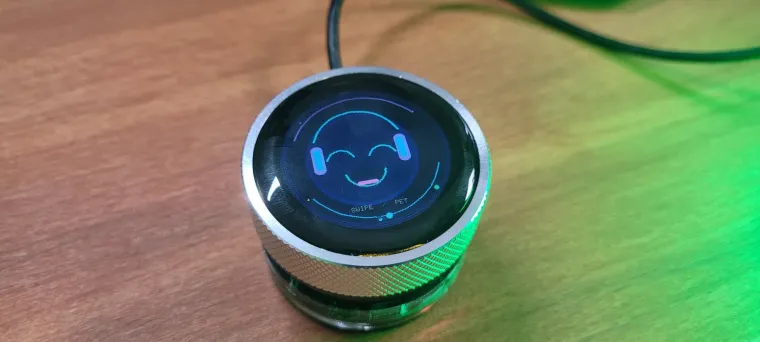
Built using the Elecrow CrowPanel 1.28-inch ESP32-S3 rotary touchscreen, it combines a practical USB media controller with a small animated desktop companion.
And the best part? You can install it directly from your browser, without writing a single line of code.
Two modes, one little device
1. Media Controller
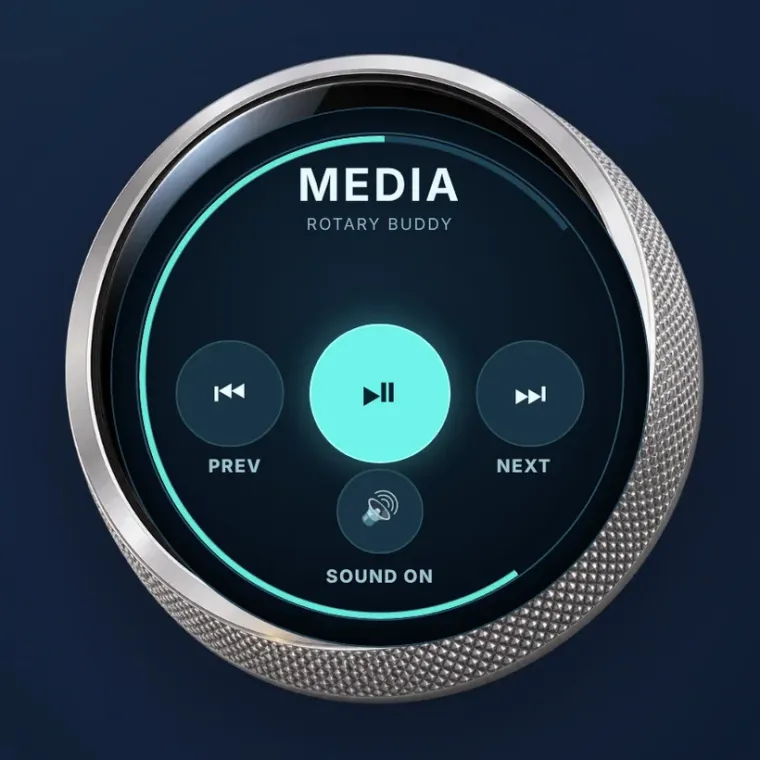
The first mode turns the CrowPanel into a compact multimedia controller.
You can:
-
Rotate the physical dial to increase or decrease system volume.
-
Press the dial to play or pause music.
-
Use the touchscreen to skip to the previous or next track.
-
Mute or unmute sound with a single tap.
-
Swipe left or right to switch between screens.
The interface is designed specifically for the circular 240 × 240 display, with large touch controls and visual feedback.
Rotary Buddy communicates with your computer using standard USB HID media commands. There is no additional desktop application, background service or driver to install.
It is designed to work with Windows, macOS and Linux. Individual media-control behavior may depend on your operating system and music player.
2. Animated Desktop Buddy
This is where the project gets a little more interesting.
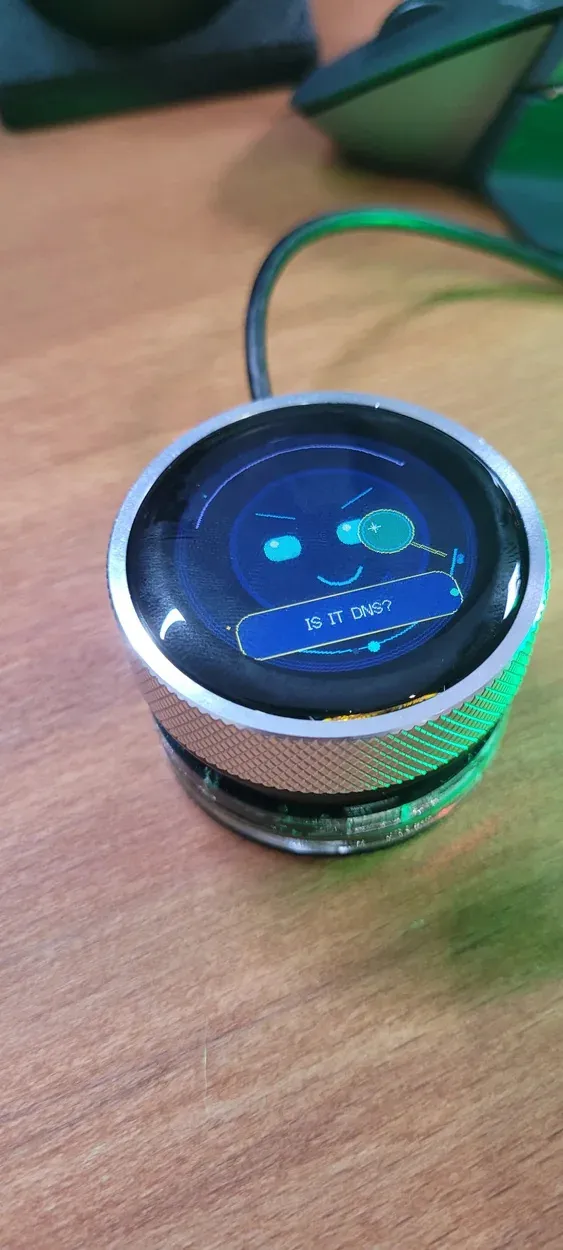
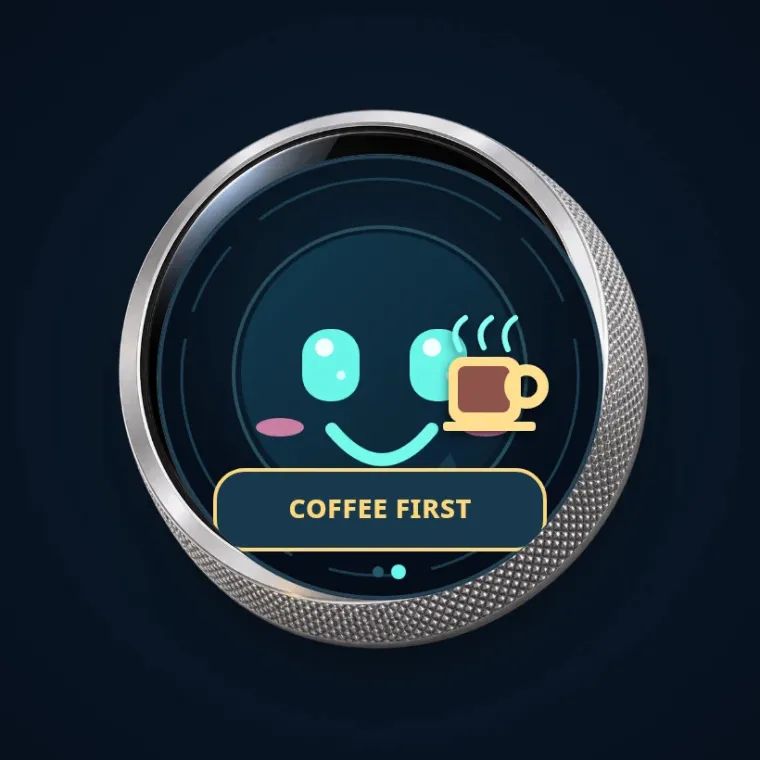
Swipe to the second screen and your media controller becomes Buddy, a tiny character living on your desk.
Buddy has 113 expression and effect states and 135 short captions, including funny messages inspired by programming, DevOps, cloud computing and everyday IT problems.
You might see messages such as:
-
COFFEE FIRST
-
IS IT DNS?
-
PAGER AGAIN?
-
HUMAN IN THE LOOP
-
CHECK THE DIFF
-
CLOUD BILL AGAIN
Tap the screen to trigger a new expression or caption. Swipe downward to pet Buddy and watch its eyes close while it smiles and gently sways.
Buddy also has its own idle behavior.
After 30 seconds without interaction, the Media screen automatically changes to Buddy. After five minutes, Buddy becomes sleepy and starts dreaming.
Touch the display or use the dial to wake it up again.
All animations run locally on the ESP32. There is no AI model, online service or network connection involved.
What hardware do you need?
The project uses just one main device:
Elecrow CrowPanel 1.28-inch HMI ESP32 Rotary Display
It includes:
-
ESP32-S3 microcontroller
-
1.28-inch circular IPS display (240 × 240)
-
Capacitive touchscreen
-
Rotary encoder with a push button
-
Integrated enclosure
You also need the included USB data cable and a computer.
No soldering, custom PCB, additional sensors or 3D-printed parts are required.
How to install Rotary Buddy
I wanted the installation process to be as simple as possible, even for someone who has never programmed an ESP32.
You don't need Arduino IDE, PlatformIO or any other development environment.
Step 1: Connect your CrowPanel
Connect the Elecrow 1.28-inch rotary display to your computer using the USB data cable.
To enter firmware download mode:
-
Hold the BOOT button.
-
Briefly press RESET.
-
Release BOOT.
Step 2: Open the firmware installer
Visit: https://crowpanel-rotary-buddy.lepczynski.it/
Use Google Chrome or Microsoft Edge on a desktop computer.
The website provides a browser-based firmware installer using ESP Web Tools.
Step 3: Install the firmware
Select Factory install if this is your first installation.
Choose the correct serial port and follow the instructions displayed in your browser.
The installer transfers the firmware directly to the ESP32 through USB.
Step 4: Start using Rotary Buddy
Once installation finishes, press RESET if necessary.
Your computer should recognize the device as a standard USB multimedia controller.
That's it! No desktop software, accounts, Wi-Fi configuration or Bluetooth pairing required.
You can start controlling your music immediately or switch to Buddy mode and enjoy the animations.
For future firmware updates, the website also offers an Update firmware option. It is intended for devices using the same partition layout and can preserve existing settings if you don't choose to erase the device.
How does it work?
The project is written in C++ and runs directly on the ESP32-S3.
The device handles touch gestures, rotary encoder input, screen rendering and animations locally.
When you rotate the dial or touch a media button, it sends a standard USB HID Consumer Control command to your computer.
One interesting design decision was how to handle volume feedback.
USB media controls can send volume-up and volume-down commands, but they cannot read the computer's actual volume percentage.
Instead of displaying an estimated value that could become incorrect, Rotary Buddy displays visual feedback showing the direction of the volume adjustment.
This keeps the interface simple and avoids misleading information.
The device does not need internet access during normal operation.
Open source and customizable
Rotary Buddy is an open-source project released under the MIT license.
If you enjoy experimenting with ESP32 devices, you can modify the firmware and make Buddy your own.
You can customize:
-
Buddy's expressions and captions
-
Colors and graphical effects
-
Screen brightness
-
Idle and sleep intervals
-
Media-control sensitivity
The source code is available on GitHub, together with the PlatformIO project configuration.
You can build the firmware yourself, but it is completely optional.
Watch Rotary Buddy in action
I recorded a video showing the real device, its media controls and animated Buddy mode.
YouTube video:
https://www.youtube.com/watch?v=vjOF7N7Cmbo
Project links
Online firmware installer:
https://crowpanel-rotary-buddy.lepczynski.it/
GitHub source code:
https://github.com/lepczynski-cloud/CrowPanel-Rotary-Buddy
You can explore the code, customize the animations or simply install the firmware and give your CrowPanel a new purpose.
I originally wanted a better volume knob for my desk. I ended up building a little character that makes me smile while I'm working.
What would you use more: the media controls or the animated Buddy?