Lesson03---UART3-IN interface (external power supply)
Introduction
In this class, we will introduce the UART3-IN interface. There will be no code in this class. Based on the code from the previous class (which turned on the LED), we will explain to you what uses this UART3-IN interface has.
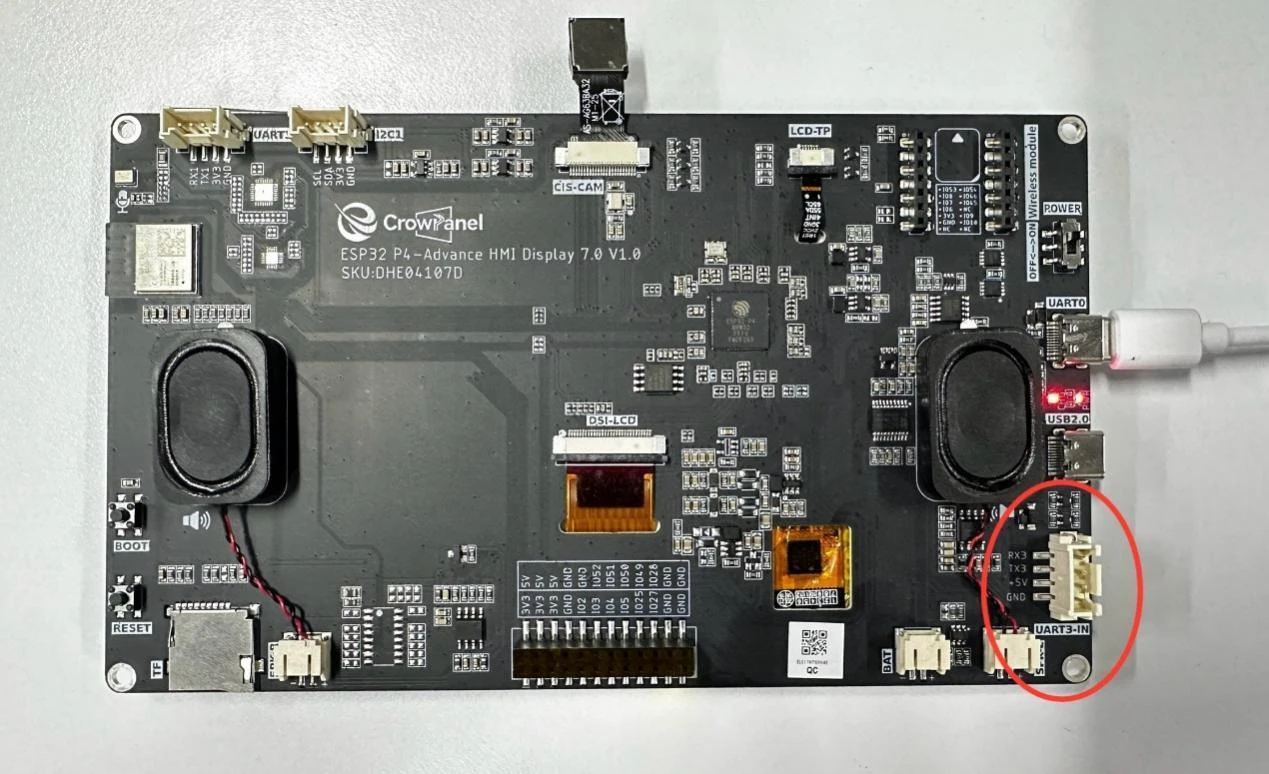
At this moment, everyone can see that the UART3-IN and UART0 interfaces. In the previous lesson, when we were burning the code, we learned that the UART0 pin is used for uploading the code. At the same time, you can also see that after connecting the UART0 interface, the power indicator next to it lights up, indicating that power supply is still available.
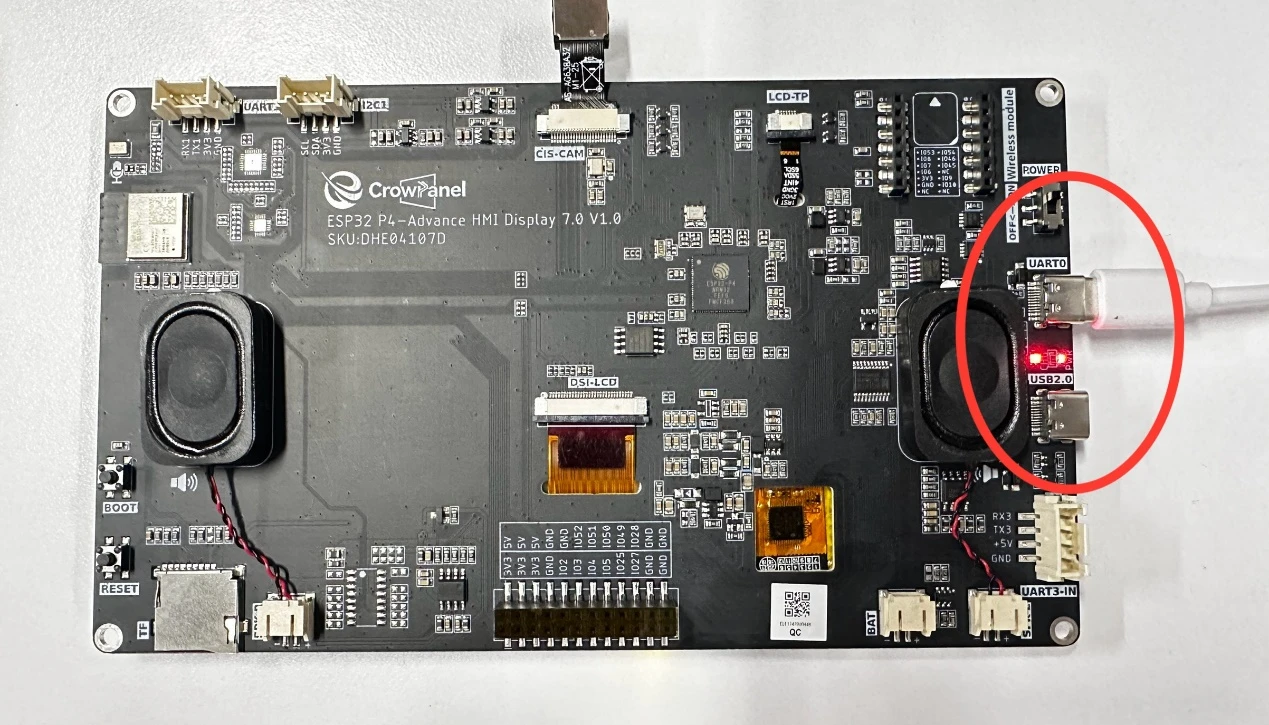
Then we come back to the UART3-IN interface. This interface is similar in function to the UART0 interface we just discussed. It can supply power, but it cannot upload code.
The UART0 interface is connected to the serial port burning chip, making code burning relatively convenient.
However, the UART3-IN interface does not have a serial port burning chip. It can only be used for power supply and serial port operations.
So, here we will explain how the UART3-IN interface can be used as a power supply function.
You need to prepare a power supply, along with two Dupont wires. One wire connects the VCC pin of UART3-IN to the positive terminal of the power supply, and the other wire connects the GND pin of UART3-IN to the negative terminal of the power supply. 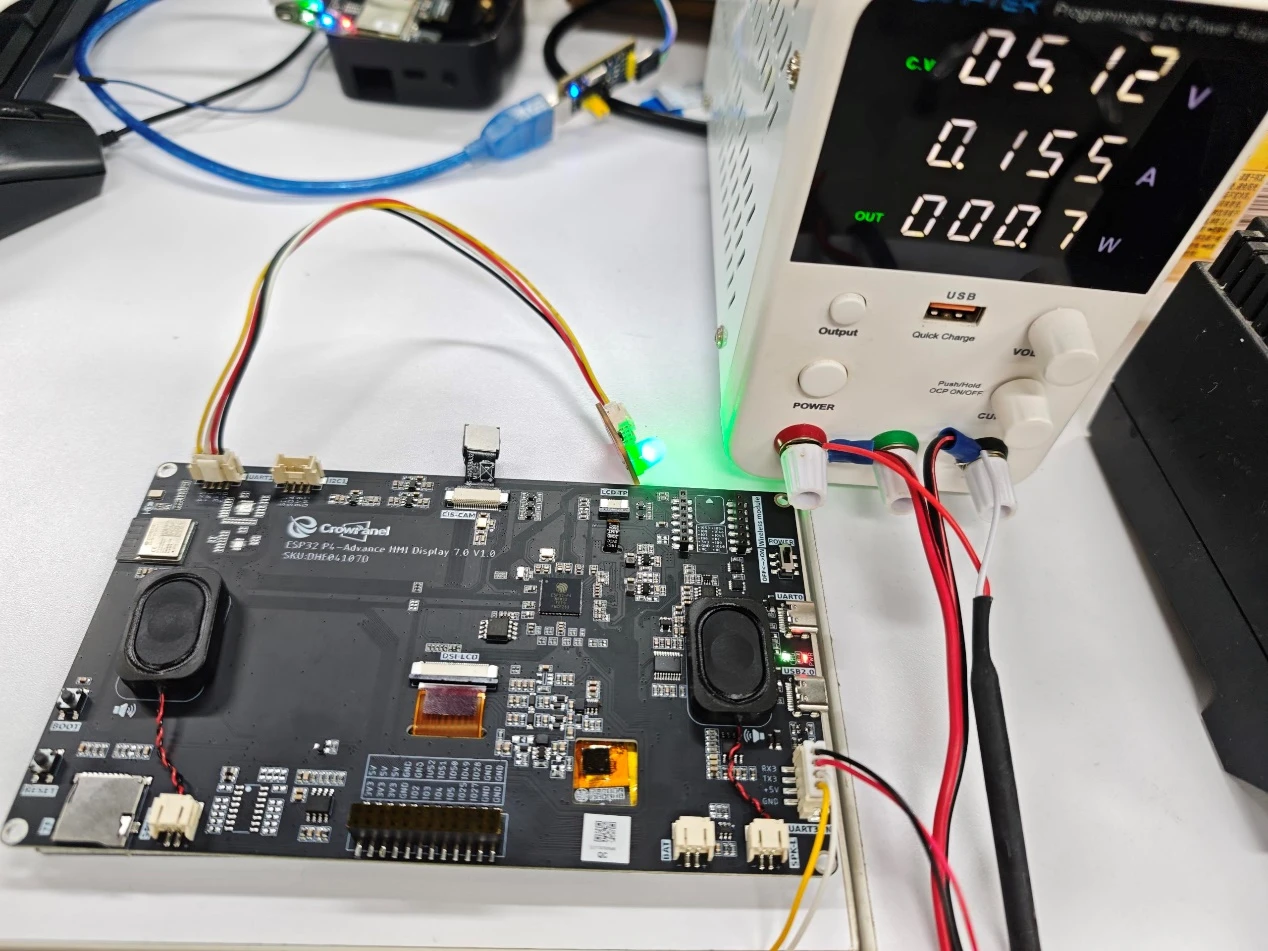
Note: The voltage and current used here are
provided by a programmable power supply. You only need to ensure that the externally supplied voltage is 5V and the current is 2A, then connect them to the corresponding VCC pin and GND pin on UART3-IN (connect the positive terminal to VCC and the negative terminal to GND).
Make sure your wires are connected correctly, then turn on the power switch to supply power.
At this point, you will be able to see the LED light we turned on in the last lesson. It is also blinking now, indicating that the power supply has been successful.
Of course, in addition to serving as an input power interface, USRT3-IN can also be used as a normal serial port. However, it should be noted that when connecting UART3-IN, since UART3-IN cannot provide power externally, the side connected to UART3-IN needs to be able to supply power itself.