Lesson03_Encoder_Backlight: Adjusting Brightness with a Rotary Encoder
1. Lesson Overview
This lesson reads an A/B two-phase rotary encoder (GPIO45, 42), uses a quadrature state table to determine the rotation direction, and adjusts the LCD backlight via PWM. Pressing the encoder button on GPIO41 toggles the GPIO4 LED. The screen displays the brightness percentage and LED status, forming a complete “input—state calculation—display—output” example.
2. Learning Objectives
- Be able to explain the relationship between A/B two-phase signals and the rotation direction.
- Be able to explain why the lookup-table accumulator must reach 4 before the brightness changes by 5%.
- Be able to verify changes in the backlight and LED status through rotation and button presses.
3. Preparation
-
ESP32-S3 1.46 development board, onboard LCD, rotary encoder, and GPIO4 LED.
-
Arduino IDE, LVGL, LovyanGFX, and the project libraries.
-
Lesson03-Rotate.inoandCommon_1_46.hin the same directory.
Code download link: https://github.com/Elecrow-RD/CrowPanel-1.46inch-HMI-ESP32-Rotary-Display/tree/master/example/V1.0/Arduino/Examples/
4. Software Operation Steps
- Open
Lesson03-Rotate.inoand confirm that the common header file is in the same directory.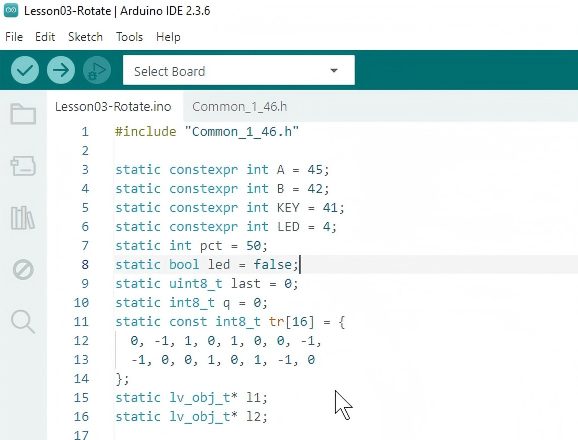
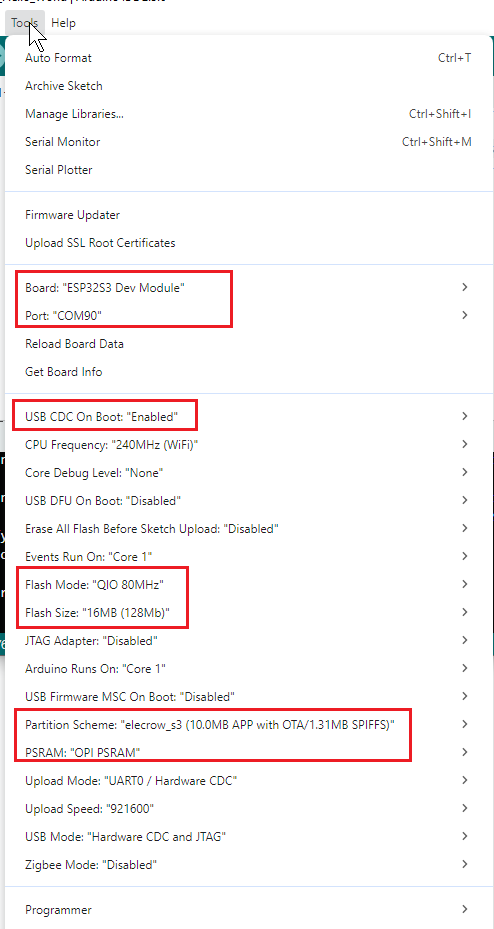
- Select the development board, serial port, and other configuration options.
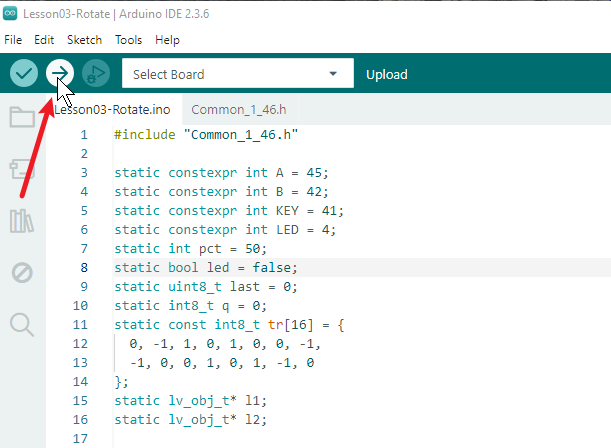
- Upload the program.
5. Hardware Operation Steps
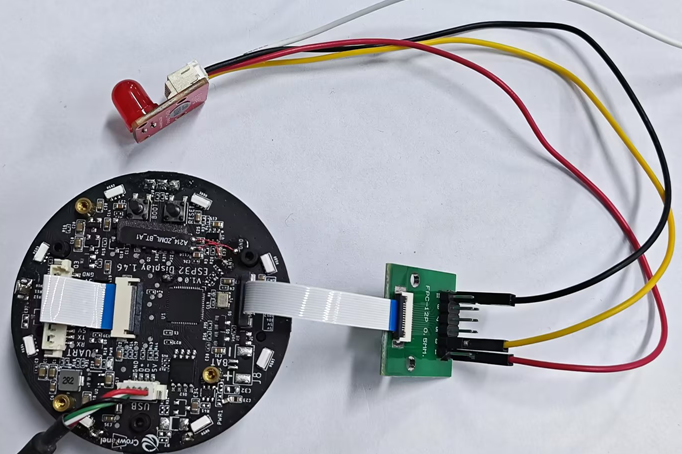
- With the power disconnected, check the encoder A, B, and KEY connections and the LED wiring, then power the board via USB.
- Rotate the encoder clockwise or counterclockwise and observe the brightness percentage on the screen and the actual backlight change.
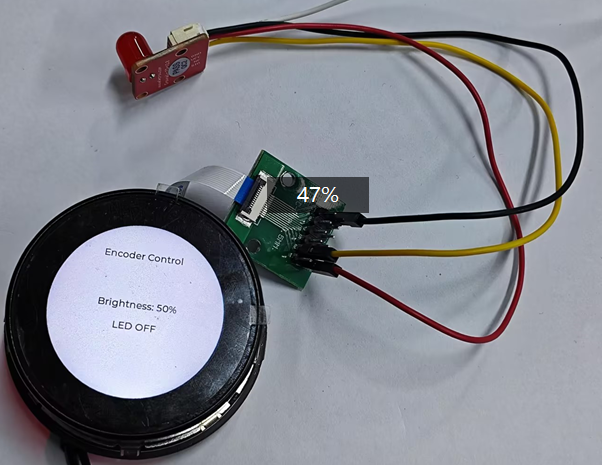
- Press the encoder button and confirm that the LED and the
LED ON/OFFindicator on the screen toggle synchronously.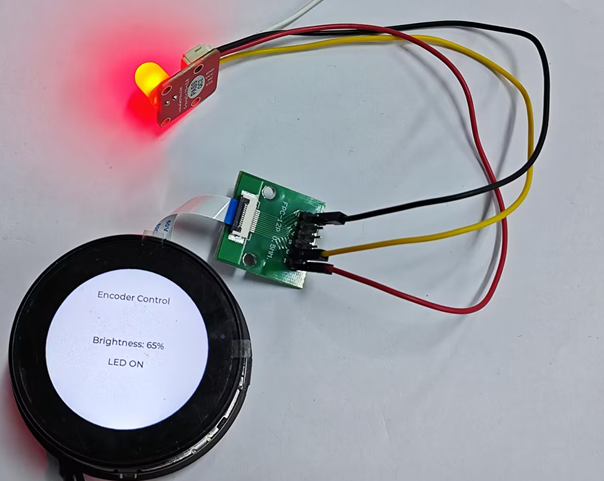
6. Explanation of Key Code
static const int8_t tr[16]={0,-1,1,0,1,0,0,-1,-1,0,0,1,0,1,-1,0};
uint8_t now=(digitalRead(A)<<1)|digitalRead(B);
q += tr[(last<<2)|now];
last=now;
tr combines the previous and current 2-bit A/B states into an index, accumulates valid phase changes, and filters out some bounce. The brightness is adjusted by 5% only when the accumulated value reaches 4 or -4, so minor noise should not cause brightness jumps.
The PWM duty cycle is mapped from 0–100% to 0–255. The button uses a pull-up input and detects the high-to-low edge to prevent repeated triggering while the button is held down. Changing the step size of pct changes the brightness increment for each step.
7. Experimental Results
The screen displays Encoder Control, the current brightness, and the LED status. When the encoder is rotated, the brightness changes in 5% increments within the range of 0–100%; each button press toggles the LED once. If the direction is reversed, first check the A/B wiring. Do not plug or unplug exposed wires while the power is on.
8. Code Download
Code download link: https://github.com/Elecrow-RD/CrowPanel-1.46inch-HMI-ESP32-Rotary-Display/tree/master/example/V1.0/Arduino/Examples/。