CrowPanel_1.46_inch-HMI_ESP32_Rotary_Display_360_360_IPS_Round_Touch_Knob_Screen
Model DHR55146D

Schematic Diagram:
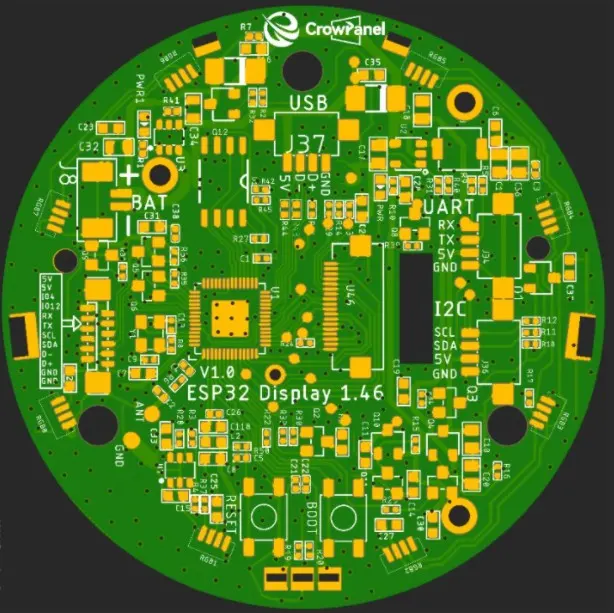
ESP32-S3 with display and touch schematic diagram
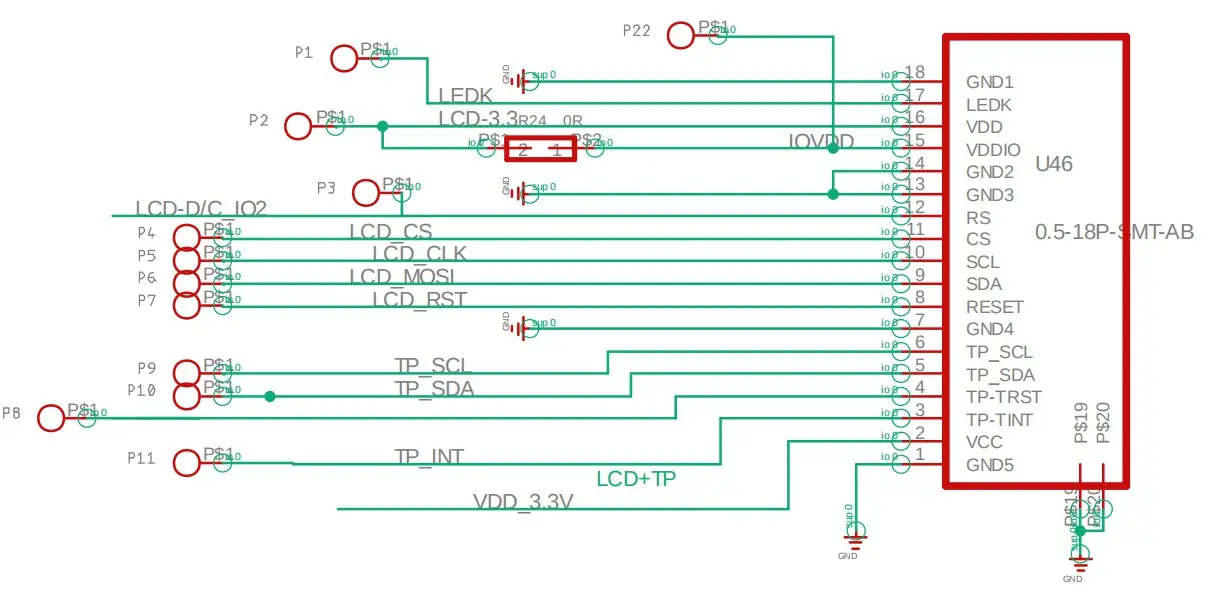
LovyanGFX Display Configuration
'''cpp
  LGFX(void) {
    {
      auto cfg = _bus_instance.config();
      cfg.spi_host = SPI2_HOST;
      cfg.spi_mode = 0;
      cfg.freq_write = 80000000;
      cfg.freq_read = 20000000;
      cfg.spi_3wire = true;
      cfg.use_lock = true;
      cfg.dma_channel = SPI_DMA_CH_AUTO;
      cfg.pin_sclk = 10;
      cfg.pin_mosi = 11;
      cfg.pin_miso = -1;
      cfg.pin_dc = 3;
      _bus_instance.config(cfg);
      _panel_instance.setBus(&_bus_instance);
    }
    {
      auto cfg = _panel_instance.config();
      cfg.pin_cs = 9;
      cfg.pin_rst = 14;
      cfg.pin_busy = -1;
      cfg.memory_width = 360;
      cfg.memory_height = 360;
      cfg.panel_width = 360;
      cfg.panel_height = 360;
      cfg.offset_x = 0;
      cfg.offset_y = 0;
      cfg.offset_rotation = 0;
      cfg.dummy_read_pixel = 8;
      cfg.dummy_read_bits = 1;
      cfg.readable = false;
      cfg.invert = false;
      cfg.rgb_order = true;
      cfg.dlen_16bit = false;
      cfg.bus_shared = false;
      _panel_instance.config(cfg);
    }
    setPanel(&_panel_instance);
  }


  static TwoWire* wi=&Wire;
  //TP_INT 5;TP_RST  13
  cst816t touch = cst816t(Wire,13,5);
  //TP I2C
  wi->setPins(6,7);
'''
Screen backlight pins:
LED and RGB light pins:
Encoder pins:
i2c:
FPC:
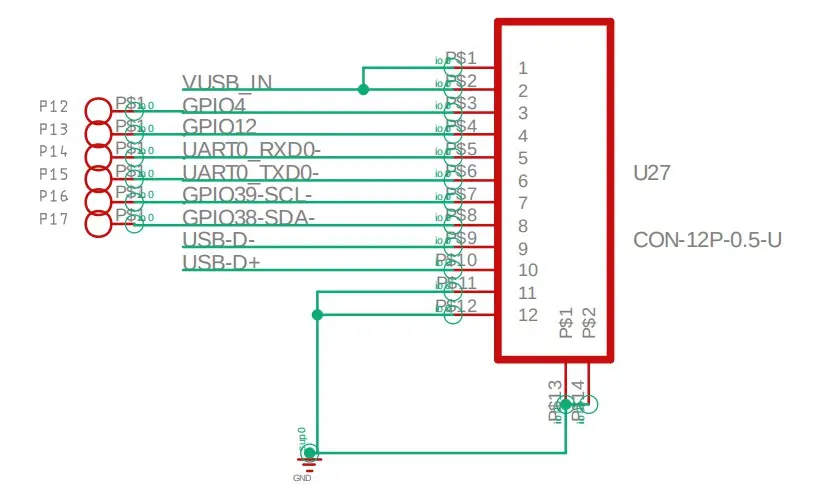
Pin Definition
| Function | GPIO |
|---|---|
| LCD SCLK | GPIO10 |
| LCD MOSI | GPIO11 |
| LCD CS | GPIO9 |
| LCD DC | GPIO3 |
| LCD RST | GPIO14 |
| Touch SDA | GPIO6 |
| Touch SCL | GPIO7 |
| Touch INT | GPIO5 |
| Touch RST | GPIO13 |
| Backlight | GPIO46 |
| Encoder A | GPIO45 |
| Encoder B | GPIO42 |
| Encoder Switch | GPIO41 |
| Power LED | GPIO40 |
| RGB LED | GPIO48 |
| I2C_SDA | GPIO38 |
| I2C_SCL | GPIO39 |
Use the configuration guide:
Get Started with Arduino IDE
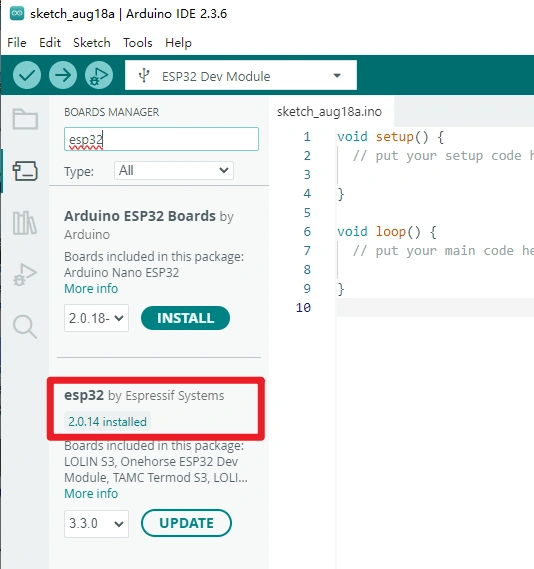
Please click the card below to learn how to install Arduino IDE, and install ESP32 board in the Arduino IDE.

Recommended ESP32 Board Package Version: 2.0.14
Later versions may require code modifications.
Platforms Supported
| Arduino IDE | ESPHome |
|---|---|
 |  |
 | |
GitHub Repository
The demo source code and examples are available on GitHub:
CrowPanel-1.46inch-HMI-ESP32-Rotary-Display
(This GitHub link usually may contain 3D files, schematics, program code, factory firmware, factory sourcecode and other materials. Please click to view.)
Where to Buy
Please visit this page to purchase CrowPanel 1.46 inch-HMI ESP32 Rotary Display.
Support
If you encounter any issues while using the service, you can contact us via the social media links in the bottom-right corner of elecrow or send an email to techsupport@elecrow.com for technical support.