Lesson04_I2C_DHT20: Reading and Displaying Temperature and Humidity
1. Course Overview
In this lesson, Wire1 is used on GPIO38/39 to read the DHT20 via I2C (address 0x38). Approximately every 2 seconds, the temperature and humidity are parsed and displayed on the LCD, while serial logs are output simultaneously. The key topics are I2C commands, 6-byte data parsing, and read-failure notifications.
2. Learning Objectives
- Be able to wire and initialize the DHT20 using the specified SDA/SCL connections.
- Be able to explain the conversion from the DHT20's raw humidity and temperature data to engineering units.
- Be able to troubleshoot I2C issues based on success or error messages shown on the screen and in the serial output.
3. Preparation
-
ESP32-S3 1.46 development board, LCD, and DHT20 module.
-
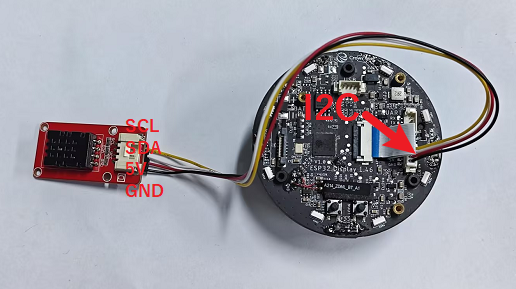
DHT20 wiring: 3.3 V, GND, SDA=38, and SCL=39.
-
Arduino IDE, LVGL, LovyanGFX, and the project libraries.
-
Lesson04-Temperature_and_Humidity.inoandCommon_1_46.h.
Code download link: https://github.com/Elecrow-RD/CrowPanel-1.46inch-HMI-ESP32-Rotary-Display/tree/master/example/V1.0/Arduino/Examples/
4. Software Procedure
- Open the DHT20 project.
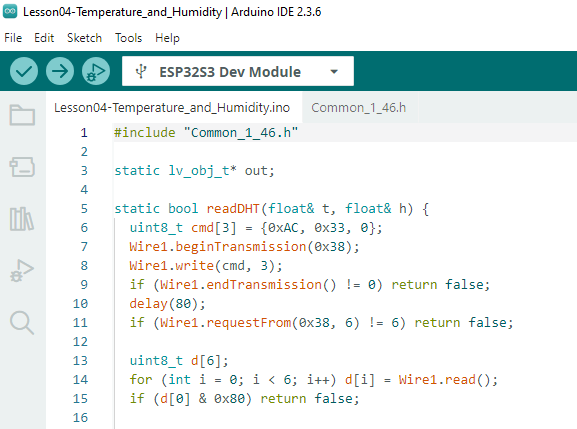
- Download the configuration.
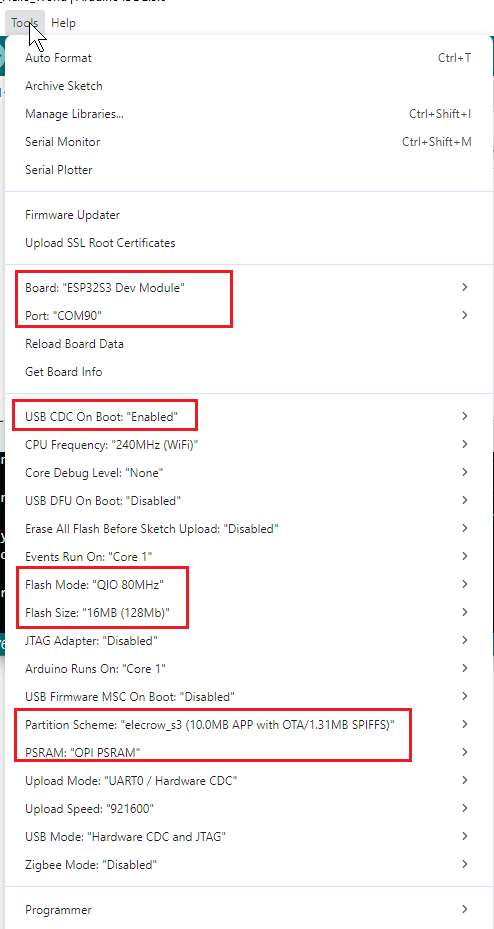
- Compile and upload the program.
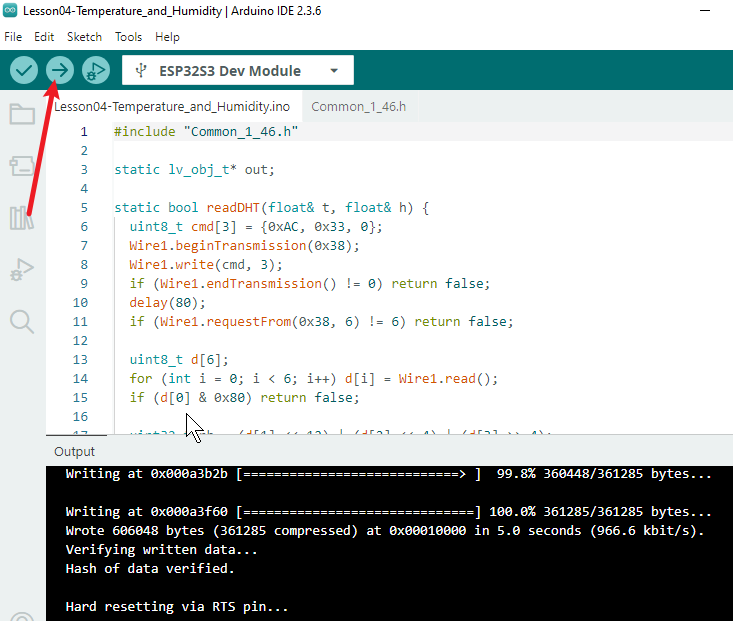
5. Hardware Procedure
- With the power off, connect the DHT20 power and I2C wires. Verify that the voltage is 3.3 V, then power on the device.
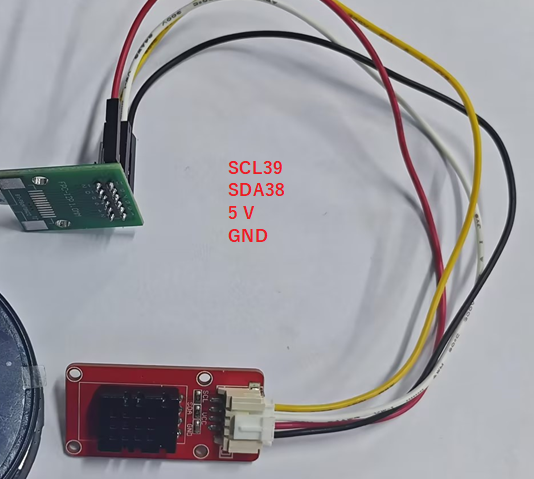
The rotary display exposes additional I2C pins, so I2C devices can be connected directly through the extra interface without using the FPC cable.
- Wait for the screen to update from
Reading DHT20...to the temperature and humidity readings, and observe the synchronized serial output.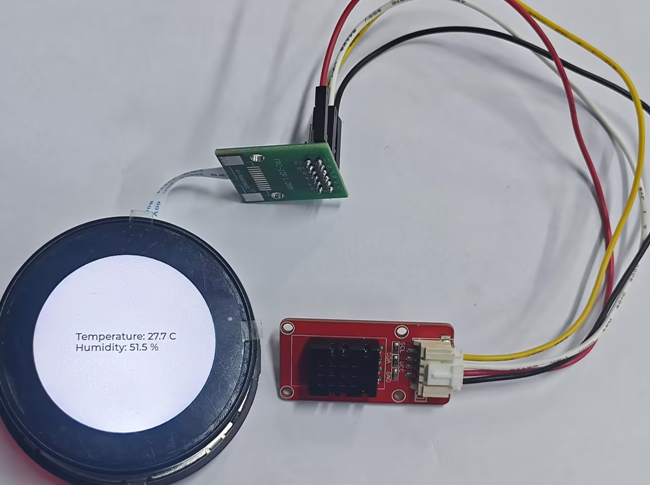
6. Key Code Explanation
Wire1.begin(38,39);
uint8_t cmd[3]={0xAC,0x33,0};
Wire1.beginTransmission(0x38); Wire1.write(cmd,3);
Wire1 uses an independent I2C bus. Pins 38/39 are the SDA/SCL pins for the DHT20 in this project, and 0x38 is the device address. After sending the measurement command, the program waits 80 ms and then requests 6 bytes of data. An incorrect address, wire order, or wait time will cause the read to fail.
uint32_t rh=(d[1]<<12)|(d[2]<<4)|(d[3]>>4);
uint32_t rt=((d[3]&15)<<16)|(d[4]<<8)|d[5];
h=rh*100.0/1048576.0; t=rt*200.0/1048576.0-50;
This code converts the sensor's packed 20-bit raw values into a percentage and a temperature in degrees Celsius. If the status bits in d[0] indicate that the measurement is incomplete, the function returns a failure, and the interface displays DHT20 read error.
7. Experimental Results
At startup, the screen displays a waiting message. Approximately every 2 seconds, it updates Temperature: x.x C and Humidity: x.x %, and the serial output shows the same content. If the sensor is disconnected or the wiring is incorrect, DHT20 read error should be displayed. After the wiring is restored, the readings can be retrieved again during the next cycle.
8. Code Download
Code download link: https://github.com/Elecrow-RD/CrowPanel-1.46inch-HMI-ESP32-Rotary-Display/tree/master/example/V1.0/Arduino/Examples/