3.5inch_Lesson02_WiFi_HTTP_MP3
1. Course Introduction
In this lesson, the CrowPanel Advance 3.5inch ESP32-S3 development board is used to connect to Wi-Fi and play online songs through an HTTP MP3 link. After the program starts running, it first connects to the wireless network, then opens the MP3 network audio stream via audio.connecttohost(), and finally the Audio library handles network reading, audio decoding, and I2S output, allowing the speaker to play the online song.
This lesson builds on the Arduino environment and serial port verification covered in Lesson01. The serial log helps learners determine whether the Wi-Fi connection succeeded, whether the audio URL has started playing, and whether the program is still running normally.
2. Learning Objectives
- Be able to configure the Wi-Fi SSID and password.
- Be able to understand the relationship between the online MP3 URL and
audio.connecttohost(). - Be able to explain the relationship between the I2S
BCLK,LRC,DOUTsignals and audio output. - Be able to complete compilation and flashing in the Arduino IDE, and monitor the serial port at a baud rate of
115200. - Be able to determine, based on the serial log and speaker sound, whether network connection, decoding, and I2S output are working normally.
3. Preparation
- Hardware: CrowPanel Advance 3.5inch ESP32-S3 development board.
- Cable: A USB data cable that supports data transfer.
- Audio device: An external speaker, connected to the audio output port of the development board.
- Network: An internet-accessible 2.4 GHz Wi-Fi network.
- Software: Arduino IDE, along with the ESP32 Arduino development environment and course library files already configured in Lesson01.
- Dependencies: The
ESP32-audioI2Srelated library located in the project or the course library directory. - Project:
onlineAudio_small.ino.
Note: Playing online songs requires that the Wi-Fi network connected to the development board can access the corresponding audio URL. Corporate networks, campus networks, or hotspots that require web-based login authentication may result in a connected Wi-Fi connection but an inability to play songs.
Code and Resource Download
Code download: - lesson-02/OnlineAudio_small
4. Software Operation Steps
Open this lesson's project OnlineAudio_small.ino using the Arduino IDE. 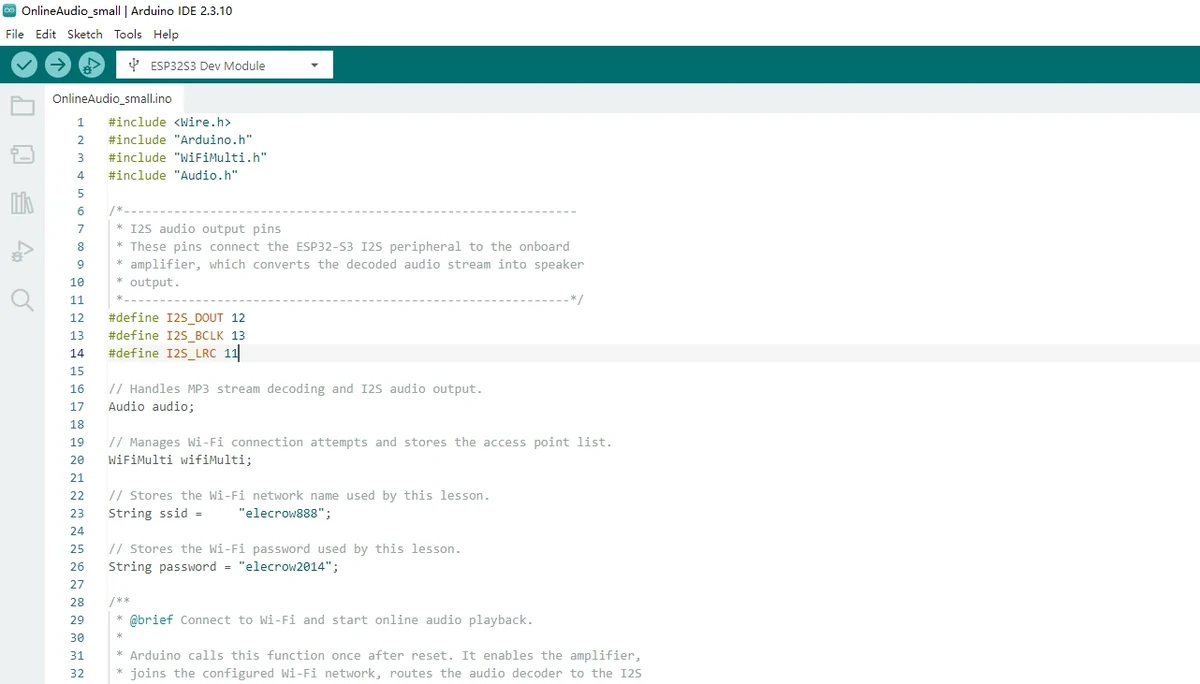
Connect the external speaker, and use a USB cable that supports data transfer to connect the 3.5inch development board to the computer. 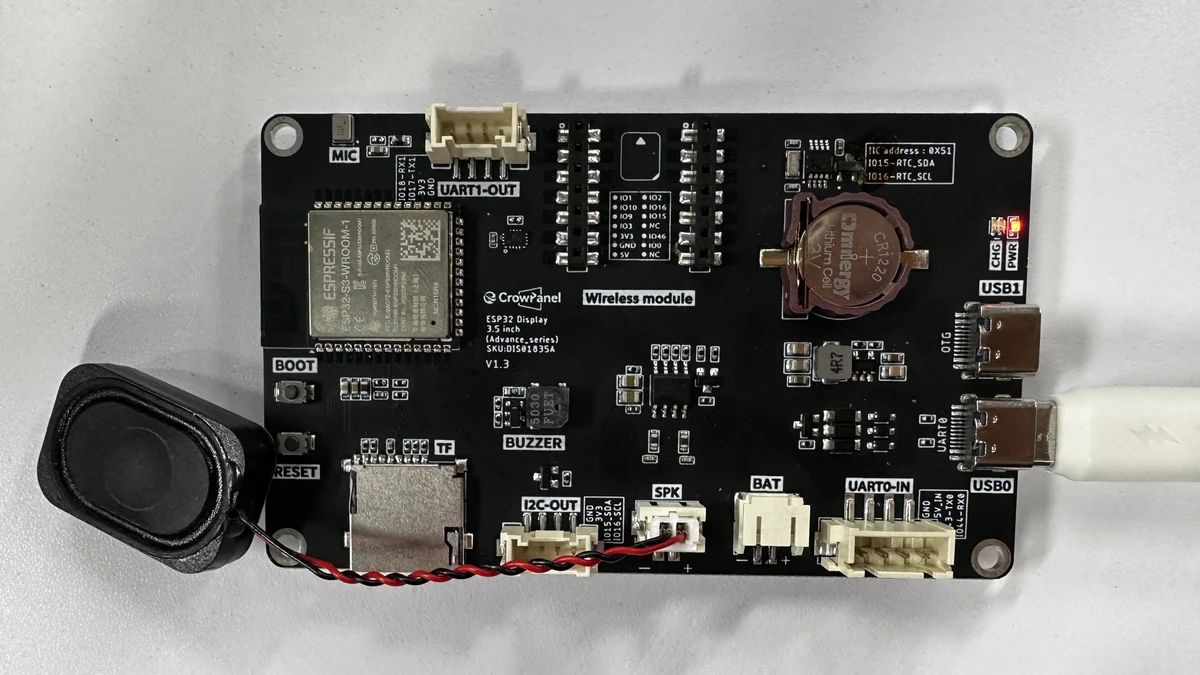
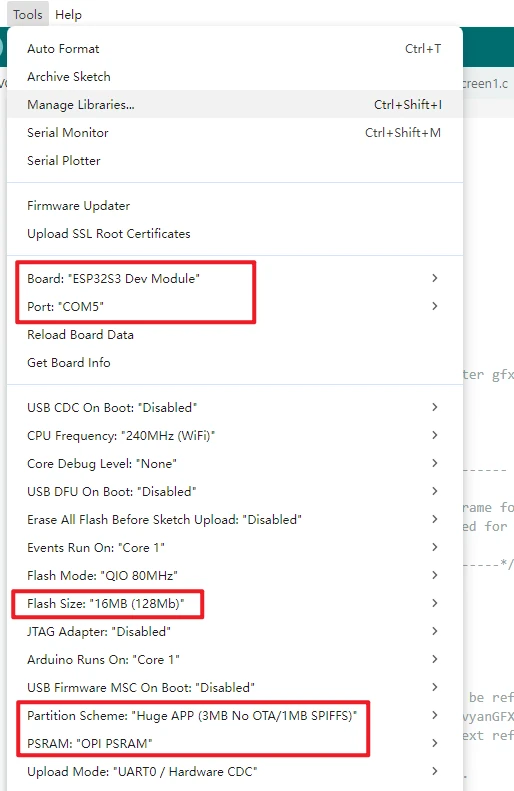
Complete the development environment configuration in the Tools menu as follows. Configure the Arduino IDE with the commonly used settings below:
-
Board:ESP32S3 Dev Module -
Port: Select the serial port corresponding to the current development board -
Flash Size:16MB (128Mb) -
PSRAM:OPI PSRAM -
Partition Scheme:Huge APP (3MB No OTA/1MB SPIFFS)
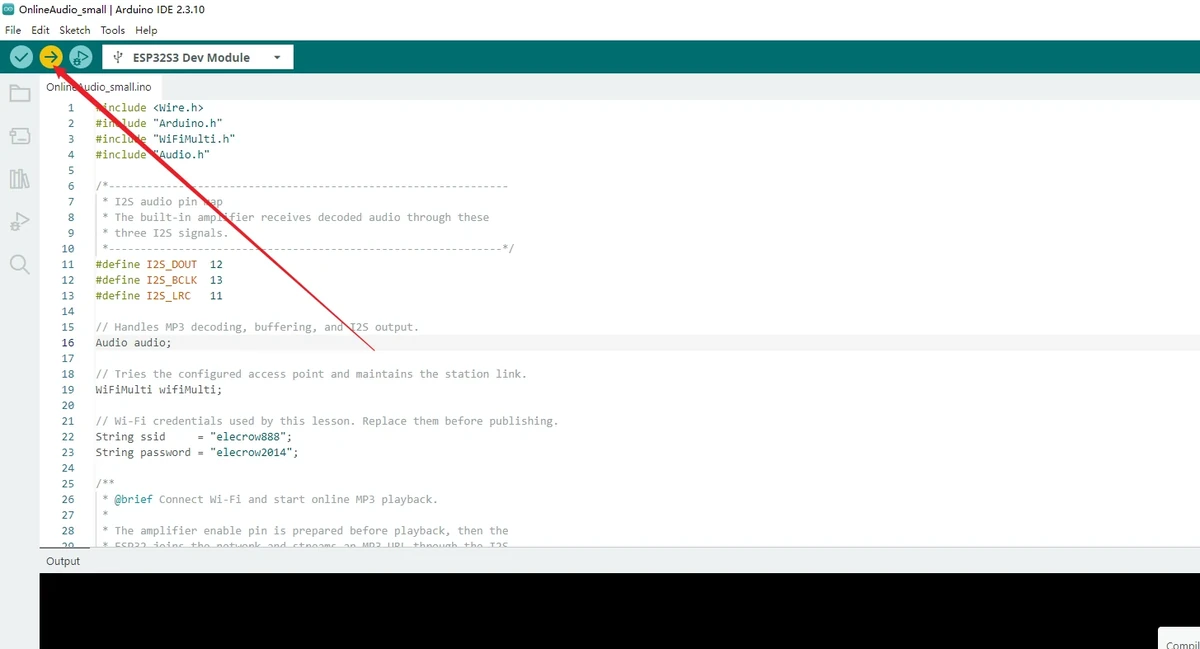
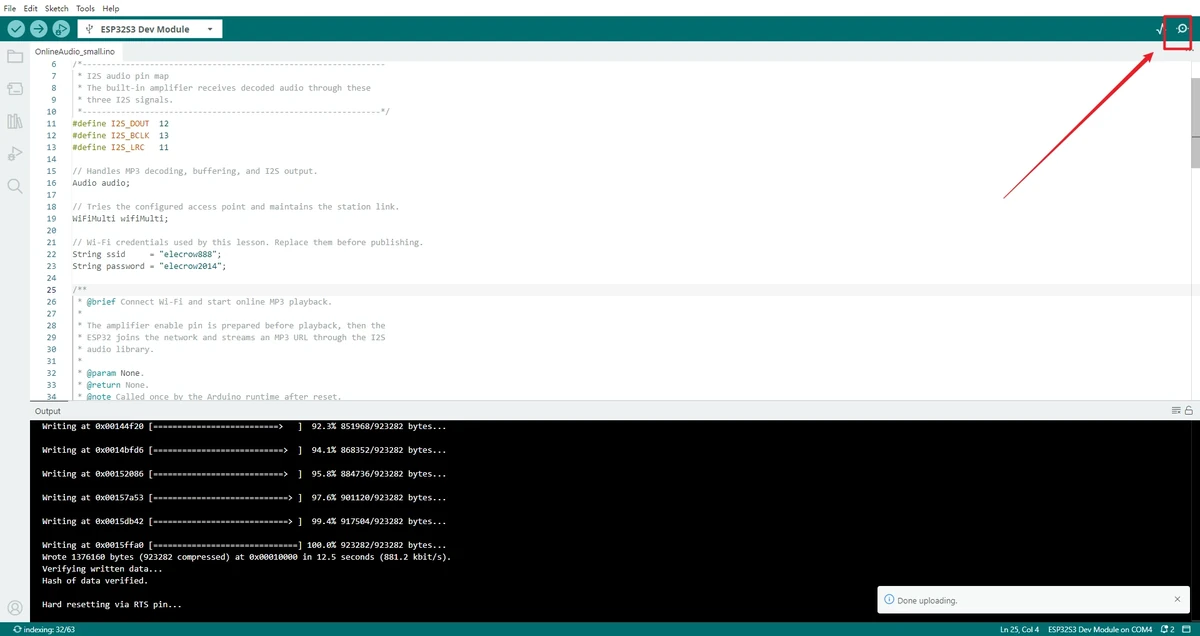
Click Upload to compile and wait for the upload to complete. If it gets stuck at Connecting..., check for port conflicts and use the BOOT/RESET download mode as required by the board.
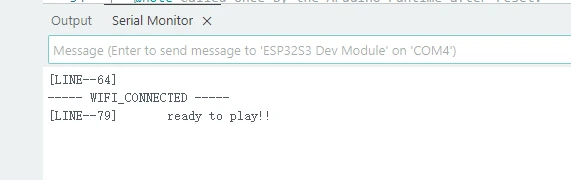
Open the Serial Monitor in the top-right corner, set the baud rate to 115200, and observe the Wi-Fi connection and audio playback logs.
5. Modifying the Wi-Fi and Song Links
5.1 Modify the Wi-Fi SSID and Password
Before flashing, you must change the Wi-Fi name and password in the code to the currently available network.
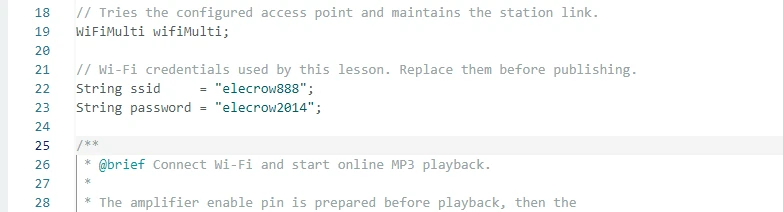
Note: The Wi-Fi in the official example code is a sample environment and cannot be used directly on your network. If the Wi-Fi name or password is entered incorrectly, the program will stall at the connection stage and audio playback will not begin.
5.2 Modify the Online Song Link
In the current 3.5inch project, the online MP3 address is entered directly in audio.connecttohost(). To change the song, you can replace the URL in this line.
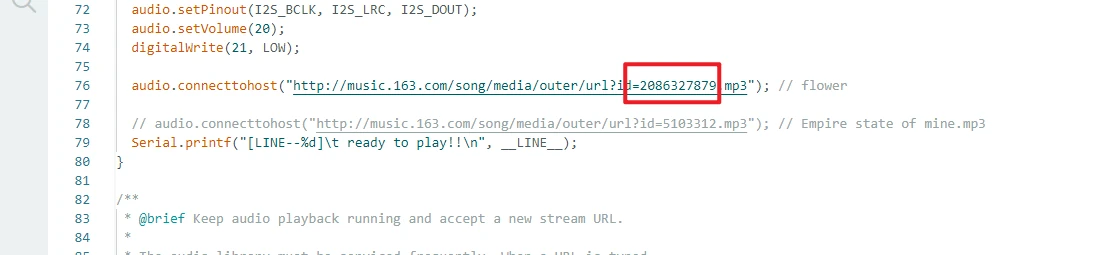
If you use a NetEase Cloud Music external link, the song page URL usually contains an id= parameter, for example:
Replace the 2086327879 in it with http://music.163.com/song/media/outer/url?id=songID.mp3, then recompile and flash. 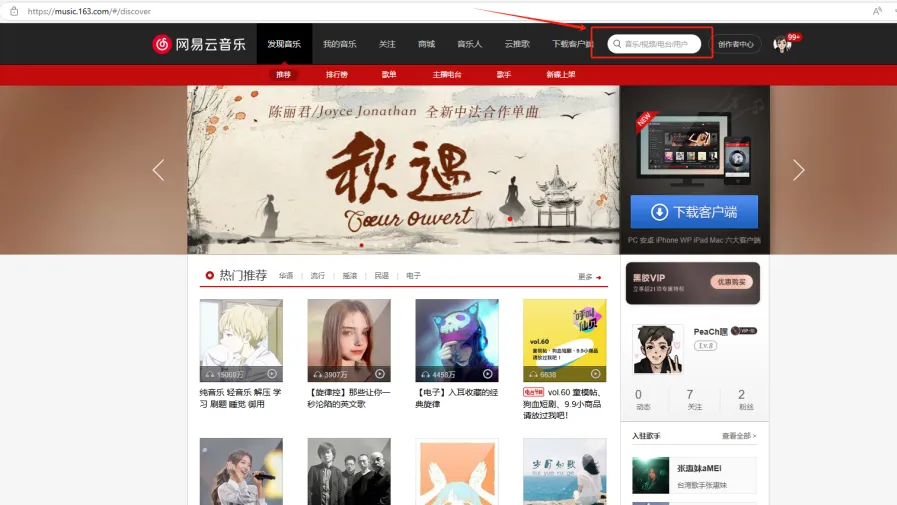
Note: You may only select publicly playable, non-VIP songs. VIP, paid, copyright-restricted, region-restricted, or login-required songs usually cannot be played through this external link method.
5.3 Temporarily Switch the URL via the Serial Port
After the program is running, you can also enter a new audio URL in the Serial Monitor and send it. The code will read the serial input and attempt to play the new address. 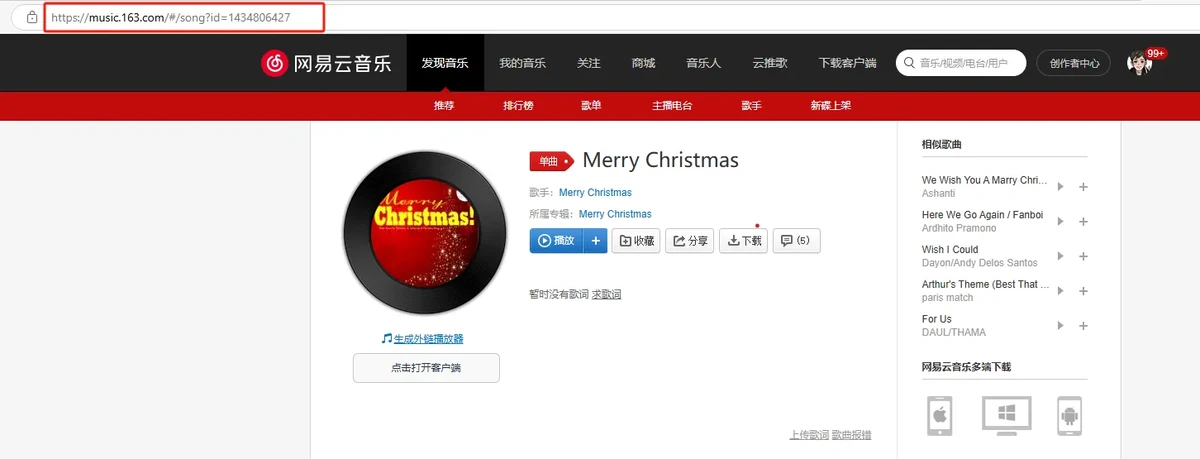
6. Music Platforms and Link Explanation
This lesson uses an "audio stream link," not a regular web playback link. audio.connecttohost() requires direct access to the audio data so that the Audio library can download, decode, and output it to I2S.
Usable link types:
- MP3 audio stream links that can be opened directly.
- Audio stream links in AAC, FLAC, and other formats supported by the Audio library.
- External links similar to
http://music.163.com/song/media/outer/url?id=songID.mp3.
Link types not suitable for direct use:
- Song page links from platforms such as Spotify, Apple Music, and YouTube Music.
- Links that require login, membership privileges, Token, Cookie, or a web player to play.
- URLs that only display a song page but are not the audio file itself.
Note: If the program reports no errors but produces no sound, first copy the URL in
audio.connecttohost()into a computer browser to test it. When the browser cannot directly play or download the audio, the development board usually cannot play it either.
7. Key Code Explanation
These three wires send the decoded audio data from the ESP32-S3 to the audio amplifier. DOUT carries the audio data, BCLK provides the bit clock, and LRC is used for left/right channel synchronization. When the pin configuration is incorrect, the Wi-Fi and audio URL may both be fine, but the speaker produces no sound.
GPIO21 controls the audio amplifier path used in this lesson. In the code, GPIO21 is pulled low to enable the audio output path. If both Wi-Fi and the URL are normal but there is no sound, you should check the GPIO21 control, the speaker connection, and the volume setting together.
The development board connects to the router in Station mode. If WIFI_CONNECTED does not appear in the serial output for a long time, first check the Wi-Fi name, password, network frequency band, and signal strength.
audio.setPinout(I2S_BCLK, I2S_LRC, I2S_DOUT);
audio.setVolume(20);
audio.connecttohost("http://music.163.com/song/media/outer/url?id=2086327879.mp3");
setPinout() sets the I2S output pins, setVolume(20) sets the software volume, and connecttohost() opens the online audio stream. The Audio library automatically handles server connection, audio data download, MP3 decoding, and PCM data output.
audio.loop() is the core scheduling function for audio playback and must run continuously inside loop(). It is responsible for receiving network data, maintaining buffers, decoding audio, and outputting it to I2S. If it is not called continuously, even if the Wi-Fi is connected and the audio link is correct, the song will not play normally.
8. Experimental Observations
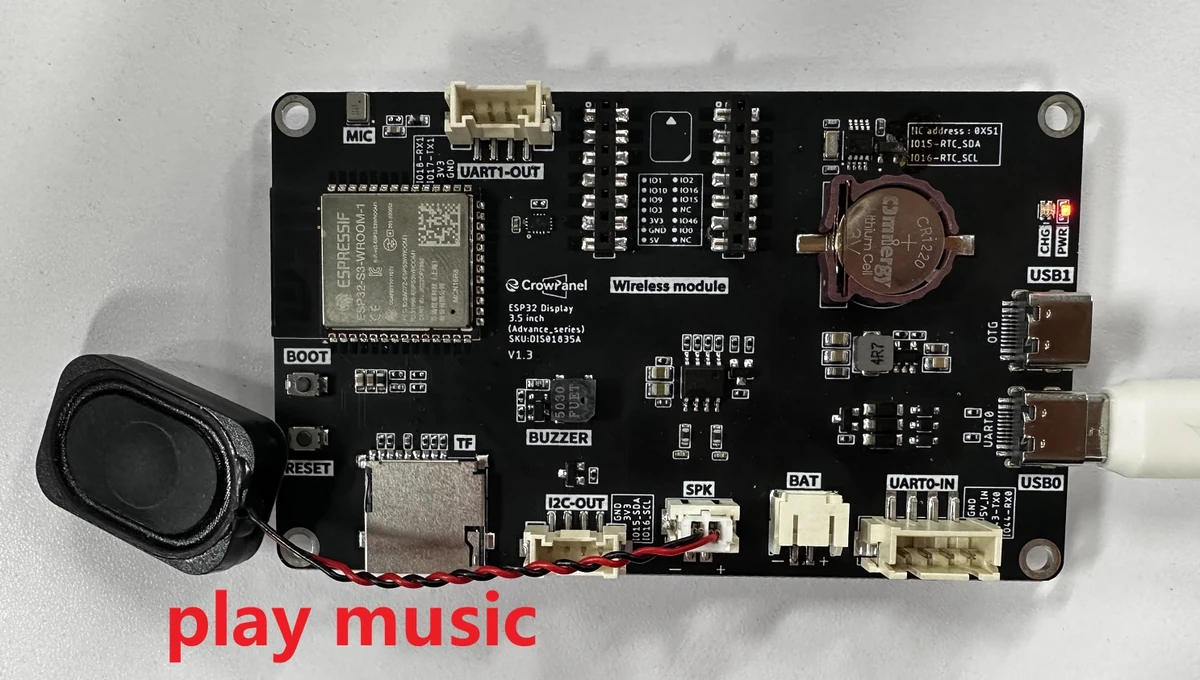
After flashing is complete, the Serial Monitor first outputs the Wi-Fi connection process. Once the connection succeeds, ----- WIFI_CONNECTED ----- and ready to play!! appear. When the hardware connection is normal, the external speaker plays the online song. After entering a new valid URL, the original song stops and the program attempts to play the new audio stream.
When the hardware connection is normal, the external speaker plays the online song.
9. Code Download
Code path: lesson-02/OnlineAudio_small