Miner User Manual
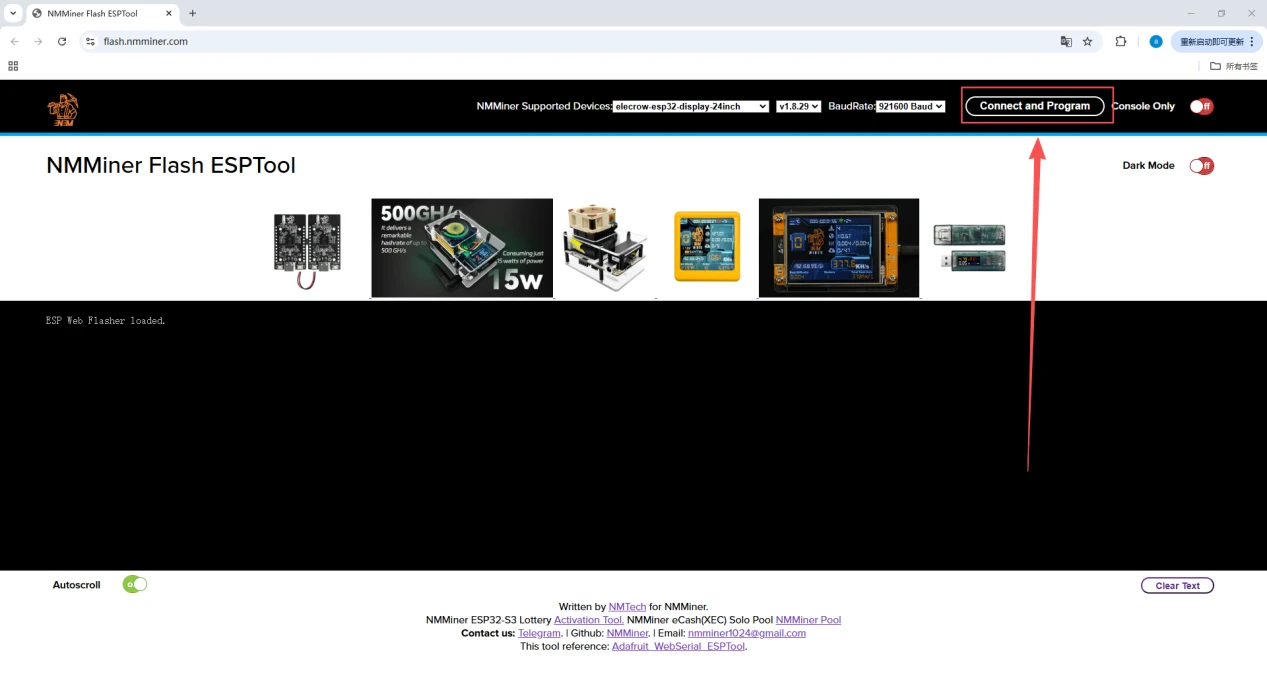
1.Open the firmware flashing URL:https://flash.nmminer.com/
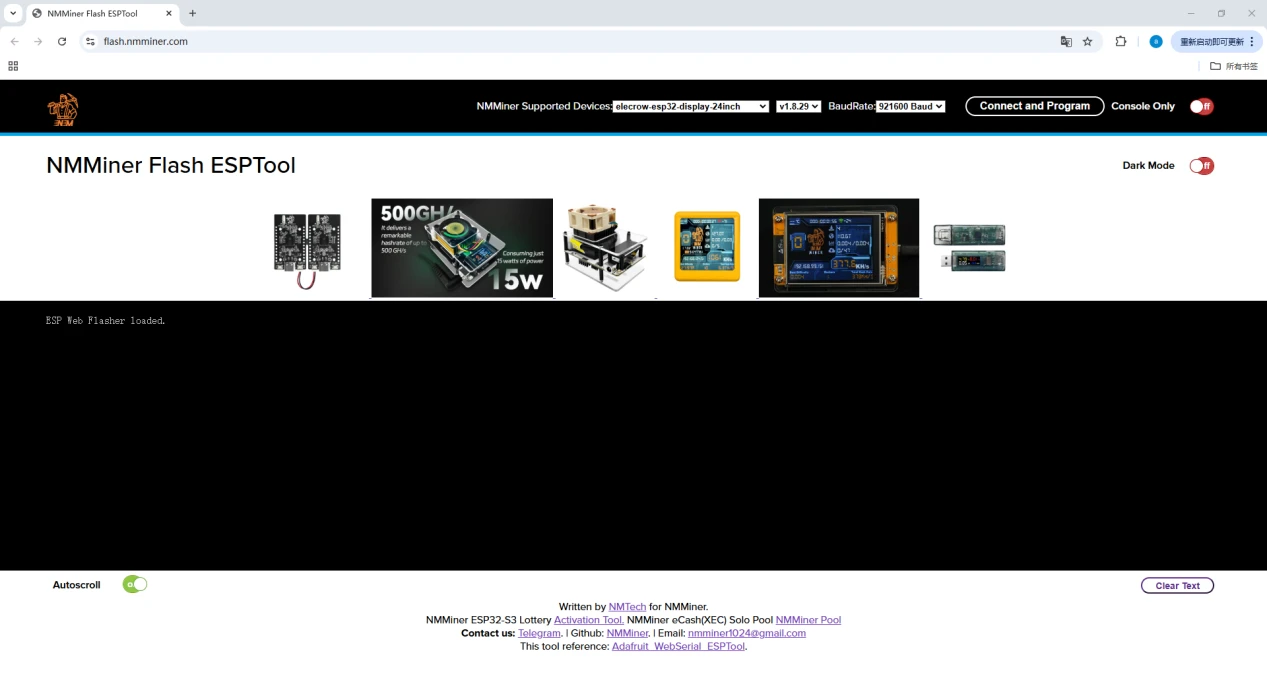
2.Connect the device.
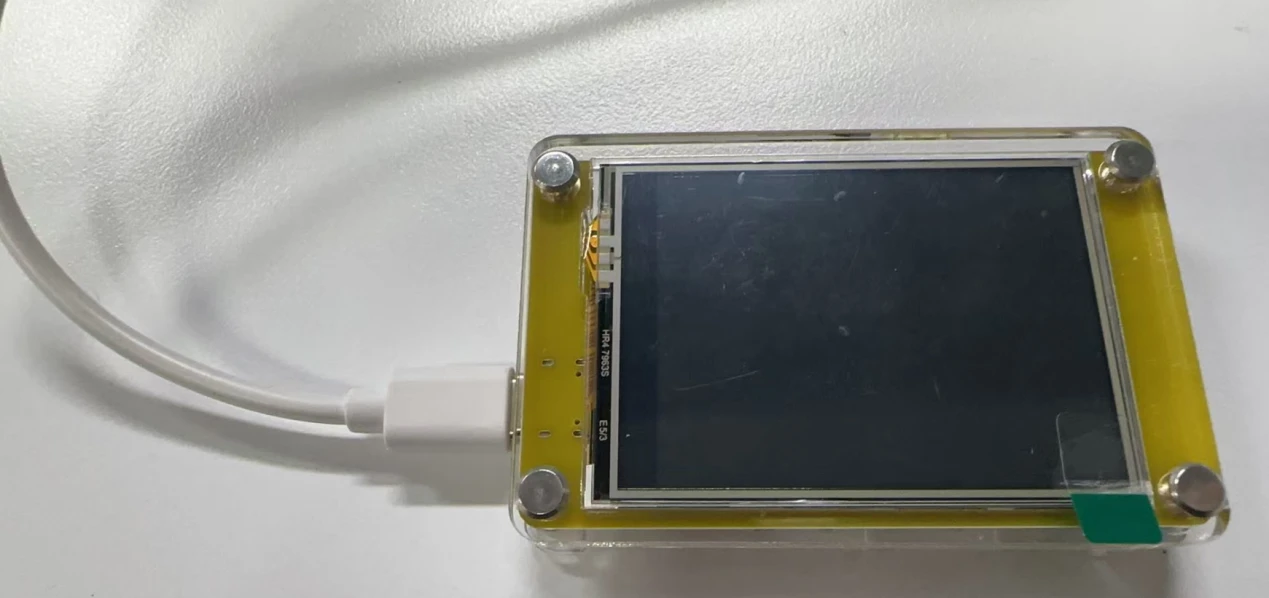
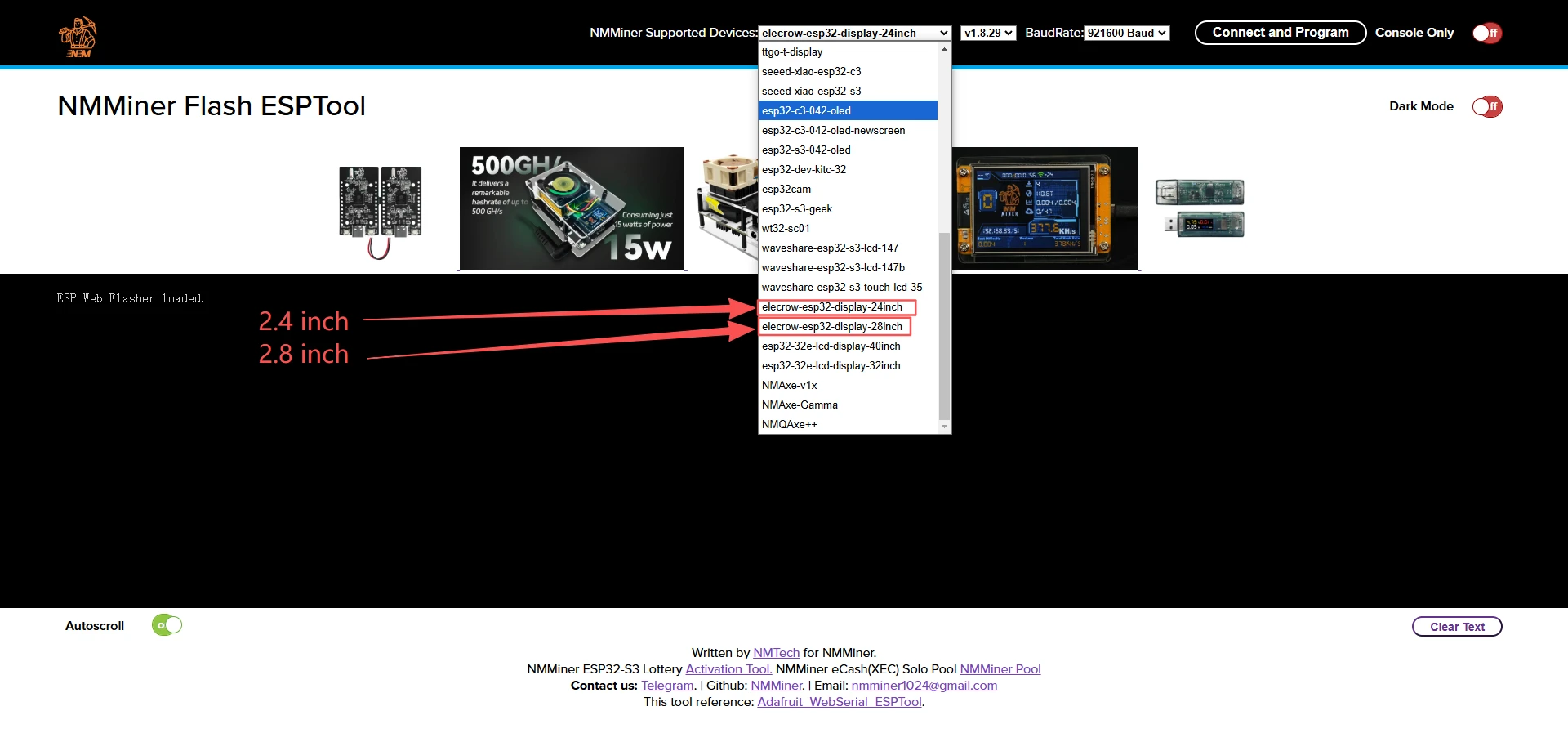
3.Select the corresponding firmware to be flashed.
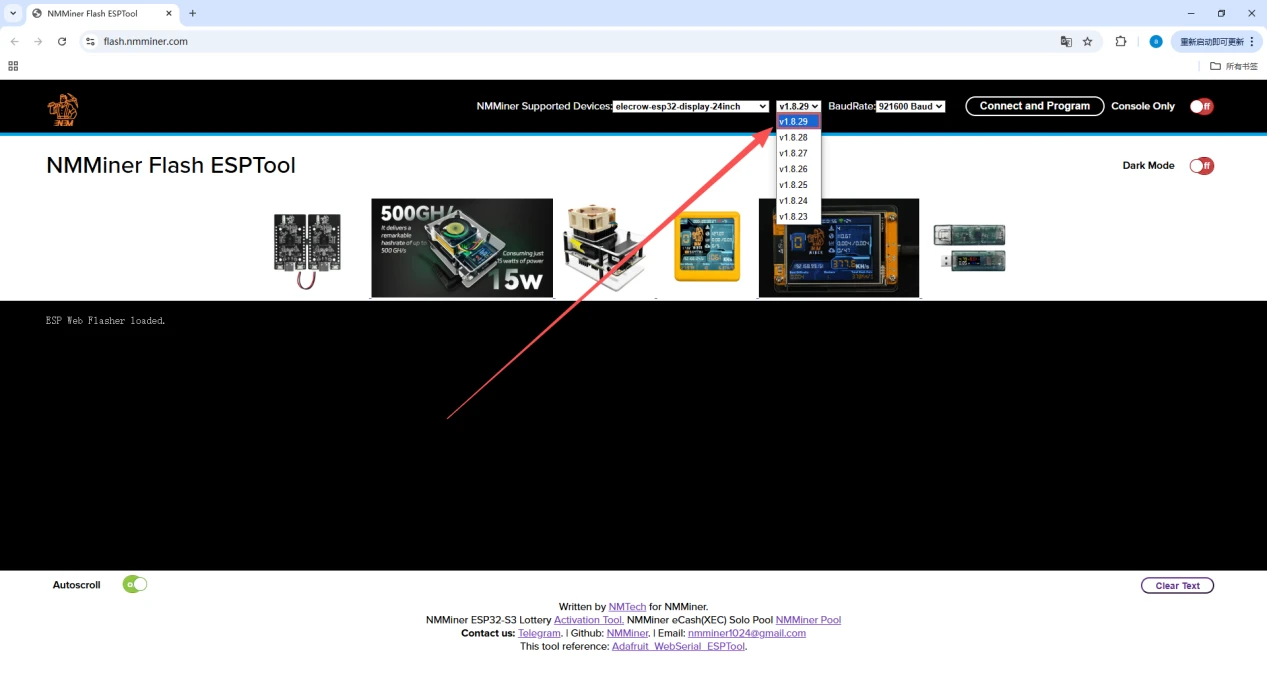
4.Select the latest version.
5.Click Connect to start flashing.
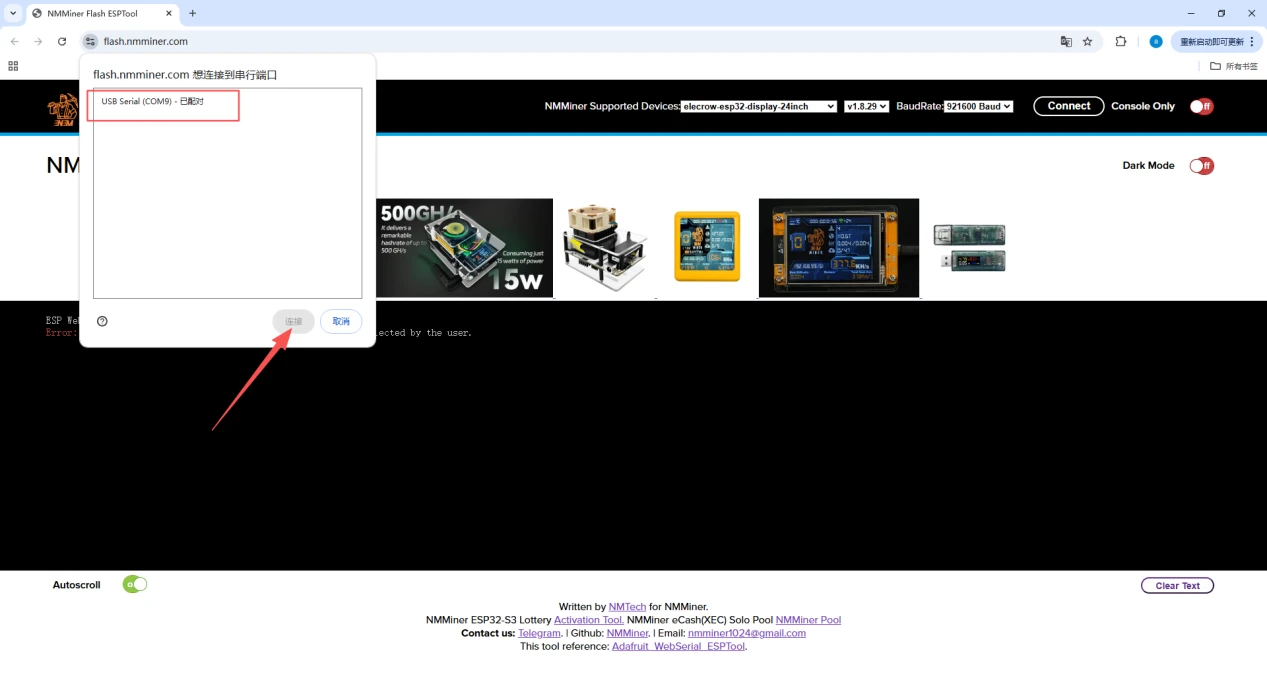
6.Select the serial port and proceed with flashing.
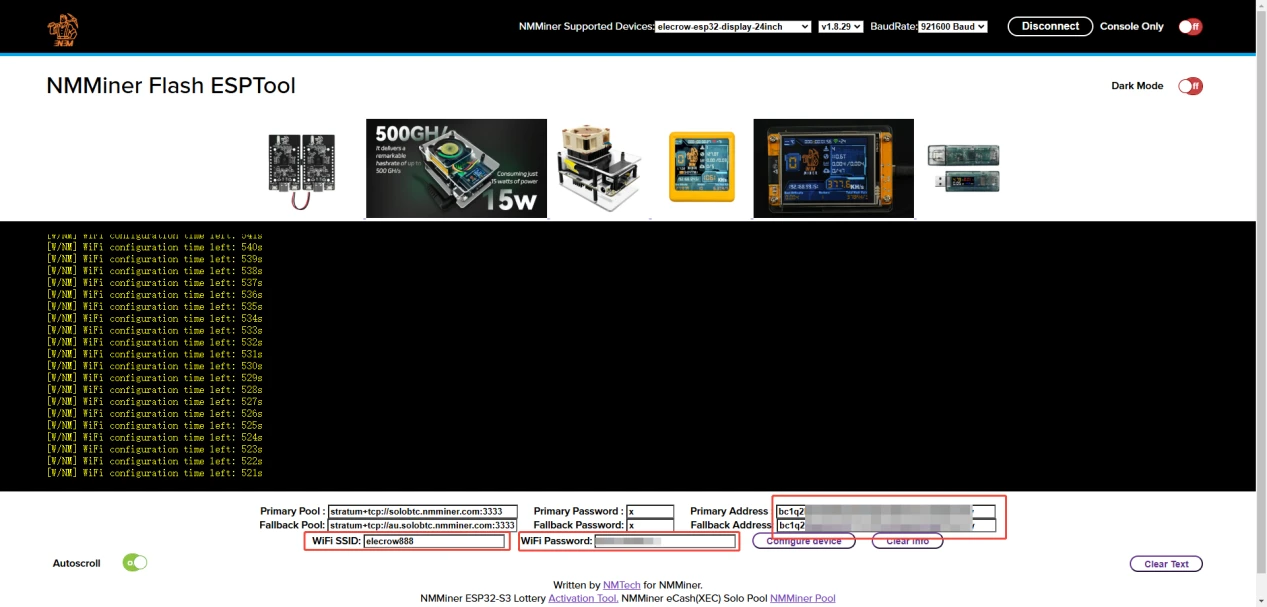
7.After successful flashing, set the Wi-Fi SSID, password, and Bitcoin address to connect.
8.Click "Configure device" to apply the settings.
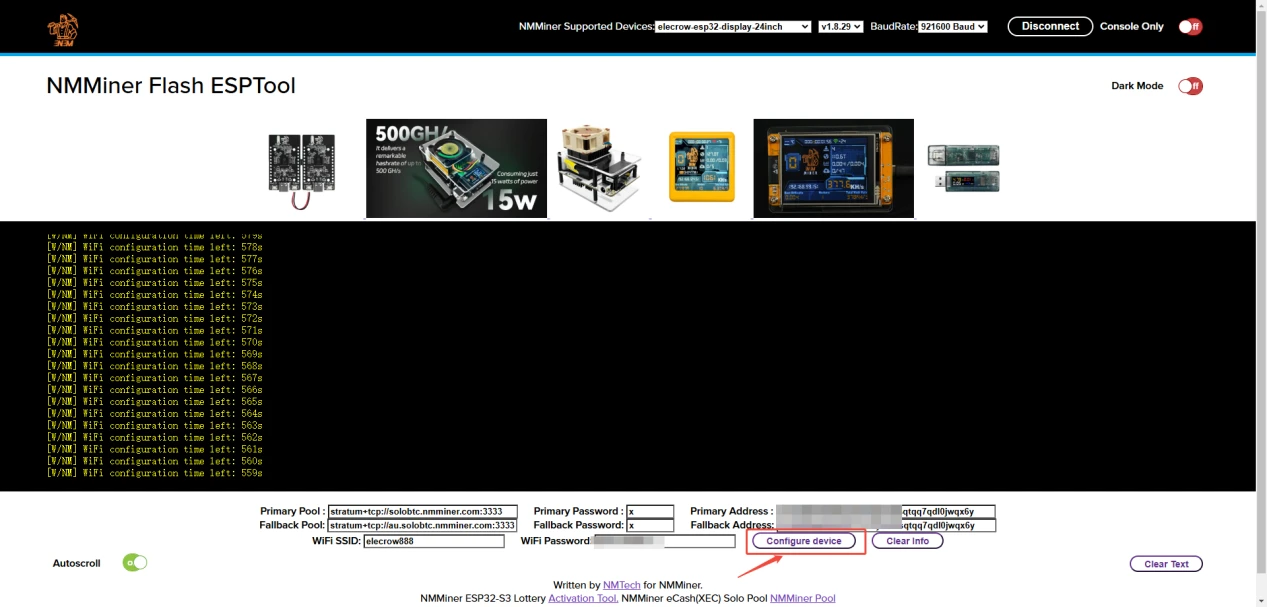
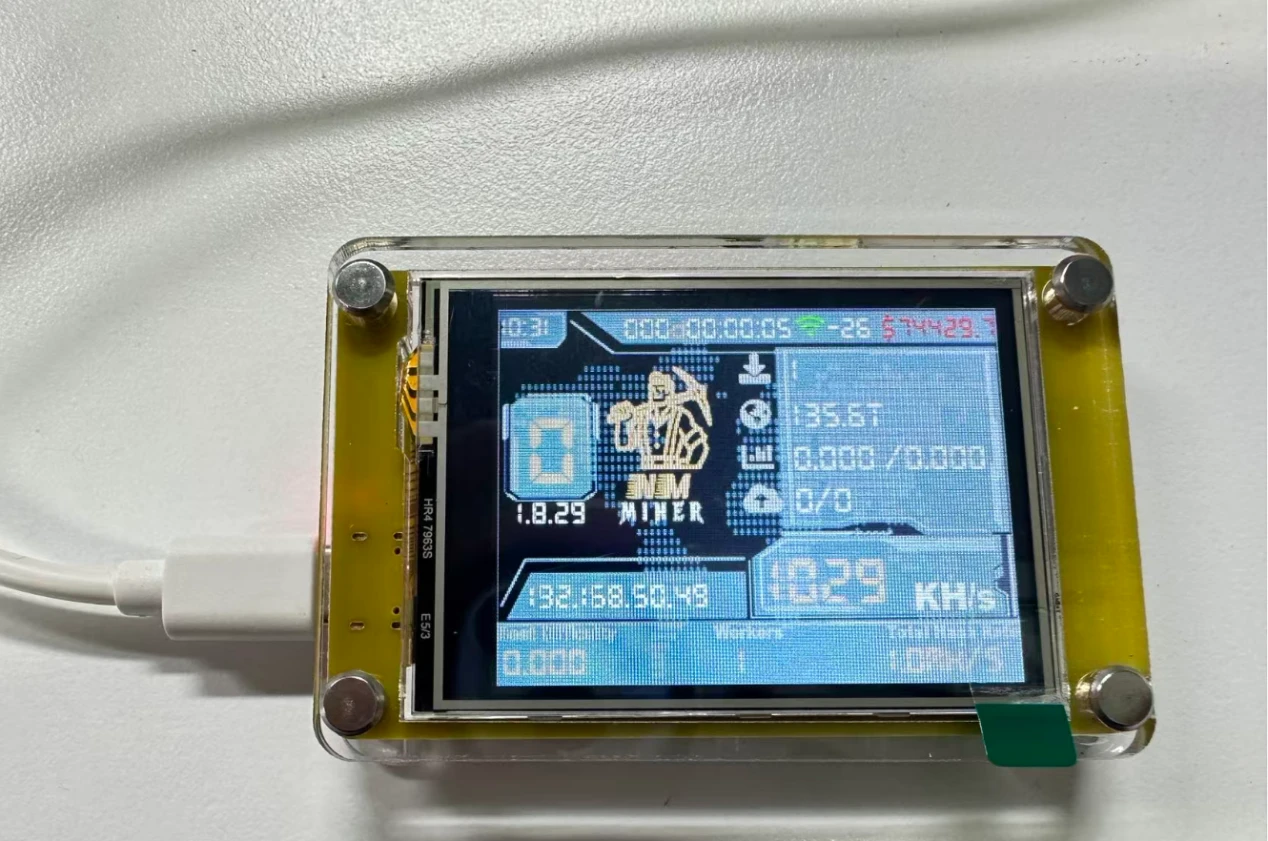
9.After successful setup, your device will enter the following interface and start working.
Changing Wi-Fi Settings and Bitcoin Address
If you want to change your Wi-Fi or Bitcoin address during subsequent use, you can flash the firmware again, enter the new Wi-Fi or new Bitcoin address, and then select "Configure device" to apply the new settings.
Note: If the firmware quickly reverts to the old configuration, you need to enter the configuration information to be modified and click "Configure device" to apply the settings more quickly.